
Get your outdoor TV sparkling clean and ready for the ultimate backyard movie night. This guide walks you through safe cleaning methods, essential tools, and pro tips to protect your TV from dust, moisture, and sun damage—so every film night shines bright.
Key Takeaways
- Safety first: Always unplug the TV and let it cool before cleaning to avoid electrical hazards or screen damage.
- Use the right tools: Microfiber cloths, distilled water, and mild cleaners are ideal—avoid ammonia, alcohol, or abrasive materials.
- Clean gently: Wipe in soft, circular motions to prevent scratching the screen or leaving streaks.
- Protect from the elements: Use a weatherproof cover when not in use and position the TV under a shaded area or awning.
- Maintain regularly: Wipe down your outdoor TV weekly to prevent buildup of dirt, pollen, and bird droppings.
- Check connections: After cleaning, inspect cables and ports for moisture or corrosion to ensure optimal performance.
- Enhance viewing: A clean screen improves brightness and clarity, making your backyard cinema experience more immersive.
How to Clean TV for Patio for Backyard Movie Night
Imagine this: the sun sets, string lights twinkle above, cozy blankets are spread across the lawn, and your favorite film begins to play on a large outdoor screen. The only problem? Your patio TV looks hazy, streaky, and covered in dust. Suddenly, the magic fades.
Don’t let a dirty screen ruin your backyard movie night. Whether you’re hosting a family film festival or a romantic evening under the stars, a clean TV is essential for crisp visuals and an immersive experience. But cleaning an outdoor TV isn’t the same as wiping down your living room set. Exposure to sun, rain, pollen, and insects means your patio TV needs special care.
In this complete guide, you’ll learn how to clean your TV for patio use safely and effectively. We’ll cover everything from the right cleaning tools and techniques to protecting your TV from the elements. By the end, you’ll be ready to host backyard movie nights with a screen so clear, it feels like the characters are stepping out into your yard.
Let’s get started.
Why Cleaning Your Patio TV Matters
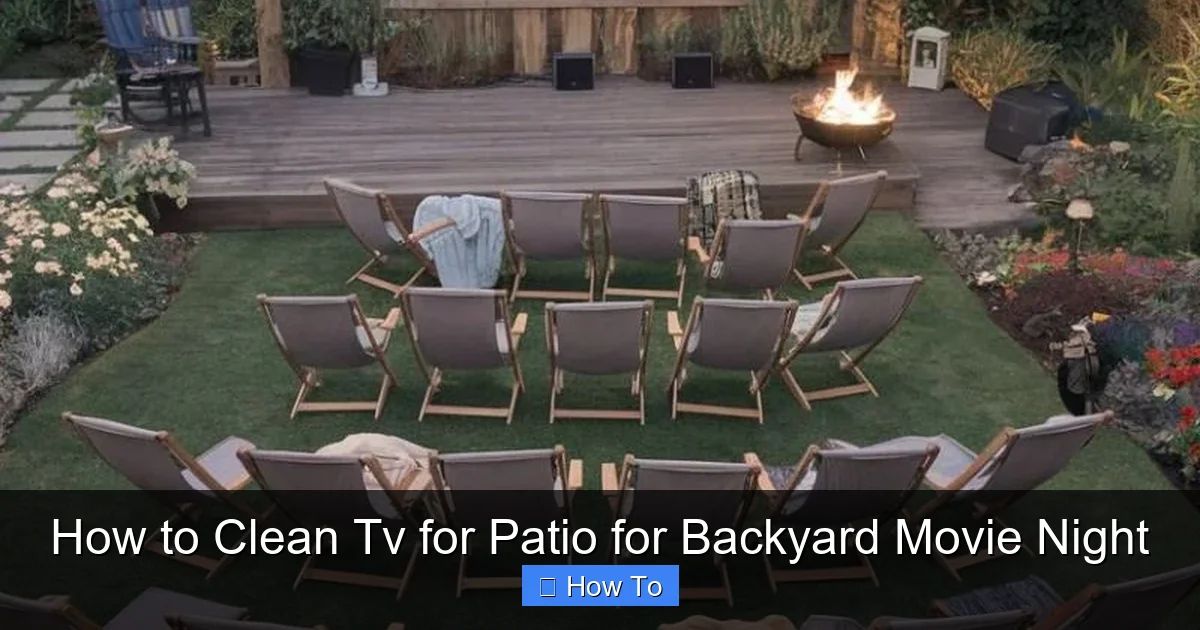
Visual guide about How to Clean Tv for Patio for Backyard Movie Night
Image source: i.pinimg.com
Before we dive into the how-to, let’s talk about why cleaning your outdoor TV is so important. Unlike indoor TVs, patio TVs face constant environmental challenges. Dust, pollen, bird droppings, rain residue, and even salt air (if you live near the coast) can accumulate quickly. Over time, this buildup not only dulls the picture quality but can also damage the screen and internal components.
A dirty screen scatters light, reducing brightness and contrast. You might notice colors looking washed out or details getting lost in shadows. For a backyard movie night, this means missing key scenes or struggling to see action in dimly lit films. Plus, grime can attract pests or promote mold growth in humid climates.
Regular cleaning also extends the life of your TV. Outdoor electronics are built to withstand weather, but they’re not invincible. Dirt and moisture can seep into vents, ports, and seams, leading to corrosion or short circuits. By keeping your TV clean, you’re not just improving picture quality—you’re protecting your investment.
Finally, a clean TV just looks better. There’s something magical about a crystal-clear image glowing under the night sky. It sets the mood, enhances the experience, and makes your backyard feel like a real outdoor cinema.
What You’ll Need to Clean Your Patio TV
Before you start, gather the right tools. Using the wrong materials can scratch your screen, leave streaks, or even damage the TV’s anti-reflective coating. Here’s a simple checklist of what you’ll need:
- Microfiber cloths: These are soft, lint-free, and perfect for screens. Avoid paper towels, tissues, or rough fabrics.
- Distilled water: Tap water contains minerals that can leave spots. Distilled water ensures a streak-free finish.
- Mild cleaning solution: Use a mix of distilled water and a few drops of dish soap, or a screen-safe cleaner like Whoosh! or Screen Mom.
- Compressed air (optional): Great for blowing dust out of vents and ports without touching the TV.
- Soft-bristle brush (optional): Useful for gently removing dried debris from corners or bezels.
- Weatherproof cover: Not for cleaning, but essential for protecting your TV when not in use.
Avoid these common mistakes:
- Ammonia-based cleaners: Found in glass cleaners like Windex—these can strip anti-glare coatings.
- Isopropyl alcohol: Too harsh for most screens and can cause clouding or discoloration.
- Spraying liquid directly on the screen: This can seep into edges and damage internal components.
- Using too much pressure: Screens are delicate—scrubbing can cause permanent damage.
With the right tools in hand, you’re ready to clean your patio TV the safe and effective way.
Step-by-Step Guide to Cleaning Your Patio TV
Now that you’re prepared, let’s walk through the cleaning process step by step. Follow these instructions carefully to keep your TV in top condition.
Step 1: Turn Off and Unplug the TV
Safety is the most important part of cleaning any electronic device. Before you touch your TV, make sure it’s completely powered off and unplugged from the outlet. This prevents electric shock and protects the internal components.
If your TV has been running, give it at least 15–20 minutes to cool down. Hot screens are more prone to damage from cleaning solutions and can warp if wiped too soon.
Also, disconnect any external devices—like streaming sticks, game consoles, or speakers—to avoid accidental damage or moisture getting into ports.
Step 2: Dust the Screen and Bezel
Start by removing loose dust and debris. Use a dry microfiber cloth or a soft-bristle brush to gently wipe the screen surface. Work from top to bottom in light, sweeping motions.
Don’t press hard—dust particles can act like sandpaper and scratch the screen if you rub too firmly. Focus on the center of the screen first, then move to the edges and bezel (the frame around the screen).
For hard-to-reach areas like corners or behind the bezel, use a can of compressed air. Hold it upright and spray in short bursts to avoid moisture buildup. This is especially helpful if you’ve noticed cobwebs or insect nests near the TV.
Step 3: Prepare Your Cleaning Solution
Never spray liquid directly on the screen. Instead, dampen your microfiber cloth with a cleaning solution. Here’s a simple DIY mix:
- 1 cup of distilled water
- 1–2 drops of mild dish soap (like Dawn)
Stir gently to avoid creating suds. Alternatively, use a commercial screen cleaner designed for electronics. These are formulated to be safe for anti-reflective and OLED screens.
Avoid vinegar, alcohol, or all-purpose cleaners—they’re too harsh and can degrade screen coatings over time.
Step 4: Wipe the Screen Gently
Now it’s time to clean the screen. Take your damp microfiber cloth and wring it out well—it should be slightly damp, not dripping.
Start at the top of the screen and wipe in small, circular motions. Work your way down, overlapping each pass slightly to ensure full coverage. Use light pressure—let the cloth do the work.
For stubborn spots like fingerprints or smudges, hold the cloth in place for a few seconds to let the solution loosen the grime, then wipe gently. Never scrub.
If you encounter dried bird droppings or sap, don’t scrape them off. Instead, apply a bit more solution and let it sit for 30–60 seconds before wiping. Patience prevents scratches.
Step 5: Dry the Screen
After cleaning, use a second dry microfiber cloth to buff the screen. This removes any remaining moisture and prevents streaks.
Again, use light, circular motions. Pay extra attention to the edges, where liquid can collect and leave marks.
Make sure the screen is completely dry before turning the TV back on. Moisture left on the screen can cause temporary blurring or, in rare cases, damage internal components.
Step 6: Clean the Bezel and Back
Don’t forget the frame and back of the TV. These areas collect dust, fingerprints, and environmental grime.
Use the same damp cloth to wipe the bezel and back panel. For textured surfaces or vents, a soft-bristle brush can help dislodge debris.
Be careful around ventilation holes—don’t push liquid or cloth fibers into them. If needed, use compressed air to blow out dust from vents.
Step 7: Reconnect and Test
Once everything is dry, reconnect your cables and power on the TV. Check that the picture is clear and there are no streaks or smudges.
If you notice any issues, repeat the cleaning process with a fresh cloth. Sometimes a second pass is needed for a flawless finish.
Special Considerations for Outdoor TVs
Cleaning an outdoor TV isn’t just about the screen—it’s about protecting the entire unit from the elements. Here are some key factors to keep in mind.
Weatherproofing and Enclosures
Most patio TVs are designed for outdoor use, but that doesn’t mean they’re indestructible. Look for models with an IP rating (Ingress Protection) of at least IP54, which means they’re protected against dust and water splashes.
Even with a weatherproof TV, consider using an outdoor TV enclosure or cover. These add an extra layer of protection from rain, snow, and UV rays. Some enclosures even have built-in fans to prevent overheating.
If your TV isn’t fully weatherproof, install it under a covered patio, pergola, or awning. Avoid direct exposure to sunlight and rain.
Sun and Glare
Sunlight can cause glare and make it hard to see the screen during daytime viewing. To reduce glare:
- Position the TV so it’s not directly facing the sun.
- Use a matte or anti-glare screen protector.
- Install outdoor curtains or shades to block harsh light.
UV rays can also fade colors and degrade screen materials over time. A UV-protective cover or film can help extend your TV’s lifespan.
Humidity and Moisture
High humidity can lead to condensation inside the TV, especially if it cools down quickly at night. To prevent this:
- Avoid cleaning the TV in the early morning when dew is present.
- Use a dehumidifier in enclosed outdoor spaces.
- Ensure proper ventilation around the TV.
If you live in a rainy or coastal area, consider a TV with a sealed design or a protective hood.
Pests and Debris
Outdoor TVs attract birds, insects, and even small animals. Bird droppings are acidic and can damage screens if left too long. Clean them as soon as possible.
To deter pests:
- Install a bird deterrent near the TV.
- Keep the area clean and free of food scraps.
- Use a cover when the TV is not in use.
How Often Should You Clean Your Patio TV?
Regular maintenance is key to keeping your outdoor TV in great shape. Here’s a simple cleaning schedule:
- Weekly: Wipe down the screen and bezel with a dry microfiber cloth to remove dust and pollen.
- Bi-weekly: Do a full cleaning with a damp cloth and mild solution, especially after rain or high pollen days.
- Monthly: Inspect vents, ports, and cables for dirt or corrosion. Use compressed air to clean hard-to-reach areas.
- Seasonally: Deep clean the entire unit, check the mounting hardware, and inspect the weatherproof seals.
Adjust the frequency based on your climate. If you live in a dusty desert, windy area, or near the ocean, you may need to clean more often.
Troubleshooting Common Cleaning Issues
Even with the best care, problems can arise. Here’s how to handle common issues:
Streaks or Smudges After Cleaning
This usually happens when the cloth is too wet or the cleaning solution leaves residue. To fix it:
- Use a dry microfiber cloth to buff the screen.
- Switch to distilled water to avoid mineral deposits.
- Ensure the cloth is only slightly damp.
Scratches on the Screen
If you notice fine scratches, they were likely caused by abrasive materials or excessive pressure. Unfortunately, most screen scratches can’t be repaired. To prevent them:
- Always use microfiber cloths.
- Avoid paper products or rough fabrics.
- Clean gently—no scrubbing.
Moisture in the Screen
If you see fogging or water droplets inside the screen, turn off the TV immediately and let it dry completely. This could indicate a seal failure or condensation buildup. Contact the manufacturer or a professional technician.
TV Won’t Turn On After Cleaning
Double-check that all cables are securely connected and the power source is working. If the TV still doesn’t turn on, moisture may have reached internal components. Let it dry for 24–48 hours in a warm, dry place before trying again.
Tips for a Perfect Backyard Movie Night
Now that your TV is clean and protected, let’s make your movie night unforgettable.
- Set the mood: Use string lights, lanterns, or LED strips to create a cozy atmosphere.
- Comfort is key: Provide outdoor seating like bean bags, lawn chairs, or blankets.
- Sound matters: Use outdoor speakers or a soundbar for clear audio. Bluetooth speakers work great for portable setups.
- Snacks and drinks: Set up a concession stand with popcorn, candy, and cold drinks.
- Test before sunset: Do a quick tech check to ensure everything is working before your guests arrive.
And don’t forget the most important part—enjoy the show!
Conclusion
Cleaning your TV for patio use doesn’t have to be complicated. With the right tools, techniques, and a little regular maintenance, you can keep your outdoor screen looking sharp and performing at its best. A clean TV means brighter colors, clearer details, and a more immersive movie experience under the stars.
Remember: safety first, gentle cleaning, and protection from the elements. Whether you’re watching a classic film or the latest blockbuster, your backyard cinema will shine when your TV is spotless.
So grab your microfiber cloth, gather your friends and family, and get ready for a movie night that’s truly picture-perfect.

