
Keeping your outdoor TV clean on a screened porch ensures clear picture quality and extends its lifespan. This guide walks you through safe cleaning methods, tools, and maintenance tips tailored for outdoor TVs exposed to dust, bugs, and humidity—without damaging sensitive electronics.
Key Takeaways
- Turn off and unplug the TV before cleaning: Always ensure safety by disconnecting power to avoid electrical hazards or screen damage.
- Use only recommended cleaning tools: Microfiber cloths, distilled water, and mild cleaners prevent scratches and chemical damage.
- Avoid harsh chemicals and abrasive materials: Ammonia, alcohol, or paper towels can ruin anti-reflective coatings and scratch screens.
- Clean regularly to prevent buildup: Dust, pollen, and insect residue accumulate quickly outdoors—monthly cleaning is ideal.
- Protect from moisture and humidity: Even on a screened porch, use a weatherproof cover when not in use to guard against condensation.
- Check manufacturer guidelines: Always refer to your TV’s manual for specific cleaning instructions and warranty requirements.
- Inspect mounting hardware during cleaning: Look for rust, loose bolts, or wear that could affect stability over time.
How to Clean Outside TV for Screened Porch
So you’ve got an awesome outdoor TV mounted on your screened porch—perfect for watching the big game, streaming movies under the stars, or catching up on your favorite shows while enjoying the fresh air. But let’s be real: even though it’s behind screens, your outdoor TV isn’t completely protected from the elements. Dust, pollen, spiderwebs, bird droppings, and humidity can all take a toll on your screen and overall performance.
Cleaning your outside TV might seem simple, but doing it wrong can lead to scratches, damaged coatings, or even electrical issues. That’s why it’s important to follow the right steps and use the proper tools. In this complete guide, we’ll walk you through everything you need to know about how to clean your outside TV for a screened porch—safely, effectively, and without voiding your warranty.
Whether you’re dealing with a light layer of dust or a stubborn bug splatter, we’ve got you covered. You’ll learn what supplies to use, how to clean different parts of your TV, how often to do it, and how to prevent future buildup. Plus, we’ll share expert tips and troubleshooting advice to keep your outdoor entertainment setup looking and working like new.
Let’s get started!
Why Cleaning Your Outdoor TV Matters
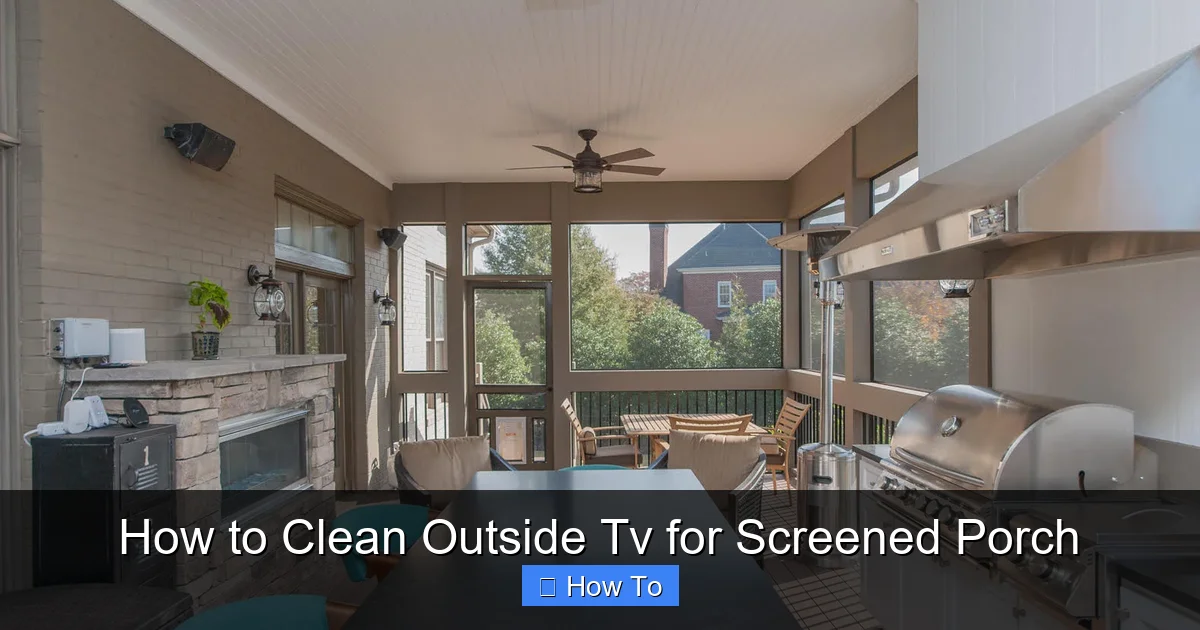
Visual guide about How to Clean Outside Tv for Screened Porch
Image source: solid-sc.com
You might think, “It’s just a little dust—what’s the big deal?” But over time, even small particles can cause problems. Here’s why regular cleaning is essential:
- Maintains picture quality: A dirty screen can look hazy, reduce brightness, and make colors appear dull. This is especially noticeable during daytime viewing when ambient light is high.
- Prevents long-term damage: Dust and pollen can attract moisture, leading to corrosion on internal components. Insect residue is acidic and can etch the screen if left too long.
- Extends TV lifespan: Regular maintenance reduces wear and tear, helping your outdoor TV last longer—often 5–7 years or more with proper care.
- Improves safety: Built-up grime near vents or mounting brackets can trap heat or interfere with airflow, potentially causing overheating.
Even on a screened porch, your TV is exposed to outdoor air, insects, and temperature changes. Screens keep out large debris and most rain, but they don’t stop fine particles or humidity. That’s why a consistent cleaning routine is key.
What You’ll Need to Clean Your Outdoor TV
Before you start, gather the right tools. Using the wrong supplies is one of the most common mistakes people make. Here’s a checklist of recommended items:
- Microfiber cloths (lint-free): These are soft, non-abrasive, and ideal for screens. Avoid paper towels, tissues, or rough cloths—they can scratch.
- Distilled water: Tap water contains minerals that can leave streaks or spots. Distilled water evaporates cleanly.
- Mild cleaning solution (optional): Use a screen-safe cleaner or make your own with 50% distilled water and 50% white vinegar. Never use ammonia, alcohol, or window cleaners like Windex.
- Soft-bristle brush or makeup brush: Great for gently removing dust from vents, crevices, and mounting hardware.
- Compressed air (optional): Useful for blowing dust out of hard-to-reach areas like speaker grilles or cable ports.
- Step ladder or stable platform: Ensure safe access to your TV without straining or risking a fall.
- Weatherproof cover (recommended): Use when the TV is off for extended periods to reduce cleaning frequency.
Pro tip: Keep a dedicated cleaning kit for your outdoor TV so you’re always ready. Store it in a dry, accessible spot near your porch.
Step-by-Step Guide to Cleaning Your Outdoor TV
Now that you’re prepared, let’s go through the cleaning process step by step. Follow these instructions carefully to avoid damage.
Step 1: Turn Off and Unplug the TV
Safety first! Always turn off your TV and unplug it from the power source before cleaning. This prevents electrical shock and protects the internal components from moisture.
Even if your TV is on a GFCI outlet (which is recommended for outdoor use), unplugging ensures complete safety. Wait at least 10–15 minutes after turning it off to let the screen cool down—especially if it’s been running in the sun.
Step 2: Remove Loose Dust and Debris
Start by gently brushing away surface dust. Use a soft-bristle brush or a clean, dry microfiber cloth to wipe the screen and frame.
- Work from top to bottom to avoid spreading dust.
- Pay attention to the bezel (the frame around the screen), vents, and mounting bracket.
- If you see spiderwebs or insect nests, use the brush to carefully dislodge them. Don’t pull or scrape.
For tight spaces like speaker grilles or cable ports, use compressed air. Hold the can upright and spray in short bursts to avoid moisture buildup.
Step 3: Dampen the Microfiber Cloth
Never spray liquid directly onto the screen. Instead, lightly dampen a corner of your microfiber cloth with distilled water or a mild cleaning solution.
The cloth should be slightly moist—not dripping. Excess moisture can seep into the edges of the screen or around buttons, causing damage.
If you’re using a homemade solution (50% distilled water, 50% white vinegar), test it on a small, inconspicuous area first to ensure it doesn’t affect the screen coating.
Step 4: Wipe the Screen Gently
Using the damp part of the cloth, wipe the screen in gentle, circular motions. Start from one corner and work your way across.
- Apply light pressure—let the cloth do the work.
- Avoid pressing hard, especially on LED or OLED screens, which can be damaged by pressure.
- Don’t use excessive liquid. If the cloth dries out, re-dampen it slightly.
For stubborn spots like dried bug residue or sticky fingerprints, hold the damp cloth over the area for 10–15 seconds to soften it, then wipe gently. Never scrub.
Step 5: Dry the Screen
Immediately after cleaning, use a dry section of the microfiber cloth to wipe the screen and remove any remaining moisture.
This prevents streaks and ensures a clear, shiny finish. Make sure no water has pooled around the edges or seeped into openings.
Step 6: Clean the Frame and Vents
Use a dry or slightly damp microfiber cloth to wipe down the TV’s frame, buttons, and ventilation areas.
- For plastic or metal frames, a bit of mild cleaner is safe.
- Use the soft brush to clean dust from vents—this helps maintain proper airflow and cooling.
- Check for rust or corrosion on metal parts, especially if your porch is near a coastal area.
If you notice any buildup in the vents, use compressed air to blow it out. Avoid inserting anything sharp into the vents.
Step 7: Inspect the Mounting Hardware
While you’re up close, take a moment to check the TV mount and brackets.
- Look for loose screws or bolts—tighten them if needed.
- Check for signs of rust or wear, especially on outdoor-rated mounts.
- Ensure the TV is securely attached and level.
A wobbly or sagging TV isn’t just annoying—it can be dangerous. If you notice any issues, consult a professional or the mount manufacturer.
Step 8: Reconnect and Test
Once everything is dry and secure, plug the TV back in and turn it on.
Check that the picture is clear, the sound works, and all inputs are functioning. If you notice any issues, turn it off immediately and recheck your connections.
How Often Should You Clean Your Outdoor TV?
The frequency depends on your local environment, but here’s a general guideline:
- Monthly: Ideal for most screened porches. Dust and pollen build up quickly, especially in spring and fall.
- Bi-weekly: Recommended if you live in a high-pollen area, near trees, or in a region with frequent insects.
- After storms or heavy wind: Check for debris, moisture, or loose mounting.
- Seasonally: Do a deep clean at the start of spring and fall to prepare for changing weather.
Keep a cleaning log or set a calendar reminder to stay on track. Consistency is key to preventing major buildup.
Special Cleaning Challenges and Solutions
Even with regular maintenance, you might encounter some tricky situations. Here’s how to handle them:
Stubborn Bug Residue
Insects like flies, mosquitoes, and moths love outdoor TVs—especially at night when the screen is lit.
- Soak a microfiber cloth in warm distilled water and lay it over the spot for 2–3 minutes to soften the residue.
- Gently wipe with light pressure. Repeat if needed.
- For dried splatters, a 50/50 water-vinegar solution can help break down organic matter.
Avoid scraping or using sharp objects. If the residue won’t budge, consult the manufacturer—some coatings are sensitive.
Bird Droppings
Bird waste is acidic and can damage screens if left too long.
- Clean as soon as possible.
- Use a damp cloth to gently lift the droppings—don’t rub.
- Rinse the area with a clean, damp cloth, then dry thoroughly.
If droppings are frequent, consider installing a bird deterrent or adjusting the TV angle to reduce attraction.
Humidity and Condensation
Screened porches can trap moisture, especially at night or during rain.
- Use a dehumidifier or fan to improve airflow.
- Never wipe a cold screen with a wet cloth—this can cause thermal shock.
- Allow the TV to acclimate to room temperature before cleaning.
If you see condensation inside the screen (rare but possible), turn off the TV and let it dry completely before use.
Static and Dust Attraction
Some outdoor TVs attract static, which pulls in more dust.
- Use an anti-static microfiber cloth.
- Avoid synthetic fabrics near the screen.
- Consider a screen protector designed for outdoor use.
Preventive Maintenance Tips
Cleaning is easier when you prevent buildup in the first place. Try these tips:
- Use a weatherproof cover: When the TV is off for more than a few hours, cover it with a breathable, waterproof cover. This reduces dust and moisture exposure.
- Install a porch fan or dehumidifier: Improves airflow and reduces humidity.
- Trim nearby vegetation: Overhanging branches can drop sap, leaves, and attract insects.
- Use LED lighting away from the TV: Bright lights near the screen can attract bugs at night.
- Choose the right TV: Invest in a true outdoor-rated TV with an IP54 or higher rating for dust and water resistance.
Troubleshooting Common Cleaning Issues
Even with care, problems can arise. Here’s how to handle them:
Streaks or Haze on the Screen
- Cause: Using tap water, too much cleaner, or a dirty cloth.
- Solution: Re-clean with distilled water and a fresh microfiber cloth. Wipe in one direction, not circles.
Scratches on the Screen
- Cause: Using abrasive materials like paper towels or rough cloths.
- Solution: Minor scratches can sometimes be minimized with a screen polish, but prevention is best. Always use microfiber.
Moisture Inside the Screen
- Cause: Liquid seeped into the edges during cleaning.
- Solution: Turn off the TV, unplug it, and let it dry completely (24–48 hours). If the issue persists, contact the manufacturer.
TV Won’t Turn On After Cleaning
- Cause: Loose power connection or moisture in ports.
- Solution: Check all cables and ensure they’re dry. Plug in and test. If it still doesn’t work, consult a technician.
Final Tips for Long-Term Care
Taking care of your outdoor TV goes beyond cleaning. Here are a few final tips:
- Follow the manufacturer’s guidelines: Always check the user manual for specific cleaning and maintenance instructions.
- Avoid direct sunlight when possible: Use a shade or awning to reduce UV exposure, which can fade colors over time.
- Upgrade cables and connections: Use outdoor-rated HDMI and power cables to prevent corrosion.
- Schedule professional inspections: Once a year, have a technician check the TV and mount for wear and safety.
Conclusion
Cleaning your outside TV for a screened porch doesn’t have to be complicated—but it does require care and the right approach. By following this guide, you’ll keep your screen crystal clear, protect your investment, and enjoy uninterrupted outdoor entertainment for years to come.
Remember: always unplug the TV, use only safe cleaning tools, and clean regularly to prevent buildup. A little maintenance goes a long way in preserving picture quality and extending the life of your outdoor TV.
With the right habits and a bit of attention, your screened porch will remain the perfect spot for movie nights, game days, and relaxing evenings under the open sky. So grab your microfiber cloth, follow these steps, and get back to enjoying your favorite shows—outside, in style.

