
Transform your deck into the ultimate summer party hub by installing an outdoor TV. This guide walks you through choosing the right TV, mounting it securely, running cables safely, and optimizing your setup for fun in the sun—rain or shine.
Key Takeaways
- Choose a weatherproof outdoor TV: Standard indoor TVs aren’t built for outdoor conditions. Invest in a fully weatherproof model designed for decks, patios, or backyards.
- Pick the right mounting location: Select a shaded, protected spot with minimal glare and easy viewing from seating areas. Avoid direct sunlight and water exposure.
- Use proper outdoor-rated cables and conduits: Protect power and HDMI cables from moisture, UV rays, and pests with waterproof conduits and outdoor-rated wiring.
- Ensure safe power supply: Always use a GFCI outlet and consider a dedicated circuit to prevent electrical hazards during wet or humid conditions.
- Secure your mount with structural support: Attach the wall mount to deck framing or a sturdy post—never just to siding or thin railings.
- Add smart accessories for convenience: Use wireless soundbars, voice remotes, and streaming devices to enhance your outdoor viewing experience.
- Test and maintain regularly: Check connections, clean the screen, and inspect seals before and after each party season.
How to Install Deck TV for Summer Parties
Summer is the perfect time to bring the party outside. Whether you’re hosting a backyard barbecue, watching the big game under the stars, or enjoying a movie night with friends, adding a TV to your deck can take your outdoor entertainment to the next level. But installing a deck TV isn’t as simple as mounting a regular TV indoors. You need to consider weather, safety, visibility, and durability.
In this comprehensive guide, we’ll walk you through every step of installing a deck TV for summer parties—from choosing the right model to securing it safely and optimizing your setup for maximum enjoyment. By the end, you’ll have a weatherproof, high-quality outdoor entertainment system that’s ready for sun, rain, and everything in between.
Why Install a Deck TV for Summer Parties?
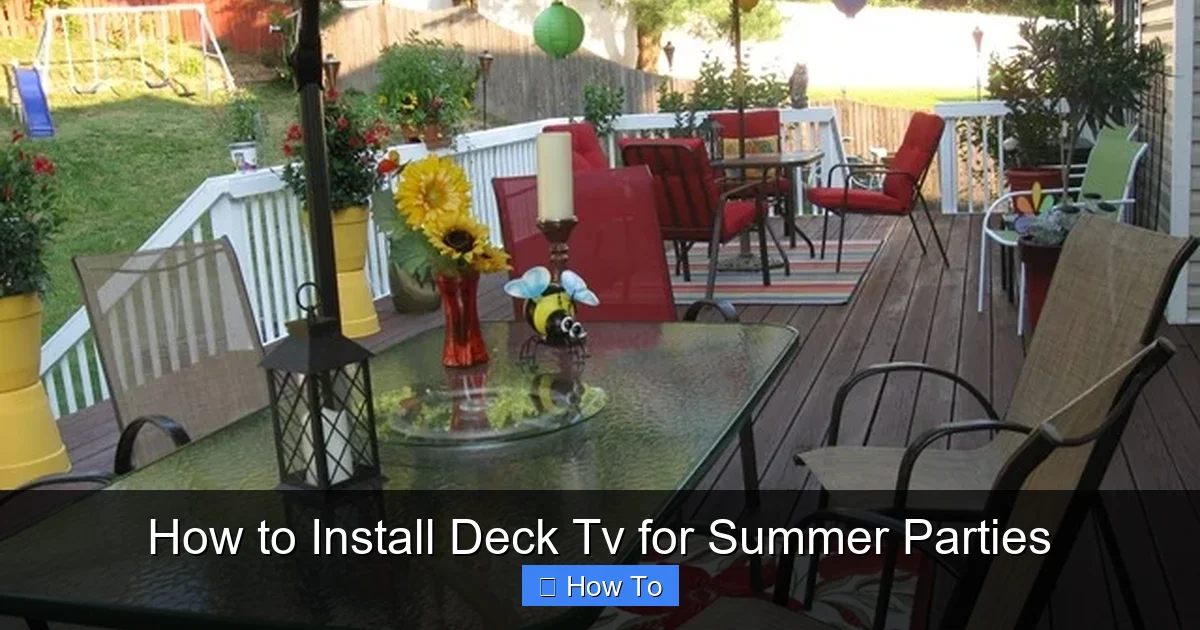
Visual guide about How to Install Deck Tv for Summer Parties
Image source: betweennapsontheporch.net
Outdoor living spaces are more popular than ever. According to the National Association of Home Builders, over 70% of new homes now include outdoor living features like decks, patios, and outdoor kitchens. Adding a TV to your deck creates a central hub for socializing, relaxing, and entertaining.
Imagine watching a sunset movie with friends, catching the final inning of a baseball game while grilling burgers, or streaming a live concert during a summer soirée—all from the comfort of your deck. A deck TV enhances your outdoor experience, keeps guests engaged, and makes your space feel more like an extension of your home.
But it’s not just about fun. A well-installed outdoor TV can also increase your home’s value and appeal. Buyers love outdoor entertainment features, and a professionally mounted TV shows that your space is thoughtfully designed and maintained.
Step 1: Choose the Right Outdoor TV
The most important step in installing a deck TV is selecting the right television. Never use a standard indoor TV outdoors. Indoor TVs aren’t built to handle temperature swings, humidity, rain, or dust. Even under a covered deck, moisture and condensation can damage internal components.
Look for a True Outdoor TV
Outdoor TVs are specifically engineered for exterior use. They come in two main types:
– All-Season Outdoor TVs: These are fully weatherproof and can be used year-round, even in extreme temperatures. They’re ideal for decks that are exposed to the elements or located in regions with harsh winters.
– Partial-Coverage Outdoor TVs: These are designed for covered areas like screened porches or decks with overhangs. They resist moisture and dust but aren’t meant for direct exposure to rain or snow.
For most deck installations, especially those used primarily in summer, a partial-coverage model may suffice—but if your deck is open or you plan to use the TV in other seasons, go all-season.
Key Features to Consider
When shopping for an outdoor TV, keep an eye out for these features:
– Weatherproof Rating: Look for an IP55 or higher rating, which means the TV is protected against dust and water jets.
– Brightness: Outdoor TVs need high brightness (measured in nits) to combat glare from sunlight. Aim for at least 700 nits, though 1000+ is ideal for sunny decks.
– Anti-Glare Screen: A matte or anti-reflective coating reduces screen glare, making it easier to watch during the day.
– Temperature Tolerance: Ensure the TV can operate in temperatures ranging from 32°F to 104°F (0°C to 40°C) or wider, depending on your climate.
– Built-in Cooling and Heating: Some models include internal fans or heaters to regulate temperature and prevent overheating or freezing.
Popular brands include SunBriteTV, Samsung Terrace, and LG Outdoor TVs. Prices range from $1,500 to $5,000+, depending on size and features.
Step 2: Plan Your Mounting Location
Once you’ve chosen your TV, it’s time to decide where to mount it. The right location ensures great viewing angles, protects the TV from the elements, and keeps cables hidden.
Consider Viewing Angles and Distance
Think about where your guests will be sitting. The TV should be visible from your primary seating area—whether that’s a lounge set, outdoor dining table, or Adirondack chairs. A good rule of thumb is to mount the TV at eye level when seated, typically 42 to 48 inches from the floor to the center of the screen.
For a 55-inch TV, the optimal viewing distance is about 7 to 9 feet. For a 65-inch TV, aim for 8 to 10 feet. Too close, and the picture feels overwhelming; too far, and details get lost.
Protect from Sun and Rain
Even with a weatherproof TV, it’s best to mount it in a shaded or covered area. Direct sunlight can cause glare and overheating, while rain and sprinkler spray can damage ports and cables.
If your deck has a pergola, awning, or roof overhang, that’s an ideal spot. If not, consider installing a retractable shade or outdoor umbrella to create a shaded viewing zone.
Avoid mounting the TV near grills, fire pits, or water features, as smoke, grease, and splashes can harm the screen and electronics.
Check for Structural Support
The mounting surface must be strong enough to hold the TV and withstand wind, vibration, and weight. Never mount a TV directly to deck railings, thin wood planks, or vinyl siding.
Instead, mount to:
– A solid wood post
– A reinforced wall section backed by studs
– A concrete or brick wall (if your deck has one)
– A dedicated outdoor TV cabinet or stand
If you’re unsure about the structure, consult a contractor or use a stud finder to locate solid framing.
Step 3: Choose the Right Mount
Outdoor TV mounts are different from indoor ones. They’re built to resist rust, corrosion, and weather damage.
Types of Outdoor Mounts
– Fixed Wall Mount: Keeps the TV flush against the wall. Great for decks with limited space or where you don’t need to adjust the angle.
– Tilting Mount: Allows you to angle the TV up or down for better viewing, especially if mounted high.
– Full-Motion (Articulating) Mount: Lets you swivel, tilt, and extend the TV. Ideal for decks with multiple seating areas or if you want to watch from different spots.
For most deck setups, a tilting or full-motion mount offers the most flexibility.
Outdoor-Specific Features
Make sure your mount is:
– Made of powder-coated aluminum or stainless steel (rust-resistant)
– Rated for outdoor use
– Compatible with your TV’s VESA pattern (the screw hole layout on the back)
– Rated to support your TV’s weight (check the manufacturer’s specs)
Popular brands include Sanus, Peerless-AV, and Vogel’s. Expect to pay $100 to $300 for a quality outdoor mount.
Step 4: Run Cables Safely and Neatly
Power and signal cables are the lifelines of your deck TV. But running them outdoors requires extra care to prevent damage and hazards.
Use Outdoor-Rated Cables
Never use standard indoor extension cords or HDMI cables. Instead, use:
– Outdoor-rated power cords: Look for “SJTW” or “SJTOW” ratings, which indicate resistance to water, oil, and UV rays.
– Weatherproof HDMI cables: These have sealed connectors and UV-resistant jackets.
– Ethernet cables (if using wired internet): Use Cat6 or Cat6a outdoor-rated cables.
Protect Cables with Conduit
To prevent tripping hazards and protect cables from weather and pests, run them through waterproof electrical conduit. PVC or metal conduit can be buried underground, attached to the deck frame, or routed along the wall.
For power cables, use a dedicated outdoor-rated conduit with watertight fittings. For HDMI and other low-voltage cables, a smaller flexible conduit works well.
Route Cables Strategically
Plan your cable path before drilling. Ideally, run power from a GFCI outlet (more on that below) to the TV location. For HDMI, consider running it from your indoor entertainment center or a weatherproof outdoor media box.
If running cables underground, bury the conduit at least 18 inches deep and use conduit glue to seal joints. Label both ends for easy identification.
Step 5: Ensure Safe Power Supply
Electrical safety is critical when installing any outdoor electronics. Water and electricity don’t mix—so take precautions.
Use a GFCI Outlet
A Ground Fault Circuit Interrupter (GFCI) outlet detects electrical faults and cuts power instantly, preventing shocks. All outdoor outlets must be GFCI-protected by code.
If your deck doesn’t have a GFCI outlet, hire a licensed electrician to install one. Never use a GFCI adapter as a permanent solution.
Consider a Dedicated Circuit
Outdoor TVs, especially larger models, can draw significant power. Sharing a circuit with lights, fans, or grills may cause tripping. A dedicated 20-amp circuit ensures stable power and reduces fire risk.
Use a Weatherproof Enclosure
If your outlet is exposed, install a weatherproof cover (also called an in-use cover) that protects plugs even when devices are connected. This keeps rain and debris out.
Step 6: Mount the TV Securely
Now it’s time to install the mount and hang the TV. Take your time—this step affects both safety and performance.
Step-by-Step Mounting Process
1. Mark the Mounting Holes: Hold the mount against the wall or post at your desired height. Use a level to ensure it’s straight, then mark the screw locations.
2. Drill Pilot Holes: Use a drill bit slightly smaller than your mounting screws to prevent splitting the wood.
3. Secure the Mount: Attach the mount using corrosion-resistant lag bolts or structural screws. For wood, use at least 3-inch screws that penetrate into solid framing.
4. Attach the TV Brackets: Screw the mounting brackets to the back of the TV using the provided hardware.
5. Hang the TV: With a helper, lift the TV and hook it onto the mount. Double-check that it’s secure and level.
6. Tighten All Connections: Use a wrench or screwdriver to ensure all bolts and screws are tight.
Safety Tips
– Always have a second person help lift the TV.
– Wear gloves and safety glasses.
– Never mount a TV alone—TVs are heavy and awkward to handle.
– Test the mount’s stability by gently pushing on the TV before walking away.
Step 7: Connect and Test Your System
With the TV mounted, it’s time to connect your devices and test everything.
Connect Power and Cables
Plug the TV into the GFCI outlet. Connect your HDMI cable to a streaming device (like a Roku, Apple TV, or Fire Stick), cable box, or gaming console. If using wired internet, plug in the Ethernet cable.
For a cleaner look, use cable clips or raceways to secure loose wires along the wall or deck frame.
Set Up the TV
Turn on the TV and follow the on-screen setup. Connect to Wi-Fi, sign in to streaming services, and adjust picture settings for outdoor viewing (increase brightness, reduce motion smoothing).
Test in Different Conditions
Watch the TV at different times of day—morning, afternoon, and evening—to check for glare, overheating, or signal issues. Make sure the picture remains clear and the sound is audible over outdoor noise.
Step 8: Enhance Your Outdoor Entertainment
Your deck TV is installed—now make it party-ready!
Add Outdoor Speakers or a Soundbar
Most outdoor TVs have decent built-in speakers, but for a true party vibe, add wireless outdoor speakers or a weatherproof soundbar. Place them on either side of the TV or around the seating area for surround sound.
Use a Streaming Device
A streaming stick or box gives you access to Netflix, YouTube, live sports, and more. Choose a model with a voice remote for easy control from the couch.
Install Smart Lighting
String lights, LED path lights, or color-changing smart bulbs create ambiance and improve visibility. Use a smart plug to control them with your phone or voice assistant.
Create a Cozy Viewing Area
Add outdoor cushions, throw blankets, and a coffee table for snacks and drinks. A fire pit or outdoor heater extends the season into cooler evenings.
Troubleshooting Common Issues
Even with careful planning, problems can arise. Here’s how to fix the most common deck TV issues.
TV Won’t Turn On
– Check the GFCI outlet—press the “Reset” button.
– Ensure the power cord is securely plugged in.
– Test the outlet with another device to confirm it’s working.
Poor Picture Quality or Glare
– Adjust the TV’s brightness and contrast settings.
– Reposition the TV to avoid direct sunlight.
– Use an anti-glare screen protector if needed.
Overheating or Shutting Down
– Ensure the TV has proper ventilation—don’t block vents.
– Move the TV to a shadier spot.
– Check if the internal cooling fan is working.
Weak Wi-Fi Signal
– Move your router closer or use a Wi-Fi extender.
– Switch to a wired Ethernet connection for stability.
– Avoid placing the TV near metal structures that block signals.
Cables Getting Wet or Damaged
– Re-seal conduit joints with waterproof tape or glue.
– Replace any frayed or cracked cables immediately.
– Use drip loops in cables to prevent water from traveling into outlets.
Maintaining Your Deck TV
To keep your deck TV in top condition, perform regular maintenance.
Monthly Checks
– Wipe the screen with a microfiber cloth.
– Inspect cables for wear or exposure.
– Check that the mount is still secure.
Seasonal Maintenance
– Before summer: Test all functions, clean the screen, and check seals.
– After summer: Cover the TV with a weatherproof cover if not using it, or store it indoors if you have a partial-coverage model.
Professional Inspection
Once a year, have an electrician inspect the wiring and outlet to ensure everything is up to code and safe.
Conclusion
Installing a deck TV for summer parties is a fantastic way to elevate your outdoor living space. With the right TV, secure mounting, safe wiring, and thoughtful setup, you can enjoy movies, sports, and shows under the open sky—rain or shine.
Remember: safety and durability come first. Always use outdoor-rated equipment, protect your cables, and consult professionals when needed. With proper installation and maintenance, your deck TV will be the centerpiece of countless summer gatherings for years to come.
So fire up the grill, invite your friends, and press play—your ultimate outdoor entertainment experience starts now.

