
Transform your apartment balcony or small outdoor space into an entertainment hub with a backyard TV setup. This guide walks you through choosing the right TV, mounting options, weatherproofing, and staying compliant with lease rules—all without permanent damage.
Key Takeaways
- Choose a weather-resistant or indoor TV with protective casing: Even on covered balconies, humidity and temperature changes can damage standard electronics.
- Use renter-friendly mounts like freestanding stands or clamp-on brackets: Avoid drilling into walls or railings to prevent lease violations.
- Check your lease agreement and building rules first: Some apartments prohibit outdoor installations or have noise/visual restrictions.
- Protect cables with conduit or cord covers: Keep wiring safe from weather, pests, and tripping hazards.
- Optimize viewing angle and distance: Position the TV at eye level and within 6–10 feet for the best experience.
- Use a surge protector and smart plug for safety: Prevent electrical damage and easily control power remotely.
- Consider portable or foldable setups for flexibility: Ideal for small spaces or if you move frequently.
How to Install Backyard TV for Apartments
Imagine sipping your morning coffee or hosting a weekend BBQ while watching your favorite show under the open sky—all from the comfort of your apartment balcony or tiny backyard. Sounds dreamy, right? But if you’re renting, you might think installing a backyard TV is off-limits. Think again! With the right tools, smart planning, and a little creativity, you can enjoy outdoor entertainment without breaking your lease or damaging your space.
In this complete guide, we’ll walk you through every step of installing a backyard TV for apartments—safely, legally, and affordably. Whether you have a small balcony, a shared courtyard, or a compact patio, you’ll learn how to choose the perfect TV, pick renter-friendly mounting solutions, protect your gear from the elements, and set up a cozy outdoor viewing zone. No construction skills required—just common sense, a few tools, and this step-by-step plan.
By the end, you’ll have a functional, stylish, and temporary outdoor TV setup that enhances your lifestyle and respects your rental agreement. Let’s get started!
Step 1: Assess Your Space and Check Lease Rules
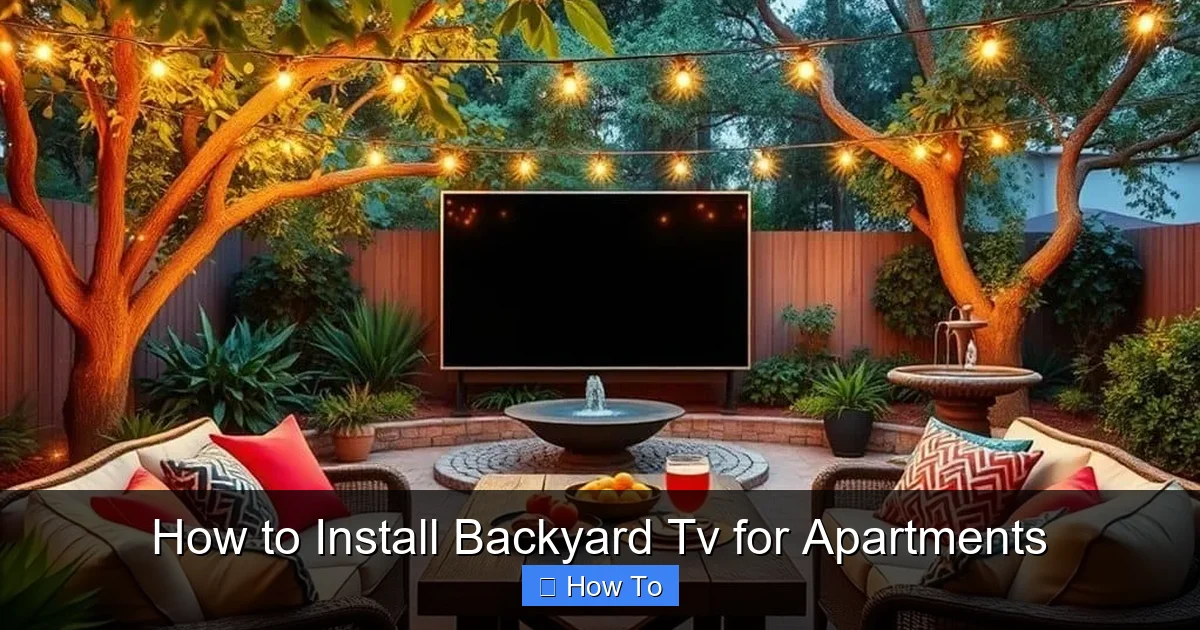
Visual guide about How to Install Backyard Tv for Apartments
Image source: lushbackyard.com
Before you buy anything, take a good look at your outdoor area. Is it a balcony, a rooftop terrace, a small patio, or a shared backyard? Measure the space—note the dimensions, available surfaces, and how much sun or shade it gets. This will help you choose the right TV size and placement.
More importantly, review your lease agreement. Many apartment complexes have rules about outdoor modifications. Some prohibit drilling into walls, attaching anything to railings, or installing permanent fixtures. Others may restrict noise levels or visual clutter. Check for clauses about “alterations,” “exterior modifications,” or “common area usage.”
If you’re unsure, contact your landlord or property manager. Explain your plan politely: “I’d like to set up a temporary outdoor TV on my balcony using a freestanding stand. It won’t damage any surfaces. Is that okay?” Most will approve if it’s non-invasive and removable.
Pro tip: Take photos of your space before and after setup. This shows you’re responsible and makes it easier to restore the area when you move out.
Step 2: Choose the Right TV for Outdoor Use
Not all TVs are created equal—especially when it comes to outdoor use. You don’t need a full-blown outdoor TV (which can cost $2,000+), but you do need one that can handle the conditions.
Indoor TVs with Protective Enclosures
For covered balconies or patios with minimal exposure, a standard indoor TV can work—if protected. Look for models with good brightness (at least 400 nits) to combat glare from sunlight. OLED screens offer great contrast but can be prone to burn-in; LED/LCD TVs are more durable and affordable.
Pair your TV with a weatherproof outdoor TV cover or enclosure. These are sealed cases designed to protect electronics from dust, moisture, and temperature swings. Brands like Seura, SunBrite, and Avenco offer enclosures that fit most 32” to 65” TVs. They often include ventilation fans and anti-reflective glass.
Outdoor-Ready TVs (Optional)
If your space is fully exposed—like an open rooftop—consider a true outdoor TV. These are built with sealed components, UV-resistant casings, and enhanced cooling. They’re more expensive but offer peace of mind. Models like the Samsung Terrace or LG Outdoor TV are great options, though they may be overkill for covered areas.
Size and Resolution
For small spaces, a 32” to 43” TV is ideal. It’s compact, energy-efficient, and easy to mount. If you have more room, go up to 50” or 55”. Stick with 4K resolution for crisp picture quality, especially if you’re watching sports or movies.
Smart Features
Choose a smart TV with built-in Wi-Fi and apps like Netflix, YouTube, or Disney+. This eliminates the need for extra streaming devices. Look for models with voice control (like Alexa or Google Assistant) for hands-free operation.
Step 3: Pick a Renter-Friendly Mounting Solution
The key to a successful apartment TV install is avoiding permanent damage. That means no drilling into walls, railings, or concrete. Here are the best non-invasive mounting options:
Freestanding TV Stands
These are the easiest and most flexible option. Look for a heavy-duty stand with a wide base for stability. Some models come with wheels for portability. Place it on a flat, level surface—like a balcony floor or patio tile. Make sure it’s weighted enough to prevent tipping in wind.
Example: The VIVO Outdoor TV Stand (fits 32”–65” TVs) has a steel frame, adjustable height, and a weather-resistant powder coating.
Clamp-On or Railing Mounts
If your balcony has a sturdy railing, a clamp-on mount can secure your TV without screws. These attach to the top or side of the railing using strong clamps or straps. Ensure the railing is solid and can support the weight (usually 50–100 lbs).
Tip: Use rubber padding between the clamp and railing to prevent scratches.
Magnetic or Adhesive Mounts (Limited Use)
For metal surfaces, heavy-duty magnetic mounts can work—but only if the surface is strong and flat. Adhesive mounts (like 3M VHB tape) are great for temporary use but may leave residue. Test on a small area first.
Wall-Mounted with Removable Adhesives
If you have a concrete or brick wall, consider using removable adhesive hooks or strips designed for heavy loads. Brands like Command or Tuff Tack offer hooks that hold up to 16 lbs. Use multiple hooks for safety.
Never use regular screws or nails—these violate most leases and can cost you your security deposit.
Step 4: Protect Your TV from Weather and Elements
Even on a covered balcony, your TV faces risks: humidity, rain splashes, dust, and temperature changes. Here’s how to keep it safe.
Use a Weatherproof Enclosure
As mentioned earlier, an outdoor TV cover is essential. It seals the TV from moisture and debris. Choose one with:
– IP54 or higher rating (dust and water resistant)
– Built-in ventilation to prevent overheating
– Anti-glare or tinted front glass
Install the TV inside the enclosure before mounting. Follow the manufacturer’s instructions for sealing cables and ports.
Position for Shade and Coverage
Avoid placing the TV in direct sunlight. UV rays can damage screens and cause overheating. If possible, install it under an awning, pergola, or balcony overhang. Use a sunshade or retractable canopy for extra protection.
Elevate Off the Ground
Keep the TV and stand at least 6–12 inches above the floor to avoid water pooling during rain. Use rubber feet or a small platform for added height.
Cover When Not in Use
Even with an enclosure, it’s smart to use a breathable TV cover when the TV is off. This prevents dust buildup and adds an extra layer of protection.
Step 5: Manage Cables and Power Safely
Exposed wires are a tripping hazard and can get damaged by weather or pests. Keep your setup clean and safe with these tips.
Use Cable Conduit or Cord Covers
Run power and HDMI cables through a flexible plastic conduit or a flat cord cover. These can be attached to the floor or wall with adhesive strips. For balconies, use a ramp-style cover that sits on the ground.
Route Cables Along Railings or Walls
Use zip ties or adhesive cable clips to secure wires along the edge of your balcony or up a wall. Keep them tight and out of walkways.
Use a Surge Protector
Outdoor power sources are prone to voltage spikes. Plug your TV and devices into a weatherproof surge protector with a built-in circuit breaker. Look for models with outdoor ratings (like the Tripp Lite Outdoor Surge Protector).
Consider a Smart Plug
A Wi-Fi-enabled smart plug lets you turn the TV on/off remotely via your phone. This saves energy and adds convenience. Pair it with a voice assistant for hands-free control.
Check Power Source Accessibility
Make sure your outdoor outlet is GFCI-protected (Ground Fault Circuit Interrupter) for safety. If you don’t have an outdoor outlet, consult an electrician—never run extension cords across thresholds or under doors.
Step 6: Optimize Viewing Angle and Distance
A great TV setup isn’t just about the screen—it’s about comfort. Position your TV for the best viewing experience.
Eye-Level Placement
Mount the TV so the center of the screen is at or slightly below eye level when seated. For a balcony, this is usually 42–48 inches from the floor. Use a stand with adjustable height or a tilting mount.
Viewing Distance
Sit 6–10 feet away for a 32”–50” TV. Too close, and you’ll see pixels; too far, and you’ll miss details. Use a tape measure to test before finalizing placement.
Minimize Glare
Avoid placing the TV opposite windows or bright lights. Use curtains, blinds, or anti-glare screen protectors to reduce reflections.
Seating Arrangement
Arrange outdoor chairs, benches, or floor cushions in a semi-circle facing the TV. Add throw pillows and blankets for comfort. Consider a small side table for drinks and snacks.
Step 7: Enhance Your Outdoor Entertainment Setup
Your backyard TV is more than a screen—it’s the centerpiece of your outdoor living space. Make it inviting with these upgrades.
Add Outdoor Speakers
Built-in TV speakers often sound tinny outdoors. Use weather-resistant Bluetooth speakers (like the JBL Charge 5 or Bose SoundLink Flex) for richer audio. Place them on either side of the TV or on nearby tables.
Install String Lights or Lanterns
Create ambiance with solar-powered string lights, LED lanterns, or fairy lights. Drape them along railings or hang them from above. Use warm white bulbs for a cozy glow.
Use a Streaming Device (If Needed)
If your TV isn’t smart, add a streaming stick like Roku, Amazon Fire Stick, or Apple TV. Plug it into the HDMI port and connect to Wi-Fi. Most work well outdoors if kept dry.
Add a Small Fridge or Cooler
Keep drinks cold with a compact outdoor fridge or insulated cooler. Place it nearby for easy access during movie nights.
Create a Themed Space
Go all out with a movie night theme: popcorn machine, themed snacks, and cozy blankets. Or set up a sports bar vibe with team colors and snacks.
Troubleshooting Common Issues
Even the best setups can run into problems. Here’s how to fix common issues:
TV Overheating
If your TV shuts off or gets too hot, it may lack ventilation. Ensure the enclosure has fans or vents. Avoid direct sunlight and don’t block airflow around the TV.
Wi-Fi Signal Weak
Outdoor areas often have poor Wi-Fi. Use a Wi-Fi extender or mesh system to boost signal. Place the extender near the balcony door.
Screen Glare or Reflection
Use an anti-glare screen protector or reposition the TV. Add a canopy or umbrella for shade.
TV Tipping Over
Secure the stand with sandbags or weight plates. Ensure the base is wide and level. Avoid placing it on uneven surfaces.
Cables Getting Damaged
Inspect cables regularly for fraying or moisture. Replace damaged ones immediately. Use conduit for long-term protection.
Landlord Complains
If your landlord objects, stay calm. Show them your non-damaging setup and offer to remove it anytime. Most will appreciate your responsibility.
Conclusion
Installing a backyard TV for apartments is totally doable—even if you’re renting. With the right TV, a renter-friendly mount, and smart weatherproofing, you can enjoy outdoor entertainment without risking your security deposit or lease.
Start by checking your space and lease rules. Choose a TV that fits your needs and protect it with an outdoor enclosure. Use freestanding stands or clamp-on mounts to avoid damage. Manage cables safely, optimize your viewing angle, and add cozy touches like lights and speakers.
Remember, the goal is to create a fun, flexible setup that enhances your lifestyle—not complicate it. With this guide, you’re ready to turn your balcony or patio into a backyard cinema, sports lounge, or relaxing retreat.
So grab your remote, invite some friends, and enjoy the show—under the stars, right from your apartment.

