
Hiding cables for a weatherproof TV on a small patio doesn’t have to be complicated. This guide walks you through smart, weather-resistant cable management techniques to keep your outdoor entertainment area clean, safe, and stylish—no more tripping hazards or tangled wires.
Key Takeaways
- Use weatherproof cable covers: Protect cords from rain, UV rays, and temperature changes with sealed raceways or conduits designed for outdoor use.
- Route cables along walls or under decking: Conceal wires by running them behind siding, under railings, or beneath composite deck boards for a clean look.
- Choose the right tools and materials: Invest in outdoor-rated cable clips, zip ties, and conduit to ensure long-term durability and safety.
- Plan your layout before installation: Measure distances, identify power sources, and map cable paths to avoid last-minute changes or exposed wires.
- Secure loose cables with adhesive mounts: Use heavy-duty outdoor adhesive clips to hold cords in place without drilling into surfaces.
- Test all connections before finalizing: Ensure your TV, sound system, and streaming devices work properly after cable installation to avoid rework.
- Maintain accessibility for future repairs: Design your setup so cables can be accessed easily if upgrades or fixes are needed later.
How to Hide Cables for a Weatherproof TV on a Small Patio
So, you’ve installed a sleek weatherproof TV on your small patio—great choice! Now you’re staring at a tangled mess of power cords, HDMI cables, and maybe even speaker wires snaking across your outdoor floor. Not only does it look messy, but it’s also a tripping hazard and vulnerable to weather damage. The good news? Hiding those cables is easier than you think—and totally doable, even in a compact space.
In this guide, we’ll walk you through practical, step-by-step methods to hide and protect your TV cables while keeping your patio safe, stylish, and functional. Whether you’re working with a concrete slab, wooden deck, or tile patio, we’ve got solutions that blend seamlessly into your outdoor setup. By the end, you’ll have a clean, weather-resistant cable management system that lets you enjoy movie nights under the stars—without the clutter.
Why Cable Management Matters for Outdoor TVs
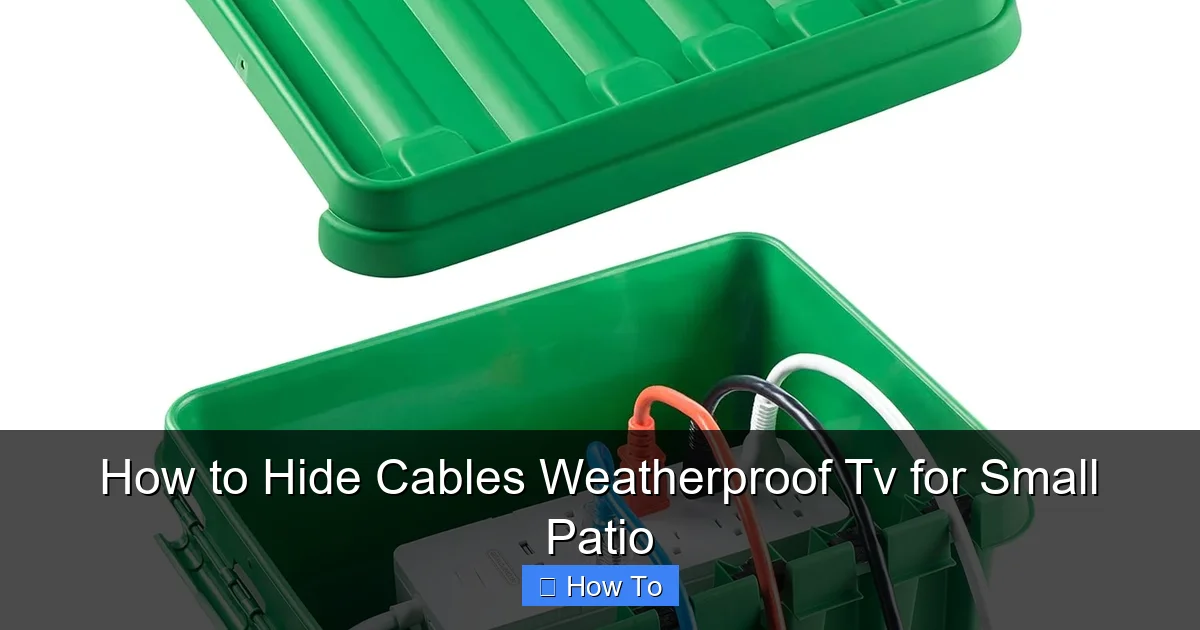
Visual guide about How to Hide Cables Weatherproof Tv for Small Patio
Image source: m.media-amazon.com
Before diving into the how-to, let’s talk about why this matters. Outdoor spaces are exposed to rain, snow, extreme heat, UV rays, and foot traffic. Cables left exposed can degrade quickly, become slippery hazards, or get chewed by pests. Plus, a messy cable trail ruins the relaxing vibe you’re trying to create.
Proper cable management does more than just improve aesthetics—it protects your investment. A weatherproof TV can cost hundreds (or even thousands) of dollars. The last thing you want is a fried HDMI cable or a tripped-over power cord ruining your setup. Good cable hiding also makes cleaning easier and keeps your patio looking intentional and well-designed.
Step 1: Plan Your Cable Layout
The first—and most important—step is planning. Rushing into installation without a clear path leads to frustration, wasted materials, and exposed wires.
Map Out Your Equipment
Start by listing all the devices connected to your TV: soundbar, streaming stick (like Roku or Fire Stick), gaming console, or cable box. Each device needs power and possibly data cables. Note how many cables you’ll need to manage.
Identify Power Sources
Find the nearest outdoor GFCI (Ground Fault Circuit Interrupter) outlet. This is essential for safety—never use indoor outlets for outdoor electronics. If you don’t have one, consult an electrician to install one. It’s worth the investment.
Measure Distances
Use a tape measure to determine the distance from your TV to the power source and any other devices. Add a little extra length (6–12 inches) to allow for slack and future adjustments.
Choose Your Route
Decide where cables will run. Common options include:
- Along the wall behind the TV
- Under a deck or railing
- Inside a cable raceway mounted to the wall
- Through a conduit buried slightly under pavers or mulch
For small patios, wall-mounted solutions are usually best—they save floor space and keep cables off the ground.
Step 2: Choose the Right Cable Management Products
Not all cable covers are created equal. Indoor raceways won’t survive rain or sun. You need outdoor-rated, UV-resistant, and waterproof materials.
Weatherproof Cable Raceways
These are plastic or metal channels that snap over cables and mount to walls. Look for models labeled “outdoor use” or “UV resistant.” Popular brands include D-Line and Legrand. They come in white, black, or paintable finishes to match your patio.
Flexible Conduit
For more protection, use flexible PVC or metal conduit. It’s ideal for running cables under decks or through tight spaces. You’ll need conduit connectors and a fish tape to pull cables through.
Cable Clips and Adhesive Mounts
Use outdoor-rated adhesive clips (3M VHB tape works great) to secure individual cables along walls or under railings. For heavier cables, use screw-mounted clips.
Zip Ties (Outdoor Grade)
Choose UV-resistant zip ties in black or gray. Avoid cheap plastic ones—they become brittle in sunlight.
Cable Sleeves
For a clean, bundled look, use expandable braided sleeves. They’re flexible, protect against abrasion, and come in various colors. Just make sure they’re rated for outdoor use.
Step 3: Install a Wall-Mounted Cable Raceways
This is one of the cleanest and most effective methods for small patios.
Step 1: Clean the Wall Surface
Wipe the wall with rubbing alcohol to remove dust and grease. This ensures strong adhesion if using adhesive-backed raceways.
Step 2: Measure and Cut the Raceways
Use a hacksaw or utility knife to cut the raceway to the correct length. Most come with snap-on end caps for a finished look.
Step 3: Mark the Mounting Points
Hold the raceway in place and use a level to ensure it’s straight. Mark screw holes or adhesive placement spots.
Step 4: Mount the Raceways
If using screws, drill pilot holes and secure with outdoor-rated screws. For adhesive mounts, peel and stick—press firmly for 30 seconds. Allow 24 hours before loading cables.
Step 5: Insert and Secure Cables
Open the raceway, lay in your cables, and snap it shut. Use zip ties inside if needed to keep cables from shifting.
Step 6: Seal the Ends
Use silicone caulk around the edges and end caps to prevent water intrusion. This is crucial for long-term weatherproofing.
Step 4: Run Cables Under Decking or Railing
If your patio has a deck, you can route cables underneath for a completely hidden look.
Step 1: Lift Deck Boards (If Possible)
If your deck boards are removable, carefully lift one near the TV and power source. Use a pry bar gently to avoid damage.
Step 2: Feed Cables Through
Use a fish tape or flexible rod to guide cables from the TV area to the outlet. Have a helper feed the cable from the other end.
Step 3: Protect Cables with Conduit
Slide cables into flexible conduit before feeding. This prevents wear from wood edges and moisture.
Step 4: Reinstall Deck Boards
Carefully replace the boards, ensuring cables aren’t pinched. Use outdoor screws to secure.
Step 5: Seal Gaps
Apply outdoor caulk around any gaps where cables exit to keep out water and insects.
Step 5: Use Adhesive Cable Clips for Minimal Drilling
If you can’t or don’t want to drill into your patio surface, adhesive clips are a great alternative.
Step 1: Choose Heavy-Duty Clips
Look for clips with 3M VHB tape or similar high-strength adhesive. Brands like JOTO and CableGeeker offer outdoor-rated options.
Step 2: Clean the Surface
Wipe the area with alcohol and let it dry completely.
Step 3: Apply and Press
Peel the backing and press the clip firmly for 30 seconds. Wait 24 hours before attaching cables.
Step 4: Route Cables Neatly
Use multiple clips to guide cables along walls, under tables, or behind furniture. Keep bends gentle to avoid damaging cables.
Step 5: Bundle with Zip Ties
Group cables together with UV-resistant zip ties for a tidy appearance.
Step 6: Bury Cables in Landscaping (For Ground-Level Patios)
If your patio is at ground level with surrounding landscaping, you can bury cables just below the surface.
Step 1: Use Direct Burial-Rated Cables
Standard extension cords aren’t safe underground. Use cables labeled “direct burial” or “SJOOW” for outdoor use.
Step 2: Dig a Shallow Trench
Use a flat shovel to dig a 6–8 inch trench from the TV to the outlet. Avoid sharp rocks or roots.
Step 3: Lay Conduit (Optional but Recommended)
Place flexible conduit in the trench, then feed cables through. This adds extra protection.
Step 4: Cover and Landscape
Fill the trench with soil and replace mulch, gravel, or grass. Avoid heavy foot traffic over the area.
Step 5: Mark the Path
Use a small landscape stake or flag to mark the cable path for future reference.
Step 7: Test and Secure All Connections
Before you relax with a movie, make sure everything works.
Step 1: Plug In and Power On
Connect all devices and turn on the TV. Check for video, audio, and internet connectivity.
Step 2: Inspect for Loose Cables
Gently tug on cables to ensure they’re secure and not strained at connection points.
Step 3: Check for Water Resistance
Spray a light mist of water (or wait for rain) and inspect raceways, conduit joints, and outlets for leaks.
Step 4: Label Cables (Optional)
Use waterproof labels or colored tape to identify each cable (e.g., “HDMI 1,” “Power”) for easier troubleshooting later.
Troubleshooting Common Issues
Even with careful planning, problems can arise. Here’s how to fix the most common ones.
Cables Are Too Short
If your cables don’t reach, use outdoor-rated extension cords or couplers. Never splice cables with tape—use waterproof junction boxes instead.
Adhesive Clips Are Falling Off
This usually happens if the surface wasn’t clean or the adhesive wasn’t rated for outdoor use. Remove old adhesive with rubbing alcohol, clean the area, and reapply with a stronger product.
Water Is Getting Into Raceways
Check for gaps at seams or end caps. Apply silicone caulk generously and let it cure fully. Consider upgrading to a fully sealed raceway system.
Cables Are Getting Hot
Avoid bundling too many high-power cables together. Ensure there’s airflow around power cords and transformers. Use a power strip with surge protection to manage load.
Animals Are Chewing Cables
Use metal conduit or armored cable sleeves in areas with rodents. You can also apply a natural deterrent like peppermint oil around the cables.
Maintenance Tips for Long-Term Success
Cable management isn’t a one-and-done task. Regular maintenance keeps your setup safe and functional.
Inspect Every Season
Check cables, raceways, and connections at least twice a year—especially after winter. Look for cracks, fraying, or loose mounts.
Clean Raceways and Clips
Wipe down raceways with a damp cloth to remove dirt and debris. This prevents buildup that can trap moisture.
Reapply Adhesive if Needed
If clips start to loosen, remove and reapply with fresh adhesive. Don’t layer adhesives—clean the surface first.
Upgrade as Needed
If you add new devices (like a soundbar or smart hub), plan cable routes in advance. Use modular raceways that can be extended.
Final Thoughts
Hiding cables for your weatherproof TV on a small patio might seem like a small detail, but it makes a big difference in safety, durability, and enjoyment. With the right tools and a bit of planning, you can create a clean, professional-looking setup that stands up to the elements.
Remember: prioritize weatherproof materials, plan your route carefully, and test everything before calling it done. Your patio should be a place of relaxation—not a tripping hazard or an eyesore.
By following this guide, you’ll not only protect your electronics but also enhance the overall look and feel of your outdoor space. So grab your tools, map out your cables, and get ready to enjoy seamless streaming under the open sky.

