
Hiding cables for a weatherproof TV in your pool area doesn’t have to be messy or unsafe. This guide walks you through safe, effective methods to conceal wires while protecting them from moisture, heat, and UV damage. Enjoy a clean, professional look without compromising performance or safety.
Key Takeaways
- Use weatherproof conduit and raceways: Protect cables from water, sun, and pool chemicals with UV-resistant, waterproof enclosures.
- Plan your cable route before installation: Map out the shortest, safest path from TV to power and signal sources to minimize exposure and clutter.
- Choose the right mounting hardware: Use stainless steel or marine-grade brackets and anchors to prevent rust and corrosion near water.
- Seal all connections and entry points: Apply silicone sealant or waterproof grommets to prevent water intrusion into walls or enclosures.
- Label and organize cables: Keep power, HDMI, and audio cables separated and labeled for easy troubleshooting and future upgrades.
- Test everything before finalizing: Ensure signal strength and power delivery work properly after installation to avoid rework.
- Maintain regularly: Inspect cables and enclosures seasonally for wear, cracks, or loose fittings.
How to Hide Cables for a Weatherproof TV in Your Pool Area
If you’ve installed a weatherproof TV by your pool, you’re already ahead of the game—enjoying your favorite shows, movies, or sports while lounging in the sun or taking a dip. But let’s be honest: exposed cables can ruin the sleek, modern look you’re going for. Worse, they can become tripping hazards or get damaged by water, chlorine, UV rays, or pool equipment.
The good news? Hiding cables for a weatherproof TV in your pool area is totally doable—and safer than you might think. With the right tools, materials, and planning, you can create a clean, professional setup that’s both functional and stylish. This guide will walk you through every step, from planning your layout to sealing connections and maintaining your system over time.
Whether you’re mounting your TV on a wall, under a pergola, or near a cabana, these tips will help you keep your cables out of sight and out of harm’s way. Let’s dive in.
Why Cable Management Matters Around Pools
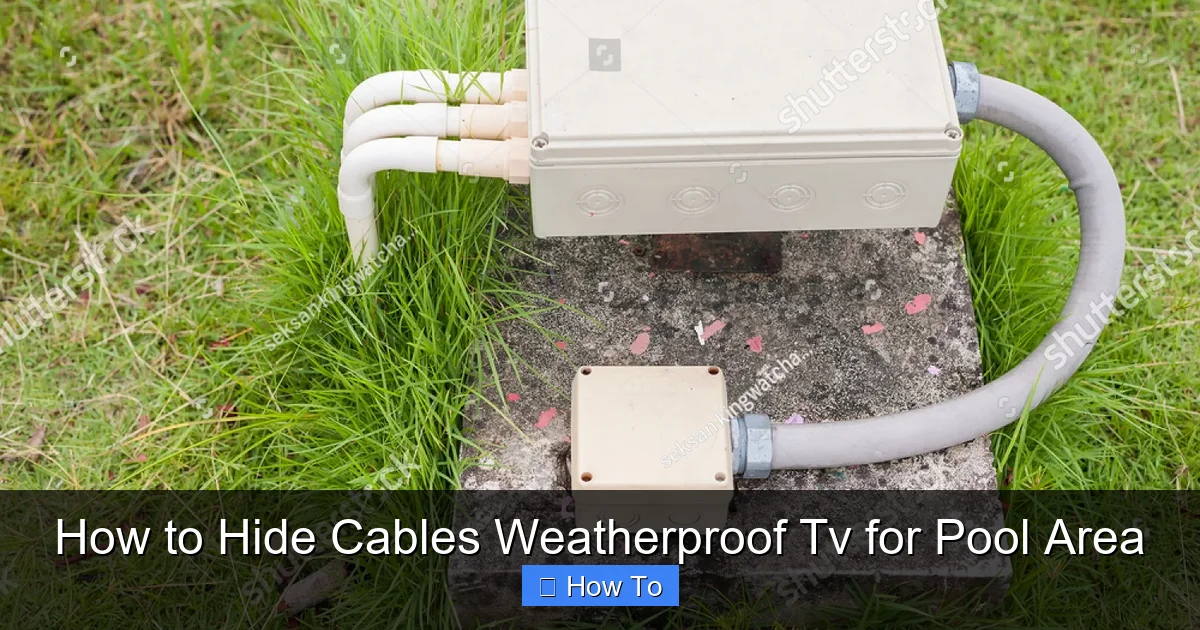
Visual guide about How to Hide Cables Weatherproof Tv for Pool Area
Image source: shutterstock.com
Before we get into the how-to, let’s talk about why this matters. Pools are high-moisture environments. Splashing water, humidity, and even pool chemicals like chlorine can degrade standard cables and connectors over time. Exposed wires also pose safety risks—especially if they’re near wet surfaces or foot traffic.
Plus, let’s not forget aesthetics. A tangled mess of cables behind your TV looks messy and unprofessional. Good cable management improves safety, longevity, and curb appeal—all while making future maintenance easier.
So, whether you’re building a new outdoor entertainment zone or upgrading an existing one, taking the time to hide and protect your cables is a smart investment.
Step 1: Plan Your Cable Route
The first—and most important—step is planning. You can’t hide cables effectively if you don’t know where they’re going. Take time to map out the entire path from your TV to the power source, signal source (like a cable box or streaming device), and any additional components (soundbar, receiver, etc.).
Assess Your Setup
Start by identifying:
– Where the TV will be mounted
– Where the power outlet is located
– Where your signal source (cable box, router, etc.) will be placed
– Any obstacles (walls, beams, furniture, water features)
For example, if your TV is mounted on a wall facing the pool, but your cable box is indoors, you’ll need to run cables through or along the wall. If everything is outdoors, you’ll need weatherproof enclosures for all devices.
Choose the Shortest, Safest Path
Aim for the shortest route possible to reduce signal loss and material costs. But also prioritize safety:
– Avoid running cables across walkways or areas where people might trip
– Keep cables away from pool edges, diving boards, or high-traffic zones
– Don’t run power and signal cables in the same conduit unless they’re shielded—this prevents interference
Use a tape measure to estimate cable lengths. Always add 10–15% extra length for slack and future adjustments.
Sketch a Simple Diagram
Draw a quick sketch of your pool area. Mark the TV location, power source, and signal source. Draw lines showing where cables will run. This visual guide will help you stay organized during installation.
Step 2: Gather the Right Tools and Materials
You’ll need more than just cables to do this job right. Here’s a checklist of essential items:
Weatherproof Conduit or Raceways
These are protective tubes or channels that shield cables from moisture, UV rays, and physical damage. Look for:
– UV-resistant PVC or ABS plastic
– IP65 or higher waterproof rating
– Flexible or rigid options depending on your route
Popular brands include DripCap, Legrand, and Wiremold. For outdoor use, rigid conduit is often better for straight runs, while flexible conduit works well around corners.
Stainless Steel or Marine-Grade Hardware
Standard screws and brackets can rust quickly near pools. Use:
– Stainless steel screws, anchors, and brackets
– Marine-grade aluminum or plastic clips
– Rust-resistant zip ties (UV-stabilized)
These materials resist corrosion from chlorine, saltwater (if applicable), and humidity.
Waterproof Cable Glands and Grommets
These seal entry points where cables pass through walls, enclosures, or conduits. They prevent water from seeping in. Look for:
– Rubber or silicone grommets
– IP68-rated cable glands
– Adjustable sizes to fit your cables
Silicone Sealant
Use a high-quality, outdoor-rated silicone sealant to seal gaps around conduits, wall penetrations, and enclosures. Choose a clear or paintable formula that resists mold and mildew.
Cable Management Accessories
– Velcro straps or reusable zip ties (for bundling)
– Cable labels (to identify power, HDMI, audio, etc.)
– Cable clips or adhesive mounts (for securing loose wires)
Basic Tools
– Drill with masonry bits (for concrete or tile walls)
– Level
– Measuring tape
– Wire strippers
– Screwdrivers
– Utility knife
Step 3: Mount the TV and Prepare the Area
Before running cables, mount your weatherproof TV securely. This ensures you know exactly where everything will go.
Choose the Right Mount
Use a heavy-duty, outdoor-rated TV mount. Look for:
– VESA compatibility (matches your TV’s mounting pattern)
– Tilt or full-motion options (for better viewing angles)
– Rust-resistant coating or stainless steel construction
Follow the manufacturer’s instructions carefully. If mounting on concrete, brick, or tile, use appropriate anchors and a drill with a hammer setting.
Mark Cable Entry Points
Once the TV is mounted, decide where cables will enter the back of the TV. Most weatherproof TVs have designated cable access ports. Mark this spot on the wall behind the TV.
If you’re running cables through the wall, mark the entry and exit points. For example:
– Entry: Behind the TV
– Exit: Near an outdoor outlet or indoor signal source
Use a level to ensure your marks are straight.
Step 4: Run and Protect the Cables
Now it’s time to install the cables—safely and neatly.
Option 1: Run Cables Through the Wall (Best for Clean Look)
This is the most professional method, but it requires drilling.
Steps:
1. Drill a hole from the back of the TV mount area through the wall. Use a hole saw or spade bit slightly larger than your conduit.
2. Feed the conduit through the hole. Use a flexible conduit if the path isn’t straight.
3. Seal the inside and outside of the hole with silicone sealant.
4. Run your cables through the conduit. Use a fish tape or string to pull them through if needed.
5. Attach a waterproof cable gland at each end to seal the opening.
Tip: If you’re running cables from indoors to outdoors, check local building codes. You may need to use fire-rated conduit or consult an electrician.
Option 2: Use Surface-Mounted Raceways (Easier, Less Invasive)
If you can’t or don’t want to drill through walls, surface raceways are a great alternative.
Steps:
1. Measure the length needed and cut the raceway to size (use a hacksaw or utility knife).
2. Plan the route along baseboards, under eaves, or along beams.
3. Attach the raceway using screws or adhesive mounts. Use stainless steel screws for durability.
4. Open the raceway, lay in the cables, and close the cover.
5. Seal all joints and ends with silicone to prevent water entry.
Tip: Paint the raceway to match your wall or trim for a seamless look.
Option 3: Bury Cables in Trenches (For Ground-Level Runs)
If cables need to cross a patio or garden area, you can bury them—but only with proper protection.
Steps:
1. Dig a trench 6–12 inches deep (check local codes for minimum depth).
2. Lay rigid PVC conduit in the trench.
3. Run cables through the conduit.
4. Seal both ends with waterproof caps or grommets.
5. Backfill the trench and tamp down the soil.
Warning: Never bury cables directly in the ground—always use conduit. Also, avoid areas where you might dig later (like garden beds).
Step 5: Connect and Test the System
Once cables are in place, it’s time to connect everything.
Label Each Cable
Before plugging anything in, label each cable:
– “Power – TV”
– “HDMI 1 – Cable Box”
– “HDMI 2 – Streaming Device”
– “Audio – Soundbar”
Use waterproof labels or a label maker. This makes troubleshooting much easier later.
Connect Devices
Plug in:
– Power cable to a GFCI (Ground Fault Circuit Interrupter) outlet—essential for pool areas
– HDMI and audio cables to your source devices
– Any antennas or network cables
Make sure all connections are snug and secure.
Test Everything
Turn on the TV and test:
– Picture and sound quality
– Remote control functionality
– Streaming apps (if applicable)
– Volume and input switching
If you notice signal loss or interference, check for:
– Loose connections
– Damaged cables
– Power and signal cables running too close together
Step 6: Secure and Seal All Connections
This step is critical for long-term durability.
Seal Wall Penetrations
Use silicone sealant around any holes where cables enter walls or enclosures. Apply a generous bead and smooth it with your finger or a tool.
Waterproof Enclosures
If your cable box, router, or other devices are outdoors, place them in a weatherproof enclosure. Look for:
– IP65 or higher rating
– Ventilation (to prevent overheating)
– Lockable doors (for security)
Mount the enclosure in a shaded, dry area—never in direct sunlight or under sprinklers.
Use Cable Glands
At every entry point (TV, enclosure, outlet), install a waterproof cable gland. Tighten it securely to create a watertight seal.
Step 7: Maintain Your System
Even the best installations need upkeep.
Inspect Quarterly
Every 3–4 months, check:
– Conduits and raceways for cracks or loose fittings
– Seals for wear or peeling
– Cables for fraying or discoloration
– Mounts and brackets for rust or looseness
Clean Gently
Wipe down conduits and enclosures with a damp cloth. Avoid harsh chemicals—especially chlorine-based cleaners.
Re-Seal as Needed
If you notice any gaps or worn sealant, reapply silicone. It’s a quick fix that prevents big problems.
Troubleshooting Common Issues
Even with careful planning, issues can arise. Here’s how to fix the most common ones.
Problem: Weak or No Signal
Possible Causes:
– Cables are too long (HDMI signals degrade over distance)
– Power and signal cables are running parallel (causing interference)
– Damaged or low-quality cables
Solutions:
– Use HDMI extenders or fiber optic HDMI cables for long runs
– Separate power and signal cables by at least 6 inches
– Replace damaged cables with high-speed, outdoor-rated versions
Problem: Water in Conduit or Enclosure
Possible Causes:
– Poorly sealed entry points
– Condensation buildup
– Cracked conduit
Solutions:
– Re-seal all grommets and joints with fresh silicone
– Add a small desiccant pack inside enclosures to absorb moisture
– Replace cracked conduits immediately
Problem: Rust on Mounts or Hardware
Possible Causes:
– Using non-marine-grade materials
– Exposure to saltwater or pool chemicals
Solutions:
– Replace rusted parts with stainless steel or aluminum
– Apply a rust-inhibiting spray as a preventive measure
– Rinse hardware with fresh water after heavy pool use
Problem: Tripping Hazard from Loose Cables
Possible Causes:
– Cables not secured properly
– Surface raceway coming loose
Solutions:
– Re-secure all clips and mounts
– Use additional zip ties or adhesive mounts
– Consider rerouting cables under furniture or through walls
Final Tips for a Professional Finish
– Go wireless where possible: Use wireless HDMI transmitters or Bluetooth audio to reduce cable clutter.
– Use cable covers for exposed sections: Flexible spiral wraps or braided sleeves can hide and protect loose wires.
– Keep a spare cable kit: Store extra HDMI, power, and audio cables in a sealed container for quick replacements.
– Document your setup: Take photos and note cable routes for future reference.
Conclusion
Hiding cables for your weatherproof TV in the pool area might seem like a daunting task, but with the right approach, it’s completely manageable—and well worth the effort. By planning your route, using weatherproof materials, and sealing all connections, you’ll create a safe, clean, and professional-looking setup that lasts for years.
Remember: Safety and durability come first. Always use GFCI outlets, marine-grade hardware, and waterproof enclosures. And don’t skip the maintenance—regular checks can prevent costly repairs down the line.
Now sit back, relax, and enjoy your favorite show by the pool—without a single cable in sight.

