
Want a clean, safe poolside TV setup for family fun? This guide shows you how to hide cables without compromising safety or style. From weatherproofing to clever concealment, we’ve got you covered.
Key Takeaways
- Prioritize safety first: Always use outdoor-rated, weatherproof cables and surge protectors to prevent electrical hazards near water.
- Plan your cable route carefully: Map out the shortest, safest path from your TV to power and signal sources before installing anything.
- Use cable concealment tools: Raceway covers, in-ground conduits, and adhesive clips keep wires tidy and out of sight.
- Anchor and secure all cables: Prevent tripping and damage by fastening cables tightly and using UV-resistant materials.
- Test everything before guests arrive: Ensure your TV, sound, and streaming work flawlessly after installation.
- Maintain accessibility for future repairs: Avoid sealing cables permanently so you can troubleshoot or upgrade easily.
- Blend tech with your outdoor decor: Choose cable covers that match your patio or pool area for a seamless look.
How to Hide Cables Poolside TV for Family Gatherings
There’s nothing quite like gathering around a poolside TV with family and friends—laughing at a movie, cheering during a game, or catching up on your favorite show under the stars. But let’s be honest: a tangled mess of cables snaking across your patio is not the vibe you’re going for. It’s unsafe, unsightly, and can ruin the whole experience.
That’s why learning how to hide cables for your poolside TV is essential. Whether you’re hosting a summer barbecue, a holiday pool party, or just enjoying a quiet evening with loved ones, a clean, organized setup makes all the difference. In this guide, we’ll walk you through every step—from planning your layout to choosing the right materials—so your outdoor entertainment space looks sleek, stays safe, and wows your guests.
You’ll learn how to route cables discreetly, protect them from the elements, and keep everything secure and functional. No more tripping hazards, no more exposed wires, and no more stress. By the end, you’ll have a poolside TV setup that’s as beautiful as it is practical—perfect for making memories without the mess.
Why Hiding Poolside TV Cables Matters
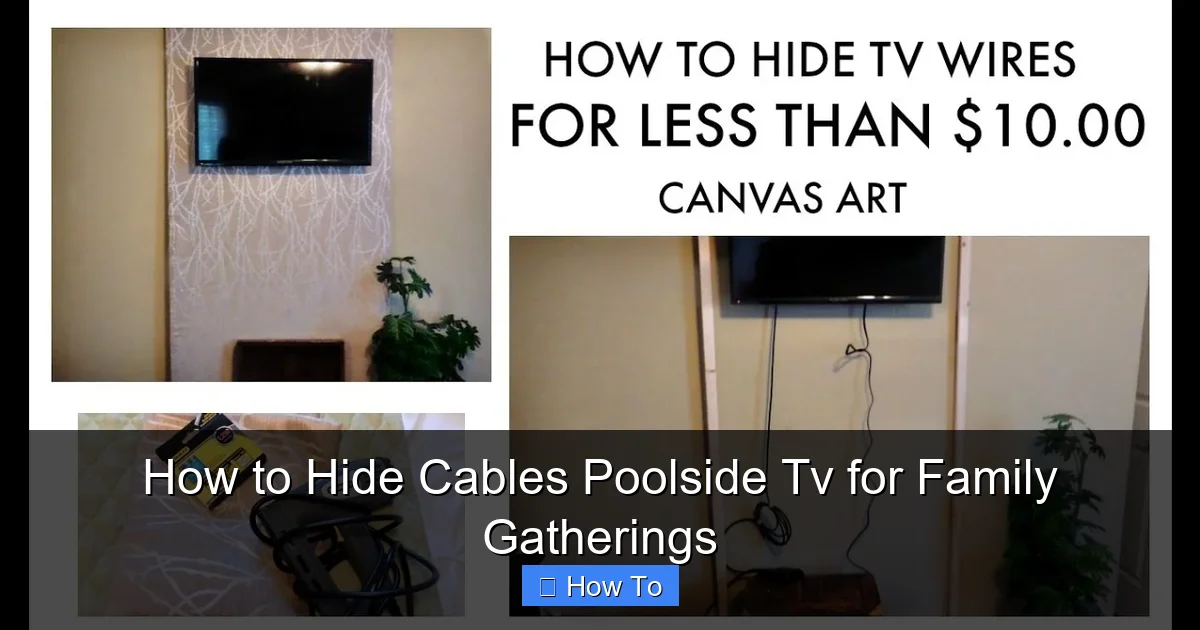
Visual guide about How to Hide Cables Poolside Tv for Family Gatherings
Image source: i.ytimg.com
Before we dive into the how-to, let’s talk about why this matters. Hiding cables isn’t just about aesthetics—it’s about safety, durability, and usability.
First, safety. Water and electricity don’t mix. If cables are lying loose on the ground, they can get wet, frayed, or damaged, creating a serious shock hazard—especially near a pool. Kids, pets, and guests walking barefoot are at risk. Proper cable management reduces these dangers significantly.
Second, durability. Outdoor cables exposed to sun, rain, and foot traffic wear out fast. UV rays can crack insulation, moisture can corrode connectors, and constant tripping can loosen connections. By hiding and protecting your cables, you extend their lifespan and avoid frequent replacements.
Third, usability. A clean setup means easier access to your TV and devices. You won’t have to untangle wires every time you want to stream a movie or adjust the sound. Plus, your space looks more inviting—no one wants to relax next to a jumble of cords.
Finally, resale value. A well-organized outdoor entertainment area adds curb appeal. If you ever sell your home, a neat, professional-looking setup can be a selling point.
So yes, hiding cables is worth the effort. It’s an investment in safety, style, and long-term enjoyment.
Step 1: Plan Your Cable Route
The first step to a clean cable setup is planning. You can’t hide what you haven’t mapped out.
Start by identifying where your TV will go. Is it mounted on a wall, placed on a stand, or built into an outdoor cabinet? Once you know the TV location, figure out where your power source, streaming device (like a Roku or Apple TV), sound system, and any other components will be.
Next, trace the shortest possible path from each device to the TV. Avoid crossing high-traffic areas like pool decks, walkways, or seating zones. If you must cross a path, plan to go under or over it safely.
Use a measuring tape to note distances. This helps when buying cable covers or conduits. Also, consider future needs—will you add speakers or a gaming console later? Leave room for expansion.
Draw a simple sketch or use a phone app to visualize the layout. Include outlets, furniture, and landscape features like planters or railings. This blueprint will guide your installation and prevent mistakes.
Pro tip: Always keep cables at least 3 feet away from the pool edge. This reduces splash risk and keeps wires dry.
Step 2: Choose the Right Cables and Accessories
Not all cables are created equal—especially for outdoor use. You need weatherproof, durable options that can handle sun, rain, and temperature swings.
Start with outdoor-rated HDMI cables. These have thicker insulation and UV protection. Look for labels like “outdoor,” “direct burial,” or “weather-resistant.” Avoid cheap indoor cables—they’ll fail quickly.
For power, use outdoor extension cords or power strips rated for wet locations. These have GFCI (ground fault circuit interrupter) protection, which cuts power if it detects a fault—critical near water.
If you’re running cables underground, use direct burial-rated cables and PVC conduit. This protects wires from moisture, rodents, and physical damage.
For sound, consider wireless speakers to reduce cable clutter. But if you need wired audio, use outdoor speaker wire with waterproof connectors.
Don’t forget surge protectors. Outdoor electronics are vulnerable to lightning and power surges. Use a heavy-duty outdoor surge protector with multiple outlets.
Finally, choose cable management tools that match your setup:
– Cable raceways: Plastic or metal channels that snap over wires.
– Adhesive cable clips: Stick to walls or floors to hold cables in place.
– In-ground conduit: For running wires under pavers or grass.
– Cable sleeves: Flexible tubes that bundle multiple wires.
Pick materials that resist fading, cracking, and corrosion. PVC, aluminum, and UV-stabilized plastic are great choices.
Step 3: Mount Your TV Securely
A stable TV mount is the foundation of your setup. If your TV wobbles or shifts, cables can loosen or snap.
Choose an outdoor-rated TV mount. These are built to withstand wind, rain, and temperature changes. Look for rust-proof coatings and strong brackets.
Decide on the mounting style:
– Wall-mounted: Best for permanent setups. Attach to a sturdy wall or fence.
– Pole-mounted: Great for open patios. Use a freestanding pole with a base.
– Cabinet-mounted: Ideal if you have an outdoor entertainment center.
Use a level to ensure the TV is straight. Mark drill points with a pencil, then drill pilot holes. Secure the mount with stainless steel screws—never use indoor hardware.
Once the mount is up, attach the TV according to the manufacturer’s instructions. Double-check that it’s tight and secure.
Now, route your cables through the mount’s built-in cable management system, if it has one. Many outdoor mounts include hidden channels or clips to keep wires tidy.
If your mount doesn’t have cable management, use adhesive clips or zip ties to guide wires along the back of the mount and down to the ground.
Step 4: Run and Conceal Power Cables
Power cables are the most critical—and the most dangerous if mishandled. Here’s how to run them safely and hide them effectively.
Start by plugging your TV, streaming device, and sound system into a GFCI-protected outdoor outlet. If you don’t have one nearby, hire a licensed electrician to install one. Never use indoor outlets for outdoor setups.
If the outlet is far from your TV, use an outdoor extension cord rated for the distance and load. Don’t daisy-chain multiple cords—this can overheat and cause fires.
To hide the power cable:
– Use a cable raceway: Attach a plastic or metal channel along the wall or floor. Snap the cable inside and secure the cover. Paint the raceway to match your wall for a seamless look.
– Bury it underground: For a truly hidden route, dig a shallow trench (6–8 inches deep) and run the cable through PVC conduit. Cover with soil or pavers. Only do this with direct burial-rated cables.
– Tuck it under furniture: If you have outdoor cabinets or benches, route the cable behind or underneath them.
Never run power cables under rugs or across doorways—this creates tripping hazards and can damage the cord.
Pro tip: Label your cables at both ends with tape or tags. This makes troubleshooting easier later.
Step 5: Hide HDMI and Audio Cables
HDMI and audio cables are thinner and more flexible, but they still need protection and concealment.
If your streaming device is near the TV, use a short HDMI cable and tuck it behind the TV or mount. For longer runs, use an outdoor-rated HDMI cable with a protective sleeve.
To hide these cables:
– Run them along baseboards: Use adhesive cable clips to secure the wire flush against the wall or floor.
– Use a cable raceway: Same as with power cables, but choose a smaller size for HDMI.
– Conceal behind outdoor decor: Route cables behind planters, railings, or outdoor art. Just make sure they’re not pinched or bent sharply.
For audio cables to outdoor speakers, consider wireless options to eliminate wires altogether. But if you must run wires, use outdoor speaker cable and bury it in conduit or run it under decking.
Avoid sharp bends in HDMI cables—they can damage the internal wires. Keep the bend radius gentle.
Step 6: Secure and Weatherproof All Connections
Even the best cable setup can fail if connections aren’t protected from the elements.
Use waterproof cable connectors or junction boxes for any splices or extensions. These seal out moisture and prevent corrosion.
Wrap outdoor outlets and power strips in weatherproof covers. These flip-up shields keep plugs dry when not in use.
For cables running along the ground, use cable protectors—rubber or plastic ramps that cover wires and prevent tripping. These are especially useful in high-traffic areas.
Apply silicone sealant around cable entry points into walls or mounts. This prevents water from seeping in.
Check all connections regularly. Look for fraying, discoloration, or loose plugs. Replace damaged cables immediately.
Step 7: Test and Troubleshoot Your Setup
Before your next family gathering, test everything.
Turn on the TV, streaming device, and sound system. Check that the picture is clear, the sound is loud, and all inputs work.
Test the remote control from different angles and distances. Make sure there are no signal blockers.
If something isn’t working:
– No power: Check the outlet, GFCI, and extension cord. Reset the GFCI if needed.
– No picture: Ensure the HDMI cable is fully plugged in and the correct input is selected.
– No sound: Verify audio settings and speaker connections.
– Intermittent signal: Look for loose cables or interference from other devices.
Fix issues one at a time. Don’t plug everything in at once—test each component separately.
Once everything works, do a final walkthrough. Make sure no cables are dangling, tripping hazards exist, or connections are exposed.
Step 8: Maintain Your Cable Management System
Cable management isn’t a one-time task. Regular maintenance keeps your setup safe and functional.
Inspect cables monthly for wear, especially after storms or heavy use. Look for cracks, frays, or loose clips.
Clean cable covers and raceways with a damp cloth to remove dirt and debris.
Re-tighten any loose mounts or clips. Wind and weather can loosen hardware over time.
Replace any damaged components immediately. Don’t wait for a failure during a party.
Keep spare cables and connectors on hand for quick fixes.
Troubleshooting Common Issues
Even with careful planning, problems can happen. Here’s how to fix the most common ones.
Cable Overheating
If a cable feels hot to the touch, unplug it immediately. Overheating can be caused by overloading, poor ventilation, or damaged insulation. Use a lower-wattage device or upgrade to a heavier-duty cable.
Signal Loss
If your TV loses signal, check the HDMI connection. Try a different cable or port. Long cable runs can weaken the signal—use an HDMI extender or booster if needed.
Water Damage
If a cable gets wet, unplug it and let it dry completely before use. Replace any cable that shows signs of corrosion or swelling.
Tripping Hazards
If guests are tripping over cables, reroute them or use cable protectors. Never leave wires loose on the ground.
Remote Interference
If your remote isn’t working, check for obstructions or low batteries. Move other electronic devices away—they can interfere with the signal.
Conclusion
Hiding cables for your poolside TV might seem like a small detail, but it makes a big difference in safety, style, and enjoyment. With the right planning, tools, and techniques, you can create a clean, professional-looking setup that enhances your outdoor space—not detracts from it.
Remember: safety comes first. Use outdoor-rated cables, GFCI protection, and weatherproof covers. Plan your route carefully, secure all connections, and test everything before guests arrive.
A well-managed cable system means fewer worries and more fun. Whether you’re watching a movie, streaming a game, or just enjoying the ambiance, your poolside TV will be a highlight of every family gathering.
So grab your tools, follow this guide, and get ready to host unforgettable moments—without the cable clutter.

