
Hiding cables for your poolside TV doesn’t have to be complicated. With the right tools and techniques, you can create a clean, safe, and professional-looking setup that enhances your deck entertainment experience. This guide walks you through step-by-step methods to conceal cords while protecting them from water, sun, and wear.
Key Takeaways
- Plan your cable route first: Map out the shortest, safest path from your TV to power and other devices to minimize exposure and tripping hazards.
- Use weatherproof cable covers: Choose UV-resistant, waterproof raceways or conduits designed for outdoor use to protect cords from pool splashes and sun damage.
- Secure cables under decking or along railings: Run wires beneath deck boards or attach them discreetly to railings using clips or adhesive mounts.
- Install a weatherproof outlet box: Protect power connections with an outdoor-rated electrical box to prevent water intrusion and electrical hazards.
- Label and organize cables: Use color-coded ties or labels to keep cords neat and easy to identify during maintenance or upgrades.
- Test everything before finalizing: Ensure all connections work and cables are fully protected before concealing them permanently.
- Maintain access for future repairs: Avoid sealing cables in ways that make future troubleshooting difficult—use removable covers or access panels.
How to Hide Cables Poolside TV for Deck Entertainment
Setting up a TV by the pool transforms your backyard into a luxurious entertainment zone. Whether you’re watching the big game, streaming a movie, or catching up on your favorite show, a poolside TV adds comfort and fun to outdoor living. But one common challenge? Those unsightly, hazardous cables snaking across your deck.
Exposed cords not only ruin the aesthetic but also pose safety risks—especially around water. Slipping on a loose HDMI or power cable near the pool can lead to serious accidents. Plus, sun, rain, and pool chemicals can damage wires over time, leading to malfunctions or even electrical hazards.
The good news? You can enjoy a sleek, cable-free look without sacrificing functionality. In this comprehensive guide, we’ll show you how to hide cables for your poolside TV using practical, weatherproof methods. From planning your layout to installing protective covers and securing wires out of sight, we’ve got you covered. By the end, your deck will look clean, safe, and ready for summer fun.
Step 1: Plan Your Cable Layout
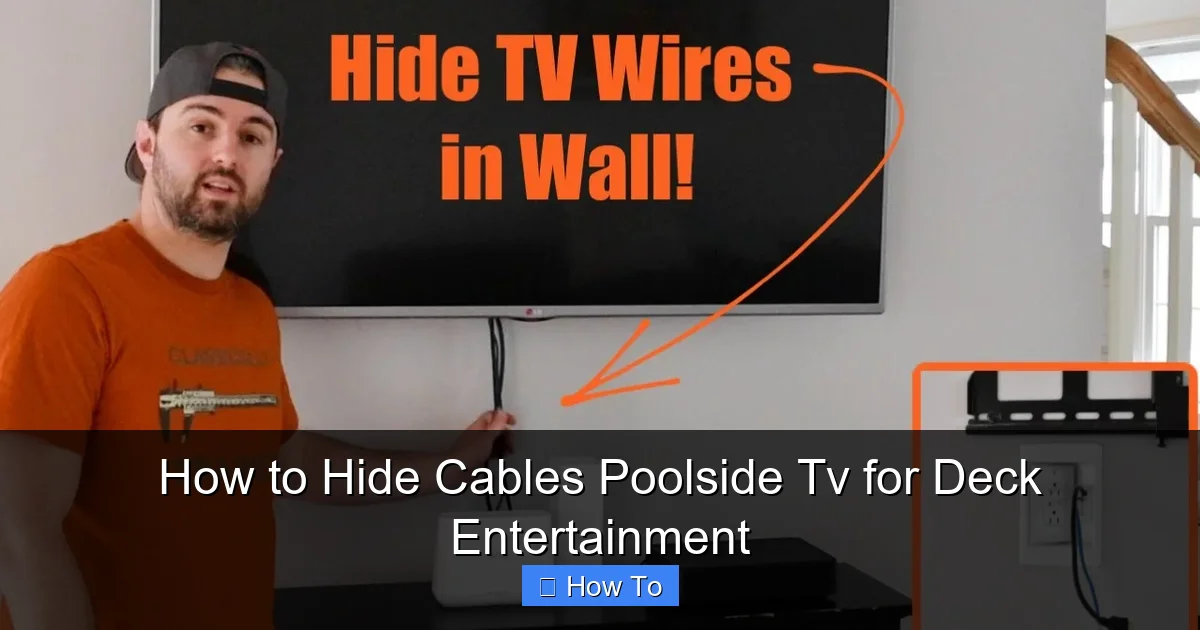
Visual guide about How to Hide Cables Poolside Tv for Deck Entertainment
Image source: i.ytimg.com
Before you start drilling or taping anything down, take time to plan your cable route. A little foresight saves time, money, and frustration later.
Assess Your TV Location
Start by deciding where your TV will be mounted. Is it on a wall, a freestanding pole, or a weatherproof enclosure? The placement affects how and where cables need to run. For example, a wall-mounted TV near the house may allow you to run cables through the wall, while a freestanding unit might require surface routing.
Identify Power and Signal Sources
Next, locate your power outlet, cable/satellite box, streaming device (like a Roku or Apple TV), and any audio equipment. These devices need to connect to your TV, so map the shortest possible path for each cable. Avoid crossing high-traffic areas like pool steps or seating zones.
Measure Cable Lengths
Use a tape measure to determine how much cable you’ll need. Add a few extra feet for flexibility—cables shouldn’t be stretched tight. Buying pre-cut cables can help, but having spare length ensures you can route neatly without tension.
Consider Future Access
Think ahead: Will you need to replace a cable or add a new device later? Plan for removable covers or access points so you don’t have to dismantle your entire setup for minor changes.
Step 2: Choose the Right Cable Management Tools
Not all cable covers are created equal—especially outdoors. You need products that resist water, UV rays, and temperature changes.
Weatherproof Cable Raceways
These plastic or metal channels snap over cables and mount to walls, railings, or deck surfaces. Look for UV-stabilized, waterproof raceways with adhesive backs or screw mounts. Brands like D-Line and Wiremold offer outdoor-rated options that blend with deck colors.
Flexible Conduit
For running cables under decking or through tight spaces, flexible conduit (like liquid-tight PVC) is ideal. It protects wires from moisture and physical damage. Use a fish tape to pull cables through if needed.
Cable Clips and Adhesive Mounts
These small but mighty tools keep cords secured along railings, posts, or under furniture. Choose stainless steel or plastic clips rated for outdoor use. Avoid cheap adhesives that fail in heat or rain—opt for 3M VHB tape or screw-mounted clips.
Outdoor Cable Sleeves
Braided sleeves bundle multiple cables into one neat line. They’re flexible, easy to install, and come in colors that match your deck. Great for organizing power, HDMI, and audio cables together.
Step 3: Run Cables Under the Deck
One of the cleanest ways to hide cables is to route them beneath your deck. This method keeps wires completely out of sight and protected from the elements.
Check Local Building Codes
Before drilling into your deck, verify local electrical codes. Some areas require permits for outdoor wiring or mandate specific conduit types. When in doubt, consult a licensed electrician.
Drill Access Holes
Use a drill with a long bit to create holes in the deck joists or ledger board. Space holes every 16–24 inches to support the cable run. Angle the holes slightly downward to prevent water from pooling inside.
Feed Cables Through Conduit
Insert flexible conduit into the holes, then use a fish tape or string to pull your cables through. Leave a little slack at both ends for connections. Seal the ends with silicone caulk to keep water out.
Secure the Conduit
Use UV-resistant zip ties or conduit clamps to fasten the tubing to the underside of the deck. Avoid over-tightening, which can crush the conduit.
Step 4: Use Deck Railings to Conceal Cables
If running cables under the deck isn’t feasible, use your railings as a disguise. This method is quick, effective, and nearly invisible.
Attach Cables to the Inside of Railings
Run cables along the inner side of vertical or horizontal railings. Use adhesive cable clips or zip ties to secure them. Paint the clips to match the railing color for a seamless look.
Use Raceways Along Railing Posts
For a more polished finish, install a slim raceway along the side of a railing post. These can be painted or come in wood-grain finishes to blend with your deck.
Bundle Multiple Cables
If you have several wires (power, HDMI, audio), bundle them in a sleeve or raceway to reduce clutter. Label each cable at both ends with colored tape or tags for easy identification.
Step 5: Install a Weatherproof Power Solution
Power is the most critical—and risky—cable to manage outdoors. A single splash near an exposed outlet can cause a short or shock.
Use a GFCI Outlet
Always use a Ground Fault Circuit Interrupter (GFCI) outlet near water sources. These shut off power instantly if they detect a fault, preventing electrocution.
Install an Outdoor Electrical Box
Mount a weatherproof electrical box on the wall or under the deck. This protects outlets and connections from rain and pool spray. Use a box with a hinged, gasketed cover that closes tightly.
Seal All Connections
Use waterproof wire nuts and electrical tape on all connections. For extra protection, apply dielectric grease to prevent corrosion.
Consider a Power Strip with Surge Protection
Plug all devices into a weatherproof surge protector inside the electrical box. This safeguards your TV and electronics from power spikes.
Step 6: Hide Cables Behind Furniture or Planters
Sometimes the simplest solutions are the best. Use your existing deck setup to your advantage.
Route Cables Behind Outdoor Sofas or Tables
Run power and signal cables behind large furniture pieces. Use adhesive clips to guide them along the back legs or frame.
Use Decorative Planters as Shields
Place large potted plants or planters along the cable path. The foliage hides wires while adding greenery to your space. Just ensure the pots don’t block access to outlets.
Install a Cable Channel Under a Bench
If you have a built-in bench, install a slim raceway underneath. This keeps cables off the ground and out of sight.
Step 7: Secure and Organize All Cables
Once your cables are routed, it’s time to tidy them up and prevent tangling or damage.
Use Velcro Ties or Zip Ties
Group cables together with reusable Velcro straps or UV-resistant zip ties. Avoid over-tightening, which can pinch wires.
Label Each Cable
Use a label maker or colored tape to mark each cable (e.g., “HDMI,” “Power,” “Audio”). This makes troubleshooting or upgrades much easier.
Create a Cable Management Box
For devices like streaming boxes or receivers, use a weatherproof media enclosure. These small boxes mount under the deck or behind the TV and keep gadgets dry and organized.
Step 8: Test and Finalize the Setup
Before you call it done, test everything to ensure safety and functionality.
Power On and Check Connections
Turn on the TV and all connected devices. Verify that video, audio, and internet connections work properly.
Inspect for Loose or Exposed Wires
Walk around the deck and check for any cables that may have come loose or are still visible. Re-secure as needed.
Simulate Weather Conditions
Spray water lightly on cable covers and outlets to test for leaks. Make sure no moisture enters the raceways or electrical boxes.
Document Your Setup
Take photos or make a simple diagram of your cable routes. This helps if you need to make changes or repairs in the future.
Troubleshooting Common Issues
Even with careful planning, problems can arise. Here’s how to handle the most common ones.
Cables Get Wet Despite Protection
If moisture is getting in, check seals on raceways and electrical boxes. Reapply silicone caulk or replace damaged gaskets. Consider upgrading to higher-rated waterproof covers.
Signal Loss or Interference
Long cable runs can weaken signals, especially with HDMI. Use signal boosters or fiber-optic HDMI cables for runs over 25 feet. Avoid running power and signal cables parallel—cross them at 90 degrees if possible.
Cable Covers Peel Off in Heat
Adhesive-backed raceways can fail in high temperatures. Switch to screw-mounted covers or use 3M VHB tape, which holds better in heat and UV exposure.
Animals Chew Through Cables
Squirrels and rodents love chewing on wires. Use metal conduit or rodent-proof sleeves in areas with wildlife. Apply peppermint oil spray as a natural deterrent.
Outlet Trips Frequently
If your GFCI outlet keeps tripping, it may be due to moisture or a faulty device. Unplug all devices, reset the outlet, and plug them back in one by one to find the culprit.
Maintenance Tips for Long-Term Success
Keeping your cable setup in top shape requires regular care.
Inspect Every Season
Check cables, covers, and outlets before summer and after winter. Look for cracks, fraying, or loose mounts.
Clean Cable Covers
Wipe down raceways and sleeves with a damp cloth to remove dirt and pool chemicals. Avoid harsh cleaners that can degrade plastic.
Reapply Sealant as Needed
Over time, silicone seals can dry out. Reapply every 1–2 years to maintain waterproofing.
Update as Technology Changes
As you upgrade devices, reassess your cable needs. Newer TVs may require different connections (like USB-C or HDMI 2.1), so plan for future compatibility.
Conclusion
Hiding cables for your poolside TV isn’t just about looks—it’s about safety, durability, and peace of mind. With the right planning and tools, you can create a clean, professional setup that enhances your deck entertainment experience. From routing cables under the deck to using weatherproof raceways and smart furniture placement, every step brings you closer to a clutter-free outdoor oasis.
Remember, the key is to protect your cables from water, sun, and wear while keeping them accessible for future needs. Take your time, follow local codes, and don’t hesitate to consult a professional for electrical work. Once your cables are neatly concealed, you can relax by the pool, enjoy your favorite shows, and impress your guests with a beautifully organized space.
Your deck should be a place of relaxation and fun—not tripping hazards and tangled wires. By following this guide, you’ll achieve a sleek, safe, and stylish setup that lasts for seasons to come.

