
Learn how to hide cables for your patio TV in coastal homes with durable, weather-resistant solutions that protect against salt, humidity, and wind. This guide covers smart routing, outdoor-rated materials, and stylish concealment methods to keep your outdoor entertainment area clean and safe.
Key Takeaways
- Use outdoor-rated, UV-resistant cable covers: Standard indoor cable management won’t survive coastal conditions. Choose materials like PVC, aluminum, or marine-grade plastic that resist corrosion and sun damage.
- Route cables through walls or under decking when possible: Concealing wires inside structures keeps them hidden and protected from weather and pests.
- Seal all connections with waterproof connectors: Prevent moisture intrusion by using IP67-rated junction boxes and silicone sealant around entry points.
- Choose wireless alternatives where feasible: Reduce cable clutter with Bluetooth soundbars, wireless HDMI transmitters, or smart TVs with built-in streaming.
- Anchor and secure cables to prevent wind damage: Use stainless steel clips or zip ties to keep wires tight and avoid flapping in salty sea breezes.
- Plan for easy maintenance and upgrades: Design your setup so you can access cables for repairs or future tech upgrades without tearing down your entire system.
- Match concealment to your home’s coastal aesthetic: Use colors and materials that blend with beachy décor—think white, beige, or weathered wood finishes.
How to Hide Cables Patio TV for Coastal Homes
If you’ve invested in a patio TV for your coastal home, you know how magical it is to watch the sunset with your favorite show playing in the background. But let’s be real—those dangling power cords, HDMI cables, and speaker wires can quickly turn your serene outdoor oasis into a tangled mess. Worse, coastal environments bring extra challenges: salt air, high humidity, strong winds, and intense UV rays can degrade standard cables and concealment methods fast.
The good news? With the right approach, you can hide your patio TV cables safely, stylishly, and durably—even in the harshest seaside conditions. This guide walks you through every step, from planning your layout to choosing weatherproof materials and installing a clean, long-lasting solution. Whether you’re mounting your TV under a pergola, on a stucco wall, or near a pool, these tips will help you keep your setup looking sleek and functioning perfectly for years.
By the end of this guide, you’ll know exactly how to hide cables for your patio TV in a way that’s both functional and beautiful—no more tripping hazards, no more corroded connectors, and no more eyesores. Let’s dive in.
Why Cable Management Matters for Coastal Patio TVs
Before we get into the how-to, let’s talk about why this matters—especially in coastal areas. Salt air is incredibly corrosive. It eats away at metal, degrades rubber insulation, and causes electrical connections to fail prematurely. Humidity encourages mold and mildew, which can damage cables and create safety hazards. And let’s not forget the wind—those ocean breezes might feel refreshing, but they can whip loose cables around, causing wear or even pulling them out of ports.
Poor cable management doesn’t just look bad—it’s a safety risk. Exposed wires can become tripping hazards, especially in dim evening light. They’re also tempting targets for rodents, birds, and insects looking for nesting material. And if water seeps into connectors, you could face short circuits, blown fuses, or even electrical fires.
On top of that, a clean, wire-free setup enhances your outdoor living space. It makes your patio feel more like a luxury lounge and less like a tech workshop. So, investing time in proper cable concealment isn’t just about aesthetics—it’s about safety, longevity, and enjoyment.
Step 1: Plan Your TV and Cable Layout
The first step to hiding cables effectively is planning. You can’t just slap on a cable cover and hope for the best. Take time to map out where your TV will go, where the power source is, and how the cables will travel from the TV to the outlet, sound system, and any other devices.
Choose the Right TV Location
Start by deciding where to mount your TV. Ideally, it should be:
– Protected from direct rain and salt spray (under a covered patio, pergola, or awning)
– Away from high-traffic areas to reduce tripping risks
– Close enough to power and signal sources to minimize cable length
– At a comfortable viewing height and angle
Avoid placing the TV directly facing the ocean if possible—salt spray can accumulate on the screen and vents, leading to corrosion over time.
Map Your Cable Paths
Next, trace the route each cable will take. Common cables include:
– Power cord (from TV to outlet)
– HDMI cable (from TV to streaming device, cable box, or soundbar)
– Speaker wires (if using external speakers)
– Ethernet cable (for wired internet, if needed)
Use a tape measure to estimate lengths. Add 10–15% extra for slack—this gives you room to work and prevents tension on connectors.
Identify Obstacles and Entry Points
Look for walls, decks, railings, or soffits you can route cables through. For example:
– If your TV is on an exterior wall, you might run cables inside the wall to an indoor outlet.
– If it’s on a freestanding structure, consider running wires under decking or along beams.
– For pergolas, you can hide cables in hollow posts or under the roof structure.
Note where cables will enter walls or structures—these points will need sealing to prevent moisture ingress.
Step 2: Choose Weatherproof Cable Management Products
Not all cable covers are created equal—especially in coastal climates. You need products designed to withstand salt, sun, and moisture.
Outdoor-Rated Cable Raceways
Cable raceways (also called conduit or trunking) are plastic or metal channels that hold and hide wires. For coastal homes, choose:
– **UV-resistant PVC raceways**: Look for ones labeled “outdoor” or “UV-stabilized.” Avoid cheap, brittle plastics that crack in the sun.
– **Aluminum raceways**: These are more durable and resist corrosion better than steel. Powder-coated finishes add extra protection.
– **Marine-grade plastic**: Used in boats, this material handles salt air and humidity exceptionally well.
Popular brands include D-Line, Legrand, and Wiremold. Many come in paintable finishes so you can match your patio’s color scheme.
Flexible Conduit for Curved or Hidden Routes
If you’re running cables under decking or around corners, flexible conduit is your friend. Choose:
– **Liquid-tight flexible conduit (LFMC)**: Sealed against moisture and ideal for outdoor use.
– **Corrugated plastic tubing**: Lightweight and easy to bend, but ensure it’s rated for outdoor and UV exposure.
Use stainless steel clamps to secure conduit to structures—regular steel will rust quickly in coastal air.
Waterproof Junction Boxes and Connectors
Any place where cables connect or enter a wall needs protection. Use:
– **IP67-rated junction boxes**: These are dust-tight and can withstand temporary immersion in water.
– **Waterproof cable glands**: Screw into junction boxes to seal cable entry points.
– **Silicone sealant**: Apply around wires where they pass through walls or decks for extra moisture protection.
Avoid using electrical tape alone—it degrades quickly in UV light and salt air.
Step 3: Run Cables Through Walls or Structures (If Possible)
The most effective way to hide cables is to run them inside walls, under decking, or through structural elements. This keeps them completely out of sight and protected from the elements.
Through Exterior Walls
If your TV is mounted on an exterior wall, you can run cables from the TV down inside the wall to an indoor outlet or junction box.
Steps:
- Turn off power at the breaker.
- Drill a small hole from the outside wall into the attic or crawlspace.
- Feed cables through the hole using a fish tape or flexible rod.
- Route cables to an indoor outlet or junction box.
- Seal the exterior hole with silicone caulk rated for outdoor use.
Tip: Use a grommet or rubber boot where the cable enters the wall to prevent chafing.
Under Decking or Patio Flooring
For TVs mounted on freestanding structures or railings, run cables under the deck or patio.
Steps:
- Lift a few deck boards or pavers to access the space below.
- Run cables through flexible conduit for protection.
- Use stainless steel staples or clips to secure the conduit to joists or subfloor.
- Reinstall deck boards, ensuring cables aren’t pinched.
Tip: Leave a pull string in the conduit for future upgrades.
Through Pergola Posts or Beams
If your TV is under a pergola, use hollow posts or beams to hide cables.
Steps:
- Drill a small hole near the top and bottom of a post.
- Feed cables through using a fish tape.
- Secure cables at the top and bottom with clips.
- Use a decorative cap to cover the top hole.
This method keeps cables hidden and adds a clean, built-in look.
Step 4: Use Surface-Mounted Cable Covers for Exposed Areas
Sometimes, running cables inside structures isn’t possible. Maybe you’re renting, or the wall is solid stucco. In those cases, surface-mounted cable covers are your best bet.
Install Cable Raceways Along Walls or Floors
Cable raceways stick to walls, baseboards, or floors and hold multiple cables neatly.
Steps:
- Clean the surface with rubbing alcohol to ensure adhesion.
- Measure and cut the raceway to length using a hacksaw or utility knife.
- Peel off the adhesive backing and press firmly into place.
- Open the cover, insert cables, and snap it shut.
- Use stainless steel screws for extra security in windy areas.
Tip: Paint the raceway to match your wall or trim for a seamless look.
Use Cord Covers for Floor Crossings
If cables must cross walkways, use low-profile cord covers.
Steps:
- Choose a cover with a non-slip base and beveled edges.
- Place it over the cables and secure with outdoor-rated tape or screws.
- Ensure it’s flush with the floor to prevent tripping.
Tip: Use bright-colored covers at night or add LED strip lights for visibility.
Step 5: Secure and Protect All Connections
Even the best cable routing fails if connections aren’t protected. Coastal moisture can seep into loose or unsealed joints.
Use Waterproof Connectors and Junction Boxes
For any outdoor connections:
– Use IP67-rated junction boxes.
– Seal cable entries with waterproof glands.
– Apply silicone sealant around the box and connectors.
Example: If you’re connecting a power cord to an extension cable, do it inside a sealed junction box mounted under the patio.
Protect HDMI and Audio Connections
HDMI ports on outdoor TVs are vulnerable to corrosion. To protect them:
– Use a weatherproof HDMI cover or cap when not in use.
– Apply a thin layer of dielectric grease to the connector pins (this repels moisture).
– Consider using a wireless HDMI transmitter to eliminate the need for long outdoor HDMI runs.
Anchor Cables to Prevent Wind Damage
Loose cables can flap in the wind, causing wear or disconnection.
Steps:
- Use stainless steel zip ties or UV-resistant cable clips.
- Secure cables every 12–18 inches along their route.
- Avoid over-tightening, which can damage insulation.
Tip: Use adhesive-backed clips for smooth surfaces like stucco or tile.
Step 6: Reduce Cable Clutter with Wireless Solutions
The fewer cables you have, the easier they are to hide. Consider going wireless where possible.
Use a Wireless Soundbar or Speakers
Many modern soundbars connect via Bluetooth or Wi-Fi. This eliminates speaker wires entirely.
Tip: Choose a soundbar with an outdoor mode or weather-resistant design.
Try a Wireless HDMI Transmitter
Devices like the J-Tech Digital Wireless HDMI Extender let you send video and audio from your streaming box to your TV without a physical cable.
Pros:
– No long HDMI runs
– Easy to set up
– Works up to 100 feet
Cons:
– Slight latency (not ideal for gaming)
– Requires power at both ends
Use a Smart TV with Built-In Streaming
If your TV has apps like Netflix, YouTube, or Apple TV, you may not need a separate streaming device. Just connect to Wi-Fi and stream directly.
Tip: Use a Wi-Fi extender to boost signal strength on your patio.
Step 7: Maintain and Inspect Regularly
Even the best setup needs upkeep—especially in coastal environments.
Monthly Checks
– Look for cracks in raceways or conduit.
– Check for loose clips or sagging cables.
– Inspect seals around junction boxes and wall entries.
Seasonal Maintenance
– Clean salt buildup from cables and covers with a damp cloth.
– Reapply silicone sealant if it cracks or peels.
– Test all connections for proper function.
After Storms
– Check for wind damage or water intrusion.
– Ensure cables haven’t been dislodged.
– Dry any wet components thoroughly.
Troubleshooting Common Issues
Problem: Cables Are Still Visible
Solution: Reassess your routing. Can you run wires under decking or through a wall? If not, use paintable raceways or decorative covers that blend with your patio’s style.
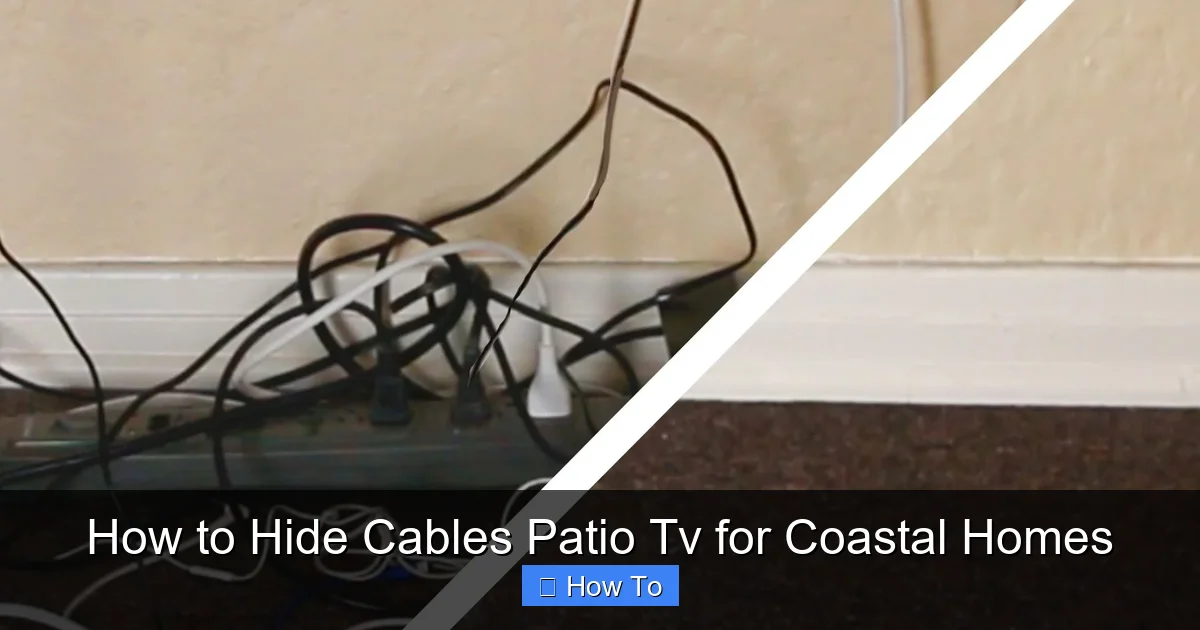
Visual guide about How to Hide Cables Patio Tv for Coastal Homes
Image source: i.pinimg.com
Problem: Connections Keep Failing
Solution: This is often due to moisture. Check seals, replace degraded tape, and ensure all outdoor connections are in waterproof boxes.
Problem: Cables Are Getting Brittle or Cracking
Solution: This is UV damage. Replace indoor-rated cables with outdoor, UV-resistant ones. Consider adding a sunshade or cover.
Problem: Wireless Signal Is Weak
Solution: Move the transmitter closer, remove obstructions, or use a Wi-Fi extender. Avoid placing devices near metal structures.
Problem: Animals Are Chewing Cables
Solution: Use metal conduit or raceways. Apply a bitter-tasting deterrent spray (pet-safe) around cables.
Conclusion
Hiding cables for your patio TV in a coastal home doesn’t have to be a nightmare. With careful planning, the right materials, and a few smart tricks, you can create a clean, safe, and stylish outdoor entertainment space that stands up to salt, sun, and sea breeze.
Start by mapping your cable routes and choosing weatherproof products like UV-resistant raceways, flexible conduit, and IP67 junction boxes. Whenever possible, run cables through walls or under structures to keep them out of sight and protected. For exposed areas, use surface-mounted covers that match your décor. Don’t forget to secure all connections, anchor cables against wind, and consider wireless alternatives to reduce clutter.
Regular maintenance is key—inspect your setup monthly and after storms to catch issues early. And remember: a little effort now saves you from costly repairs and safety hazards down the line.
Your coastal patio should be a place of relaxation, not wire wrangling. With these tips, you’ll enjoy crystal-clear TV, great sound, and a beautifully organized space—no cables in sight.

