
Keeping your poolside TV for covered patio clean ensures clear viewing and extends its lifespan. This guide walks you through safe cleaning methods, tools, and maintenance tips to protect your outdoor entertainment setup from dust, humidity, and splashes.
Key Takeaways
- Turn off and unplug the TV: Always power down and disconnect your poolside TV before cleaning to prevent electrical hazards and protect internal components.
- Use the right cleaning tools: Microfiber cloths, distilled water, and mild cleaners are essential—avoid paper towels, ammonia, or abrasive sprays that can damage the screen.
- Clean gently and regularly: Wipe the screen and frame weekly to prevent buildup of dust, sunscreen, and pool chemicals that can degrade image quality over time.
- Protect from moisture and humidity: Even in covered patios, poolside air carries moisture—use a breathable cover when not in use and ensure proper ventilation.
- Inspect for damage during cleaning: Regular cleaning is a great time to check for loose seals, corrosion, or wear on mounting hardware that could affect performance.
- Avoid direct water exposure: Never spray liquids directly on the TV—dampen the cloth instead to prevent seepage into vents or ports.
- Schedule seasonal deep cleans: Every 3–6 months, perform a thorough cleaning of the entire unit, including the back panel and mounting bracket, to maintain optimal function.
How to Clean Poolside TV for Covered Patio
If you’ve invested in a poolside TV for covered patio, you know how much it enhances your outdoor living experience. Whether you’re watching the game while lounging by the water or catching up on your favorite show during a summer barbecue, a clean, clear screen makes all the difference. But outdoor TVs face unique challenges—dust, humidity, sunscreen splatters, and even chlorine mist from the pool can accumulate over time, dulling the picture and potentially damaging the electronics.
Cleaning your poolside TV might seem straightforward, but doing it the wrong way can scratch the screen, damage the anti-reflective coating, or even void your warranty. That’s why it’s important to follow a careful, step-by-step process designed specifically for outdoor displays in covered but humid environments.
In this comprehensive guide, you’ll learn exactly how to clean your poolside TV for covered patio safely and effectively. We’ll cover the right tools, step-by-step cleaning methods, maintenance tips, and troubleshooting advice to keep your outdoor TV looking sharp and performing well for years to come. Whether you have a weatherproof outdoor TV or a standard model in a sheltered area, these tips will help you protect your investment.
Why Cleaning Your Poolside TV Matters
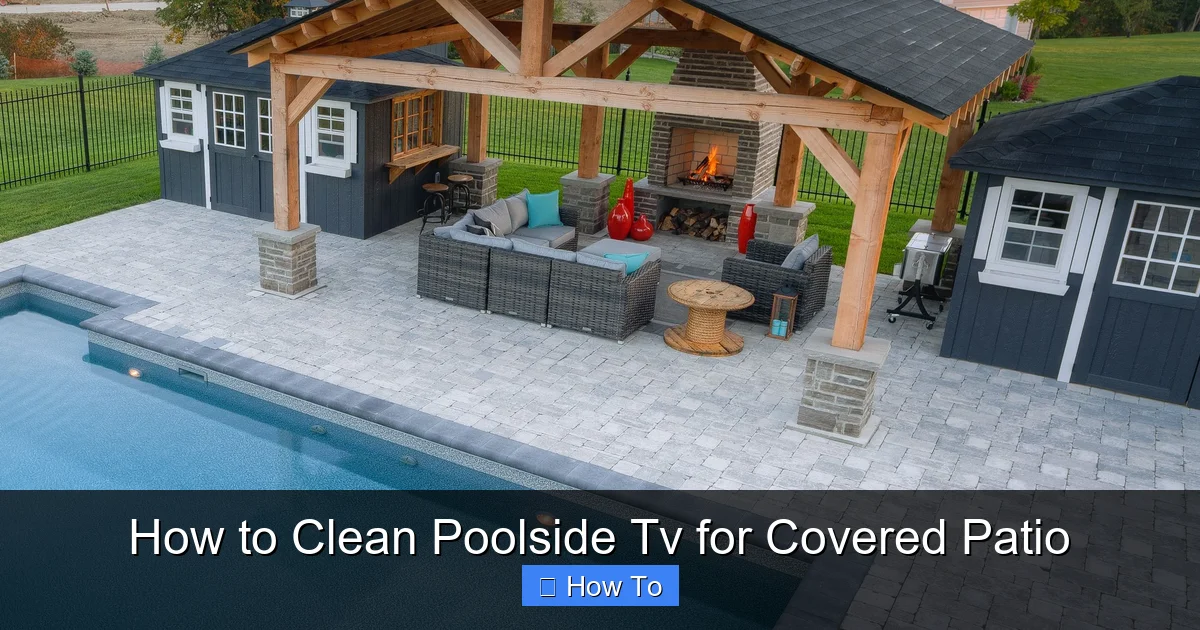
Visual guide about How to Clean Poolside Tv for Covered Patio
Image source: i.pinimg.com
Outdoor TVs are built to withstand the elements, but that doesn’t mean they’re maintenance-free. Even under a covered patio, your poolside TV is exposed to a unique mix of environmental factors:
– Humidity and moisture: Pool water evaporates into the air, increasing humidity levels. Over time, this can lead to condensation inside the TV or on the screen.
– Chlorine and salt residue: If you have a chlorine or saltwater pool, fine particles can become airborne and settle on surfaces, including your TV.
– Sunscreen and lotion splatters: Guests often apply sunscreen near the pool, and accidental splashes can leave oily residues on the screen.
– Dust and pollen: Open-air patios allow dust, pollen, and debris to accumulate, especially during windy days.
– Food and drink spills: Outdoor entertaining means snacks and drinks are nearby—accidental spills can happen.
All of these factors can reduce screen clarity, cause streaking, or even lead to long-term damage if not addressed. Regular cleaning not only improves your viewing experience but also helps extend the life of your TV by preventing corrosion, mold, and buildup in sensitive areas.
Tools and Supplies You’ll Need
Before you begin, gather the right tools. Using improper cleaning products is one of the most common mistakes people make. Here’s what you’ll need for a safe and effective clean:
- Microfiber cloths (lint-free): These are essential for wiping screens without scratching. Avoid paper towels, tissues, or rough cloths.
- Distilled water: Tap water contains minerals that can leave spots or streaks. Distilled water ensures a clean, residue-free finish.
- Mild cleaning solution (optional): If needed, use a screen-safe cleaner or a DIY mix of 50% distilled water and 50% white vinegar. Never use ammonia, alcohol, or window cleaners like Windex.
- Soft-bristle brush or compressed air: For dusting vents, ports, and hard-to-reach areas.
- Isopropyl alcohol (70% or less): Only for non-screen parts like the bezel or mounting bracket—never on the screen itself.
- Soft sponge or cloth for the frame: To clean the TV’s exterior without scratching.
- Step ladder (if needed): For safely reaching wall-mounted TVs.
- Gloves (optional): To protect your hands from cleaning solutions or residue.
Having these supplies on hand ensures you’re prepared for both routine wipe-downs and deeper cleans.
Step-by-Step Guide to Cleaning Your Poolside TV
Follow these steps carefully to clean your poolside TV for covered patio without causing damage.
Step 1: Turn Off and Unplug the TV
Safety first. Always power off your TV and unplug it from the electrical outlet before cleaning. This prevents electrical shock and protects the internal components from moisture or static discharge. Even if your TV is weather-resistant, it’s not fully waterproof, and liquid near electrical connections is always a risk.
If your TV is hardwired or mounted in a hard-to-reach location, make sure the power source is switched off at the circuit breaker. Wait at least 10–15 minutes after turning it off to allow the internal components to cool down, especially if it’s been running for a while.
Step 2: Dust the Screen and Frame
Before applying any liquid, remove loose dust and debris. Use a dry, lint-free microfiber cloth to gently wipe the screen in a circular motion. Start from the top and work your way down to avoid pushing dirt into the edges.
For vents, ports, and the back of the TV, use a soft-bristle brush or can of compressed air. Hold the can upright and spray in short bursts to avoid moisture buildup. This step prevents dust from mixing with cleaning solutions and turning into grime.
Step 3: Prepare Your Cleaning Solution
For most cleaning jobs, distilled water is enough. Lightly dampen a microfiber cloth with distilled water—never spray liquid directly onto the screen. The cloth should be slightly moist, not dripping.
If the screen has stubborn smudges or oily residues (like sunscreen), you can use a mild cleaning solution. Mix equal parts distilled water and white vinegar in a spray bottle. Alternatively, use a commercial screen cleaner labeled safe for LCD, LED, or OLED displays. Avoid anything with ammonia, alcohol, or harsh chemicals—these can strip anti-reflective coatings.
Step 4: Clean the Screen Gently
With your damp microfiber cloth, wipe the screen using light, circular motions. Apply minimal pressure—let the cloth do the work. Avoid pressing hard, especially on OLED screens, which are more delicate.
Work from top to bottom, overlapping each pass slightly to ensure full coverage. Pay extra attention to areas near the edges where dust and moisture tend to accumulate.
If you’re using a cleaning solution, spray it onto the cloth—not the TV. This prevents liquid from seeping into the bezel or vents.
After wiping, use a second dry microfiber cloth to buff the screen gently. This removes any remaining moisture and prevents streaks.
Step 5: Clean the Frame and Bezel
The plastic or metal frame around the screen also collects dust, fingerprints, and pool residue. Use a separate microfiber cloth dampened with distilled water or a mild cleaner to wipe down the bezel.
For tougher grime, you can use a cloth lightly dampened with isopropyl alcohol (70% or less). This is safe for most outdoor TV frames but test it on a small, hidden area first.
Avoid getting liquid into any openings, including speaker grilles, USB ports, or ventilation holes. If moisture does get in, let the TV air dry completely before plugging it back in.
Step 6: Clean the Back and Mounting Hardware
Don’t forget the back of the TV and the mounting bracket. These areas are often overlooked but can harbor dust, mold, or corrosion—especially in humid pool environments.
Use a dry or slightly damp cloth to wipe down the back panel. For vents and crevices, use compressed air or a soft brush. If you notice any rust or corrosion on metal parts, gently scrub with a cloth dampened with isopropyl alcohol.
Check the mounting hardware for tightness. Over time, vibrations from wind or sound can loosen screws. Tighten any loose bolts, but avoid over-tightening, which can crack the TV casing.
Step 7: Let It Dry Completely
After cleaning, allow the TV to air dry for at least 15–20 minutes before plugging it back in. This ensures no residual moisture remains, especially in hidden areas.
Never turn the TV on while it’s still damp—this can cause short circuits or damage internal components.
Maintenance Tips for Long-Term Care
Cleaning your poolside TV for covered patio isn’t a one-time task. Regular maintenance keeps it in top condition and prevents problems before they start.
Weekly Wipe-Downs
Make it a habit to wipe the screen and frame once a week with a dry microfiber cloth. This removes dust and light residues before they build up. If you notice smudges or splatters, use a slightly damp cloth with distilled water.
Use a Protective Cover
Even under a covered patio, consider using a breathable, weather-resistant TV cover when the TV is not in use. Look for covers made from UV-resistant, mildew-proof fabric that allows airflow to prevent condensation.
Avoid plastic covers, which can trap moisture and lead to mold or corrosion.
Monitor Humidity Levels
High humidity is the enemy of electronics. Use a hygrometer to monitor moisture levels in your patio area. Ideally, keep humidity below 60%. If levels are consistently high, consider using a dehumidifier or improving ventilation with fans or vents.
Inspect Seals and Gaskets
Outdoor TVs often have rubber seals around the screen and ports to keep moisture out. Check these regularly for cracks, wear, or peeling. Damaged seals can allow water to seep in, leading to internal damage.
If you notice any issues, contact the manufacturer or a professional for replacement parts.
Schedule Seasonal Deep Cleans
Every 3–6 months, perform a thorough cleaning of the entire unit. This includes:
– Removing the TV from its mount (if possible) for better access
– Cleaning the back panel and vents
– Inspecting wiring and connections
– Checking for signs of mold, rust, or corrosion
This proactive approach helps catch potential problems early and keeps your TV running smoothly.
Troubleshooting Common Issues
Even with regular care, you might encounter issues. Here’s how to handle some common problems:
Streaks or Haze on the Screen
This is usually caused by using the wrong cleaner or too much liquid. To fix it, wipe the screen with a dry microfiber cloth. If streaks persist, clean again with a cloth dampened only with distilled water.
Avoid using vinegar or alcohol on the screen—these can leave residues if not rinsed properly.
Moisture Inside the Screen
If you see condensation or fogging between the glass and display, it could mean the seals are compromised. Turn off the TV immediately and let it dry in a warm, dry area. Do not attempt to open the TV yourself—this can void the warranty.
Contact the manufacturer or a certified technician for inspection and repair.
Corrosion on Mounting Hardware
Rust or white powdery residue on screws or brackets indicates corrosion. Clean the affected area with a cloth dampened with isopropyl alcohol. Apply a small amount of silicone-based lubricant or anti-corrosion spray to metal parts to prevent further damage.
Consider replacing severely corroded hardware with stainless steel or coated alternatives.
Reduced Picture Quality
If the image looks dull or colors seem off, it might be due to a dirty screen or aging components. Clean the screen thoroughly and check the settings. If the problem persists, it could be a sign of internal wear—consult a professional.
TV Won’t Turn On After Cleaning
This is often due to moisture in the power connection or internal components. Double-check that the TV is fully dry and the power cord is securely plugged in. Wait 30 minutes before trying again.
If it still doesn’t work, unplug it and contact customer support.
Choosing the Right TV for Your Covered Patio
If you’re considering a new poolside TV for covered patio, choose one designed for outdoor use. Look for these features:
– Weather resistance: IP54 or higher rating for dust and water protection
– Anti-glare screen: Reduces reflections from sunlight
– Wide viewing angles: Ensures clear picture from different seating positions
– Bright display (400+ nits): Visible in daylight
– Sealed ports and vents: Prevents moisture ingress
– UV-resistant casing: Won’t fade or crack in the sun
Popular brands like SunBrite, Samsung Terrace, and Seura offer models specifically built for outdoor environments.
Final Thoughts
Keeping your poolside TV for covered patio clean doesn’t have to be complicated. With the right tools, techniques, and regular maintenance, you can enjoy crystal-clear viewing all season long. Remember to always power off the TV, use gentle cleaning methods, and protect it from excess moisture.
By following this guide, you’re not just cleaning your TV—you’re preserving your investment and enhancing your outdoor entertainment experience. A little care goes a long way in ensuring your poolside TV stays bright, sharp, and reliable for years to come.

