
Keeping your poolside TV clean ensures optimal viewing and extends its lifespan. This guide walks you through safe cleaning methods, tools, and maintenance tips to protect your outdoor entertainment setup from water, dust, and sun damage.
Key Takeaways
- Safety first: Always turn off and unplug the TV before cleaning to prevent electrical hazards.
- Use the right tools: Microfiber cloths, distilled water, and mild cleaners are ideal—avoid ammonia or alcohol-based products.
- Protect from moisture: Clean only when the TV is dry and cool; never spray liquid directly on the screen.
- Regular maintenance: Wipe down the TV weekly to prevent buildup of salt, chlorine, and dust.
- Check the housing: Clean vents and frames to avoid overheating and corrosion.
- Seasonal deep cleaning: Perform a thorough clean every 3–6 months, especially after heavy use or storms.
- Invest in a cover: Use a weatherproof TV cover when not in use to reduce cleaning frequency.
How to Clean Poolside TV for Deck Entertainment
Imagine this: It’s a perfect summer evening. The sun is setting, the pool is sparkling, and you’re ready to kick back with friends for a movie night under the stars. You press play on your favorite film—only to realize the screen is smudged, hazy, and streaked with water spots. Sound familiar? A dirty poolside TV can ruin the mood faster than a sudden thunderstorm.
But don’t worry—keeping your outdoor TV clean doesn’t have to be a chore. With the right tools, techniques, and a little routine care, you can maintain a crystal-clear picture and extend the life of your investment. Whether you’ve got a sleek 4K smart TV mounted above the deck or a rugged outdoor display built for the elements, this guide will show you exactly how to clean your poolside TV safely and effectively.
In this comprehensive how-to guide, you’ll learn:
- Why cleaning your outdoor TV matters
- What tools and cleaners to use (and which to avoid)
- Step-by-step instructions for cleaning the screen, frame, and vents
- Tips for preventing damage from chlorine, salt, and sun
- How often to clean and maintain your setup
- Troubleshooting common issues like fogging or residue
By the end, you’ll be equipped with everything you need to keep your deck entertainment area looking sharp and your viewing experience top-notch—all season long.
Why Cleaning Your Poolside TV Matters
Outdoor TVs face a unique set of challenges. Unlike indoor screens, they’re constantly exposed to moisture, chlorine splashes, salt air (if you’re near the coast), dust, pollen, and intense UV rays. Over time, these elements can leave behind stubborn residue, cause screen clouding, or even damage internal components if moisture seeps in.
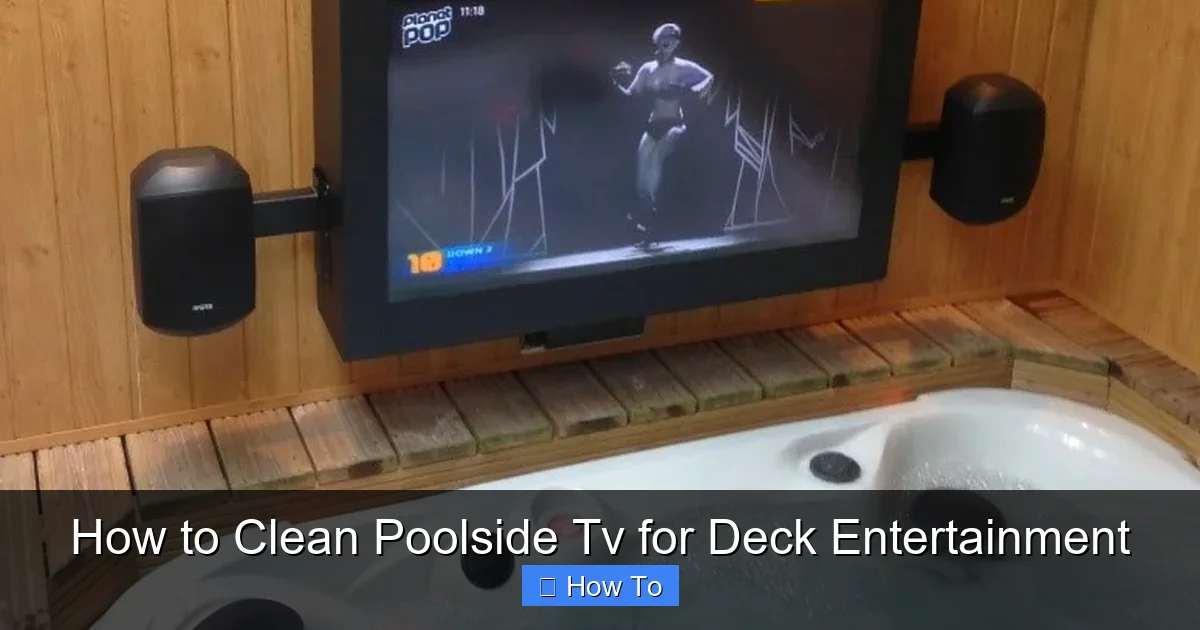
Visual guide about How to Clean Poolside Tv for Deck Entertainment
Image source: armagard.com
A dirty screen doesn’t just look bad—it can also reduce picture quality. Streaks, smudges, and water spots scatter light, making colors look dull and details hard to see. In bright sunlight, a clean screen reflects less glare, giving you better visibility. Plus, regular cleaning helps prevent long-term damage like corrosion on metal frames or clogged ventilation ports that can lead to overheating.
Think of cleaning your poolside TV like washing your car. You wouldn’t drive around with a muddy windshield, right? The same logic applies here. A clean TV enhances your outdoor living experience and protects your investment. Most outdoor TVs cost anywhere from $800 to $3,000+, so a little maintenance goes a long way.
What You’ll Need: Tools and Supplies
Before you start, gather the right tools. Using the wrong cleaner or cloth can scratch the screen or leave behind harmful residues. Here’s a simple checklist of what you’ll need:
- Microfiber cloths: These are soft, lint-free, and perfect for screens. Avoid paper towels, tissues, or rough fabrics—they can scratch.
- Distilled water: Tap water contains minerals that can leave spots. Distilled water is pure and safe.
- Mild cleaning solution: A few drops of dish soap (like Dawn) mixed with distilled water works well. Never use ammonia, alcohol, or Windex—they can damage anti-glare coatings.
- Soft-bristle brush or compressed air: For cleaning vents and crevices.
- Spray bottle: To apply cleaning solution lightly.
- Soft sponge or cloth: For the frame and housing.
- Extension pole or step ladder (if needed): For safely reaching mounted TVs.
- Weatherproof TV cover (optional but recommended): To protect the TV when not in use.
Pro tip: Keep a dedicated cleaning kit for your outdoor TV. Label a small caddy with your microfiber cloths, spray bottle, and brush so you’re always ready.
Step-by-Step: How to Clean Your Poolside TV
Step 1: Turn Off and Unplug the TV
Safety is the number one priority. Before you touch anything, make sure the TV is completely powered off and unplugged from the outlet. Even if it’s on a weatherproof outlet, it’s best to eliminate any risk of electrical shock—especially near water.
Wait at least 10–15 minutes after turning it off. This allows the internal components to cool down. Cleaning a hot screen can cause cleaning solutions to evaporate too quickly, leaving streaks or residue.
Step 2: Dust Off the Screen and Frame
Start with a dry pass. Use a clean, dry microfiber cloth to gently wipe the screen in a circular motion. This removes loose dust, pollen, and debris without scratching the surface.
Don’t forget the frame and bezel. Use the same cloth or a soft brush to clean around the edges, where dirt and moisture often accumulate. Pay special attention to the bottom edge—this is where water tends to pool after rain or splashes.
If your TV has ventilation slots or ports, use a soft-bristle brush or can of compressed air to blow out dust. Clogged vents can cause overheating, which shortens the TV’s lifespan.
Step 3: Prepare Your Cleaning Solution
Mix a gentle cleaning solution. In a spray bottle, combine:
- 1 cup of distilled water
- 1–2 drops of mild dish soap (unscented is best)
Swirl gently to mix—don’t shake vigorously, as this creates bubbles. Never use vinegar, bleach, or commercial glass cleaners. These can strip protective coatings and damage the screen over time.
If you prefer a pre-made solution, look for screen-safe cleaners labeled “for LCD/LED/OLED TVs.” Brands like Whoosh! or Screen Mom are popular and safe for outdoor use.
Step 4: Clean the Screen
Here’s the golden rule: Never spray liquid directly on the screen. Instead, lightly mist your microfiber cloth with the cleaning solution. The cloth should be damp, not dripping.
Gently wipe the screen in small, overlapping circles. Start from the top and work your way down. Avoid pressing too hard—let the cloth do the work. For stubborn spots like dried chlorine or salt residue, hold the damp cloth over the area for 10–15 seconds to loosen it, then wipe gently.
After cleaning, use a second dry microfiber cloth to buff the screen. This removes any remaining moisture and prevents streaks. Wipe in the same circular motion until the screen is completely dry and clear.
Pro tip: Clean on a cloudy day or in the shade. Sunlight can cause the cleaning solution to dry too quickly, leaving streaks.
Step 5: Clean the Frame and Housing
The frame and back of the TV also need attention. Use a slightly damp cloth (with the same mild soap solution) to wipe down the plastic or metal housing. Pay extra attention to areas near the pool, where chlorine or salt spray may have caused discoloration or corrosion.
For metal frames, check for rust or pitting. If you spot any, gently scrub with a soft cloth and a bit of baking soda paste (mix with water). Rinse with a damp cloth and dry immediately.
Don’t forget the mounting bracket and cables. Wipe them down to prevent buildup that could attract pests or cause electrical issues.
Step 6: Dry and Inspect
Once everything is clean, use a dry microfiber cloth to go over the entire TV—screen, frame, and vents. Make sure no moisture remains, especially around ports or seams.
Take a step back and inspect the screen under different lighting. Look for streaks, smudges, or missed spots. If you see any, repeat the cleaning process on that area.
Finally, plug the TV back in and turn it on. Check that the picture is clear and that all functions are working properly.
How Often Should You Clean Your Poolside TV?
Frequency depends on your environment and usage. Here’s a general guideline:
- Weekly: Wipe down the screen and frame with a dry microfiber cloth to remove dust and light splashes.
- Bi-weekly: Do a light cleaning with a damp cloth if you notice smudges or water spots.
- Monthly: Perform a full cleaning, including vents and housing.
- Seasonally: Every 3–6 months, do a deep clean—especially after storms, pool parties, or high-humidity periods.
If you live near the ocean or use a saltwater pool, you may need to clean more often due to corrosive salt buildup. Similarly, if your TV is exposed to direct sunlight all day, UV exposure can degrade coatings over time, so regular maintenance is crucial.
Tips to Prevent Damage and Extend TV Life
Cleaning is important, but prevention is even better. Here are some smart habits to protect your poolside TV:
Use a Weatherproof Cover
When the TV isn’t in use, cover it with a high-quality, breathable TV cover. Look for one made from UV-resistant, waterproof material with ventilation to prevent condensation. Covers reduce dust buildup and protect against rain, bird droppings, and pollen.
Install in a Sheltered Area
If possible, mount your TV under a pergola, awning, or roof overhang. This shields it from direct rain and sun, reducing wear and tear. Avoid placing it directly above the pool where splashes are frequent.
Use a Surge Protector
Outdoor electronics are vulnerable to power surges from lightning or grid fluctuations. Plug your TV into a weatherproof surge protector to safeguard internal components.
Check Seals and Gaskets Regularly
If your TV is rated for outdoor use (like IP54 or IP65), it has seals to keep moisture out. Inspect these seals every few months for cracks or wear. Replace them if needed to maintain waterproofing.
Limit Sun Exposure
Prolonged UV exposure can fade colors and damage screens. Consider using a TV with a high-brightness display (2,000+ nits) designed for outdoor use. These are built to handle glare and sunlight.
Troubleshooting Common Issues
Even with regular cleaning, you might run into problems. Here’s how to handle the most common ones:
Foggy or Hazy Screen
If your screen looks cloudy even after cleaning, it could be due to moisture trapped behind the screen or a failing anti-reflective coating. Try wiping with a dry cloth and letting it sit in a dry area for 24 hours. If the haze persists, contact the manufacturer—it may be a sign of internal damage.
Stubborn Chlorine or Salt Residue
These can leave white, crusty spots. Soak a cloth in distilled water and hold it over the spot for a few minutes to soften it. Then gently wipe with a mild soap solution. For tough buildup, use a 50/50 mix of distilled water and white vinegar—but only on the frame, not the screen.
Scratches on the Screen
Minor scratches can sometimes be minimized with a screen repair kit, but prevention is key. Always use soft cloths and avoid abrasive materials. If scratches are deep, consider professional repair or replacement.
Overheating or Shutdowns
If your TV shuts off unexpectedly, it may be overheating. Check that vents are clear and the TV isn’t in direct sunlight. Ensure there’s adequate airflow around the unit. If problems continue, consult a technician.
Conclusion
Your poolside TV is more than just a screen—it’s the centerpiece of your outdoor entertainment. Whether you’re hosting movie nights, watching the big game, or streaming your favorite show under the stars, a clean TV makes all the difference.
By following this guide, you’ll keep your TV looking sharp, performing well, and lasting for years. Remember: safety first, use the right tools, clean regularly, and protect your investment with smart habits like using a cover and sheltering the unit.
With just a few minutes of care each week, you can enjoy crystal-clear views and worry-free deck entertainment—rain or shine. So grab your microfiber cloth, mix up a little cleaning solution, and give your poolside TV the TLC it deserves. Your future self (and your guests) will thank you.

