
Keeping your patio TV clean ensures a clear picture and longer lifespan, especially in a covered outdoor space. This guide walks you through safe cleaning methods, tools, and maintenance tips to protect your investment from dust, humidity, and debris.
Key Takeaways
- Use the right tools: Microfiber cloths, distilled water, and mild cleaners prevent screen damage and streaks.
- Power off and unplug: Always turn off and disconnect your TV before cleaning to avoid electrical hazards.
- Avoid harsh chemicals: Ammonia, alcohol, or abrasive cleaners can ruin anti-glare coatings and screen surfaces.
- Clean regularly: Wipe down your patio TV weekly to prevent buildup from dust, pollen, and moisture.
- Protect from the elements: Even in covered patios, use a weatherproof cover when the TV isn’t in use.
- Check manufacturer guidelines: Follow your TV’s specific cleaning recommendations to avoid voiding the warranty.
- Inspect for damage: Look for cracks, loose seals, or moisture inside the screen during cleaning.
How to Clean Patio TV for Covered Patio: A Complete Guide
So, you’ve installed a sleek TV on your covered patio—perfect for movie nights under the stars or catching the game while grilling. But now you’re wondering: how do I keep it clean without damaging the screen? You’re not alone. Many outdoor TV owners struggle with dust, humidity, and the occasional splash, even under a roof. The good news? Cleaning your patio TV doesn’t have to be complicated—or risky.
In this guide, we’ll walk you through everything you need to know about how to clean patio TV for covered patio safely and effectively. Whether you’ve got a standard outdoor TV or a weather-resistant model, these steps will help you maintain a crystal-clear picture and extend the life of your investment. We’ll cover the right tools, step-by-step cleaning methods, common mistakes to avoid, and tips for long-term care. By the end, you’ll feel confident handling your TV’s upkeep like a pro.
Why Cleaning Your Patio TV Matters
Even though your TV is under a covered patio, it’s still exposed to outdoor elements. Dust, pollen, bird droppings, and humidity can accumulate over time. If left unchecked, these contaminants can:
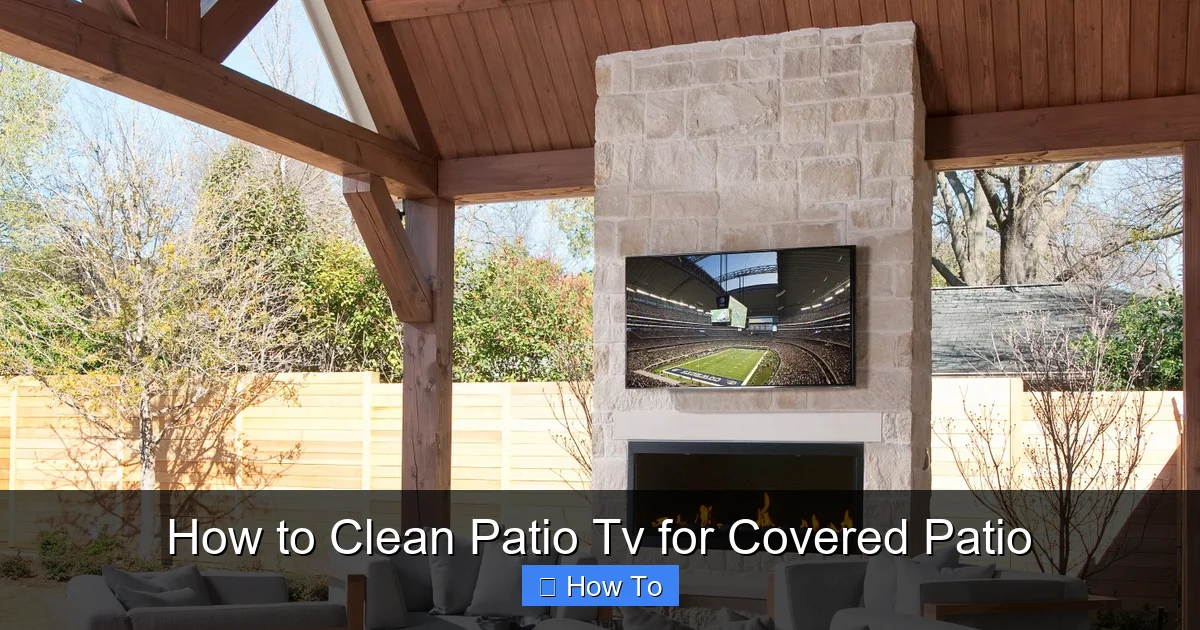
Visual guide about How to Clean Patio Tv for Covered Patio
Image source: aprylann.com
- Reduce screen clarity and brightness
- Cause permanent stains or scratches
- Lead to moisture buildup inside the TV
- Attract pests or mold in damp conditions
Regular cleaning not only keeps your viewing experience sharp but also helps prevent costly repairs or premature wear. Think of it like washing your car—just because it’s in the garage doesn’t mean it stays spotless. The same logic applies to your patio TV.
What You’ll Need to Clean Your Patio TV
Before you start, gather the right supplies. Using the wrong tools can do more harm than good. Here’s a simple checklist:
- Microfiber cloths: These are soft, lint-free, and won’t scratch the screen. Use one for dusting and a second for wiping.
- Distilled water: Tap water contains minerals that can leave streaks. Distilled water is pure and safe.
- Mild cleaning solution: A few drops of dish soap or a screen-safe cleaner (like those made for TVs or monitors).
- Soft-bristle brush or compressed air: For removing loose dust from vents and crevices.
- Spray bottle: To lightly mist your cleaning solution—never spray directly on the TV.
- Extension ladder or step stool: If your TV is mounted high, safety first!
- Weatherproof cover (optional): To protect the TV when not in use.
Avoid paper towels, rough cloths, or anything abrasive. Also, steer clear of household cleaners like Windex, vinegar, or rubbing alcohol—they can strip protective coatings.
Step-by-Step Guide to Cleaning Your Patio TV
Step 1: Power Off and Unplug the TV
Before touching anything, turn off your TV and unplug it from the power source. This is crucial for safety—especially outdoors, where moisture and electricity don’t mix. Even if your TV is designed for outdoor use, it’s better to be safe than sorry.
Wait at least 10–15 minutes for the TV to cool down if it’s been running. Hot screens are more prone to damage from cleaning solutions.
Step 2: Dust the Screen and Frame
Start by gently removing loose dust and debris. Use a dry microfiber cloth or a soft-bristle brush to wipe the screen surface. Work from top to bottom in smooth, overlapping strokes.
Don’t press hard—just let the cloth do the work. For corners and edges, use a soft brush or compressed air to blow out dust from vents, speaker grilles, and mounting brackets.
Pro tip: If you have pets or live in a dusty area, consider dusting your TV weekly. It only takes a minute and prevents buildup.
Step 3: Prepare Your Cleaning Solution
Mix a gentle cleaning solution in a spray bottle. Here’s a simple recipe:
- 1 cup of distilled water
- 1–2 drops of mild dish soap (like Dawn)
Shake gently to mix—don’t create suds. Alternatively, use a commercial screen cleaner labeled safe for LCD, LED, or OLED screens.
Never spray the solution directly onto the TV. Instead, lightly mist it onto your microfiber cloth. The cloth should be damp, not soaking wet.
Step 4: Wipe the Screen Gently
Using the damp microfiber cloth, wipe the screen in gentle, circular motions. Start from one corner and work your way across. Avoid pressing too hard—especially on OLED screens, which are more delicate.
If you encounter stubborn spots (like dried bird droppings or sap), apply a little extra solution to the cloth and let it sit for 10–15 seconds before wiping. Never scrub.
For the frame and bezel, use a separate cloth lightly dampened with the solution. Wipe down the plastic or metal surfaces, then dry immediately with a dry microfiber cloth to prevent water spots.
Step 5: Dry the Screen Thoroughly
After cleaning, use a dry microfiber cloth to buff the screen. This removes any remaining moisture and prevents streaks. Make sure the entire surface is dry before turning the TV back on.
Pay extra attention to the edges and corners, where water can seep into gaps. If you notice any moisture lingering, wait a few extra minutes before plugging in.
Step 6: Clean the Mount and Surrounding Area
Don’t forget the TV mount and wall area. Dust and grime can accumulate here too. Use a dry cloth or brush to clean the mount, then wipe with a lightly damp cloth if needed.
If your TV is mounted on a swivel arm, check for loose screws or signs of rust. Tighten as needed and apply a small amount of silicone lubricant to moving parts to keep them smooth.
Step 7: Inspect for Damage
While cleaning, take a moment to inspect your TV for any issues:
- Cracks or scratches on the screen
- Loose or cracked seals around the bezel
- Moisture or fogging behind the screen
- Corrosion on metal parts
If you spot any of these, stop using the TV and contact the manufacturer or a professional. Continuing to use a damaged outdoor TV can lead to electrical problems or safety hazards.
Tips for Maintaining Your Patio TV Year-Round
Cleaning your TV once isn’t enough—regular maintenance is key. Here are some practical tips to keep your patio TV in top shape:
Clean Weekly, Deep Clean Monthly
Make it a habit to wipe down your TV every week with a dry microfiber cloth. This removes dust and prevents buildup. Once a month, do a full cleaning with your mild solution.
Set a reminder on your phone or calendar so you don’t forget. It only takes 5–10 minutes!
Use a Weatherproof Cover
Even under a covered patio, your TV is exposed to humidity, pollen, and occasional rain. A high-quality outdoor TV cover protects it when not in use.
Look for a cover made from breathable, UV-resistant fabric. Avoid plastic covers—they can trap moisture and cause condensation.
Check Ventilation and Airflow
Outdoor TVs are designed to dissipate heat, but dust can clog vents over time. Use compressed air every few months to clear out vents and fans.
Make sure there’s at least 2–3 inches of space around the TV for airflow. Don’t block vents with decorations or furniture.
Monitor Humidity Levels
High humidity can lead to condensation inside the TV. If you live in a humid climate, consider using a dehumidifier in your patio area or installing a ventilation fan.
Some outdoor TVs come with built-in humidity sensors. Check your manual to see if yours has this feature.
Avoid Direct Sunlight and Heat
Even covered patios can get hot. Prolonged exposure to direct sunlight can fade the screen and damage internal components.
If possible, install your TV in a shaded spot or use an awning to block midday sun. Also, avoid placing it near grills, fire pits, or heaters.
Common Mistakes to Avoid When Cleaning Your Patio TV
Even with the best intentions, it’s easy to make mistakes. Here are some common pitfalls and how to avoid them:
Using Harsh Chemicals
Ammonia-based cleaners (like Windex) and alcohol can strip anti-reflective coatings and damage the screen. Always use mild, screen-safe solutions.
Spraying Liquid Directly on the Screen
Liquid can seep into the edges and damage internal components. Always apply cleaner to the cloth, not the TV.
Using Paper Towels or Rough Cloths
These can scratch the screen. Stick to microfiber—it’s soft and effective.
Cleaning a Hot TV
Cleaning a warm or hot screen can cause streaks or damage. Always wait for the TV to cool down.
Ignoring the Manufacturer’s Instructions
Every TV is different. Check your owner’s manual for specific cleaning guidelines. Some models have special coatings or warranties that require certain care.
Troubleshooting Common Cleaning Issues
Sometimes, cleaning doesn’t go as planned. Here’s how to handle common problems:
Streaks or Smudges Remain
If your screen still looks streaky, it’s likely due to using too much cleaner or the wrong type. Try wiping with a cloth dampened only with distilled water. Buff dry with a clean microfiber cloth.
Water Spots Appear
These are usually caused by tap water minerals. Always use distilled water for cleaning. If spots remain, gently wipe with a vinegar-free screen cleaner.
Dust Returns Quickly
If dust builds up fast, consider installing a small outdoor fan or air purifier nearby to reduce airborne particles. Also, check for nearby sources of dust, like unsealed windows or construction.
Screen Looks Hazy
A hazy screen could mean moisture inside the TV or a damaged anti-glare coating. If cleaning doesn’t help, contact the manufacturer—don’t attempt to open the TV yourself.
When to Call a Professional
Most cleaning tasks can be done at home, but some issues require expert help. Call a technician if:
- You see moisture or fogging behind the screen
- The TV won’t turn on after cleaning
- There are cracks or physical damage
- You suspect electrical problems
Attempting to repair an outdoor TV yourself can void the warranty or create safety risks. When in doubt, get professional assistance.
Conclusion
Cleaning your patio TV for covered patio doesn’t have to be a chore. With the right tools and techniques, you can keep your screen looking sharp and your TV running smoothly for years. Remember: power off, use gentle cleaners, avoid harsh chemicals, and clean regularly. A little care goes a long way.
By following this guide, you’re not just maintaining your TV—you’re protecting your investment and ensuring every movie night, game day, or backyard gathering is a visual delight. So grab your microfiber cloth, follow these steps, and enjoy your spotless outdoor entertainment space.

