
Keeping your outdoor television for pool area clean ensures clear picture quality and extends its lifespan. This guide walks you through safe cleaning methods, tools, and maintenance tips to protect your TV from chlorine, humidity, and sun exposure.
Key Takeaways
- Use only approved cleaning solutions: Avoid ammonia, alcohol, or abrasive cleaners that can damage anti-glare coatings and screens.
- Power off and unplug the TV: Always disconnect power before cleaning to prevent electrical hazards and protect internal components.
- Microfiber cloths are essential: They gently remove dust and smudges without scratching the screen or housing.
- Clean regularly but gently: Weekly light cleaning prevents buildup of salt, chlorine, and pollen common in pool areas.
- Protect from direct sunlight and moisture: Use a weatherproof cover when not in use and ensure proper ventilation around the TV.
- Check manufacturer guidelines: Follow specific care instructions for your outdoor TV model to avoid voiding the warranty.
- Inspect seals and vents: Regularly check for cracks or gaps that could allow water or debris to enter the unit.
How to Clean Outdoor Television for Pool Area
If you’ve invested in an outdoor television for your pool area, you know how amazing it is to enjoy movies, sports, or music while lounging by the water. But with that luxury comes responsibility—keeping your outdoor TV clean and well-maintained is crucial for both performance and longevity. Exposure to chlorine mist, salt air (if you’re near the coast), humidity, UV rays, and dust can quickly degrade your TV’s appearance and functionality if not properly cared for.
In this comprehensive guide, you’ll learn exactly how to clean your outdoor television for pool area safely and effectively. We’ll cover the right tools, step-by-step cleaning methods, preventive maintenance, and troubleshooting tips to keep your screen crystal clear and your system running smoothly year-round. Whether you have a full outdoor-rated TV or a weatherized enclosure, these tips will help you protect your investment.
Why Cleaning Your Outdoor TV Matters
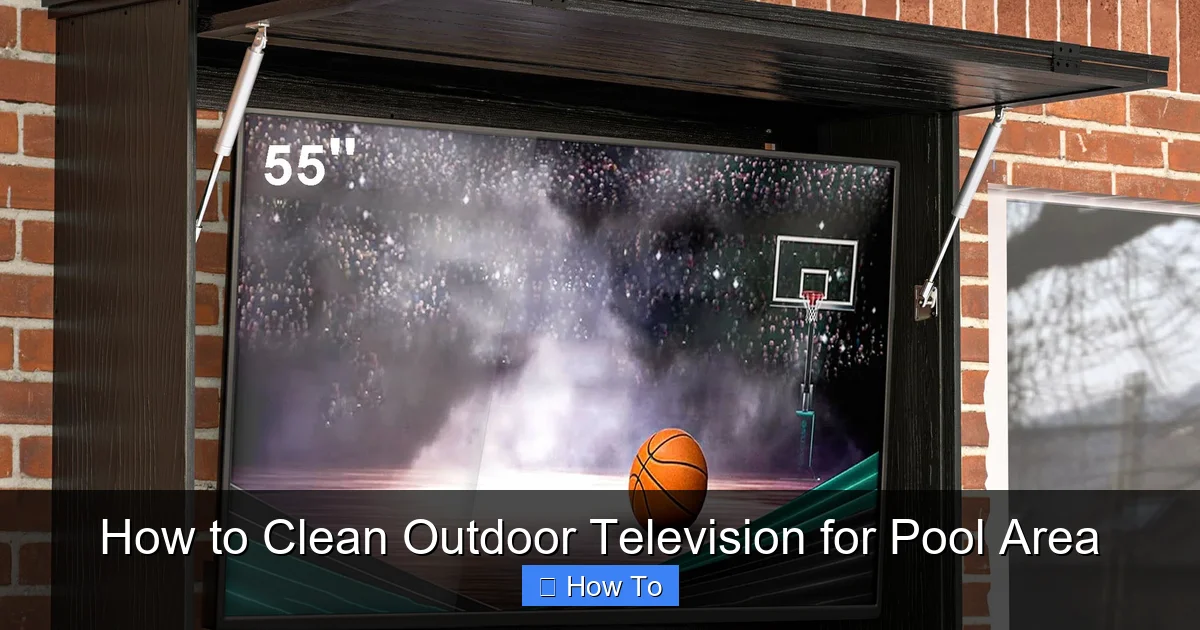
Visual guide about How to Clean Outdoor Television for Pool Area
Image source: assets.wfcdn.com
Outdoor televisions are built to withstand the elements, but they’re not invincible. The pool environment presents unique challenges. Chlorine from pool water can become airborne as mist, settling on surfaces and leaving behind corrosive residues. Salt air in coastal regions accelerates rust and corrosion. Dust, pollen, and bird droppings accumulate quickly, especially in open-air setups. Over time, these contaminants can:
– Obscure the screen, reducing visibility
– Damage anti-reflective or anti-glare coatings
– Clog ventilation ports, leading to overheating
– Corrode metal components and electrical connections
– Promote mold or mildew growth in humid conditions
Regular cleaning not only keeps your TV looking great but also prevents long-term damage. A clean screen ensures you get the best possible picture quality, especially during daytime use when glare is a major issue. Plus, maintaining your outdoor TV helps preserve its resale value and avoids costly repairs or premature replacement.
What You’ll Need to Clean Your Outdoor TV
Before you begin, gather the right tools and supplies. Using improper cleaners or materials can do more harm than good. Here’s a checklist of what you’ll need:
- Microfiber cloths (at least two): One for dusting, one for cleaning the screen. Microfiber is soft, lint-free, and won’t scratch delicate surfaces.
- Distilled water: Tap water contains minerals that can leave spots or streaks. Distilled water is pure and safe for electronics.
- Mild dish soap (optional): Use only a drop if needed for stubborn grime. Avoid antibacterial or degreasing formulas.
- Isopropyl alcohol (70% or less, optional): Only for non-screen parts like bezels or mounts. Never use on the screen unless specified by the manufacturer.
- Soft-bristle brush or compressed air: For cleaning vents, crevices, and hard-to-reach areas.
- Spray bottle: To lightly mist cleaning solution—never spray directly on the TV.
- Weatherproof cover (recommended): To protect the TV when not in use.
- Ladder or step stool (if needed): For safely reaching wall-mounted TVs.
Avoid using paper towels, napkins, or rough cloths—they can scratch the screen. Never use window cleaners like Windex, which contain ammonia and can strip protective coatings. Similarly, avoid vinegar, bleach, or abrasive sponges.
Step-by-Step Guide to Cleaning Your Outdoor TV
Follow these steps carefully to clean your outdoor television for pool area without causing damage.
Step 1: Power Off and Unplug the TV
Safety first. Always turn off the TV using the remote or power button, then unplug it from the power source. This prevents electrical shock and protects internal components from moisture during cleaning. If your TV is hardwired, turn off the circuit breaker that supplies power to the outlet.
Wait at least 10–15 minutes for the TV to cool down if it’s been in use. Hot surfaces can react poorly with cleaning solutions, and warm electronics are more vulnerable to damage.
Step 2: Dust the Surface
Before applying any liquid, remove loose dust and debris. Use a dry microfiber cloth or a soft-bristle brush to gently wipe the screen, bezel, and vents. Start from the top and work your way down to avoid pushing dirt into gaps.
For vents and crevices, use compressed air to blow out dust. Hold the can upright and spray in short bursts to prevent moisture from entering the unit. This step is especially important in pool areas where fine particles can accumulate quickly.
Step 3: Prepare Your Cleaning Solution
For most cleaning tasks, a simple solution of distilled water and a drop of mild dish soap works best. Mix one cup of distilled water with a single drop of soap in a spray bottle. Shake gently to mix—don’t create suds.
If you’re only cleaning the screen and it’s not very dirty, you can use plain distilled water. For tougher grime like dried chlorine residue or pollen, the mild soap solution is effective without being harsh.
Never spray liquid directly onto the TV. Instead, lightly mist the microfiber cloth. The cloth should be damp, not wet. Excess moisture can seep into seams and damage internal components.
Step 4: Clean the Screen
Gently wipe the screen using the damp microfiber cloth. Use light, circular motions or wipe from top to bottom in straight lines. Avoid pressing hard—modern screens are delicate and can be damaged by pressure.
Focus on smudges, fingerprints, and spots. If you encounter stubborn residue, let the damp cloth sit on the spot for 10–15 seconds to loosen it, then wipe gently. Never scrub.
After cleaning, use a second dry microfiber cloth to buff the screen and remove any remaining moisture or streaks. This ensures a clear, shiny finish.
Step 5: Clean the Bezel and Housing
The bezel (the frame around the screen) and outer housing collect dust, sunscreen, and pool chemicals. Use the same damp cloth to wipe these areas. For textured or hard-to-reach spots, wrap the cloth around your finger or use a soft brush.
If there’s grease or sticky residue (common from sunscreen or food), you can use a cloth lightly dampened with isopropyl alcohol (70% or less). Test on a small area first to ensure it doesn’t discolor or damage the finish.
Avoid getting moisture into ports, buttons, or speaker grilles. If necessary, use a cotton swab lightly dampened with distilled water for tight spaces.
Step 6: Clean the Mount and Surrounding Area
Don’t forget the mounting bracket, screws, and wall area around the TV. These can corrode over time due to moisture and chemicals. Wipe them down with a damp cloth and dry thoroughly.
Inspect metal parts for rust or corrosion. If you spot any, gently scrub with a soft brush and apply a rust inhibitor if needed. Ensure all screws are tight and secure.
Step 7: Dry and Reassemble
After cleaning, allow the TV to air dry for 10–15 minutes before plugging it back in. Make sure no moisture remains, especially around vents and seams.
Once dry, plug the TV back in and turn it on. Check that the picture is clear and all functions are working properly.
Special Considerations for Pool Area TVs
Pool environments are harsh on electronics. Here are some extra tips to keep your outdoor TV in top condition:
Chlorine and Salt Residue
Chlorine mist from splashing water can leave a white, chalky residue on surfaces. This is especially common in indoor pools or covered patios. Clean this buildup weekly with a damp microfiber cloth and distilled water. For stubborn spots, use the mild soap solution.
In coastal areas, salt air can cause corrosion. Rinse the TV housing with fresh water occasionally (using a spray bottle or damp cloth) to remove salt deposits. Always dry thoroughly afterward.
UV Protection
Prolonged sun exposure can fade colors and degrade materials. If your TV doesn’t have a built-in UV filter, consider installing a sunshade or awning above it. Some outdoor TVs come with anti-glare, UV-resistant screens—check your model’s specs.
Avoid placing the TV in direct sunlight for extended periods. East- or west-facing walls may receive intense morning or afternoon sun. A shaded location under a pergola or roof overhang is ideal.
Humidity and Moisture
High humidity can lead to condensation inside the TV, especially at night. Ensure your outdoor TV is rated for high-humidity environments (look for IP54 or higher ratings). Use a weatherproof cover when the TV is not in use, especially during rain or high-humidity nights.
Never cover a hot TV—let it cool first. Choose a breathable, water-resistant cover that allows airflow to prevent mold.
Preventive Maintenance Tips
Cleaning is just one part of outdoor TV care. Regular maintenance helps prevent problems before they start.
Weekly Light Cleaning
Wipe down the screen and housing with a dry microfiber cloth once a week. This removes dust and prevents buildup.
Monthly Deep Clean
Perform a full cleaning (as outlined above) once a month. Check vents, seals, and mounting hardware.
Seasonal Inspections
Before summer and after winter, inspect your TV for:
– Cracks in the screen or housing
– Loose or corroded screws
– Damaged seals or gaskets
– Blocked ventilation ports
– Signs of mold or mildew
Replace worn seals or covers as needed. If you notice any damage, contact the manufacturer or a professional.
Use a Weatherproof Cover
Even weather-resistant TVs benefit from a cover. Use it during storms, high humidity, or when the TV won’t be used for several days. Choose a cover designed for outdoor electronics—avoid plastic tarps, which trap moisture.
Troubleshooting Common Issues
Even with proper care, issues can arise. Here’s how to handle common problems:
Screen Looks Hazy or Cloudy
This could be due to residue buildup or moisture inside the screen. Clean the exterior thoroughly. If the haze persists, it may indicate internal condensation or seal failure. Contact the manufacturer—opening the TV yourself may void the warranty.
Streaks or Spots After Cleaning
Usually caused by tap water or dirty cloths. Always use distilled water and clean microfiber cloths. Rinse the cloth frequently during cleaning.
Overheating or Shutting Down
Check that vents are not blocked by dust or debris. Ensure the TV has adequate airflow—don’t mount it in an enclosed cabinet unless it’s specifically designed for that. Move the TV to a cooler, shaded location if overheating continues.
Corrosion on Mount or Screws
Replace rusted hardware with stainless steel or coated alternatives. Apply a corrosion inhibitor spray to metal parts annually.
Remote Control Not Working
Pool chemicals and humidity can affect remote sensors. Clean the remote with a damp cloth and replace batteries. Ensure nothing is blocking the sensor on the TV.
When to Call a Professional
While most cleaning and maintenance can be done at home, some situations require expert help:
– Internal condensation or water damage
– Cracked screen or housing
– Electrical issues or power failures
– Warranty-related repairs
Always consult your owner’s manual and contact the manufacturer before attempting any internal repairs. Many outdoor TVs have sealed designs that shouldn’t be opened by users.
Conclusion
Keeping your outdoor television for pool area clean doesn’t have to be complicated—but it does require consistency and the right approach. By following this guide, you’ll protect your investment, enjoy a crystal-clear picture, and extend the life of your TV. Remember to clean gently, use the right tools, and stay ahead of environmental challenges like chlorine, salt, and UV exposure.
Regular maintenance, combined with smart placement and protective covers, will ensure your outdoor entertainment setup stays in peak condition for years to come. So grab your microfiber cloth, power down the TV, and give your screen the care it deserves. Your next movie night by the pool will be brighter, clearer, and more enjoyable than ever.

