
Keeping your outdoor TV clean ensures clear picture quality and extends its lifespan. This guide walks you through safe, effective cleaning methods tailored for pergola-mounted screens, even in harsh weather.
Key Takeaways
- Turn off and unplug the TV before cleaning to prevent electrical hazards and protect internal components.
- Use only gentle, non-abrasive tools like microfiber cloths and distilled water to avoid scratching the screen or damaging coatings.
- Avoid harsh chemicals such as ammonia, bleach, or window cleaners—they can degrade anti-reflective or waterproof coatings.
- Clean regularly but lightly—monthly maintenance prevents buildup of dirt, pollen, and bird droppings that are harder to remove later.
- Inspect mounting hardware and seals during cleaning to ensure your outdoor TV remains weatherproof and secure.
- Consider seasonal deep cleans after pollen season or heavy rain to maintain optimal performance.
- Always follow manufacturer guidelines—some outdoor TVs have specific cleaning instructions that void warranties if ignored.
How to Clean Outdoor Television for Pergola
So you’ve installed a sleek outdoor television under your pergola—perfect for movie nights under the stars, game-day gatherings, or just relaxing with your favorite show while enjoying the fresh air. But unlike your indoor TV, your outdoor screen faces constant exposure to the elements: dust, pollen, rain, bird droppings, and even salt air if you’re near the coast. Over time, this buildup can cloud the picture, reduce brightness, and even damage sensitive components if left unchecked.
Cleaning your outdoor TV isn’t just about aesthetics—it’s about protecting your investment and ensuring it performs reliably for years. However, outdoor TVs are more complex than standard models. They’re built with weather-resistant casings, specialized vents, and often anti-glare or anti-reflective coatings that require gentle care. Using the wrong tools or cleaners can scratch the screen, degrade protective layers, or worse—compromise the waterproofing that keeps moisture out.
In this comprehensive guide, you’ll learn exactly how to clean your outdoor television for pergola safely and effectively. We’ll cover everything from the right tools and cleaning solutions to step-by-step instructions, seasonal maintenance tips, and troubleshooting common issues. Whether your TV is mounted on a retractable arm, fixed to a post, or tucked under a covered pergola, these methods will keep it looking sharp and functioning flawlessly—no matter the weather.
By the end of this guide, you’ll have a clear, repeatable routine that fits into your outdoor lifestyle. You’ll also know how to spot potential problems early, like loose mounts or worn seals, so you can address them before they become costly repairs. Let’s get started—your outdoor entertainment deserves the best care.
Why Cleaning Your Outdoor TV Matters
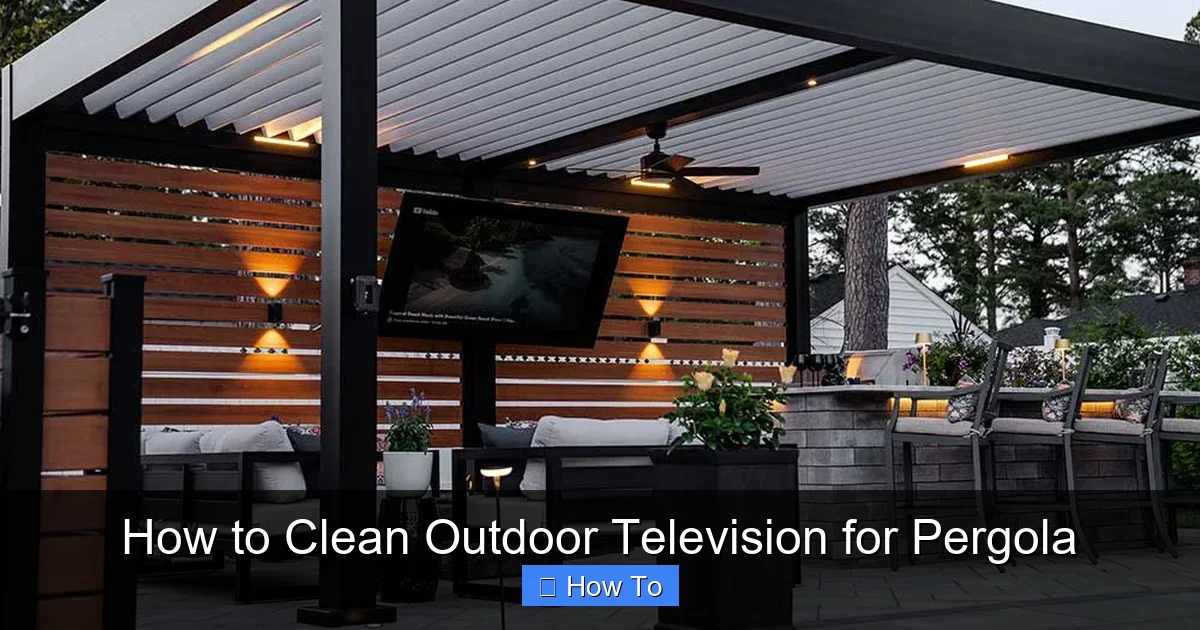
Visual guide about How to Clean Outdoor Television for Pergola
Image source: pergola-north-carolina.azenco-outdoor.com
Outdoor televisions are engineered to withstand the elements, but that doesn’t mean they’re maintenance-free. In fact, regular cleaning is one of the most important things you can do to preserve performance and longevity. Let’s break down why this matters.
First, **picture quality**. Dust, pollen, and grime accumulate on the screen surface, creating a hazy layer that dims colors and reduces contrast. Over time, this buildup can make even the brightest scenes look dull—especially under direct sunlight. A clean screen ensures you’re getting the full benefit of your TV’s high resolution and brightness settings.
Second, **protecting sensitive components**. Outdoor TVs are sealed to prevent water and dust ingress, but the seals can degrade over time. Dirt and debris around vents, ports, or mounting brackets can trap moisture, leading to corrosion or short circuits. Regular cleaning helps you spot these issues early.
Third, **preventing permanent damage**. Bird droppings, tree sap, and hard water stains are acidic or alkaline and can etch into screen coatings if left too long. Once that happens, no amount of cleaning will restore the original clarity. Frequent, gentle cleaning prevents these substances from bonding to the surface.
Finally, **safety and longevity**. A well-maintained outdoor TV is less likely to overheat (due to blocked vents) or suffer electrical faults. It also retains its resale value and looks inviting—important if you enjoy hosting outdoors.
Think of cleaning your outdoor TV like washing your car: it’s not just about looks. It’s about protecting the finish, preventing rust, and ensuring everything runs smoothly. The same logic applies here—just with higher stakes, since electronics are far more sensitive than paint.
Tools and Supplies You’ll Need
Before you start, gather the right tools. Using improper items—like paper towels, sponges, or household cleaners—can do more harm than good. Here’s a checklist of safe, effective supplies for cleaning your outdoor television.
Essential Cleaning Tools
- Microfiber cloths (2–3): These are soft, lint-free, and won’t scratch the screen. Use one for dusting, one for cleaning, and a dry one for buffing.
- Distilled water: Tap water contains minerals that can leave spots or streaks. Distilled water ensures a clean, residue-free finish.
- Isopropyl alcohol (70% or less): Optional, but useful for tougher grime. Never use higher concentrations—they can damage coatings.
- Soft-bristle brush or makeup brush: Great for gently dislodging dust from vents, seams, and mounting hardware.
- Compressed air (optional): Useful for blowing dust out of hard-to-reach areas like speaker grilles or cable ports.
Optional but Helpful Items
- Spray bottle: For misting distilled water or a mild cleaning solution.
- Step ladder or stable platform: Since pergola-mounted TVs are often elevated, safety is key. Never stand on unstable surfaces.
- Gloves (nitrile or cotton): Protect your hands and prevent oils from transferring to the screen.
- Flashlight or headlamp: Helps you see dust and debris in shaded areas or under the pergola.
What NOT to Use
Avoid these common household items—they’re too harsh for outdoor TVs:
- Ammonia-based cleaners (like Windex): They strip anti-reflective coatings.
- Bleach or abrasive cleaners: Can discolor plastic bezels and damage seals.
- Paper towels or tissues: They’re rough and leave lint.
- Sponges or scouring pads: Even “soft” ones can microscratch the screen.
- High-pressure water: Never spray water directly at the TV—even if it’s weatherproof.
Pro tip: Keep your cleaning kit in a sealed container near your outdoor setup. That way, you’re more likely to clean regularly instead of putting it off.
Step-by-Step Cleaning Process
Now that you’ve got your tools ready, let’s walk through the cleaning process. This method is safe for all outdoor TVs, whether they’re Samsung Terrace, SunBriteTV, or another weather-resistant model.
Step 1: Power Down and Unplug
Safety first. Always turn off the TV and unplug it from the power source. Even if your TV is on a weatherproof outlet, it’s best to eliminate any risk of electrical shock. If your TV is hardwired, turn off the circuit breaker that controls it.
Wait at least 10–15 minutes for the TV to cool down if it’s been in use. Hot screens are more prone to damage from liquids and can warp under sudden temperature changes.
Step 2: Dust the Surface
Before applying any liquid, remove loose dust and debris. Use a dry microfiber cloth or a soft-bristle brush to gently wipe the screen, bezel, and vents. Work from top to bottom to prevent dust from falling onto already-clean areas.
For tight spaces—like around the mounting bracket or speaker grilles—use compressed air in short bursts. Hold the can upright to avoid spraying liquid propellant.
Tip: If you have a retractable mount, extend the TV slightly (if safe) to access the back and sides. Just don’t force it—some models lock in place.
Step 3: Prepare Your Cleaning Solution
For most cleaning, plain distilled water is enough. Lightly dampen a microfiber cloth—never spray liquid directly on the TV. The cloth should be slightly moist, not dripping.
For stubborn spots (like dried bird droppings or sap), mix a solution of:
- 1 part distilled water
- 1 part isopropyl alcohol (70% or less)
This mild mix cuts through grime without harming coatings. Test it on a small, inconspicuous area first if you’re unsure.
Never use vinegar, lemon juice, or commercial glass cleaners—they’re too acidic or alkaline.
Step 4: Clean the Screen
Gently wipe the screen in circular motions, starting from the center and moving outward. Apply light pressure—no need to scrub. Let the solution do the work.
For sticky residues, let the damp cloth sit on the spot for 10–15 seconds to loosen it, then wipe gently. Repeat if necessary.
Avoid pressing too hard near the edges, where the screen meets the bezel. This area is more vulnerable to damage.
Step 5: Clean the Bezel and Vents
Use a separate microfiber cloth (or a clean section of the same one) to wipe the plastic or metal bezel. Pay special attention to vents—dust buildup here can block airflow and cause overheating.
For vents, use the soft brush or compressed air to remove debris from the slats. Don’t insert anything sharp into the vents—you could damage internal components.
If your TV has a protective glass front (common on premium outdoor models), clean it the same way as the screen.
Step 6: Dry and Buff
Use a dry microfiber cloth to wipe away any remaining moisture. Buff the screen in gentle, circular motions until it’s streak-free.
Check under bright light or sunlight to ensure no smudges or water spots remain. If you see streaks, dampen the cloth slightly and repeat.
Step 7: Inspect Mounting and Seals
While the TV is accessible, take a moment to inspect the mounting hardware. Check for:
- Loose bolts or screws
- Corrosion on metal parts
- Cracks or wear in rubber seals around the screen
- Frayed cables or loose connections
Tighten any loose fittings and replace damaged seals if needed. Most manufacturers sell replacement gaskets or weatherstripping.
This step is crucial—your TV’s weather resistance depends on intact seals.
Step 8: Reconnect and Test
Once everything is dry, plug the TV back in and turn it on. Check that the picture is clear and all functions (sound, inputs, remote) are working.
If you notice any issues—like flickering, no sound, or overheating—turn it off immediately and consult the manual or a technician.
Seasonal and Deep Cleaning Tips
While monthly light cleaning is ideal, your outdoor TV may need deeper attention a few times a year—especially after harsh weather or high-pollen seasons.
Spring Cleaning (Post-Pollen Season)
After spring, pollen can coat your screen in a yellow film. Use the alcohol-water solution to remove it. Also, check for insect nests near vents or under the pergola—these can block airflow.
Summer Maintenance (Heat and Humidity)
High humidity can cause condensation inside the TV if seals are compromised. After heavy rain, inspect for moisture around the screen edges. If you see fogging, turn off the TV and let it dry completely before use.
Clean more frequently if you live in a dusty or coastal area—salt air accelerates corrosion.
Fall Prep (Leaf and Debris Season)
Before winter, give your TV a thorough clean. Remove any leaves, twigs, or sap that may have accumulated. Apply a silicone-based protectant to rubber seals (check manufacturer approval first) to prevent cracking in cold weather.
Winter Care (Snow and Ice)
If you live in a snowy climate, avoid using hot water or steam to melt ice on the screen—thermal shock can crack the glass. Instead, gently brush off snow with a soft broom or cloth. Never scrape with metal tools.
Consider installing a retractable cover or awning over your pergola to reduce snow and ice buildup.
Troubleshooting Common Cleaning Issues
Even with careful cleaning, problems can arise. Here’s how to handle the most common ones.
Streaks or Haze on the Screen
Cause: Residue from tap water or improper cloth.
Solution: Re-clean with distilled water and a fresh microfiber cloth. Buff thoroughly.
Scratches on the Screen
Cause: Using rough materials or pressing too hard.
Solution: Minor scratches may be buffed out with a screen repair kit, but deep ones are permanent. Prevent future damage by using only soft cloths.
Water Spots or Mineral Deposits
Cause: Tap water or high humidity.
Solution: Clean with distilled water. For existing spots, use the alcohol-water mix and buff gently.
Dust Returns Quickly
Cause: Poor pergola coverage or nearby trees.
Solution: Trim overhanging branches and consider adding side curtains or a full enclosure to reduce exposure.
TV Overheats After Cleaning
Cause: Blocked vents or damaged seals.
Solution: Ensure vents are clear and seals are intact. Move the TV to a shadier spot if possible.
Remote Not Working After Cleaning
Cause: Moisture in the remote or sensor.
Solution: Remove batteries, dry the remote thoroughly, and check the TV’s IR sensor for obstructions.
Preventive Maintenance and Best Practices
Cleaning is just one part of outdoor TV care. These habits will keep your setup in top shape year-round.
- Clean monthly: A quick wipe-down prevents buildup.
- Use a cover when not in use: A breathable, weatherproof cover protects against dust and UV rays.
- Install in a sheltered spot: Even under a pergola, choose a location with minimal direct rain and sun exposure.
- Check weather forecasts: Bring the TV in or cover it during storms if possible.
- Schedule professional inspections: Have a technician check seals and mounts annually.
- Keep a cleaning log: Note dates and any issues to track maintenance patterns.
Remember: An ounce of prevention is worth a pound of repair. A little effort now saves you from costly fixes later.
Conclusion
Cleaning your outdoor television for pergola doesn’t have to be a chore—it’s a simple, rewarding routine that protects your investment and enhances your outdoor experience. By following the steps in this guide, you’ll keep your screen crystal clear, your components safe, and your entertainment setup ready for any season.
From turning off the power to using the right tools, every detail matters. Avoid harsh chemicals, respect the delicate coatings, and always inspect your TV’s seals and mounts. With regular care, your outdoor TV will deliver stunning picture quality and reliable performance for years to come.
So grab your microfiber cloth, step safely onto your ladder, and give your pergola TV the attention it deserves. Whether you’re watching a sunset drama or a playoff game, you’ll enjoy every moment—on a screen that’s as clean as the great outdoors.

