
Installing an outdoor TV on a screened porch enhances your outdoor living experience. This guide walks you through choosing the right TV, mounting it safely, and protecting it from the elements—all while keeping your setup clean and functional.
Key Takeaways
- Choose a weather-resistant outdoor TV: Standard indoor TVs aren’t built for humidity, temperature swings, or bugs—opt for a certified outdoor model or use a weatherproof enclosure.
- Mount securely to a stable wall or beam: Screened porches may have lightweight framing; always anchor into solid wood or metal supports to prevent accidents.
- Use outdoor-rated cables and connectors: Regular HDMI and power cords degrade quickly outdoors—invest in UV-resistant, waterproof cables with proper sealing.
- Plan for power and signal sources: Run power safely from GFCI outlets and consider wireless streaming to minimize exposed wiring.
- Protect against insects and moisture: Even screened areas aren’t fully sealed—use enclosures, silicone seals, and elevated mounts to keep critters and condensation out.
- Test before finalizing installation: Power up and check audio/video quality, remote range, and signal strength before sealing everything in place.
- Maintain regularly: Clean the screen, inspect seals, and check connections seasonally to extend your TV’s lifespan.
How to Install Outside TV for Screened Porch
Transforming your screened porch into an outdoor entertainment oasis is easier than you think—especially when you add an outdoor TV. Whether you’re watching the big game, streaming a movie under the stars, or catching up on your favorite shows while enjoying the breeze, an outdoor TV brings comfort and convenience to your outdoor space. But unlike indoor setups, installing a TV on a screened porch requires special considerations for weather, wiring, mounting, and durability.
In this comprehensive guide, we’ll walk you through every step of installing an outside TV for your screened porch—from choosing the right television and mounting hardware to running cables safely and protecting your investment from the elements. By the end, you’ll have a reliable, weather-smart outdoor TV setup that lasts for years.
Why Install an Outdoor TV on a Screened Porch?
Visual guide about How to Install Outside Tv for Screened Porch
Image source: archadeck.com
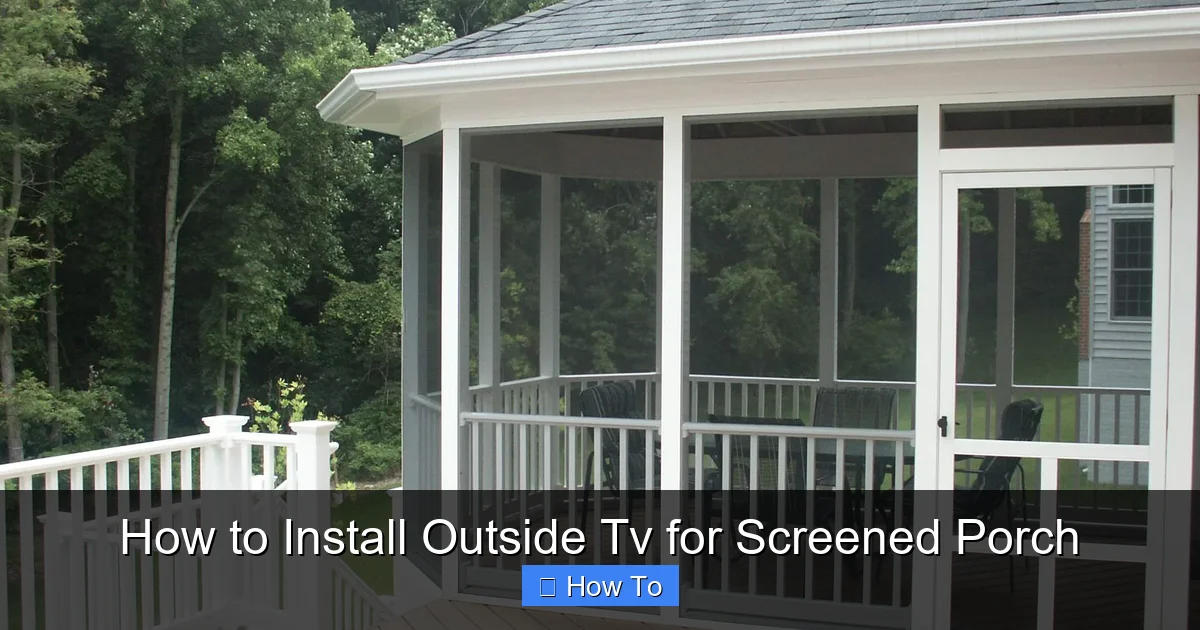
Screened porches offer the best of both worlds: the openness of the outdoors with protection from bugs, light rain, and direct sun. They’re perfect for relaxing, dining, or entertaining—and adding a TV elevates the experience. Unlike fully exposed patios or decks, screened porches provide a semi-controlled environment, making them ideal for outdoor electronics.
An outdoor TV on your screened porch lets you:
– Watch live sports or news without missing a moment
– Enjoy movie nights with family and friends
– Stay connected to entertainment while grilling or lounging
– Maximize your outdoor living space year-round
But to make it work, you need the right gear and a smart installation plan.
Step 1: Choose the Right Outdoor TV
Not all TVs are created equal—especially when it comes to outdoor use. Standard indoor TVs aren’t designed to handle humidity, temperature changes, or dust. Using one outdoors can lead to overheating, condensation, and premature failure.
Option 1: Buy a Certified Outdoor TV
The safest and most reliable choice is a TV specifically built for outdoor use. These models are engineered to withstand the elements and often come with built-in cooling and heating systems, anti-glare screens, and weatherproof casings.
Look for brands like:
– **Samsung Terrace** – Full Sun series for bright areas, Partial Sun for shaded spots like screened porches
– **SunBriteTV** – Known for rugged outdoor durability and wide viewing angles
– **Seura** – Offers sleek designs with weather-resistant construction
These TVs are rated for outdoor use and typically cost more than indoor models, but they’re built to last.
Option 2: Use an Indoor TV with a Weatherproof Enclosure
If you’re on a budget or already own a high-quality indoor TV, you can protect it with a weatherproof outdoor TV enclosure. These are sealed cases that fit around your TV, shielding it from moisture, insects, and temperature extremes.
Popular enclosure brands include:
– **Peerless-AV Outdoor TV Enclosures**
– **CableOrganizer.com Weatherproof TV Cases**
– **Mount-It! Outdoor TV Covers**
Make sure the enclosure is:
– Rated for your climate (check temperature range)
– Ventilated to prevent overheating
– Compatible with your TV size and VESA mount pattern
– Equipped with a secure locking mechanism
Consider Screen Size and Viewing Distance
Choose a screen size based on how far you’ll be sitting. A general rule:
– 32–43 inches: Best for 4–6 feet viewing distance
– 50–55 inches: Ideal for 6–8 feet
– 65 inches or larger: Great for 8+ feet
For most screened porches, a 50- or 55-inch TV offers the best balance of size and visibility.
Check for Smart Features and Connectivity
Even outdoors, you’ll want smart capabilities. Look for:
– Built-in Wi-Fi for streaming (Netflix, YouTube, etc.)
– Multiple HDMI ports for gaming consoles, soundbars, or streaming devices
– Bluetooth for wireless audio
– Voice control compatibility (Alexa, Google Assistant)
If your TV lacks smart features, you can add a streaming device like a Roku, Apple TV, or Amazon Fire Stick—just make sure it’s protected from the elements.
Step 2: Select the Right Mounting Location
Where you mount your TV is just as important as the TV itself. A poor location can lead to glare, poor viewing angles, or even structural issues.
Assess Your Porch Structure
Screened porches often have lightweight framing, so you can’t mount a TV just anywhere. Look for:
– Solid wood beams or studs (at least 2×4 or larger)
– Metal support columns
– Reinforced walls or ceiling joists
Avoid mounting on:
– Thin drywall or vinyl siding
– Screened panels or lattice
– Unreinforced corners
Use a stud finder to locate sturdy mounting points. If you’re unsure, consult a contractor or handyman.
Consider Viewing Angle and Height
Mount the TV at eye level when seated. For most people, this is about 42–48 inches from the floor to the center of the screen.
Avoid placing the TV:
– Directly in front of a window (causes glare)
– Where it’s blocked by furniture or plants
– In a corner with limited viewing angles
If your porch has multiple seating areas, consider a full-motion mount that allows you to swivel the TV for better viewing.
Check for Sun and Shade Patterns
Even under a screen, sunlight can cause glare. Observe your porch throughout the day:
– Morning sun? Avoid east-facing walls.
– Afternoon sun? West-facing mounts may need anti-glare screens or shades.
If possible, install the TV in a shaded area or use an outdoor TV with a high-brightness display (measured in nits). Look for models with 700+ nits for better visibility in daylight.
Step 3: Choose the Right Mount
The mount you choose depends on your TV size, wall type, and desired flexibility.
Fixed Wall Mount
A fixed mount holds the TV flat against the wall. It’s the most secure and affordable option, ideal for permanent installations.
Best for:
– TVs under 65 inches
– Stable walls with strong anchors
– Viewers sitting directly in front
Tilting Wall Mount
A tilting mount allows you to angle the TV slightly up or down. This helps reduce glare and improve viewing from different heights.
Great for:
– Ceilings that slope
– TVs mounted higher than eye level
– Reducing reflections from windows or lights
Full-Motion (Articulating) Mount
These mounts let you pull the TV away from the wall, swivel it side to side, and tilt it. Perfect if you want to watch from multiple areas—like the couch, dining table, or grill station.
Considerations:
– Requires more space behind the TV
– Needs stronger wall support
– More complex cable management
Ceiling Mount
If wall space is limited, a ceiling mount can work—especially if you have exposed beams. These are common in pergolas or covered patios.
Make sure:
– The ceiling structure can support the weight
– The TV doesn’t block walkways
– Cables are neatly routed down a beam or column
Outdoor-Rated Mounts Only
Never use an indoor mount outdoors. Look for mounts labeled “weatherproof,” “outdoor-rated,” or “all-weather.” These are made with rust-resistant materials like powder-coated steel or aluminum.
Top brands:
– **Sanus Outdoor TV Mounts**
– **Peerless-AV**
– **Mounting Dream**
Always check the weight and VESA compatibility (the bolt pattern on the back of your TV).
Step 4: Run Power and Cables Safely
Power and signal cables are the lifeline of your outdoor TV—but they’re also the most vulnerable part of the setup.
Use a GFCI Outlet
Outdoor electrical work must be safe. Always plug your TV into a Ground Fault Circuit Interrupter (GFCI) outlet. These shut off power if they detect a short or moisture, preventing shocks.
If your porch doesn’t have a GFCI outlet, hire a licensed electrician to install one. Never use indoor outlets or extension cords outdoors.
Choose Outdoor-Rated Cables
Standard cables degrade quickly in outdoor conditions. Use:
– **Outdoor HDMI cables** – UV-resistant, waterproof, and shielded
– **Weatherproof power cords** – Look for SJTW or SJTOW ratings
– **Ethernet cables** – If using wired internet, choose Cat6 or Cat6a with outdoor jacketing
Avoid cheap, unshielded cables—they’re prone to interference and damage.
Route Cables Through Conduit or Wire Channels
Exposed wires are ugly and unsafe. Protect them by:
– Running cables through PVC conduit buried underground or attached to beams
– Using outdoor-rated wire channels or raceways
– Securing cables with UV-resistant zip ties or clips
If running cables from inside the house, drill a small hole through the wall or under the siding. Seal the hole with silicone caulk to prevent water and pest intrusion.
Minimize Cable Clutter
Use cable management sleeves or raceways to bundle wires together. Label each cable (e.g., “HDMI 1 – Apple TV”) so you know what’s what during troubleshooting.
For a cleaner look, consider wireless options:
– **Wireless HDMI transmitters** – Send video/audio from inside to your outdoor TV
– **Bluetooth speakers or soundbars** – Reduce the need for audio cables
– **Wi-Fi extenders** – Boost signal strength if your router is far away
Step 5: Install the Mount and TV
Now it’s time to put everything together. Take your time—rushing can lead to mistakes or damage.
Gather Your Tools
You’ll need:
– Drill and drill bits
– Level
– Screwdriver or impact driver
– Measuring tape
– Pencil
– Safety goggles and gloves
– Ladder (if mounting high)
Mark and Drill Mounting Holes
1. Hold the mount against the wall at your desired height.
2. Use a level to ensure it’s straight.
3. Mark the screw holes with a pencil.
4. Drill pilot holes into the studs or beams.
Secure the Mount
Use lag bolts or heavy-duty screws rated for outdoor use. Tighten securely, but don’t over-tighten—this can strip the wood.
For extra stability, use toggle bolts or masonry anchors if mounting into concrete or brick.
Attach the TV to the Mount
1. Have a helper hold the TV while you attach the mounting brackets.
2. Follow the manufacturer’s instructions for your specific mount.
3. Double-check that all screws are tight and the TV is secure.
Never lift a heavy TV alone—use two people or a TV lift tool.
Connect Cables
Plug in:
– Power cord
– HDMI cables
– Ethernet (if used)
– Antenna or coaxial (for over-the-air TV)
Tuck excess cable behind the TV or into a cable management box.
Step 6: Weatherproof and Secure the Setup
Even on a screened porch, your TV needs protection.
Seal All Connections
Use silicone sealant or electrical tape to waterproof:
– Cable entry points into enclosures
– Mounting bracket edges
– Any gaps around conduits
Install a Weatherproof Cover (Optional)
If your TV or enclosure doesn’t have a built-in cover, consider a removable outdoor TV cover. These protect the screen when not in use and reduce dust buildup.
Keep It Elevated
Avoid placing the TV directly on the floor or ground. Moisture can rise from concrete or damp screens. Mount it at least 6 inches above the floor.
Use Insect Deterrents
Spiders, ants, and wasps love dark, quiet spaces. To keep them out:
– Apply a non-toxic insect repellent around the mount (not on the TV)
– Use mesh screens over ventilation holes
– Clean the area regularly
Step 7: Test and Optimize
Before you kick back with a cold drink, test everything.
Power On and Check Display
Turn on the TV and verify:
– Picture is clear and bright
– Colors are accurate
– No dead pixels or flickering
Adjust settings like brightness, contrast, and color temperature for outdoor viewing.
Test Audio and Connectivity
Play a video with sound. If using external speakers, check volume and sync.
Test:
– Wi-Fi signal strength
– Streaming apps (Netflix, YouTube)
– Remote control range (should work from 15–20 feet)
If the signal is weak, consider a Wi-Fi extender or mesh network.
Fine-Tune the Viewing Angle
Sit in your usual spot and adjust the mount if needed. A slight tilt can make a big difference in comfort.
Troubleshooting Common Issues
Even with careful planning, problems can arise.
TV Won’t Turn On
Check:
– Is the power outlet working? Test with another device.
– Is the GFCI tripped? Reset it.
– Are all cables securely connected?
Poor Picture Quality
Possible causes:
– Weak Wi-Fi signal → Move router or use an extender
– Loose HDMI cable → Reconnect or replace
– Glare from sunlight → Adjust mount angle or use anti-glare film
Overheating or Condensation
This is common in humid climates. Solutions:
– Ensure the enclosure has proper ventilation
– Use a TV with built-in climate control
– Avoid covering the TV when off
Remote Not Working
Try:
– Replacing batteries
– Clearing line of sight between remote and TV
– Using a Bluetooth remote or smartphone app
Insects Inside the Enclosure
Prevention is key:
– Seal all gaps with silicone
– Use fine mesh over vents
– Clean regularly
If pests get in, power off the TV and carefully remove them with compressed air.
Maintenance Tips for Long-Term Use
To keep your outdoor TV in top shape:
– **Clean the screen monthly** with a microfiber cloth and mild cleaner (no ammonia).
– **Inspect seals and cables** every season for cracks or wear.
– **Check mount tightness**—vibrations can loosen screws over time.
– **Cover during storms or off-seasons** if possible.
– **Update firmware** regularly for security and performance.
Conclusion
Installing an outside TV for your screened porch is a rewarding project that enhances your outdoor lifestyle. With the right TV, secure mounting, weatherproofing, and smart cable management, you can enjoy high-quality entertainment in the fresh air—rain or shine.
Remember: safety first. Use outdoor-rated equipment, protect your electronics, and consult professionals when needed. Whether you’re watching a sunset movie or the championship game, your outdoor TV will be ready.
Take your time, follow this guide, and soon you’ll be relaxing on your porch with your favorite show—just steps away from nature.

