
Hiding cables outside your TV in an outdoor kitchen improves safety, aesthetics, and durability. This guide covers weatherproof methods, tools, and step-by-step tips to keep wires organized and protected from the elements.
Key Takeaways
- Use weatherproof cable management products: Choose outdoor-rated raceways, conduits, and clips designed to resist moisture, UV rays, and temperature changes.
- Plan your cable route before installation: Map out the shortest, safest path from the TV to power and signal sources to minimize exposure and clutter.
- Secure cables away from foot traffic and water: Install conduits or raceways along walls, under counters, or inside cabinets to prevent tripping and water damage.
- Label and organize cables for easy maintenance: Use color-coded ties or labels so you can quickly identify and replace wires if needed.
- Test all connections after installation: Ensure your TV, speakers, and other devices work properly and safely before finalizing the setup.
- Consider wireless alternatives where possible: Reduce cable clutter by using wireless HDMI transmitters or Bluetooth audio systems for non-essential connections.
- Maintain your system regularly: Inspect cables and enclosures seasonally to prevent corrosion, wear, or pest damage.
How to Hide Cables Outside TV for Outdoor Kitchen
So you’ve built your dream outdoor kitchen—complete with a sleek TV mounted above the grill station. But now you’re staring at a tangled mess of power cords, HDMI cables, and speaker wires snaking across your patio. Not only does it look messy, but it’s also a safety hazard and vulnerable to weather damage. The good news? You can fix it. This complete guide will show you how to hide cables outside TV for outdoor kitchen using practical, weather-resistant solutions that keep your space clean, safe, and stylish.
Whether you’re a DIY enthusiast or a weekend warrior, this step-by-step tutorial will walk you through planning, installing, and maintaining a professional-looking cable management system. We’ll cover tools, materials, routing strategies, and smart alternatives to reduce clutter. By the end, your outdoor entertainment area will look sleek and function flawlessly—rain or shine.
Why Cable Management Matters in Outdoor Kitchens
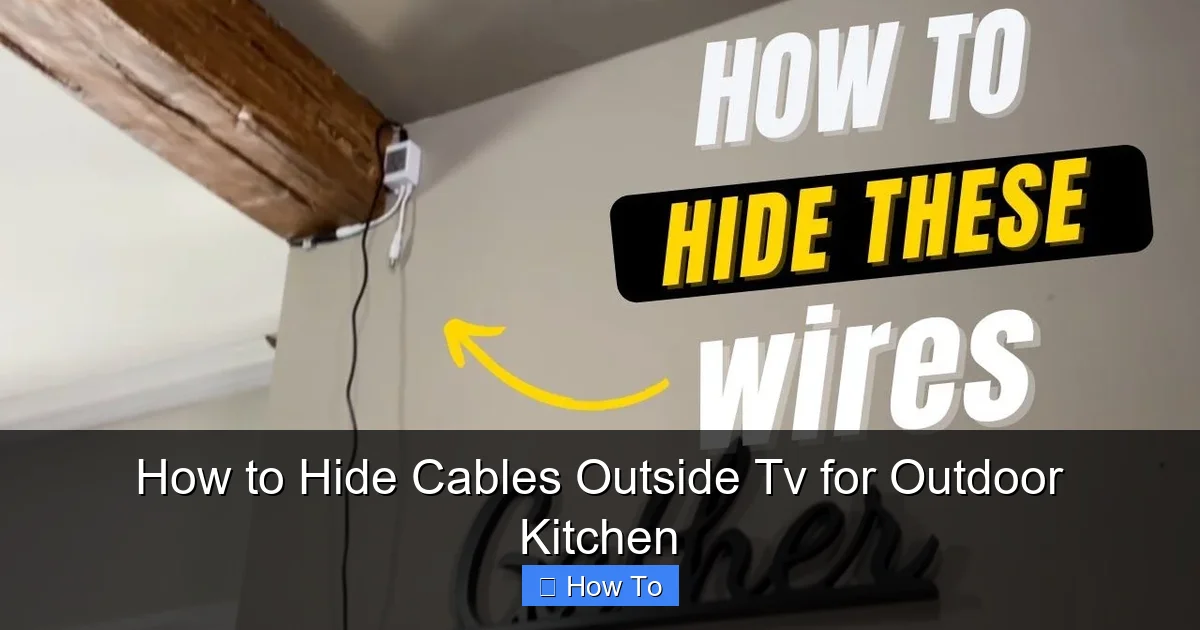
Visual guide about How to Hide Cables Outside Tv for Outdoor Kitchen
Image source: i.pinimg.com
Before diving into the how-to, let’s talk about why this matters. Outdoor kitchens are exposed to sun, rain, wind, and temperature swings. Cables left exposed can degrade quickly, become tripping hazards, or attract pests. Plus, a clean setup enhances your outdoor living experience.
Safety first: Loose wires can cause electrical shorts, especially when wet. Properly enclosed cables reduce fire and shock risks.
Aesthetics: A tidy space looks more inviting. Hidden cables let your TV and kitchen design shine.
Durability: Weatherproof enclosures protect wires from UV damage, corrosion, and physical wear.
Ease of use: Organized cables make troubleshooting and upgrades simpler.
Investing time in cable management now saves headaches later. Let’s get started.
Step 1: Assess Your Setup and Plan the Cable Route
Before buying tools or drilling holes, take a close look at your outdoor kitchen layout.
Identify All Devices and Connections
List every device that needs power or signal:
– TV
– Soundbar or outdoor speakers
– Streaming device (e.g., Roku, Apple TV)
– Cable box or satellite receiver
– Lighting (if controlled via smart hub)
– Outdoor fridge or ice maker (if nearby)
Note the type of cables each requires:
– Power cords
– HDMI
– Ethernet (for wired internet)
– Speaker wire
– Coaxial (for cable TV)
Map the Ideal Cable Path
Look for the shortest, safest route from the TV to the power source and signal equipment. Ideal paths include:
– Along the back of cabinets
– Under countertops
– Inside wall cavities (if accessible)
– Along structural beams or posts
Avoid:
– High-traffic areas
– Direct sunlight exposure
– Areas prone to water pooling
– Near heat sources (grills, fire pits)
Use a tape measure to estimate cable lengths. Add 10–15% extra for slack and routing flexibility.
Check for Existing Infrastructure
See if your outdoor kitchen has:
– Electrical outlets
– Conduit runs
– Cable-ready walls or soffits
If not, you may need to hire an electrician to install outdoor-rated outlets or run new wiring—especially for power.
Step 2: Choose the Right Cable Management Products
Not all cable organizers are created equal. For outdoor use, you need products built to withstand the elements.
Weatherproof Cable Raceways
These are plastic or metal channels that snap or screw onto walls. They’re perfect for running multiple cables neatly along surfaces.
Best for: Visible walls, under cabinets, along beams.
Look for:
– UV-resistant plastic (like PVC or polycarbonate)
– IP65 or higher waterproof rating
– Easy-open lids for access
– Paintable surfaces (to match your décor)
Example: The D-Line Outdoor Cable Cover is a popular choice—flexible, durable, and comes in various lengths and colors.
Flexible Conduit (Liquidtight or EMT)
Conduit is a tube that protects individual or bundled wires. It’s ideal for running cables through walls or underground.
Types:
– Liquidtight Flexible Conduit (LFMC): Great for damp areas, bends easily, resists moisture.
– Electrical Metallic Tubing (EMT): Rigid metal conduit for high-traffic or exposed areas.
Best for: In-wall runs, under-counter paths, areas with heavy foot traffic.
Cable Clips and Adhesive Mounts
Use these for lightweight cables or temporary fixes. Choose outdoor-rated versions with strong adhesives or screw mounts.
Tip: Avoid cheap plastic clips—they crack in cold weather. Go for stainless steel or UV-stabilized plastic.
Weatherproof Junction Boxes
If you need to splice wires or house a power strip, use a sealed junction box. Look for NEMA 3R or 4X rated enclosures.
Cable Sleeves and Loom
Braided sleeves bundle wires together and add a clean look. Use outdoor-rated nylon or PET sleeves with UV protection.
Step 3: Prepare Tools and Materials
Gather everything before you start. Here’s a checklist:
- Measuring tape
- Pencil or marker
- Drill and drill bits (for screws or conduit holes)
- Screwdriver or impact driver
- Level
- Cable ties (UV-resistant)
- Wire strippers (if splicing)
- Fish tape (for in-wall runs)
- Silicone sealant (outdoor-rated)
- Gloves and safety glasses
Optional but helpful:
– Stud finder (for wall mounts)
– Label maker or colored tape
– Wireless HDMI kit (to reduce cables)
Step 4: Install Cable Raceways or Conduit
Now it’s time to run the cables. We’ll cover two common methods: surface-mounted raceways and in-wall conduit.
Method A: Surface-Mounted Raceways
This is the easiest option for most DIYers.
Step 1: Clean and Dry the Surface
Wipe the wall or cabinet with a damp cloth and let it dry. Remove dust, grease, or moisture.
Step 2: Measure and Mark
Use a tape measure and level to mark where the raceway will go. Start at the TV and follow your planned route.
Step 3: Cut the Raceways (If Needed)
Most raceways can be cut with a hacksaw or utility knife. File sharp edges smooth.
Step 4: Attach the Base
Use the included screws or heavy-duty outdoor adhesive. For best hold, screw into studs or solid surfaces.
Step 5: Route the Cables
Open the raceway lid and lay in the cables. Bundle them with zip ties if needed, but don’t overtighten.
Step 6: Close and Secure
Snap the lid shut. For extra protection, apply a bead of silicone sealant along the seams.
Method B: In-Wall Conduit Installation
This is more advanced but offers a cleaner look.
Step 1: Plan the Drill Path
Use a stud finder to locate studs and avoid electrical wires. Mark entry and exit points.
Step 2: Drill Holes
Drill from inside cabinets or behind the TV mount. Use a hole saw for larger conduits.
Step 3: Feed the Conduit
Push the conduit through the holes. Use fish tape if needed to guide it.
Step 4: Run the Cables
Attach cables to the fish tape and pull them through. Leave extra length at both ends.
Step 5: Seal the Openings
Use silicone caulk or foam sealant to close gaps around the conduit. This prevents moisture and pests.
Step 5: Secure Cables Under Counters and Inside Cabinets
Don’t forget the space under your countertops. This is prime real estate for hiding power strips and signal boxes.
Mount a Power Strip Inside a Cabinet
Use a weatherproof power strip with surge protection. Mount it inside a cabinet using screws or adhesive hooks.
Tip: Choose a strip with a long cord so you can route it to an outlet without stretching.
Use Cable Clips to Guide Wires
Attach clips to the underside of the counter or inside cabinet walls. Route cables neatly from the power strip to the TV area.
Bundle Cables with Sleeves
Group similar cables (e.g., all HDMI, all power) and wrap them in a braided sleeve. This reduces clutter and makes future changes easier.
Step 6: Protect Connections and Outlets
Exposed connections are vulnerable to moisture and dust.
Use Weatherproof Outlet Covers
Install in-use outlet covers (also called bubble covers) over outdoor receptacles. These allow plugs to stay connected while keeping water out.
Seal Cable Entry Points
Where cables enter the TV mount or cabinet, apply silicone sealant around the edges. This creates a watertight barrier.
Install a Weatherproof Junction Box
If you’re splicing wires or housing a streaming device, mount a sealed box nearby. Use cable glands to secure wires at entry points.
Step 7: Test and Label Everything
Before you call it done, test your setup.
Power On and Check Devices
Turn on the TV, sound system, and streaming device. Make sure all inputs work and audio/video is clear.
Check for Interference
If you’re using wireless signals (Wi-Fi, Bluetooth), ensure cables aren’t causing interference. Keep power cords away from audio and HDMI cables.
Label Cables
Use colored tape or a label maker to mark each cable at both ends. For example:
– Red tape = HDMI 1 (Apple TV)
– Blue tape = Power (TV)
– Green tape = Speaker wire
This saves time during troubleshooting or upgrades.
Step 8: Maintain Your Cable System
Outdoor setups need regular care.
Inspect Every Season
Check for:
– Cracked raceways or conduit
– Loose clips or mounts
– Corrosion on metal parts
– Pest activity (mice love chewing wires)
Clean Gently
Wipe raceways and boxes with a damp cloth. Avoid harsh chemicals that can degrade plastic.
Re-Seal as Needed
If silicone cracks or pulls away, reapply a fresh bead.
Troubleshooting Common Issues
Even the best plans can hit snags. Here’s how to fix common problems.
Problem: Cables Are Too Short
Solution: Use outdoor-rated extension cords or couplers. Never splice low-voltage cables like HDMI—use extenders instead.
Problem: Raceways Won’t Stick
Solution: Clean the surface with rubbing alcohol. Use screws for permanent mounts, especially in humid or windy areas.
Problem: Signal Loss or Interference
Solution: Keep power cables separated from audio/video lines. Use shielded HDMI cables and avoid running them near motors or lights.
Problem: Water in Conduit
Solution: Ensure all entry points are sealed. Use drip loops (a downward curve in the cable) before it enters the box to prevent water from traveling inward.
Problem: Pests Chewing Wires
Solution: Use metal conduit in high-risk areas. Apply peppermint oil (a natural deterrent) around entry points.
Smart Alternatives to Reduce Cable Clutter
Sometimes, the best way to hide cables is to use fewer of them.
Wireless HDMI Transmitters
Send video and audio from your streaming device to the TV without a physical HDMI cable. Look for models with low latency and outdoor range (e.g., J-Tech Digital or Nyrius).
Bluetooth Speakers
Skip speaker wires by using weatherproof Bluetooth speakers. Pair them with your TV or streaming device.
Smart Outdoor Lighting
Use Wi-Fi or Zigbee-controlled lights that don’t need dedicated wiring.
All-in-One Outdoor Media Centers
Some companies sell outdoor TV enclosures with built-in cable management, power, and cooling.
Final Tips for a Pro-Looking Finish
– Paint to Match: Many raceways can be painted to blend with your wall or cabinet color.
– Use Right-Angle Connectors: These reduce strain on ports and keep cables flush.
– Avoid Overloading: Don’t cram too many cables into one raceway—leave 30% space for airflow and ease of access.
– Document Your Setup: Take photos or draw a diagram of your cable layout for future reference.
Conclusion
Hiding cables outside your TV in an outdoor kitchen isn’t just about looks—it’s about safety, durability, and peace of mind. By following this guide, you’ve learned how to plan your route, choose weatherproof materials, install raceways or conduit, and maintain your system for years of enjoyment.
Remember: the key to success is preparation and using the right products. Don’t cut corners on weather resistance. A little effort now prevents costly repairs later.
Your outdoor kitchen should be a place of relaxation and entertainment, not a tangled web of wires. With clean cable management, you can focus on what really matters—grilling, gathering, and enjoying the great outdoors.
So grab your tools, follow these steps, and transform your space into a sleek, safe, and stylish outdoor oasis.

