Hiding cables for your outdoor TV on a covered patio doesn’t have to be complicated. This guide walks you through practical, weather-resistant solutions to keep cords organized, safe, and out of sight—so you can enjoy a clean, clutter-free entertainment space.
Key Takeaways
- Use weatherproof cable management products: Choose outdoor-rated raceways, conduits, and clips designed to withstand moisture and UV exposure.
- Plan your cable route before installation: Map out the shortest, most discreet path from your TV to power and signal sources to minimize visible wiring.
- Secure cables along structural elements: Run wires behind beams, under decking, or along walls to blend them into the patio’s design.
- Protect connections with outdoor-rated enclosures: Use waterproof junction boxes or surge protectors to safeguard plugs and adapters from rain and humidity.
- Label and organize cables for easy maintenance: Use color-coded labels or zip ties to identify each wire, making future troubleshooting or upgrades simpler.
- Consider wireless alternatives where possible: Use wireless HDMI transmitters or streaming devices to reduce the number of physical cables needed.
- Regularly inspect and maintain your setup: Check for wear, corrosion, or loose fittings every few months to ensure long-term safety and performance.
How to Hide Cables Outdoor TV for Covered Patio
So you’ve set up your outdoor TV on the covered patio—great choice! Whether you’re hosting movie nights under the stars or catching the big game with friends, nothing ruins the vibe faster than a tangled mess of cables snaking across your beautiful outdoor space. The good news? Hiding cables for your outdoor TV doesn’t require a contractor or a major renovation. With the right tools and a bit of planning, you can keep your setup clean, safe, and stylish.
In this guide, we’ll walk you through step-by-step methods to hide and protect your TV cables on a covered patio. You’ll learn how to choose the right materials, route your wires discreetly, and ensure everything stays weather-resistant and secure. Whether your patio has a pergola, roof overhang, or open-beam structure, we’ve got solutions that work. By the end, you’ll have a sleek, professional-looking entertainment area that’s ready for year-round use.
Let’s get started!
Why Cable Management Matters for Outdoor TVs
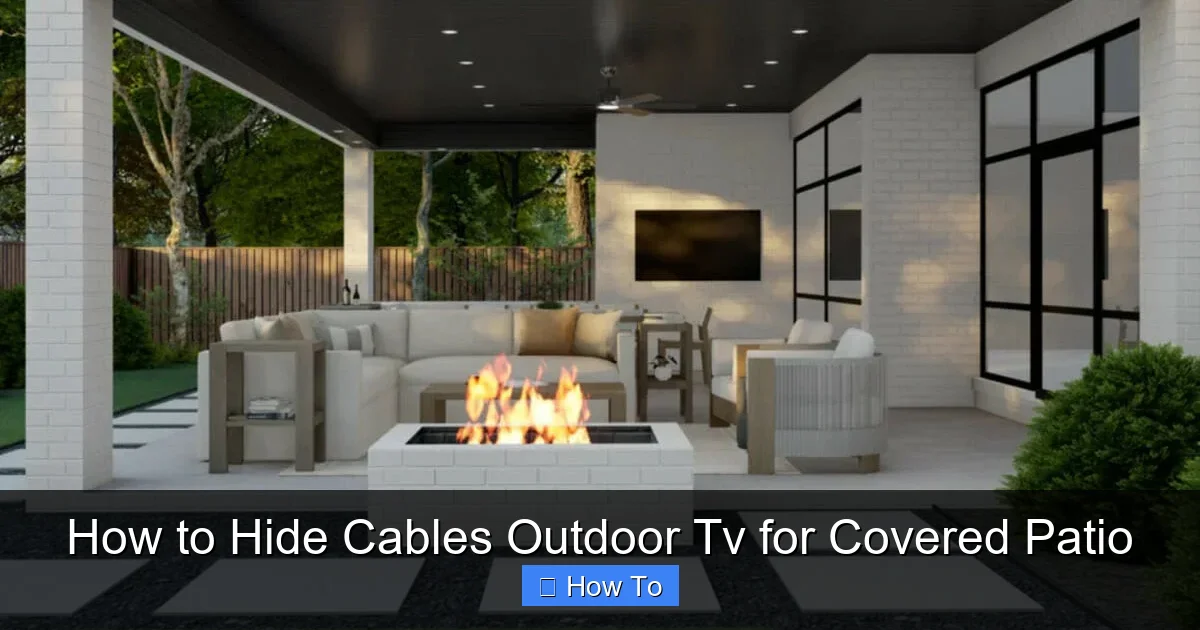
Visual guide about How to Hide Cables Outdoor Tv for Covered Patio
Image source: decorilla.com
Before diving into the how-to, it’s important to understand why hiding your outdoor TV cables is so crucial. It’s not just about aesthetics—though a clean look definitely helps. Proper cable management protects your equipment, enhances safety, and extends the life of your setup.
Outdoor environments expose cables to moisture, temperature swings, UV rays, and even pests. Exposed wires can degrade over time, leading to signal loss, power issues, or even electrical hazards. Plus, loose cables are tripping hazards, especially in high-traffic areas like patios. And let’s be honest—no one wants to look at a jumble of cords every time they sit down to relax.
By hiding and protecting your cables, you’re investing in the longevity and safety of your outdoor entertainment system. It also makes future upgrades or troubleshooting much easier. So whether you’re using a smart TV, soundbar, streaming device, or gaming console, taking the time to manage your cables properly is well worth it.
Assess Your Patio Layout and TV Setup
The first step in hiding your outdoor TV cables is understanding your space. Every covered patio is different—some have solid roofs, others have open beams or lattice work. Your TV might be mounted on a wall, under a pergola, or even on a freestanding stand. Take a few minutes to evaluate your setup.
Ask yourself:
– Where is the TV located?
– Where are the power outlets and signal sources (like your router or cable box)?
– Are there any structural elements (beams, posts, gutters) you can use to hide wires?
– Is the area fully covered, or is there any risk of rain or snow exposure?
Once you’ve mapped out your space, sketch a simple diagram showing the TV, power source, and any devices (like a soundbar or streaming box). This will help you plan the most efficient cable route—ideally the shortest path that’s also the most concealed.
For example, if your TV is mounted on a wall near a corner, you might run cables down the wall and along the baseboard. If you have exposed beams, you can route wires behind them. The goal is to minimize visible cords while keeping everything accessible for maintenance.
Choose the Right Cable Management Products
Not all cable organizers are created equal—especially when it comes to outdoor use. Indoor raceways or plastic clips might look nice, but they won’t hold up to sun, rain, or temperature changes. You need products specifically designed for outdoor environments.
Here are the best options for hiding outdoor TV cables:
Outdoor Cable Raceways
These are long, rectangular channels that snap or screw into place along walls or under eaves. They’re perfect for running multiple cables in a clean, straight line. Look for raceways made from UV-resistant PVC or aluminum, which won’t crack or fade in the sun. Some models come with adhesive backing for quick installation, while others require screws for a more permanent hold.
Flexible Conduit
If you need to route cables around corners or through tight spaces, flexible conduit is your best friend. It’s a corrugated plastic or metal tube that protects wires from moisture and physical damage. You can run it along beams, under decking, or even bury it slightly in mulch (though we’ll cover burial options later). Choose conduit with a waterproof rating (like IP65 or higher) for maximum protection.
Cable Clips and Ties
For smaller setups or when you only have a few wires, outdoor-rated cable clips and zip ties can do the trick. Look for clips made from stainless steel or heavy-duty plastic with UV protection. Avoid cheap plastic ties—they become brittle and break in sunlight. Instead, use reusable silicone ties or stainless steel straps for a longer-lasting hold.
Weatherproof Junction Boxes
If you’re connecting multiple devices or using a surge protector, a weatherproof junction box is essential. These sealed enclosures protect plugs and adapters from rain and dust. Mount the box near your TV or power source, and run cables through waterproof grommets to keep everything dry inside.
Wireless Alternatives
Sometimes, the best way to hide cables is to eliminate them altogether. Consider using wireless HDMI transmitters to send video and audio from your source (like a cable box or game console) to your TV. Or, use a streaming device like a Roku or Apple TV that connects via Wi-Fi, reducing the need for long HDMI runs. Just make sure your patio has strong Wi-Fi coverage.
Step-by-Step: Hiding Cables Along Walls and Beams
Now that you’ve chosen your materials, it’s time to install. Here’s a step-by-step guide to hiding your outdoor TV cables along walls and structural beams.
Step 1: Turn Off Power and Disconnect Devices
Safety first! Before touching any cables, turn off the power at the outlet and unplug all devices. This prevents accidental shocks or damage to your equipment.
Step 2: Plan Your Cable Route
Using your sketch, determine the best path for your cables. Aim for the shortest route that’s also the most concealed. For example:
– Run HDMI and power cables down the wall behind the TV.
– Route them along the baseboard or under a trim piece.
– If you have exposed beams, run wires behind them using clips or conduit.
Avoid running cables across walkways or areas where people might trip. If you must cross a path, use a cable ramp or bury the wire slightly (more on that later).
Step 3: Install Cable Raceways or Conduit
If you’re using a raceway, measure the length needed and cut it to size with a hacksaw or utility knife. Most raceways come with pre-drilled holes for screws, but you can also use outdoor-rated adhesive for a no-drill option.
Attach the raceway along your planned route, making sure it’s level and secure. Open the cover and lay your cables inside. Close the cover and snap or screw it shut.
For flexible conduit, feed your cables through the tube before attaching it to the wall or beam. Use conduit clips every 12–18 inches to keep it in place. If you’re routing around corners, use conduit bends or heat the tube slightly to shape it.
Step 4: Secure Loose Cables with Clips
For any cables that can’t be hidden in a raceway or conduit, use outdoor-rated clips to secure them to the wall or beam. Space clips every 6–8 inches to prevent sagging. For vertical runs, use heavier-duty clips to support the weight of the cables.
Step 5: Protect Connections with a Junction Box
If you’re plugging in multiple devices, gather all the power cords and adapters into a weatherproof junction box. Mount the box near the TV or power source, and run cables through the grommets. This keeps everything organized and protected from the elements.
Step 6: Test Your Setup
Once everything is installed, plug in your devices and turn the power back on. Check that your TV, soundbar, and other equipment are working properly. Make sure there’s no interference or signal loss due to tight bends or damaged cables.
Alternative Methods: Under Decking and Behind Trim
If your covered patio has a deck or raised flooring, you might be able to hide cables underneath. This method works best if you have access from below—like a crawl space or lower level.
Running Cables Under Decking
Use flexible conduit to protect wires as they run under the deck. Drill a small hole through the deck joist or beam, and feed the conduit through. Secure it with clips or straps. Make sure the conduit is rated for underground or damp locations if it’s exposed to moisture.
Avoid running power and signal cables in the same conduit—this can cause interference. Use separate tubes for power and HDMI/audio cables.
Hiding Cables Behind Trim or Molding
If your patio has decorative trim, baseboards, or crown molding, you can route cables behind them. Carefully remove the trim, run the wires along the wall, and reattach the trim. Use a putty knife or thin shim to gently pry the trim away without damaging it.
For a cleaner look, consider installing new trim with a built-in cable channel. Some manufacturers offer molding specifically designed for hiding wires.
Wireless Solutions to Reduce Cable Clutter
Sometimes, the best way to hide cables is to use fewer of them. Wireless technology has come a long way, and many outdoor entertainment setups can benefit from going cordless.
Wireless HDMI Transmitters
These devices send HD video and audio from your source (like a cable box or Blu-ray player) to your TV without a physical cable. They typically have a range of 30–100 feet and work through walls and obstacles. Just make sure both the transmitter and receiver have clear line-of-sight for the best signal.
Popular brands include Nyrius, J-Tech Digital, and IOGEAR. Look for models with low latency if you’re gaming or watching fast-paced content.
Streaming Devices with Wi-Fi
Instead of running an HDMI cable from your indoor media center, use a streaming device like a Roku, Amazon Fire Stick, or Apple TV. These plug directly into your TV’s HDMI port and connect to your home Wi-Fi network. You can access all your favorite apps and services without any long cables.
Just ensure your patio has strong Wi-Fi coverage. If not, consider installing a Wi-Fi extender or mesh network to boost the signal outdoors.
Wireless Soundbars and Speakers
If you’re using a soundbar or outdoor speakers, look for wireless models that connect via Bluetooth or Wi-Fi. This eliminates the need for long audio cables running from your TV to the speakers.
Troubleshooting Common Cable Issues
Even with the best planning, you might run into problems. Here are some common issues and how to fix them.
Signal Loss or Interference
If your picture is blurry or cuts out, your HDMI cable might be too long or damaged. Outdoor HDMI cables should be rated for outdoor use and no longer than 50 feet without a signal booster. Check for kinks, cuts, or loose connections. Replace damaged cables and ensure all connectors are tight.
Cables Sagging or Coming Loose
Over time, clips and raceways can loosen due to wind or temperature changes. Inspect your setup every few months and tighten screws or replace worn clips. Use heavier-duty fasteners in high-wind areas.
Moisture in Junction Boxes
If you notice condensation or water inside your junction box, the seals may be compromised. Turn off the power, dry the interior, and check the grommets and lid seal. Replace any damaged parts and consider using a desiccant pack to absorb moisture.
Wi-Fi Dropouts with Wireless Devices
Weak Wi-Fi can cause buffering or disconnections with streaming devices. Move your router closer to the patio, or install a weatherproof outdoor Wi-Fi extender. Avoid placing wireless transmitters near metal objects or electrical panels, which can block signals.
Maintenance Tips for Long-Term Success
Hiding your cables is just the first step—keeping them in good condition requires regular maintenance.
– Inspect every 3–6 months: Check for loose clips, cracked raceways, or frayed wires.
– Clean raceways and conduit: Wipe down surfaces with a damp cloth to remove dirt and debris.
– Re-tighten fasteners: Screws and clips can loosen over time, especially in windy areas.
– Replace worn components: Swap out brittle zip ties or damaged conduit before they fail.
– Monitor weather exposure: After heavy rain or snow, check junction boxes and connections for moisture.
By staying proactive, you’ll ensure your outdoor TV setup stays safe and functional for years to come.
Final Thoughts
Hiding cables for your outdoor TV on a covered patio might seem like a small detail, but it makes a big difference in both function and appearance. With the right tools and a little effort, you can create a clean, professional-looking entertainment space that’s protected from the elements.
Remember: plan your route, use outdoor-rated products, and don’t skip the weatherproofing. Whether you go with raceways, conduit, or wireless tech, the goal is the same—enjoy your outdoor TV without the clutter.
Now grab your tools, follow these steps, and get ready to relax in a space that’s as stylish as it is functional. Your future self (and your guests) will thank you.