Protect your outdoor TV setup from moisture and clutter by learning smart cable-hiding techniques designed for humid environments. This guide covers weatherproof enclosures, conduit use, and smart routing to keep cables safe, hidden, and functional year-round.
Key Takeaways
- Use weatherproof cable conduits: Protect cables from humidity and UV damage with UV-resistant, sealed conduits designed for outdoor use.
- Choose the right cable types: Opt for outdoor-rated, moisture-resistant cables like CL2/CL3 or direct burial-rated cables to prevent corrosion and signal loss.
- Install cable raceways or trunking: Conceal cables along walls or under decks using durable, waterproof raceways that blend with your outdoor décor.
- Seal all connections: Use silicone sealant or waterproof junction boxes to prevent moisture from entering cable joints and power sources.
- Route cables away from water sources: Avoid areas prone to pooling water or direct rainfall to reduce the risk of electrical hazards and cable degradation.
- Regular maintenance is essential: Inspect cables and enclosures every few months for signs of wear, mold, or moisture buildup.
- Consider wireless alternatives: Reduce cable clutter by using wireless HDMI extenders or streaming devices where possible.
How to Hide Cables Outdoor Television for Humid Areas
Setting up an outdoor television can transform your backyard, patio, or pool area into a cozy entertainment zone. Whether you’re watching the big game under the stars or enjoying a movie night with friends, an outdoor TV brings indoor comfort to the great outdoors. But in humid climates—like coastal regions, tropical zones, or areas with frequent rain—managing cables becomes a major challenge. Moisture, heat, and UV exposure can damage standard cables, create safety hazards, and ruin your clean, modern look.
The good news? With the right tools and techniques, you can hide your outdoor TV cables effectively while protecting them from humidity and wear. This comprehensive guide will walk you through every step—from choosing the right materials to installing weatherproof cable management systems—so your setup stays safe, tidy, and functional, no matter the weather.
By the end of this guide, you’ll know exactly how to hide cables for your outdoor television in humid areas, ensuring long-term performance and a sleek, professional appearance.
Why Cable Management Matters in Humid Environments
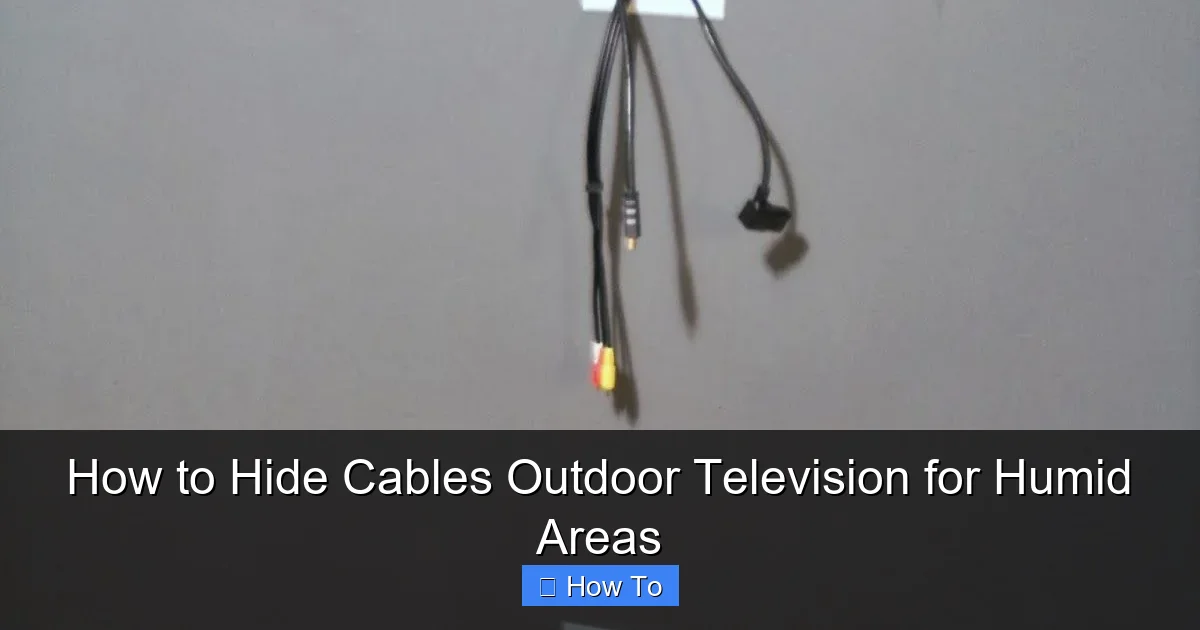
Visual guide about How to Hide Cables Outdoor Television for Humid Areas
Image source: i.pinimg.com
Humidity is the silent enemy of outdoor electronics. High moisture levels can lead to corrosion, short circuits, and degraded signal quality. Exposed cables are especially vulnerable—they can absorb moisture, attract mold, and become brittle over time. Plus, tangled wires not only look messy but also increase the risk of tripping or accidental damage.
In humid areas, the problem is compounded by frequent rain, high dew points, and salty air (near oceans), which accelerate wear. Without proper protection, your TV cables could fail within months, leaving you with costly repairs or replacements.
Proper cable management does more than just improve aesthetics. It:
- Protects cables from moisture and UV damage
- Reduces fire and electrical hazards
- Prevents tripping and accidental disconnections
- Extends the lifespan of your equipment
- Makes future maintenance easier
Investing time in a smart cable-hiding strategy now saves you money and hassle down the road.
Step 1: Choose the Right Cables for Outdoor Use
Not all cables are created equal—especially when it comes to outdoor use. Standard indoor cables aren’t designed to withstand moisture, temperature swings, or sunlight. For humid areas, you need cables specifically rated for outdoor or damp environments.
Look for Outdoor-Rated Cables
Choose cables labeled as “outdoor,” “direct burial,” or “CL2/CL3 rated.” These are built with moisture-resistant insulation and shielding to prevent water ingress and signal interference. For example:
- HDMI cables: Use outdoor-rated HDMI cables with weatherproof connectors. Look for models with gold-plated contacts and thick, UV-resistant jackets.
- Power cables: Use heavy-duty, outdoor extension cords or permanent wiring with GFCI (Ground Fault Circuit Interrupter) protection.
- Coaxial and Ethernet cables: Opt for direct burial coaxial cables for antenna connections and outdoor-rated Ethernet cables for streaming devices.
Avoid Indoor Cables
Never use standard indoor cables outdoors, even if they’re temporarily protected. They lack the necessary shielding and can degrade quickly in humid conditions, leading to signal loss or electrical faults.
Consider Wireless Alternatives
To reduce cable clutter, consider wireless options where possible:
- Wireless HDMI extenders: Transmit video and audio from your source (like a cable box or streaming device) to your outdoor TV without running long cables.
- Streaming devices: Use a weatherproof enclosure for a Roku, Apple TV, or Fire Stick connected via Wi-Fi, eliminating the need for HDMI runs from inside the house.
While wireless solutions aren’t perfect—they can suffer from interference or latency—they’re a great way to minimize cable exposure in humid areas.
Step 2: Plan Your Cable Route
Before you start drilling or digging, take time to plan the most efficient and protected path for your cables. A well-thought-out route minimizes exposure to moisture, sunlight, and physical damage.
Map Out the Path
Trace the route from your outdoor TV to the power source, signal source (like a cable box or antenna), and any other devices. Consider:
- Running cables along walls, under decks, or through conduit buried underground
- Avoiding areas with standing water, sprinklers, or direct rainfall
- Keeping cables away from high-traffic zones to prevent tripping
Use Existing Structures
Leverage existing features to hide cables:
- Run cables behind siding, under eaves, or along fence lines
- Use gutter systems (if compatible and sealed) to guide cables discreetly
- Route through attic or crawlspace access points if running from inside the house
Minimize Cable Length
Shorter cables are easier to manage and less prone to damage. Position your outdoor TV close to power and signal sources when possible. If you must run long cables, use signal boosters or repeaters to maintain quality.
Step 3: Use Weatherproof Conduit for Maximum Protection
Conduit is one of the best ways to protect cables in humid areas. It shields wires from moisture, UV rays, pests, and physical damage while keeping them organized and hidden.
Choose the Right Conduit
For outdoor use in humid climates, select:
- PVC conduit: Lightweight, corrosion-resistant, and affordable. Use Schedule 40 or 80 PVC for above-ground runs. Schedule 80 is thicker and more durable for high-traffic areas.
- Metal conduit (EMT or rigid): Offers superior protection but can corrode in salty, humid air unless galvanized or coated. Best for covered areas or indoor-outdoor transitions.
- Flexible conduit: Ideal for tight spaces or curved paths. Look for UV-stabilized, waterproof flexible conduit for outdoor use.
Install the Conduit Properly
Follow these steps for a secure installation:
- Measure and cut the conduit to fit your planned route.
- Use conduit straps or clamps to secure it to walls, decks, or posts every 3–4 feet.
- Seal all joints and entry points with waterproof silicone or conduit sealant to prevent moisture ingress.
- Use conduit bends or elbows for smooth turns—avoid sharp kinks that can damage cables.
Bury Conduit for Underground Runs
If running cables underground (e.g., from the house to a patio TV), bury the conduit at least 18–24 inches deep to protect against frost, pests, and lawn equipment. Use direct burial-rated cables inside the conduit and install a pull box at each end for easy access.
Step 4: Install Cable Raceways or Trunking
For a cleaner, more decorative look, use cable raceways (also called trunking) to hide cables along walls, under decks, or along baseboards. These are especially useful for shorter runs or when conduit isn’t practical.
Choose Weatherproof Raceways
Select raceways made from UV-resistant, waterproof materials like:
- PVC or ABS plastic with sealed covers
- Aluminum with powder-coated finish (resists rust)
- Rubberized or silicone-coated options for extra flexibility
Look for models with snap-on covers, adhesive backing, or screw mounts for easy installation.
Install the Raceways
- Clean the surface where the raceway will be mounted.
- Mark the placement and drill pilot holes if using screws.
- Secure the base with screws or heavy-duty outdoor adhesive.
- Thread the cables through the raceway before snapping on the cover.
- Seal the ends with silicone or end caps to keep moisture out.
Blend with Your Décor
Paint the raceway to match your wall, fence, or deck color for a seamless look. Some raceways come in wood-grain or stone finishes to blend naturally with outdoor settings.
Step 5: Use Waterproof Enclosures and Junction Boxes
Any connection point—like where cables enter the TV, power source, or signal splitter—must be protected from moisture. Waterproof enclosures and junction boxes are essential for humid areas.
Select the Right Enclosure
Choose an enclosure rated for outdoor use with an IP (Ingress Protection) rating of at least IP65 (dust-tight and protected against water jets). Look for:
- Polycarbonate or ABS plastic construction
- Silicone gaskets for a tight seal
- Lockable latches to prevent tampering
- Vents with filters (if needed) to prevent condensation
Install the Enclosure
- Mount the enclosure near the TV or power source using stainless steel screws.
- Run cables through waterproof cable glands or grommets to maintain the seal.
- Connect cables inside the box, ensuring no loose wires are exposed.
- Seal all openings with silicone sealant for extra protection.
- Label the enclosure for easy identification during maintenance.
Use GFCI Protection
Always connect outdoor power sources to a GFCI outlet or breaker. This cuts power instantly if moisture causes a short circuit, preventing electric shock.
Step 6: Seal All Connections and Entry Points
Even small gaps can let in moisture. Sealing is critical in humid environments to prevent corrosion and electrical failure.
Use Silicone Sealant
Apply high-quality, outdoor-rated silicone sealant around:
- Cable entry points into walls, conduits, or enclosures
- Joints between conduit sections
- Mounting brackets for TVs or enclosures
Choose a sealant that remains flexible in temperature changes and resists mold and UV degradation.
Install Drip Loops
Create a “drip loop” where cables enter the house or an enclosure. This is a downward curve that prevents water from traveling along the cable and into your equipment. Secure the loop with zip ties or clips.
Use Heat-Shrink Tubing
For individual wire connections, use adhesive-lined heat-shrink tubing. When heated, it forms a waterproof, insulating seal around splices and connectors.
Step 7: Maintain Your Outdoor Cable System
Even the best installations need regular upkeep—especially in humid areas where moisture and mold can build up over time.
Inspect Every 3–6 Months
Check for:
- Cracks or warping in conduit or raceways
- Loose seals or gaskets
- Signs of corrosion on connectors
- Mold or mildew on cables or enclosures
- Loose mounting hardware
Clean and Dry Components
Wipe down enclosures and raceways with a damp cloth and mild detergent. Use a dry cloth to remove moisture. For mold, use a vinegar-water solution (1:1) and rinse thoroughly.
Test Connections
Periodically test your TV and cables for signal quality and power delivery. If you notice flickering, static, or intermittent power, inspect for moisture damage or loose connections.
Troubleshooting Common Issues
Even with careful planning, problems can arise. Here’s how to handle common issues in humid outdoor setups:
Cables Feel Damp or Have Mold
This indicates moisture ingress. Immediately disconnect power, dry the cables thoroughly, and inspect enclosures and seals. Replace any damaged cables and improve sealing.
Signal Loss or Interference
Could be due to corroded connectors or water in the cable. Check all connections, replace outdoor-rated cables if needed, and ensure conduits are properly sealed.
Conduit or Raceways Warping
Caused by UV exposure or heat. Replace with UV-stabilized materials and consider shading the area with a pergola or awning.
GFCI Keeps Tripping
Likely due to moisture in the circuit. Check all outdoor outlets, enclosures, and cable connections for water. Dry everything and reseal.
Animals Chewing Cables
Use metal conduit or armored cables in areas with rodents. Install deterrents like motion-activated sprinklers or repellents.
Conclusion
Hiding cables for your outdoor television in humid areas doesn’t have to be a daunting task. With the right materials—like weatherproof conduits, outdoor-rated cables, and sealed enclosures—you can create a safe, clean, and professional-looking setup that stands up to moisture, heat, and time.
Start by choosing the right cables and planning a smart route. Use conduit or raceways to protect and conceal wires, and seal every connection to keep moisture out. Don’t forget regular maintenance—your system will last longer and perform better with periodic checks.
By following this guide, you’ll enjoy a clutter-free outdoor entertainment space that’s both beautiful and built to last. Whether you’re relaxing by the pool or hosting a backyard barbecue, your TV setup will stay protected, powered, and picture-perfect—rain or shine.