Hiding cables for an outdoor television in a gazebo keeps your space safe, tidy, and weather-resistant. This guide walks you through planning, routing, and securing cables using practical, durable methods that blend with your outdoor decor.
Key Takeaways
- Plan your cable route first: Map the path from your TV to power and signal sources before drilling or running wires to avoid mistakes and damage.
- Use outdoor-rated cables and conduits: Standard indoor cables can degrade in sunlight and moisture—always choose UV-resistant, waterproof cables and protective tubing.
- Secure cables with weatherproof clips and raceways: Adhesive clips, J-hooks, and plastic raceways keep wires tidy and protected from wind, rain, and pests.
- Bury cables underground when possible: For long runs, use direct-burial cables inside conduit to protect them and maintain a clean look.
- Test all connections before finalizing: Ensure your TV, soundbar, and streaming devices work properly before hiding cables to avoid rework.
- Follow local electrical codes: Consult an electrician if you’re unsure about outdoor wiring safety or need to install a new outlet.
- Blend cable covers with your gazebo design: Paint raceways or use natural materials like bamboo to make cable management invisible.
How to Hide Cables Outdoor Television for Gazebo
Setting up an outdoor television in your gazebo is a fantastic way to enjoy movies, sports, or music while relaxing in your backyard. But one of the biggest challenges? Keeping those messy cables out of sight and safe from the elements. Whether you’re mounting a weatherproof TV under the roof or placing it on a stand, hiding cables isn’t just about aesthetics—it’s about safety, durability, and long-term enjoyment.
In this complete guide, you’ll learn how to hide cables for your outdoor television in a gazebo using smart, weather-resistant techniques. We’ll cover everything from planning your cable route to choosing the right tools and materials, installing protective covers, and troubleshooting common issues. By the end, your gazebo will look clean, professional, and ready for year-round entertainment—rain or shine.
Why Hiding Outdoor TV Cables Matters
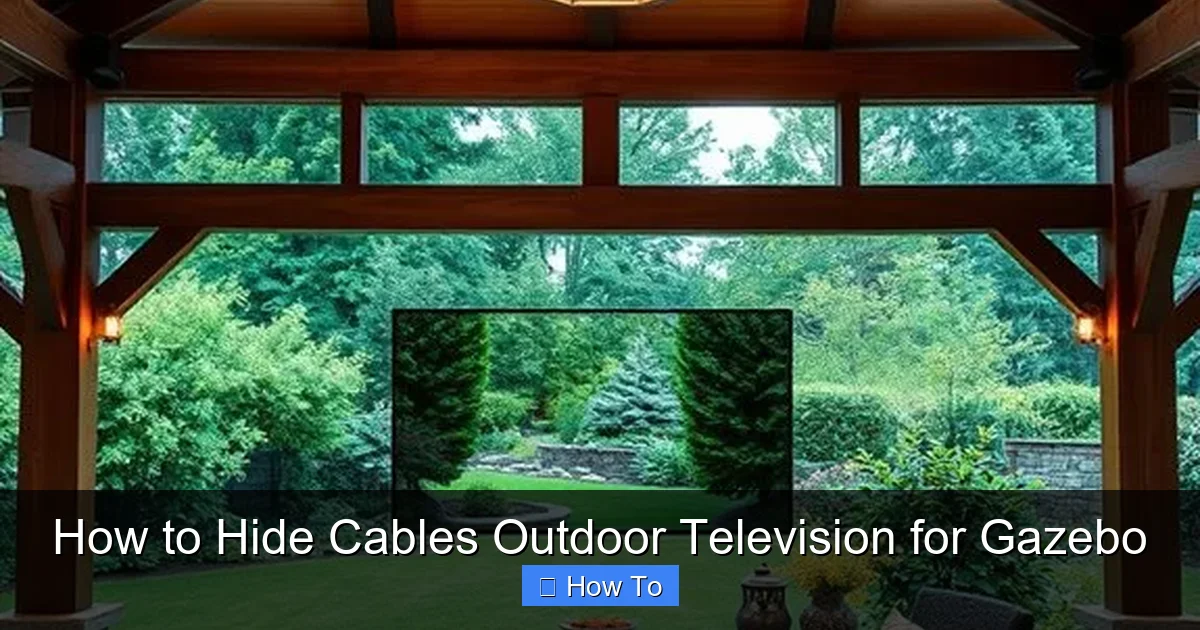
Visual guide about How to Hide Cables Outdoor Television for Gazebo
Image source: twinflamegalaxy.com
Before diving into the how-to, let’s talk about why cable management is so important for outdoor TVs. Unlike indoor setups, outdoor environments expose cables to harsh conditions like rain, UV rays, temperature swings, and pests. Exposed wires can degrade quickly, become tripping hazards, or even cause electrical issues.
Hiding cables does more than just improve appearance. It:
– Prevents water damage and corrosion
– Reduces the risk of electrical shorts
– Keeps cables safe from animals chewing on them
– Eliminates tripping hazards for guests
– Makes maintenance and upgrades easier
Plus, a clean, cable-free look enhances your outdoor living space, making your gazebo feel like a true extension of your home.
Step 1: Plan Your Cable Route
The first step in hiding cables is planning. Rushing into installation without a map can lead to mistakes, extra drilling, or damaged wires.
Identify Power and Signal Sources
Start by locating where your TV will get power and signal. Most outdoor TVs need:
– A power outlet (120V)
– HDMI cables for streaming devices (like Roku, Apple TV, or cable boxes)
– Possibly an Ethernet cable for stable internet
– Audio cables if using a soundbar or external speakers
Ask yourself:
– Where is the nearest outdoor outlet?
– Is there a power source inside the house you can run to?
– Do you have a Wi-Fi extender or Ethernet port nearby?
If you don’t have an outdoor outlet, consider hiring a licensed electrician to install one. This is safer and code-compliant.
Map the Shortest, Safest Path
Once you know your sources, plan the shortest route from the TV to each connection point. Avoid sharp turns, high-traffic areas, and spots where water pools.
For example:
– If your TV is mounted on the gazebo wall, run cables down the side and along the base.
– If the power source is inside the house, drill a small hole through the wall near the floor and run cables through conduit.
– If using a streaming box, place it close to the TV to minimize HDMI cable length.
Use a tape measure to estimate how much cable and conduit you’ll need. Always buy 10–15% extra to account for bends and slack.
Check for Obstacles
Look for potential problems:
– Are there posts, beams, or railings in the way?
– Is the gazebo made of wood, metal, or vinyl? (This affects drilling and mounting.)
– Are there existing cables or irrigation lines underground?
Sketch a simple diagram or take photos to visualize the route. This helps you stay organized and avoid surprises during installation.
Step 2: Choose the Right Cables and Materials
Not all cables are created equal—especially for outdoor use. Using indoor-rated cables outside can lead to signal loss, corrosion, or fire hazards.
Use Outdoor-Rated Cables
Always choose cables labeled for outdoor or direct burial use. These are designed to resist:
– UV radiation from sunlight
– Moisture and humidity
– Temperature changes
– Rodent damage
Look for labels like:
– “Outdoor-rated”
– “UV-resistant”
– “Direct burial” (for underground runs)
– “Weatherproof”
For HDMI, choose high-speed cables with Ethernet and gold-plated connectors to prevent corrosion. For power, use outdoor extension cords or permanent wiring through conduit.
Select Protective Conduit or Raceways
To hide and protect cables, you’ll need a covering. Here are the best options:
PVC Conduit: Rigid or flexible PVC tubing is affordable, durable, and easy to install. Use Schedule 40 PVC for above-ground runs and Schedule 80 for areas that might get damaged (like near foot traffic).
Flexible Conduit: Great for tight spaces or curved paths. It bends easily and protects cables from crushing.
Cable Raceways: Plastic or metal channels that attach to walls or beams. They’re perfect for surface mounting and come in white, black, or paintable finishes.
Underground Conduit: If running cables under the gazebo or to a nearby house, use direct-burial-rated conduit buried at least 18 inches deep (check local codes).
Get the Right Fasteners and Tools
You’ll need:
– Weatherproof cable clips or J-hooks
– Stainless steel screws or outdoor-rated adhesive
– Drill and drill bits (for wood, metal, or masonry)
– Fish tape (for pulling cables through walls)
– Wire strippers and connectors
– Silicone sealant (to waterproof holes)
Avoid using indoor staples or zip ties—they degrade quickly in the sun.
Step 3: Install the TV and Mounting Hardware
Before running cables, mount your TV securely. This ensures you know exactly where cables need to go.
Choose the Right Mount
Use a weatherproof TV mount rated for outdoor use. Look for:
– Rust-resistant materials (like powder-coated steel)
– Tilt or swivel features for viewing angles
– Compatibility with your TV size and weight
Mount the bracket to a solid part of the gazebo—like a wooden post or beam—using lag bolts. Never mount to thin siding or decorative trim.
Drill Holes for Cables
Once the mount is secure, drill a small hole (about 1 inch) behind the TV location. This is where cables will enter the wall or post.
Use a drill bit slightly larger than your conduit diameter. Angle the hole slightly downward to prevent water from dripping inside.
Seal the hole with outdoor silicone caulk after running cables to keep moisture out.
Step 4: Run and Hide the Cables
Now it’s time to route your cables safely and neatly.
Run Cables Through Conduit
If using conduit:
1. Feed the cables through the tubing before attaching it to the wall.
2. Use fish tape to pull cables through long or tight runs.
3. Leave a little slack at both ends for connections.
For surface runs along the gazebo wall:
– Attach conduit or raceway with stainless steel screws every 12–18 inches.
– Use corner pieces for clean 90-degree turns.
– Paint the raceway to match your gazebo color for a seamless look.
Bury Cables Underground (If Needed)
For long runs from the house to the gazebo:
1. Dig a trench 18–24 inches deep (deeper in colder climates to avoid frost).
2. Lay direct-burial conduit in the trench.
3. Run outdoor-rated cables through the conduit.
4. Backfill with soil and tamp down gently.
Add a warning tape 6 inches above the conduit to alert future diggers.
Use Cable Clips and Hooks
For shorter runs or temporary setups:
– Use outdoor-rated adhesive clips or J-hooks to secure cables to beams or posts.
– Space clips every 12 inches to prevent sagging.
– Avoid sharp bends—keep radius gentle to protect internal wires.
Hide Cables Behind Decor
Get creative with camouflage:
– Run cables behind potted plants, trellises, or outdoor curtains.
– Use bamboo poles or faux vines to cover raceways.
– Install a small outdoor cabinet to house streaming devices and hide power strips.
Just make sure airflow isn’t blocked and devices don’t overheat.
Step 5: Connect and Test Everything
Before finalizing your setup, test all connections.
Plug In and Power Up
Connect:
– Power cable to a GFCI outlet (required for outdoor safety)
– HDMI to your streaming device
– Ethernet if using wired internet
– Audio cables if using external speakers
Turn on the TV and check:
– Picture quality
– Sound
– Internet connection
– Remote control function
Troubleshoot Common Issues
If something isn’t working:
– No signal? Check HDMI connections and try a different cable.
– Weak Wi-Fi? Use an outdoor Wi-Fi extender or run an Ethernet cable.
– Power issues? Test the outlet with another device. Use a surge protector.
– Water in conduit? Seal all entry points with silicone and ensure downward slope.
Step 6: Secure and Weatherproof the Setup
The final step is making your installation durable and weather-resistant.
Seal All Entry Points
Use outdoor silicone caulk to seal:
– Holes where cables enter walls or posts
– Gaps around conduit fittings
– Junction boxes
This prevents water, insects, and rodents from getting in.
Use Weatherproof Enclosures
If you have a streaming box or power strip:
– Place it in a weatherproof outdoor enclosure.
– Choose one with ventilation and a clear lid for remote signals.
– Mount it under the gazebo roof or inside a cabinet.
Label Cables
Use waterproof labels or colored tape to mark each cable (e.g., “HDMI,” “Power,” “Ethernet”). This makes future troubleshooting or upgrades much easier.
Troubleshooting Common Problems
Even with careful planning, issues can arise. Here’s how to fix the most common ones.
Cables Are Visible or Sagging
Solution: Add more clips or switch to a raceway. Paint the cover to match your gazebo. Use cable sleeves to bundle multiple wires.
Water Is Getting Into Conduit
Solution: Ensure all holes are sealed and conduit slopes downward away from the TV. Use drip loops—loops in the cable that let water drip off before entering the wall.
Signal Loss or Interference
Solution: Avoid running power and signal cables parallel—cross them at 90 degrees if needed. Use shielded HDMI cables and keep them away from motors or transformers.
Animals Are Chewing Cables
Solution: Use metal conduit or armored cable. Apply bitter-tasting repellent sprays (pet-safe) around exposed areas.
Outlet Keeps Tripping
Solution: Check for overloads—don’t plug too many devices into one outlet. Use a dedicated circuit if possible. Ensure the outlet is GFCI-protected.
Tips for a Clean, Professional Look
Want your gazebo to look like it came straight from a design magazine? Try these pro tips:
– Match materials: Use wood or metal raceways that blend with your gazebo’s style.
– Go wireless when possible: Use Bluetooth speakers or wireless HDMI transmitters to reduce cable clutter.
– Hide the power strip: Mount it inside a weatherproof box or under a bench.
– Use cable sleeves: Bundle multiple cables into one neat tube.
– Keep it low-profile: Run cables along the baseboard or under the floor if your gazebo has a raised platform.
Conclusion
Hiding cables for your outdoor television in a gazebo doesn’t have to be complicated or ugly. With the right planning, materials, and techniques, you can create a clean, safe, and weather-resistant setup that enhances your outdoor entertainment experience.
Start by mapping your cable route and choosing outdoor-rated cables and protective covers. Mount your TV securely, run cables through conduit or raceways, and test everything before finalizing. Don’t forget to seal all entry points and use weatherproof enclosures for electronics.
By following this guide, you’ll protect your investment, reduce hazards, and enjoy a clutter-free gazebo that looks as good as it functions. Whether you’re watching the big game or a sunset movie night, your outdoor TV setup will be ready for anything—rain, shine, or backyard parties.