Hiding cables for your outdoor television on a covered patio doesn’t have to be complicated. This guide walks you through safe, stylish, and weather-resistant methods to keep wires out of sight and protected from the elements. Enjoy a clean, professional look without compromising safety or performance.
Key Takeaways
- Use weatherproof cable management products: Always choose outdoor-rated raceways, conduits, and clips designed to withstand moisture, UV rays, and temperature changes.
- Plan your cable route before installation: Map out the path from your TV to power and signal sources to minimize drilling and ensure a clean layout.
- Secure cables away from foot traffic: Keep wires elevated or tucked along walls, beams, or under decking to prevent tripping hazards and damage.
- Label and organize cables: Use color-coded labels or tags to identify power, HDMI, antenna, and speaker wires for easy troubleshooting and future upgrades.
- Test all connections before finalizing: Ensure your TV, sound system, and streaming devices work properly before securing cables permanently.
- Consider wireless alternatives: Use wireless HDMI transmitters or streaming devices to reduce the number of visible cables.
- Maintain access for future repairs: Avoid sealing cables in a way that makes future maintenance difficult—use removable covers or accessible raceways.
How to Hide Cables Outdoor Television for Covered Patio
Setting up an outdoor television on your covered patio can transform your backyard into a cozy entertainment zone. Whether you’re watching the big game, enjoying a movie night under the stars, or catching up on your favorite shows, an outdoor TV adds comfort and convenience. But one of the biggest challenges? Dealing with messy, exposed cables.
Visible wires not only look unsightly—they can also pose safety risks and get damaged by weather, pests, or foot traffic. The good news? Hiding cables for your outdoor TV is easier than you think, especially with the right tools and planning.
In this comprehensive guide, you’ll learn how to hide cables for your outdoor television on a covered patio using safe, durable, and aesthetically pleasing methods. We’ll cover everything from planning your setup and choosing the right materials to step-by-step installation tips and smart alternatives like wireless tech. By the end, your patio will look sleek, organized, and ready for year-round enjoyment.
Why Hiding Outdoor TV Cables Matters
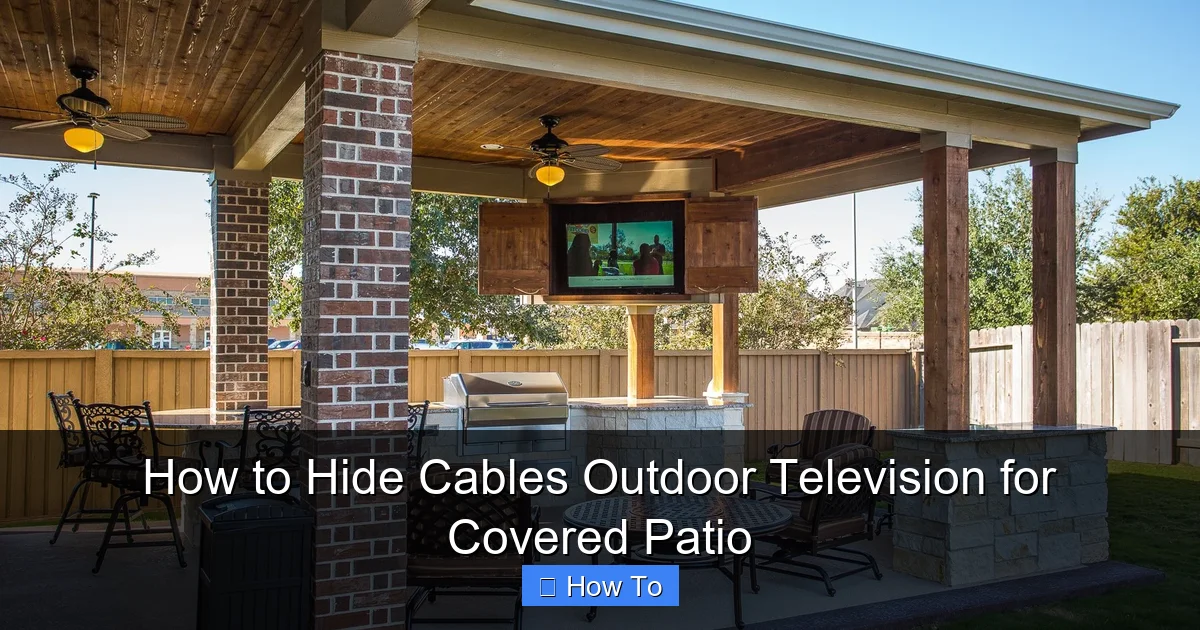
Visual guide about How to Hide Cables Outdoor Television for Covered Patio
Image source: i.pinimg.com
Before diving into the how-to, let’s talk about why cable management is so important for outdoor setups.
First, safety. Exposed cables can become tripping hazards, especially in dim lighting or when guests are moving around. Wet conditions—like rain or sprinkler spray—can increase the risk of electrical shock if wires aren’t properly protected.
Second, durability. Outdoor environments expose cables to UV rays, temperature swings, moisture, and pests. Without protection, wires can degrade over time, leading to signal loss, power issues, or even fire hazards.
Third, aesthetics. A tangled mess of wires ruins the clean, inviting look of your outdoor living space. Hiding cables gives your patio a professional, polished appearance that enhances the overall experience.
Finally, convenience. Well-organized cables are easier to maintain, upgrade, or troubleshoot. You’ll thank yourself later when you need to swap out a streaming device or replace a damaged HDMI cable.
Planning Your Outdoor TV Cable Setup
The key to successful cable hiding is planning. Rushing into installation without a clear strategy often leads to messy results or the need for costly rework.
Step 1: Choose the Right TV Location
Start by deciding where to mount your outdoor TV. Ideal spots include:
– Under a covered patio roof or pergola
– On a sturdy wall or column
– Mounted on a freestanding outdoor TV stand
Make sure the location offers:
– Protection from direct rain and sunlight
– Clear line of sight to seating areas
– Access to power and signal sources (like your home’s Wi-Fi or cable outlet)
Avoid placing the TV where it’s exposed to sprinklers, high humidity, or extreme heat.
Step 2: Identify All Required Cables
List every cable you’ll need to connect your TV. Common ones include:
– Power cable (from TV to outlet)
– HDMI cables (for streaming devices, gaming consoles, or cable boxes)
– Coaxial cable (for antenna or cable TV)
– Speaker or soundbar wires (if using external audio)
– Ethernet cable (for wired internet, if preferred over Wi-Fi)
Count how many cables you have and note their lengths. This helps when choosing raceways or conduits.
Step 3: Map the Cable Route
Trace the shortest, safest path from your TV to each power and signal source. Consider:
– Running cables along walls, beams, or under decking
– Avoiding high-traffic areas
– Minimizing the number of holes you need to drill
Use a tape measure to estimate total cable length. Add 10–15% extra for slack and future adjustments.
Step 4: Check Local Codes and Safety Standards
Outdoor electrical work may require permits or inspections, especially if you’re running power from your home. Always:
– Use outdoor-rated electrical outlets (GFCI-protected)
– Hire a licensed electrician if running new wiring
– Follow National Electrical Code (NEC) guidelines for outdoor installations
Safety first—never cut corners when it comes to electricity.
Choosing the Right Cable Management Products
Not all cable organizers are created equal. For outdoor use, you need products that can handle the elements.
Outdoor Cable Raceways
Cable raceways are plastic or metal channels that snap or screw onto walls to hide wires. Look for:
– UV-resistant materials (like PVC or polycarbonate)
– Weatherproof seals or gaskets
– Paintable surfaces to match your patio décor
Popular brands include Legrand, D-Line, and Wiremold. Choose a raceway wide enough to hold all your cables with room to spare.
Flexible Conduit
For more protection, use flexible conduit—a corrugated plastic or metal tube that encases cables. It’s ideal for:
– Running wires through walls or under decking
– Areas exposed to moisture or physical damage
– Long cable runs
Use conduit with watertight connectors and seal all entry points with silicone caulk.
Cable Clips and Ties
Use outdoor-rated adhesive clips or zip ties to secure loose wires along beams or under eaves. Avoid cheap plastic clips that crack in the sun.
For a cleaner look, choose clips that match your wall or beam color.
In-Wall Cable Management Kits
If your patio has walls, consider an in-wall kit. These include:
– Wall plates for HDMI and power
– Pre-cut holes for easy routing
– Fire-rated in-wall cables (required by code)
These kits let you run cables inside the wall for a completely hidden look.
Wireless Alternatives
Reduce cable clutter with wireless tech:
– Wireless HDMI transmitters: Send video and audio from your source (like a cable box) to your TV without wires. Look for models with long range and low latency.
– Streaming devices: Use Roku, Apple TV, or Fire Stick to eliminate the need for multiple HDMI cables.
– Bluetooth speakers: Pair wireless speakers with your TV to avoid running audio cables.
While not all connections can go wireless, these options can significantly cut down on visible wires.
Step-by-Step Guide to Hiding Outdoor TV Cables
Now that you’ve planned and gathered your materials, it’s time to install.
Step 1: Mount Your Outdoor TV
Follow the manufacturer’s instructions to securely mount your TV. Use a weatherproof mounting bracket designed for outdoor use.
Ensure the mount is level and anchored to a solid surface—like a wall stud or concrete beam.
Step 2: Run Power Safely
Power is the most critical cable. Here’s how to handle it:
– Use a heavy-duty outdoor extension cord (rated for wet locations) if running power temporarily.
– For a permanent setup, have an electrician install a GFCI outlet near your TV.
– Never splice or modify power cords yourself.
If running power from inside your house, use conduit and follow local electrical codes.
Step 3: Install Cable Raceways
For a clean, surface-mounted solution:
1. Measure and cut the raceway to fit your cable route.
2. Mark screw holes on the wall or beam.
3. Drill pilot holes and secure the raceway base with screws.
4. Insert cables into the raceway.
5. Snap on the cover.
Paint the raceway to match your patio for a seamless look.
Step 4: Use Conduit for Hidden Routing
For a more discreet setup:
1. Drill a hole through the wall or under the decking.
2. Feed flexible conduit through the hole.
3. Pull cables through the conduit using a fish tape or string.
4. Seal the entry and exit points with silicone caulk.
5. Connect the conduit to weatherproof boxes at both ends.
This method keeps cables completely out of sight and protected.
Step 5: Secure Loose Cables
Use outdoor-rated clips or ties to bundle and secure any remaining wires:
– Group cables together with zip ties (leave slack for movement).
– Attach clips every 12–18 inches along beams or under eaves.
– Avoid over-tightening, which can damage cables.
Step 6: Label and Organize
Label each cable at both ends with color-coded tags or tape. For example:
– Red = Power
– Blue = HDMI 1
– Green = HDMI 2
– Yellow = Antenna
This makes troubleshooting and upgrades much easier.
Step 7: Test Everything
Before finalizing your setup:
– Turn on the TV and all connected devices.
– Check picture and sound quality.
– Ensure Wi-Fi or Ethernet connections are stable.
– Verify that all remotes and streaming apps work.
Make adjustments if needed.
Creative Cable Hiding Ideas
Want to go beyond basic raceways? Try these stylish solutions:
Use Decorative Covers
Paint raceways to match your wall, or wrap them with outdoor-safe fabric or rope for a rustic look.
Hide Cables in Furniture
If using an outdoor TV cabinet or console, route cables through the back or bottom panels.
Run Cables Under Decking
For patios with raised decks, run cables under the floorboards and up through a post or wall.
Use Planters or Trellises
Position large planters or climbing trellises near cable routes to naturally conceal wires.
Install a False Beam or Soffit
Build a lightweight faux beam or soffit along the ceiling to hide raceways or conduits.
These ideas blend function with design, enhancing your patio’s overall look.
Troubleshooting Common Issues
Even with careful planning, problems can arise. Here’s how to fix them:
Cables Get Wet
If moisture gets into your raceway or conduit:
– Disconnect power immediately.
– Remove cables and dry them thoroughly.
– Check for cracks or gaps in seals.
– Reapply silicone caulk and ensure all connections are watertight.
Signal Loss or Interference
Weak HDMI or antenna signals can result from:
– Damaged or low-quality cables
– Long cable runs without signal boosters
– Interference from power lines
Use high-speed HDMI cables (rated for outdoor use) and consider an HDMI extender or amplifier for long distances.
Cables Overheat
Avoid bundling too many cables tightly together, especially power and data lines. Heat buildup can degrade performance.
Leave space for airflow, or use ventilated raceways.
Animals Chew Cables
Squirrels, rats, and birds may chew on exposed wires. Prevent this by:
– Using metal conduit
– Applying bitter-tasting deterrent sprays
– Installing cable guards
Raceway Comes Loose
If your raceway detaches:
– Remove old adhesive or screws.
– Clean the surface.
– Reattach with stronger outdoor-rated fasteners or construction adhesive.
Maintenance Tips for Long-Term Success
To keep your outdoor TV setup looking great:
– Inspect cables and raceways every 6 months for damage or wear.
– Clean raceways with a damp cloth to remove dirt and mildew.
– Check seals and caulk for cracks.
– Trim back plants or vines that may grow over cables.
– Replace any damaged cables promptly.
Regular maintenance prevents small issues from becoming big problems.
Conclusion
Hiding cables for your outdoor television on a covered patio is a smart investment in safety, durability, and style. With the right planning, tools, and techniques, you can achieve a clean, professional look that enhances your outdoor living space.
Start by mapping your cable route and choosing weatherproof management products like raceways, conduit, or wireless alternatives. Follow the step-by-step installation guide, test all connections, and maintain your setup over time.
Remember: a little effort upfront saves you from headaches down the road. Your patio should be a place of relaxation and enjoyment—not a tangle of wires.
So grab your tools, follow this guide, and get ready to enjoy your outdoor TV in peace and style. Whether it’s game day, movie night, or just chilling with a book, your perfectly organized setup will make every moment better.