
Keeping your weatherproof TV clean ensures crisp picture quality and long-term performance. This guide walks you through safe cleaning methods, tools, and maintenance tips tailored for small patio setups. Protect your investment with simple, effective care.
Key Takeaways
- Use only recommended cleaning solutions: Avoid ammonia, alcohol, or abrasive chemicals that can damage anti-reflective coatings and seals.
- Clean regularly but gently: Dust and pollen buildup can scratch screens if wiped aggressively—frequency matters more than force.
- Power off and cool down first: Always turn off the TV and let it cool for 15–20 minutes before cleaning to prevent thermal shock and electrical risks.
- Microfiber cloths are essential: They trap dust without scratching and won’t leave lint behind like paper towels or tissues.
- Don’t spray directly on the screen: Apply cleaner to the cloth, not the TV, to avoid liquid seeping into seams or ports.
- Check seals and vents during cleaning: Inspect weatherproof gaskets and ventilation areas for debris to maintain protection against moisture.
- Schedule seasonal deep cleans: Pollen season, rainy periods, or high-wind days call for extra attention to keep your outdoor TV in top shape.
How to Clean Weatherproof TV for Small Patio
If you’ve invested in a weatherproof TV for your small patio, you’re already ahead of the game. These outdoor displays bring the comfort of indoor entertainment into your open-air space—whether you’re watching the game under string lights or catching a movie during a summer evening. But unlike your living room TV, your patio screen faces real environmental challenges: dust, pollen, rain residue, bird droppings, and even salt air if you live near the coast.
Cleaning your weatherproof TV isn’t just about aesthetics—it’s about preserving image quality, protecting internal components, and extending the life of your device. A dirty screen can reduce brightness, cause glare, and even trap moisture if grime builds up around seals. Worse, using the wrong cleaning method can void your warranty or permanently damage the screen.
The good news? Cleaning a weatherproof TV is simple, quick, and safe—if you follow the right steps. In this guide, you’ll learn exactly how to clean your outdoor TV for a small patio, from prep work to post-cleaning checks. We’ll cover the best tools, safe cleaning solutions, step-by-step techniques, and maintenance tips to keep your screen sparkling all year long.
Whether you’re dealing with light dust or stubborn bird splatter, this guide has you covered. Let’s get started.
Why Cleaning Your Weatherproof TV Matters
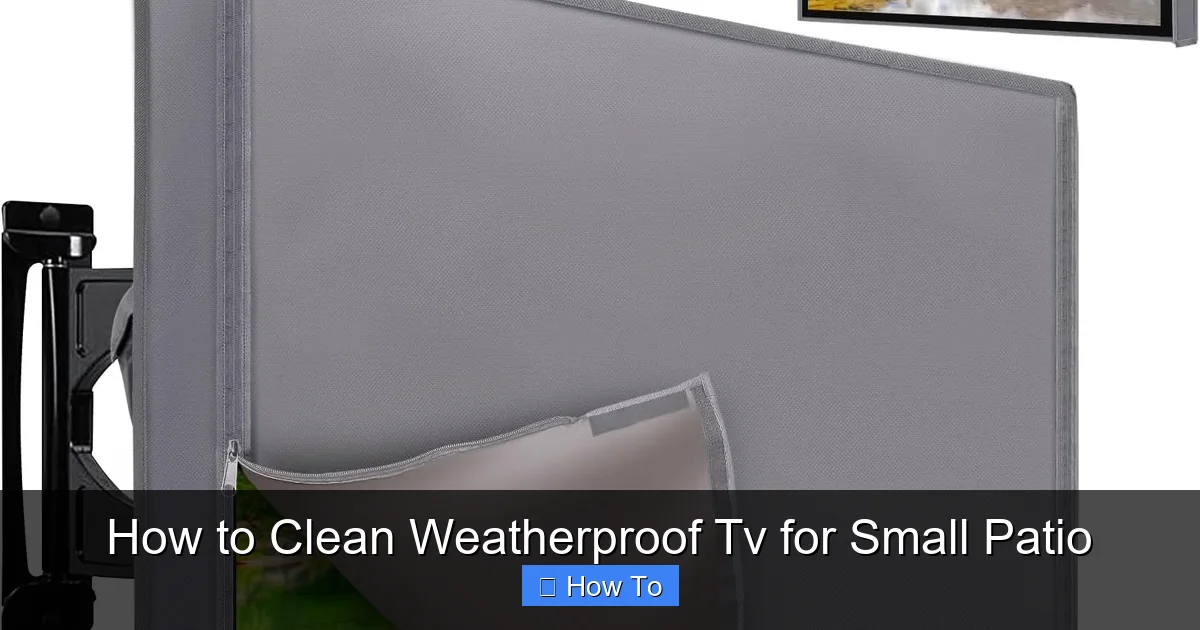
Visual guide about How to Clean Weatherproof Tv for Small Patio
Image source: m.media-amazon.com
Before diving into the “how,” let’s talk about the “why.” Why should you clean your weatherproof TV regularly?
First, visibility. A clean screen delivers sharper images, better contrast, and more vibrant colors. Dust, smudges, and water spots can scatter light, making it harder to see details—especially on sunny days when glare is already a challenge.
Second, longevity. Weatherproof TVs are built to withstand the elements, but they’re not invincible. Dirt and debris can accumulate around seals, vents, and mounting hardware. Over time, this buildup can compromise the TV’s weather resistance, allowing moisture or insects to sneak in. Regular cleaning helps maintain those protective barriers.
Third, performance. Some outdoor TVs have built-in cooling systems or anti-glare coatings. If these get clogged or damaged, your TV may overheat or lose its anti-reflective properties. Cleaning gently and correctly preserves these features.
Finally, safety. Using harsh chemicals or abrasive tools can scratch the screen, degrade coatings, or even cause electrical issues if liquid enters the unit. Proper cleaning minimizes these risks.
Think of it like washing your car—you wouldn’t use steel wool or bleach, right? The same logic applies here. Your weatherproof TV deserves gentle, thoughtful care.
What You’ll Need to Clean Your Weatherproof TV
You don’t need a fancy toolkit to clean your outdoor TV. In fact, less is more. Here’s a simple list of essentials:
- Microfiber cloths (2–3): These are soft, lint-free, and perfect for screens. Keep one for dry dusting and another for wet cleaning.
- Mild cleaning solution: Use a mix of distilled water and a drop of mild dish soap, or a screen-safe cleaner like Screen Shine or Whoosh!
- Distilled water: Tap water can leave mineral spots. Distilled water ensures a streak-free finish.
- Soft-bristle brush or makeup brush: Great for gently removing dust from vents, seals, and crevices.
- Compressed air (optional): Useful for blowing dust out of hard-to-reach areas like speaker grilles or mounting brackets.
- Ladder or step stool (if needed): Safety first—make sure you can reach the TV securely.
- Gloves (optional): Keep your hands clean and avoid transferring oils to the screen.
Avoid these common but harmful items:
– Paper towels or tissues (they scratch)
– Glass cleaners like Windex (contain ammonia)
– Vinegar or alcohol-based solutions (can damage coatings)
– Abrasive sponges or scrub pads
– Spray bottles aimed directly at the TV
With the right tools, you’re ready to clean safely and effectively.
Step-by-Step Guide to Cleaning Your Weatherproof TV
Now that you’re prepared, let’s walk through the cleaning process step by step. This method works for most weatherproof TVs, whether mounted on a wall, under a covered pergola, or on a freestanding stand.
Step 1: Power Off and Let It Cool
Never clean a TV that’s on or still warm. Turn off the power using the remote or wall switch, then unplug it if possible. Wait at least 15–20 minutes for the screen and internal components to cool down. This prevents thermal shock (which can crack screens) and reduces the risk of electrical issues.
If your TV is hardwired, turn off the circuit breaker for extra safety. Better safe than sorry!
Step 2: Dust Off the Surface
Before applying any liquid, remove loose dust and debris. Use a dry microfiber cloth or a soft-bristle brush to gently wipe the screen, frame, and surrounding areas.
Start from the top and work your way down in smooth, overlapping strokes. Don’t press hard—let the cloth do the work. For corners and edges, use the brush to dislodge stubborn particles.
If your TV has vents or speaker grilles, use compressed air to blow out dust. Hold the can upright and spray in short bursts to avoid moisture buildup.
This dry pass prevents scratching when you move to wet cleaning.
Step 3: Prepare Your Cleaning Solution
Mix a gentle cleaning solution:
– 1 cup of distilled water
– 1 drop of mild dish soap (like Dawn)
Stir gently to avoid suds. Alternatively, use a commercial screen cleaner designed for electronics. Never use household cleaners—they’re too harsh.
Pour the solution into a spray bottle or dampen a microfiber cloth directly. The key is to use a lightly damp cloth, not a soaking wet one.
Step 4: Clean the Screen
Now it’s time to clean the screen itself.
Dampen one microfiber cloth with your cleaning solution. Wring it out well—it should be slightly moist, not dripping.
Gently wipe the screen in circular motions, starting from the center and moving outward. Avoid pressing too hard. Let the solution dissolve smudges and grime without scrubbing.
For stubborn spots like bird droppings or tree sap, let the damp cloth sit on the area for 10–15 seconds to loosen it. Then wipe gently. Never scrape or use force.
Once the screen is clean, use a second dry microfiber cloth to buff it dry. This removes any remaining moisture and prevents streaks.
Step 5: Clean the Frame and Mounting Hardware
Don’t forget the edges! Use the same damp cloth to wipe down the bezel, stand, or wall mount. Pay special attention to areas where dirt collects, like the bottom edge or behind the TV.
If your TV has a protective cover or weather shield, clean that too. Use the soft brush to remove dust from seams and hinges.
For metal parts, a quick wipe with a dry cloth prevents rust or corrosion.
Step 6: Inspect Seals and Vents
Weatherproof TVs rely on rubber gaskets and sealed ports to keep moisture out. During cleaning, take a moment to inspect these areas.
Look for cracks, peeling, or debris in the seals around the screen and ports. Use the soft brush or compressed air to clear any buildup.
If you notice damage, contact the manufacturer—don’t try to repair it yourself. Compromised seals can lead to water damage.
Also check ventilation areas. Blocked vents can cause overheating, especially in hot climates.
Step 7: Final Check and Power On
Once everything is dry, do a final visual inspection. Make sure no moisture is trapped around edges or ports.
Reconnect power and turn the TV on. Check for normal operation—no flickering, discoloration, or error messages.
If everything looks good, you’re done! Your TV is clean, protected, and ready for your next outdoor movie night.
Tips for Maintaining Your Weatherproof TV
Cleaning once isn’t enough—regular maintenance keeps your TV in peak condition. Here are some practical tips:
- Clean weekly during high-pollen seasons: Spring and fall bring extra dust and allergens. A quick dry wipe every few days prevents buildup.
- Wipe after rain or storms: Rain can leave mineral deposits or dirt streaks. A damp cloth removes them before they dry.
- Use a weather cover when not in use: Even weatherproof TVs benefit from extra protection. A fitted cover shields against UV rays, bird droppings, and debris.
- Trim nearby plants: Overhanging branches can drop sap, leaves, or attract birds. Keep your patio area clear.
- Check mounting stability: Vibrations from wind or nearby activity can loosen brackets. Tighten screws during cleaning sessions.
- Monitor for condensation: If you see fogging inside the screen, it may indicate a seal failure. Power off and contact support.
Think of maintenance like brushing your teeth—small, consistent efforts prevent big problems down the line.
Troubleshooting Common Cleaning Issues
Even with the best care, issues can arise. Here’s how to handle common problems:
Streaks or Haze on the Screen
Cause: Residue from tap water or too much cleaner.
Solution: Wipe with a cloth dampened only with distilled water. Buff dry immediately.
Scratches on the Screen
Cause: Using paper towels, rough cloths, or pressing too hard.
Solution: Prevent future scratches by using only microfiber. Minor scratches may be buffed out with a screen polish, but deep ones require professional repair.
Liquid Seeping into the TV
Cause: Spraying cleaner directly on the screen or using too much liquid.
Solution: Power off immediately. Let the TV dry completely (24–48 hours) in a warm, dry place. If it doesn’t turn on, contact the manufacturer.
Difficulty Removing Bird Droppings or Sap
Cause: Dried organic matter.
Solution: Soak a cloth in warm distilled water and place it over the spot for 2–3 minutes. Gently wipe away. Repeat if needed.
TV Overheating After Cleaning
Cause: Blocked vents or internal moisture.
Solution: Ensure vents are clear. Let the TV dry fully before use. If overheating persists, have it inspected.
Seasonal Cleaning Schedule for Small Patios
Your cleaning routine should adapt to the seasons. Here’s a simple schedule:
- Spring: High pollen and rain. Clean every 1–2 weeks. Focus on removing yellow dust and water spots.
- Summer: More usage, but also more insects and humidity. Clean every 2–3 weeks. Check for spider webs near vents.
- Fall: Falling leaves and sap. Clean every 1–2 weeks. Remove debris promptly to prevent staining.
- Winter: Less frequent, but watch for salt spray (if near the coast) or snow residue. Clean monthly or after storms.
Adjust based on your local climate and usage. A small patio TV used daily may need more frequent care than one used occasionally.
Final Thoughts
Cleaning your weatherproof TV for a small patio doesn’t have to be complicated or time-consuming. With the right tools, gentle techniques, and regular attention, you can keep your outdoor screen looking sharp and performing flawlessly for years.
Remember: less is more. Avoid harsh chemicals, excessive moisture, and aggressive scrubbing. Your TV’s weatherproof design is built to last—but it still needs a little TLC.
By following this guide, you’re not just cleaning a screen. You’re protecting your investment, enhancing your viewing experience, and ensuring your patio remains a cozy, entertainment-ready space.
So grab a microfiber cloth, mix up a gentle solution, and give your TV the care it deserves. Your next backyard movie night will be brighter, clearer, and more enjoyable because of it.

