
Keeping your weatherproof TV for balcony patio clean ensures clear picture quality and extends its lifespan. This guide walks you through safe cleaning methods, tools, and maintenance tips to protect your outdoor entertainment investment year-round.
Key Takeaways
- Use only approved cleaning solutions: Avoid ammonia, alcohol, or abrasive cleaners that can damage anti-reflective coatings or seals on weatherproof TVs.
- Power off and unplug before cleaning: Always disconnect the TV from power to prevent electrical hazards and protect internal components.
- Clean the screen gently with a microfiber cloth: Wipe in circular motions to remove dust, pollen, and smudges without scratching the surface.
- Inspect seals and vents regularly: Ensure gaskets and ventilation areas are free of debris to maintain weather resistance.
- Clean during cooler times of day: Avoid direct sunlight to prevent cleaning solutions from drying too quickly and leaving streaks.
- Schedule monthly cleanings: Regular maintenance prevents buildup of dirt, salt, or bird droppings that can harm the TV over time.
- Use a soft brush for vents and ports: Gently remove dust from hard-to-reach areas without forcing moisture into openings.
How to Clean Weatherproof TV for Balcony Patio
If you’ve invested in a weatherproof TV for your balcony or patio, you already know how amazing it is to enjoy your favorite shows, sports, or movies outdoors. But with exposure to sun, rain, wind, dust, pollen, and even bird activity, your outdoor TV needs regular care to keep performing at its best. Cleaning a weatherproof TV isn’t the same as wiping down a living room screen—it requires special attention to protect its weather-resistant features and ensure long-term durability.
In this comprehensive guide, you’ll learn exactly how to clean your weatherproof TV for balcony or patio use. We’ll cover everything from the right tools and cleaning solutions to step-by-step instructions, safety tips, and maintenance routines. Whether your TV is mounted under a covered pergola or fully exposed to the elements, these methods will help you maintain crystal-clear picture quality and extend the life of your outdoor entertainment system.
By the end of this guide, you’ll feel confident handling routine cleanings and troubleshooting common issues like water spots, smudges, or clogged vents. Let’s get started!
Why Cleaning Your Weatherproof TV Matters
Outdoor TVs are built to withstand rain, humidity, and temperature swings—but that doesn’t mean they’re maintenance-free. Over time, dirt, dust, pollen, bird droppings, and even salt (if you live near the coast) can accumulate on the screen and housing. If left unchecked, this buildup can:
– Reduce screen clarity and brightness
– Cause permanent stains or etching on the screen
– Clog ventilation ports, leading to overheating
– Damage weatherproof seals and gaskets
– Encourage mold or mildew growth in humid climates
Regular cleaning not only keeps your TV looking great but also ensures it functions safely and efficiently. A clean TV also reduces glare and reflections, making it easier to watch during the day or at night.
Think of it like washing your car—just because it’s designed to drive in the rain doesn’t mean you skip the wash. The same logic applies to your weatherproof TV.
What You’ll Need to Clean Your Weatherproof TV
Before you begin, gather the right tools and supplies. Using the wrong products can do more harm than good, so stick to these safe, effective options:
- Microfiber cloths (lint-free): These are gentle on screens and won’t scratch the surface. Avoid paper towels, tissues, or rough fabrics.
- Distilled water: Tap water can leave mineral deposits. Distilled water prevents streaks and spots.
- Mild dish soap (optional): Use only a drop if needed for stubborn grime. Avoid harsh detergents.
- Isopropyl alcohol (70% or less, optional): Only for non-screen parts like the bezel or housing. Never use on the screen unless specified by the manufacturer.
- Soft-bristled brush (like a clean makeup brush): For dusting vents, ports, and crevices.
- Compressed air (optional): To blow out dust from vents and around the mounting bracket.
- Spray bottle: For mixing and applying cleaning solution.
- Ladder or step stool (if needed): Ensure safe access to your mounted TV.
Avoid these common mistakes:
– Ammonia-based cleaners (like Windex)
– Alcohol-based screen wipes
– Abrasive sponges or scrub pads
– Household glass cleaners
– Excess water near ports or seals
These can strip protective coatings, damage seals, or cause electrical issues.
Step-by-Step Guide to Cleaning Your Weatherproof TV
Follow these steps carefully to clean your weatherproof TV safely and effectively. Always prioritize safety and take your time.
Step 1: Power Off and Unplug the TV
Before touching anything, turn off the TV and unplug it from the power source. This is critical for safety—especially outdoors where moisture may be present. Even if your TV is on a GFCI-protected outlet, unplugging eliminates any risk of electrical shock.
If your TV is hardwired or connected to a control system, ensure the power is completely disconnected at the breaker if necessary. Wait at least 10–15 minutes for the internal components to cool down, especially if the TV was recently in use.
Step 2: Choose the Right Time to Clean
Avoid cleaning your TV in direct sunlight or during hot weather. Sunlight can cause cleaning solutions to dry too quickly, leaving streaks or residue. Early morning or late afternoon on a cloudy day is ideal.
Also, check the weather forecast. Don’t clean your TV if rain is expected within the next hour—you don’t want to introduce moisture right before a storm.
Step 3: Dust the Screen and Housing
Start by removing loose dust and debris. Use a dry, clean microfiber cloth or a soft-bristled brush to gently wipe the screen, bezel, and outer casing.
Work from top to bottom in smooth, light strokes. Don’t press hard—dust particles can scratch the screen if dragged with pressure.
For vents, ports, and the area around the mounting bracket, use a soft brush or compressed air. Hold the can upright and spray in short bursts to avoid forcing moisture into openings.
Tip: If you use compressed air, keep it at least 6 inches away from the TV to prevent damage.
Step 4: Prepare the Cleaning Solution
For most cleaning jobs, plain distilled water is enough. If the screen is particularly dirty (e.g., bird droppings, sticky fingerprints, or pollen buildup), mix a mild solution:
– Fill a spray bottle with distilled water
– Add 1–2 drops of mild dish soap (like Dawn)
– Shake gently to mix
Never spray liquid directly onto the screen. Instead, lightly mist the microfiber cloth—never soak it. The cloth should be damp, not dripping.
Important: Never use vinegar, bleach, or commercial glass cleaners. These can degrade the anti-reflective coating or damage the weatherproof seals.
Step 5: Clean the Screen
Now it’s time to clean the screen itself. Follow these sub-steps:
Wipe in Circular Motions
Using the damp microfiber cloth, gently wipe the screen in small, circular motions. Start from the center and work outward. This helps lift dirt without spreading it.
Focus on Stains and Smudges
For stubborn spots like fingerprints or dried bird droppings, apply a little more pressure—but never scrub. Let the solution do the work. If needed, re-dampen the cloth and try again.
Avoid the Edges and Seals
Be careful around the edges of the screen where the bezel meets the glass. Excess moisture can seep into the seals and compromise the TV’s weather resistance.
Dry Immediately
After wiping, use a second dry microfiber cloth to buff the screen. This removes any remaining moisture and prevents streaks.
Tip: If you see streaks, it’s likely due to tap water or too much soap. Switch to distilled water and use less solution next time.
Step 6: Clean the TV Housing and Bezel
The outer casing of your weatherproof TV can collect dirt, pollen, and grime. Use the same damp cloth (or a separate one) to wipe down the bezel, sides, and back.
For tougher grime, you can use a cloth lightly dampened with isopropyl alcohol (70% or less). This helps disinfect and remove sticky residues. However, avoid getting alcohol near the screen or seals.
Pay special attention to:
– Vents and airflow openings
– Mounting brackets
– Control buttons (if accessible)
– Cable entry points
Use the soft brush to dislodge dust from tight spaces.
Step 7: Inspect and Clean the Weatherproof Seals
One of the most important—but often overlooked—parts of cleaning a weatherproof TV is checking the seals. These rubber or silicone gaskets prevent moisture and debris from entering the TV.
Use a dry microfiber cloth to gently wipe the seals around the screen and housing. Look for:
– Cracks or tears in the rubber
– Dirt or mold buildup
– Loose or misaligned gaskets
If you find mold, use a cloth with a tiny amount of isopropyl alcohol to clean it. Let it dry completely before reassembling or powering on.
Never use sharp objects to clean seals—this can cause permanent damage.
Step 8: Check Vents and Internal Airflow
Over time, dust and debris can clog the ventilation system, causing the TV to overheat. Use compressed air or a soft brush to clean the intake and exhaust vents.
Look for:
– Blocked airflow paths
– Insect nests (common in outdoor enclosures)
– Accumulated leaves or dirt
If your TV is in a weatherproof enclosure, open it (if designed to be opened) and clean the interior surfaces. Wipe down the inside with a dry cloth.
Warning: Never open sealed enclosures unless the manufacturer allows it. Tampering can void your warranty.
Step 9: Reconnect and Power On
Once everything is clean and dry, reconnect the power cable and any other connections. Make sure all cables are securely plugged in and not pinched or exposed to moisture.
Turn on the TV and check for:
– Normal picture and sound
– Proper ventilation (listen for fans)
– No error messages
If the TV doesn’t turn on, double-check connections and ensure the power source is active.
Tips for Maintaining Your Weatherproof TV
Cleaning your TV once isn’t enough—regular maintenance is key to long-term performance. Here are some best practices:
- Clean monthly: Even if it looks clean, dust and pollen accumulate quickly outdoors. A quick wipe-down every 4–6 weeks keeps your TV in top shape.
- Use a protective cover when not in use: If your TV isn’t used often, consider a breathable, weatherproof cover to reduce dirt buildup.
- Trim nearby plants: Overhanging branches can drop sap, leaves, or attract birds. Keep vegetation trimmed back.
- Check after storms: Heavy rain, wind, or snow can leave residue or damage seals. Inspect your TV after severe weather.
- Monitor for pests: Birds, squirrels, and insects may try to nest near your TV. Install deterrents if needed.
- Keep cables organized: Use cable clips or conduits to prevent water from pooling near connection points.
Troubleshooting Common Cleaning Issues
Even with careful cleaning, you might run into problems. Here’s how to handle them:
Streaks or Haze on the Screen
This is usually caused by using tap water, too much soap, or not drying properly. Switch to distilled water, use less solution, and always buff with a dry cloth.
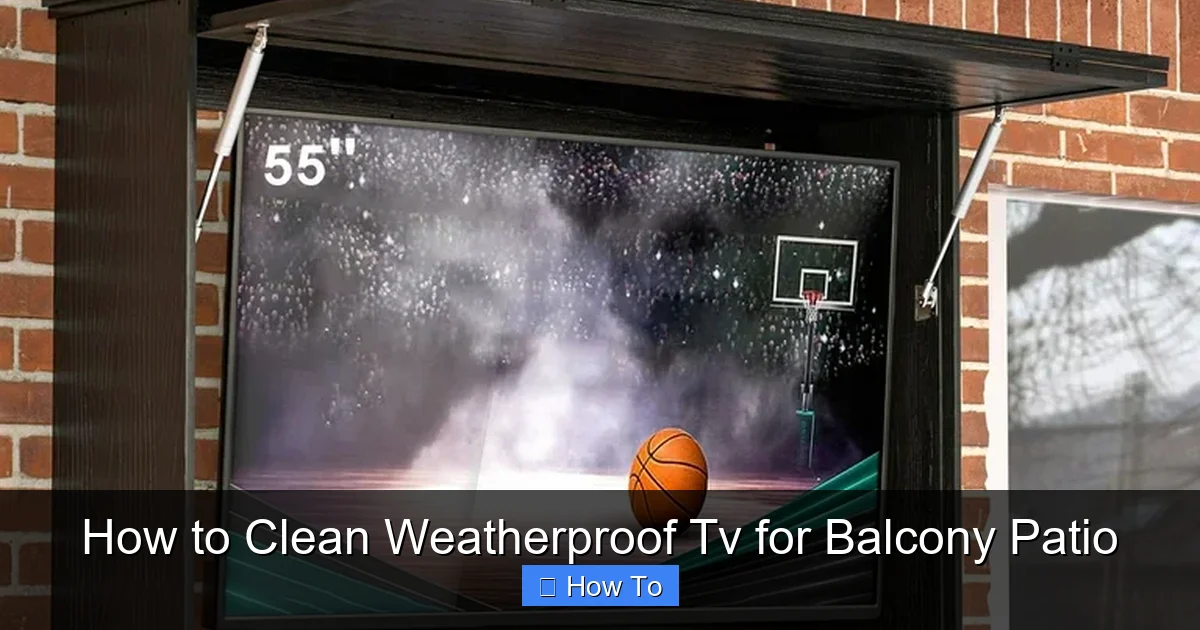
Visual guide about How to Clean Weatherproof Tv for Balcony Patio
Image source: i5.walmartimages.com
Water Spots After Rain
If your TV gets wet, wipe it down with a dry microfiber cloth as soon as possible. Avoid using heat or hair dryers, which can damage seals.
Sticky Residue from Bird Droppings
Act quickly. Soak a cloth in distilled water and gently hold it over the spot for a minute to soften it. Then wipe gently. Never scrape.
TV Overheating After Cleaning
This could mean vents are still blocked. Turn off the TV, let it cool, and recheck the ventilation. Ensure nothing is obstructing airflow.
Seals Appear Damaged or Brittle
Weatherproof seals degrade over time. If you notice cracks or stiffness, contact the manufacturer. Replacing seals may be necessary to maintain weather resistance.
When to Call a Professional
While most cleaning tasks can be done at home, some issues require expert help. Contact a technician if:
– The screen has deep scratches or cracks
– The TV won’t turn on after cleaning
– You suspect internal moisture damage
– Seals are severely damaged and need replacement
– The TV is under warranty and you’re unsure about maintenance
Never attempt to open the internal components of your TV. This can void warranties and pose serious safety risks.
Conclusion
Cleaning your weatherproof TV for balcony or patio use doesn’t have to be complicated—but it does require care and the right approach. By following this step-by-step guide, you’ll keep your outdoor TV looking sharp, performing well, and lasting for years to come.
Remember: always power off and unplug, use gentle tools and solutions, and pay attention to seals and vents. Regular maintenance is the secret to enjoying uninterrupted outdoor entertainment, no matter the season.
With a little effort each month, your weatherproof TV will stay crystal clear, weather-resistant, and ready for movie nights under the stars. So grab your microfiber cloth, mix up a little distilled water, and give your outdoor screen the care it deserves.

