
Learn how to safely clean your poolside TV before every football game to ensure a crystal-clear picture and long-lasting performance. This guide covers tools, techniques, and maintenance tips to protect your outdoor TV from dust, humidity, and splashes.
Key Takeaways
- Use the right tools: Microfiber cloths, distilled water, and mild cleaners prevent screen damage and streaks.
- Turn off and unplug the TV: Always power down and disconnect before cleaning to avoid electrical hazards.
- Avoid harsh chemicals: Ammonia, alcohol, or abrasive sprays can ruin anti-reflective coatings and screens.
- Clean regularly: Weekly wipe-downs prevent buildup from chlorine, sunscreen, and pool mist.
- Protect from moisture: Use a weatherproof cover when not in use to extend your TV’s lifespan.
- Check for condensation: After cleaning, allow the TV to acclimate before turning it back on.
- Inspect for damage: Look for cracks, loose seals, or corrosion during cleaning to catch issues early.
How to Clean Poolside TV for Football Games Outside
There’s nothing quite like gathering friends and family around the pool to watch the big game. The sun’s shining, the grill is fired up, and the energy is electric—until you flip on the outdoor TV and realize the screen is smudged, foggy, or covered in a fine layer of pool mist. That’s when the magic fades.
But it doesn’t have to. With the right approach, you can keep your poolside TV looking sharp and performing flawlessly, game after game. Whether you’re hosting a tailgate-style watch party or enjoying a quiet Sunday afternoon by the water, a clean screen makes all the difference.
In this guide, you’ll learn exactly how to clean your outdoor TV safely and effectively. We’ll walk you through the tools you need, step-by-step cleaning methods, and smart maintenance tips to protect your investment. Plus, we’ll cover common mistakes to avoid and troubleshooting advice for tricky situations.
By the end, you’ll be ready to power up your TV with confidence, knowing it’s spotless, safe, and ready for kickoff.
Why Cleaning Your Poolside TV Matters
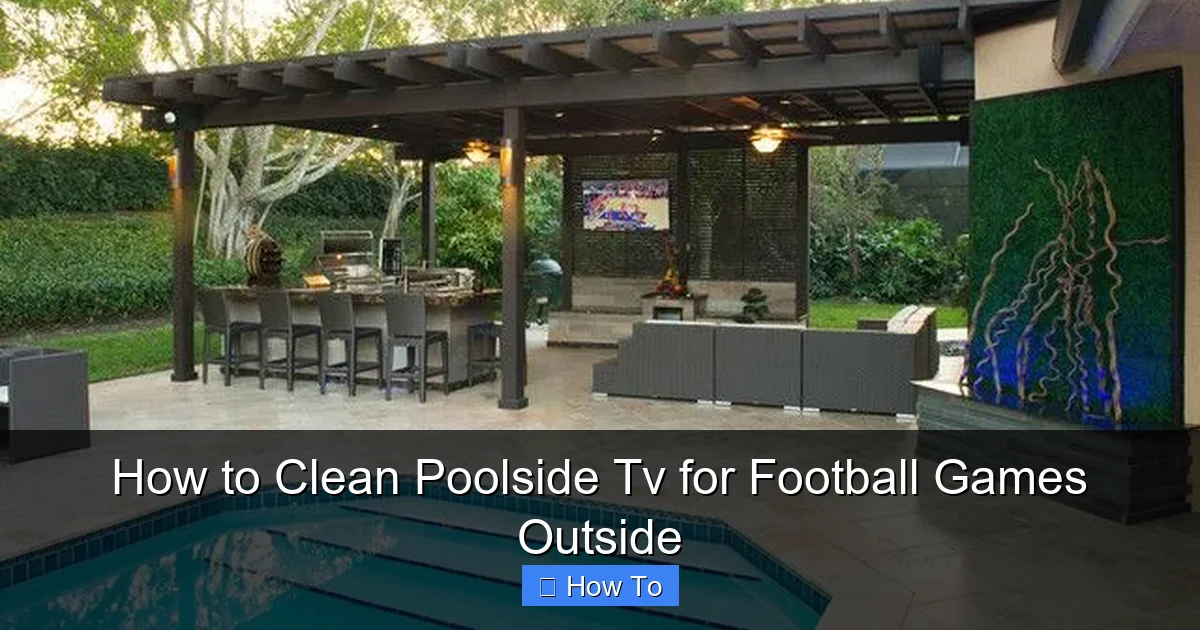
Visual guide about How to Clean Poolside Tv for Football Games Outside
Image source: nimvo.com
Outdoor TVs face unique challenges. Unlike indoor screens, they’re constantly exposed to the elements—sun, humidity, chlorine spray, sunscreen residue, and even salt air if you’re near the coast. Over time, these factors can degrade image quality, damage internal components, and shorten the TV’s lifespan.
Dirt and grime don’t just look bad—they can interfere with your viewing experience. Streaks, smudges, and water spots make it harder to see the action, especially during fast-paced plays. Worse, moisture trapped under the screen or in vents can lead to mold, corrosion, or electrical issues.
Regular cleaning isn’t just about aesthetics. It’s about protecting your TV and ensuring it delivers a crisp, vibrant picture every time you tune in. Think of it like washing your car—you wouldn’t drive around with a muddy windshield, so why settle for a dirty TV screen?
Plus, a clean TV sets the tone for your entire outdoor setup. It shows you care about the experience you’re creating for your guests. And let’s be honest—nothing ruins the vibe faster than a blurry screen during the final play of the fourth quarter.
What You’ll Need to Clean Your Poolside TV
Before you start, gather the right tools. Using the wrong products can do more harm than good, so it’s important to choose wisely. Here’s a simple checklist:
- Microfiber cloths: These are soft, lint-free, and perfect for wiping screens without scratching. Use at least two—one for cleaning and one for drying.
- Distilled water: Tap water contains minerals that can leave spots. Distilled water ensures a streak-free finish.
- Mild cleaning solution: A few drops of dish soap (like Dawn) mixed with distilled water works well. Avoid anything with ammonia, alcohol, or bleach.
- Soft-bristle brush or soft toothbrush: Great for gently removing dust from vents, bezels, and hard-to-reach areas.
- Compressed air (optional): Useful for blowing dust out of crevices without touching the screen.
- Weatherproof cover: Not for cleaning, but essential for protecting your TV when it’s not in use.
Avoid paper towels, rough cloths, or household glass cleaners like Windex. These can scratch the screen or damage special coatings designed to reduce glare and repel water.
If your TV has a built-in protective glass or anti-reflective layer, extra care is needed. Check your owner’s manual for specific recommendations—some manufacturers even provide cleaning kits.
Step-by-Step Guide to Cleaning Your Poolside TV
Now that you’re prepared, let’s get to the fun part: cleaning your TV. Follow these steps carefully to ensure a safe and effective clean.
Step 1: Turn Off and Unplug the TV
Safety first. Before you touch anything, make sure the TV is completely powered off. Don’t just press the remote—go to the power button on the TV itself or unplug it from the outlet.
Outdoor TVs are often connected to weatherproof outlets or surge protectors. If yours is hardwired, turn off the circuit breaker that controls it. This eliminates the risk of electric shock, especially important near water.
Let the TV cool down if it’s been running. Hot screens are more prone to damage from sudden temperature changes, and cleaning a warm surface can cause cleaning solutions to evaporate too quickly, leaving streaks.
Step 2: Dust the Screen and Surrounding Areas
Start with a dry pass. Use a clean, dry microfiber cloth to gently wipe the screen in a circular motion. This removes loose dust, pollen, and light debris without spreading grime.
Don’t press too hard—modern screens are delicate. If you see stubborn spots, don’t scrub. We’ll tackle those in the next step.
Next, use a soft-bristle brush or compressed air to clean the bezel, vents, and ports. Dust buildup here can affect airflow and cause overheating, especially in hot weather. Pay special attention to the area around the speakers and any openings where moisture might enter.
If you’re using compressed air, hold the can upright and spray in short bursts. Keep it at least 6 inches away from the TV to avoid forcing moisture into the device.
Step 3: Prepare Your Cleaning Solution
Mix a gentle cleaning solution. In a small spray bottle, combine:
- 1 cup of distilled water
- 1–2 drops of mild dish soap (unscented and dye-free)
Shake gently to mix—don’t create suds. You want a light, even solution, not a bubbly mess.
Never spray liquid directly onto the screen. Instead, lightly mist the microfiber cloth. The cloth should be damp, not dripping. Excess moisture can seep into the edges of the screen or around the bezel, potentially damaging internal components.
If you prefer a ready-made solution, look for cleaners specifically designed for electronics or outdoor TVs. Brands like Screen Mom or Whoosh! are popular and safe for coated screens.
Step 4: Wipe the Screen Gently
Now it’s time to clean the screen. Using your damp microfiber cloth, wipe the surface in small, circular motions. Start from the top and work your way down, overlapping slightly to avoid streaks.
Focus on areas with fingerprints, smudges, or water spots—common culprits after a pool party. If you encounter a tough spot, apply a little more pressure, but never scrub aggressively.
For stubborn grime (like dried sunscreen or chlorine residue), let the solution sit on the spot for 10–15 seconds before wiping. This gives it time to break down the residue without damaging the screen.
Avoid the edges of the screen where the glass meets the bezel. Liquid can seep into these gaps and cause internal damage. If moisture does get in, stop immediately and let the TV dry completely before turning it back on.
Step 5: Dry the Screen Thoroughly
Once you’ve cleaned the entire screen, use a second dry microfiber cloth to buff it to a shine. Wipe in the same circular motion, applying light pressure to remove any remaining moisture or streaks.
Check the screen from different angles in the light. If you see streaks or haze, go over those spots again with the dry cloth. Sometimes a second pass is all it takes to achieve a flawless finish.
Don’t rush this step. A properly dried screen not only looks better but also reduces the risk of water spots forming as the TV cools.
Step 6: Clean the Bezel and Frame
The screen isn’t the only part that needs attention. The bezel and frame collect dust, sunscreen, and pool chemicals too.
Use the same damp cloth (lightly misted) to wipe down the plastic or metal frame. Pay attention to corners and seams where grime likes to hide.
For textured or grooved areas, wrap the cloth around your finger or use a soft toothbrush to get into tight spaces. Avoid getting water into any openings, including the power button, USB ports, or IR sensor.
If your TV has a metal frame, consider using a small amount of isopropyl alcohol (70% or less) on a cloth to remove sticky residues. But always test on a small area first and avoid the screen.
Step 7: Let the TV Air Dry and Reconnect
After cleaning, give your TV time to air dry completely—at least 15–20 minutes. This ensures no moisture is trapped inside, especially important in humid pool environments.
Once dry, plug the TV back in and turn it on. Check for any signs of damage, such as flickering, discoloration, or unusual sounds. If everything looks and sounds normal, you’re good to go!
If you notice condensation behind the screen or inside the bezel, turn the TV off immediately and let it sit for several hours. Condensation can indicate a seal failure, which may require professional inspection.
Tips for Maintaining Your Poolside TV
Cleaning your TV before every game is great, but regular maintenance keeps it in top shape year-round. Here are some smart habits to adopt:
- Clean weekly: Even if it doesn’t look dirty, a quick wipe-down prevents buildup. Pool mist and humidity can leave invisible residues that harden over time.
- Use a cover: When the TV isn’t in use, especially overnight or during storms, cover it with a weatherproof TV cover. This protects against rain, UV rays, and debris.
- Position wisely: Mount your TV under an overhang or pergola to reduce direct sun and rain exposure. Avoid placing it directly above the pool where splashes are frequent.
- Check seals and mounts: Inspect the mounting bracket and weatherproof seals regularly. Loose parts or cracked seals can let moisture in.
- Monitor humidity: High humidity can cause internal condensation. If you live in a humid climate, consider using a dehumidifier nearby or installing the TV in a sheltered area.
- Schedule professional checks: Once a year, have a technician inspect your outdoor TV for wear, corrosion, or electrical issues.
Troubleshooting Common Cleaning Issues
Even with the best care, problems can arise. Here’s how to handle some common issues:
Streaks or Haze After Cleaning
This usually happens when too much liquid is used or the wrong cleaner is applied. To fix it, wipe the screen with a dry microfiber cloth. If streaks persist, try a 50/50 mix of distilled water and white vinegar (only for non-coated screens). Always test first.
Water Spots or Mineral Deposits
These are caused by hard water or improper drying. Prevent them by using distilled water and drying thoroughly. For existing spots, gently rub with a cloth dampened with distilled water, then dry immediately.
Screen Looks Cloudy or Foggy
This could be condensation inside the screen, which is serious. Turn off the TV and let it dry completely. If the cloudiness doesn’t clear, the seal may be broken—contact the manufacturer or a repair service.
Sticky Residue from Sunscreen or Food
These can be tough. Use a cloth with a tiny bit of isopropyl alcohol (less than 70%) to gently rub the area. Avoid the screen and rinse with a damp cloth afterward.
TV Won’t Turn On After Cleaning
First, check the power source and connections. If everything seems fine, moisture may have entered the unit. Let it dry for 24 hours in a warm, dry place before trying again.
Conclusion
Keeping your poolside TV clean doesn’t have to be a chore. With the right tools and techniques, it’s a quick, easy task that pays off big time—especially when the game is on and everyone’s watching.
By following this guide, you’ll protect your investment, enhance your viewing experience, and ensure your outdoor entertainment space stays inviting and functional. Whether it’s a regular season matchup or the Super Bowl, you’ll be ready to host with confidence.
So next time you’re prepping for football season, add “clean the TV” to your checklist. Your screen—and your guests—will thank you.

