
Keeping your outdoor TV clean ensures clear picture quality and extends its lifespan. This guide walks you through safe, effective cleaning methods tailored for outdoor bar environments, protecting your investment from dust, moisture, and grime.
Key Takeaways
- Turn off and unplug the TV before cleaning: Always ensure the TV is powered down and disconnected to prevent electrical hazards and protect internal components.
- Use only recommended cleaning tools: Microfiber cloths, distilled water, and mild cleaners are safe; avoid paper towels, ammonia, or abrasive sprays.
- Clean the screen gently with a soft touch: Wipe in straight lines or circular motions with light pressure to avoid damaging the anti-glare or weatherproof coating.
- Don’t forget the frame and vents: Dust and debris around the bezel and ventilation areas can affect performance and airflow—clean them regularly.
- Check weatherproofing after cleaning: Inspect seals and enclosures to ensure they remain intact and effective against moisture and insects.
- Schedule regular maintenance: Clean your outdoor TV every 2–4 weeks depending on your climate and usage to maintain optimal performance.
- Use a protective cover when not in use: A breathable, weather-resistant cover helps reduce buildup and shields the TV from UV rays and rain.
How to Clean Outside TV for Outdoor Bar
If you’ve invested in an outdoor TV for your bar or patio setup, you know how much it enhances the guest experience. Whether it’s game day, live music nights, or just background entertainment, a crisp, clear screen keeps the vibe going. But unlike indoor TVs, outdoor models face constant exposure to dust, pollen, rain, humidity, and even food or drink splatters—especially in a bustling outdoor bar environment.
Keeping your outdoor TV clean isn’t just about aesthetics. Dirt, grime, and moisture buildup can degrade picture quality, damage sensitive components, and shorten the lifespan of your TV. Worse, using the wrong cleaning tools or techniques can scratch the screen, ruin anti-reflective coatings, or even void your warranty.
The good news? Cleaning your outdoor TV is simple—when you know the right steps. This guide will walk you through a safe, effective cleaning routine designed specifically for outdoor TVs in high-traffic areas like bars. You’ll learn what tools to use, how to clean different parts of the TV, and how to maintain it over time. By the end, you’ll have a sparkling screen and peace of mind knowing your investment is protected.
Let’s get started.
Why Cleaning Your Outdoor TV Matters
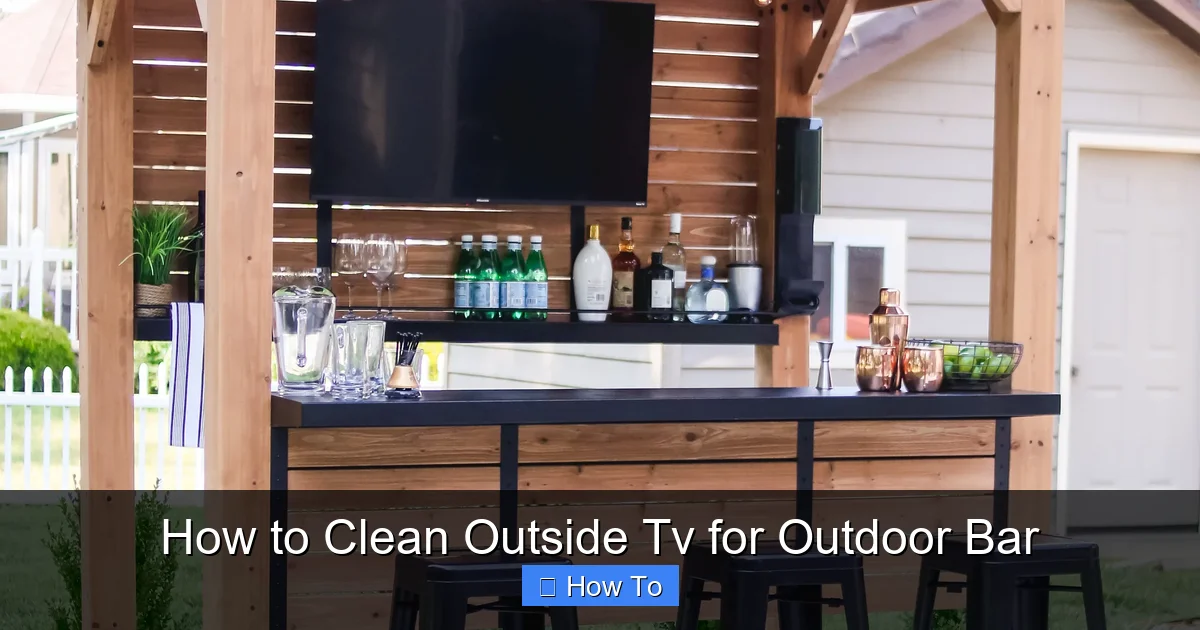
Visual guide about How to Clean Outside Tv for Outdoor Bar
Image source: backyarddiscovery.com
Outdoor TVs are built to withstand the elements, but that doesn’t mean they’re maintenance-free. In fact, the very features that make them durable—weatherproof casings, anti-glare screens, and sealed components—require regular care to function properly.
Dust and pollen settle on the screen daily, especially in spring and summer. Over time, this buildup can blur the image and make colors look dull. In a bar setting, grease from food, fingerprints from guests, and even smoke residue can accumulate faster than you’d think. If left unchecked, these contaminants can seep into vents or around seals, potentially causing overheating or electrical issues.
Moisture is another major concern. While outdoor TVs are designed to resist rain and humidity, repeated exposure—especially in coastal or high-humidity areas—can degrade seals and gaskets. Cleaning helps you spot early signs of wear, like cracks or discoloration, before they become serious problems.
Finally, a clean TV looks professional. In a commercial setting like an outdoor bar, your TV is part of the ambiance. A smudged or streaky screen can make your space look neglected, even if everything else is spotless. Regular cleaning ensures your TV always looks its best, enhancing the guest experience and protecting your brand image.
What You’ll Need to Clean Your Outdoor TV
Before you start, gather the right tools. Using improper cleaning supplies is one of the most common mistakes people make—and it can lead to costly damage.
Here’s a checklist of safe, effective cleaning materials:
- Microfiber cloths: These are soft, lint-free, and designed to trap dust without scratching. Use one for dry dusting and another for wet cleaning. Avoid cotton towels or paper products—they can leave fibers or scratch the screen.
- Distilled water: Tap water contains minerals that can leave streaks or spots. Distilled water ensures a clean, residue-free finish.
- Mild cleaning solution (optional): If needed, mix a few drops of mild dish soap (like Dawn) with distilled water. Never use ammonia-based cleaners (like Windex), alcohol, or abrasive sprays—they can strip protective coatings.
- Soft-bristle brush or compressed air: For cleaning vents, crevices, and the frame without touching the screen.
- Step ladder or stable platform: Outdoor TVs are often mounted high. Use a safe, stable way to reach them—never stand on chairs or unstable surfaces.
- Protective gloves (optional): If you’re sensitive to cleaning solutions or handling a TV in a busy bar environment.
Avoid these common but harmful items:
– Paper towels or napkins
– Glass cleaners with ammonia or alcohol
– Abrasive sponges or scrub pads
– Household disinfectants or bleach-based sprays
These can scratch the screen, degrade anti-reflective coatings, or damage the weatherproof seal.
Step-by-Step Guide to Cleaning Your Outdoor TV
Now that you’re prepared, let’s walk through the cleaning process step by step. Follow these instructions carefully to protect your TV and get the best results.
Step 1: Turn Off and Unplug the TV
Safety first. Before touching anything, make sure the TV is completely powered off. Don’t just put it to sleep—turn it off at the remote or power button, then unplug it from the outlet.
Why? Even when off, some TVs retain a small electrical charge. Unplugging eliminates any risk of shock, especially in humid or wet conditions. It also prevents accidental button presses while cleaning.
If your TV is hardwired or connected to a power management system, turn off the circuit breaker that controls it. This ensures no power is flowing during cleaning.
Step 2: Let the TV Cool Down
If the TV has been on for a while, give it 10–15 minutes to cool down. Cleaning a hot screen can cause cleaning solutions to dry too quickly, leaving streaks or residue. It also reduces the risk of thermal shock if you use a cold cloth.
This is especially important in summer or if the TV has been running during a busy bar shift.
Step 3: Dust the Screen and Frame
Start with a dry pass to remove loose dust, pollen, and debris.
Take a clean, dry microfiber cloth and gently wipe the screen in straight lines—either top to bottom or side to side. Avoid circular motions at this stage, as they can push dust into the edges.
Don’t press hard. Let the cloth do the work. If you encounter stubborn spots, don’t scrub—move to the wet cleaning step.
Next, use a soft-bristle brush or compressed air to clean around the frame, vents, and any gaps. Dust buildup in vents can restrict airflow and cause overheating. Blow air gently into the vents to dislodge debris, but don’t force it—some outdoor TVs have sealed designs that don’t allow internal access.
Step 4: Prepare Your Cleaning Solution
If the screen is still dirty after dry dusting, it’s time for a light wet clean.
Mix a cleaning solution:
– Fill a spray bottle with distilled water.
– Add 1–2 drops of mild dish soap (unscented and dye-free).
– Shake gently to mix.
Never spray the solution directly onto the TV. Instead, lightly mist it onto your microfiber cloth. The cloth should be damp, not soaking wet. Excess moisture can seep into seams and damage internal components.
Step 5: Wipe the Screen Gently
With your damp cloth, wipe the screen using light, even pressure. Use straight lines—either vertical or horizontal—to avoid streaks. Start from the top and work your way down.
For stubborn spots like fingerprints or dried-on grime, hold the damp cloth over the spot for 10–15 seconds to loosen it, then wipe gently. Never scrub or use excessive force.
After wiping, use a second dry microfiber cloth to buff the screen. This removes any remaining moisture and prevents streaks.
Step 6: Clean the Frame and Vents
The bezel, frame, and ventilation areas also collect dirt and grease—especially in a bar setting.
Use a slightly damp microfiber cloth to wipe down the plastic or metal frame. Pay attention to corners and edges where dust accumulates.
For vents, use a soft brush or compressed air to remove debris. If vents are clogged, it can lead to overheating, which reduces performance and lifespan.
Avoid spraying liquid near vents. If needed, lightly dampen a cloth and carefully wipe around the vent openings—don’t push moisture inside.
Step 7: Inspect Weatherproofing and Seals
Outdoor TVs rely on rubber gaskets, silicone seals, and weatherproof enclosures to stay protected.
After cleaning, inspect the edges of the screen, the back panel, and any cable entry points. Look for:
– Cracks or tears in seals
– Loose or peeling gaskets
– Discoloration or swelling (signs of moisture damage)
If you notice any damage, contact the manufacturer or a certified technician. Damaged seals can allow moisture or insects to enter, leading to corrosion or electrical failure.
Step 8: Reconnect and Test
Once the TV is completely dry—wait at least 15–20 minutes after cleaning—plug it back in and turn it on.
Check the picture quality. It should be clear and bright, with no streaks or smudges.
Listen for unusual sounds or overheating. If the TV feels hot or runs louder than usual, it may have a ventilation issue—clean the vents again or consult a professional.
Special Considerations for Outdoor Bars
Cleaning an outdoor TV in a bar environment comes with unique challenges. Here’s how to adapt your routine for high-traffic, food-and-drink-heavy settings.
Deal with Grease and Food Residue
In a bar, splatters from cooking, drinks, or even condiments can land on the screen. These residues are harder to remove and can attract more dirt over time.
For greasy spots:
– Use a slightly stronger cleaning solution: 1 part distilled water, 1 part white vinegar, and a drop of dish soap.
– Apply with a damp cloth, let sit for 10 seconds, then wipe gently.
– Follow with a dry cloth to remove streaks.
Never use vinegar directly—always dilute it. Vinegar is acidic and can damage coatings if used undiluted.
Protect Against Drink Spills
Accidents happen. If a drink spills on the TV:
– Immediately turn off and unplug the TV.
– Wipe the surface with a dry cloth to absorb liquid.
– Use a damp cloth with distilled water to clean the area.
– Let the TV dry completely for at least 24 hours before reconnecting.
If liquid enters the vents or seams, do not turn it on. Contact a technician for inspection.
Minimize Fingerprints and Touch Damage
Guests may touch the screen out of curiosity or to point at something. To reduce fingerprints:
– Mount the TV out of easy reach, if possible.
– Use a screen protector designed for outdoor TVs (check compatibility with your model).
– Place a small sign asking guests not to touch the screen.
Screen protectors add an extra layer of defense against scratches and smudges, and many are removable and replaceable.
How Often Should You Clean Your Outdoor TV?
Frequency depends on your environment and usage.
In a busy outdoor bar, clean the screen every 1–2 weeks. In milder climates or less busy settings, every 3–4 weeks may be enough.
Check the TV weekly for visible dirt, smudges, or moisture buildup. If you notice haze, streaks, or discoloration, it’s time to clean.
Seasonal changes also matter:
– Spring and summer: Pollen and humidity increase—clean more often.
– Fall: Leaves and debris can stick to the screen.
– Winter: Salt, snow, and ice may require special care (see below).
Seasonal Cleaning Tips
Spring and Summer
– High pollen counts mean more frequent dusting.
– Humidity can cause condensation—wipe the screen dry after rain.
– Check seals regularly for swelling or softening.
Fall
– Leaves and sap can stick to the screen. Remove gently with a dry cloth first.
– Clean vents to prevent clogging from falling debris.
Winter
– Avoid using cold water on a frozen or very cold TV—thermal shock can crack the screen.
– If snow accumulates, brush it off with a soft broom or cloth.
– Salt from roads or walkways can corrode metal parts—wipe down the frame regularly.
Troubleshooting Common Cleaning Issues
Even with the best care, problems can arise. Here’s how to handle common issues.
Streaks or Haze After Cleaning
Cause: Residue from tap water, too much cleaner, or using the wrong cloth.
Solution: Wipe the screen with a cloth dampened with distilled water only. Buff dry with a clean microfiber cloth.
Screen Looks Cloudy or Dull
Cause: Buildup of grease, soap, or hard water.
Solution: Use a vinegar-water solution (1:1) with a drop of soap. Wipe gently, then rinse with distilled water and dry thoroughly.
Moisture Inside the Screen
Cause: Damaged seals or improper cleaning.
Solution: Do not turn on the TV. Contact the manufacturer or a technician immediately. Moisture inside can cause permanent damage.
Scratches on the Screen
Cause: Using abrasive materials or pressing too hard.
Solution: Minor scratches may be buffed out with a screen-safe polish, but deep scratches are permanent. Prevent future damage by using only microfiber cloths and gentle pressure.
Maintaining Your Outdoor TV Long-Term
Cleaning is just one part of care. To keep your outdoor TV in top shape:
- Use a protective cover: When the bar is closed or during off-seasons, cover the TV with a breathable, weather-resistant cover. Avoid plastic covers—they trap moisture.
- Install in a sheltered area: If possible, mount the TV under an awning, pergola, or roof overhang to reduce direct exposure to rain and sun.
- Check cables and connections: Inspect power cords, HDMI cables, and antenna connections for wear or corrosion. Replace damaged cables promptly.
- Schedule professional inspections: Once a year, have a technician check the internal components, seals, and ventilation system.
- Keep firmware updated: Manufacturers often release updates that improve performance and fix bugs. Check the support page for your model.
Conclusion
Cleaning your outdoor TV for your bar doesn’t have to be complicated—or risky. With the right tools, techniques, and routine, you can keep your screen crystal clear and your TV running smoothly for years.
Remember: always power off and unplug the TV, use only safe cleaning materials, and clean gently. Pay attention to the frame, vents, and seals, and adjust your schedule based on your environment. In a busy outdoor bar, a little extra care goes a long way in protecting your investment and enhancing the guest experience.
By following this guide, you’ll not only maintain picture quality but also extend the life of your outdoor TV. So grab your microfiber cloth, mix up a gentle solution, and give your screen the care it deserves. Your customers—and your TV—will thank you.

