
Keeping your outside TV clean ensures a crisp, clear view during every football game. This guide walks you through safe, effective cleaning methods to protect your screen from dirt, dust, and weather damage.
Key Takeaways
- Turn off and unplug the TV: Always power down and disconnect your outdoor TV before cleaning to prevent electrical hazards and protect internal components.
- Use the right tools: Microfiber cloths, distilled water, and mild cleaners are essential—avoid paper towels, ammonia, or abrasive sprays that can scratch or damage the screen.
- Clean gently and in sections: Wipe the screen and frame in small, circular motions to lift dirt without spreading it or causing streaks.
- Protect against weather: After cleaning, consider using a weatherproof cover or shelter to shield your TV from rain, UV rays, and pollen between games.
- Schedule regular maintenance: Clean your outdoor TV every 2–4 weeks during football season to maintain picture quality and extend its lifespan.
- Check manufacturer guidelines: Always refer to your TV’s user manual for specific cleaning recommendations, especially for anti-glare or weather-resistant coatings.
- Inspect for damage: Use cleaning time to look for cracks, loose mounts, or water intrusion—early detection prevents costly repairs.
How to Clean Outside TV for Football Games Outside
There’s nothing quite like gathering friends and family around your outdoor TV to cheer on your favorite football team under the open sky. Whether you’re hosting a tailgate in the backyard or enjoying a game night on the patio, a clean, clear screen makes all the difference. But outdoor TVs face unique challenges—dust, pollen, rain, bird droppings, and even smudges from excited fans can quickly dull your viewing experience.
Cleaning your outside TV might seem simple, but doing it wrong can lead to scratches, streaks, or even permanent damage. That’s why it’s important to follow the right steps and use the correct tools. In this comprehensive guide, we’ll walk you through everything you need to know to safely and effectively clean your outdoor TV so it’s always ready for kickoff.
By the end of this guide, you’ll know exactly how to clean your outside TV for football games, protect it from the elements, and keep it looking sharp all season long. We’ll cover the best cleaning supplies, step-by-step instructions, maintenance tips, and troubleshooting advice—all tailored specifically for outdoor viewing setups.
Let’s get started and make sure your screen is as ready as your team.
Why Cleaning Your Outdoor TV Matters
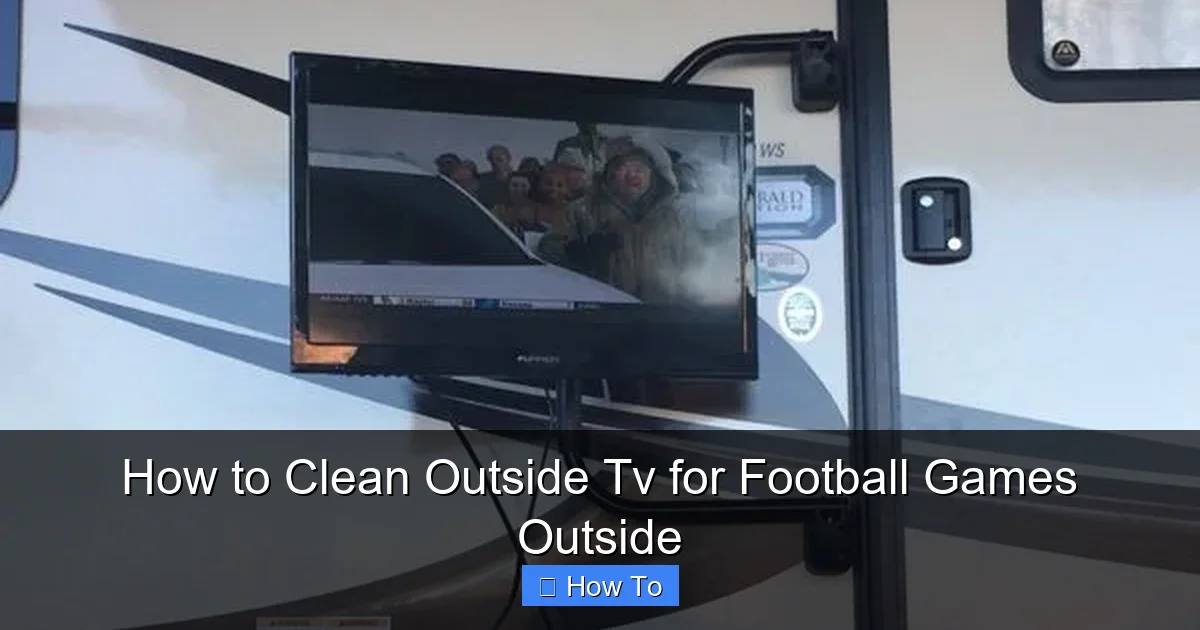
Visual guide about How to Clean Outside Tv for Football Games Outside
Image source: thecampingadvisor.com
Outdoor TVs are built to withstand the elements, but that doesn’t mean they’re immune to dirt and grime. Unlike indoor TVs, outdoor models are constantly exposed to environmental factors that can degrade picture quality over time.
Dust and pollen settle on the screen, especially during spring and fall football seasons. Rain can leave mineral deposits when it evaporates, creating cloudy spots. Bird droppings, tree sap, and even fingerprints from viewers can smear across the display. Over time, these contaminants not only make the screen look dirty but can also interfere with brightness, contrast, and clarity—making it harder to see crucial plays, player numbers, or the scoreboard.
Regular cleaning helps maintain optimal performance and extends the life of your TV. It also ensures that your outdoor viewing experience remains enjoyable and immersive. A clean screen means better visibility during day games in bright sunlight and sharper images during evening matchups under string lights.
Moreover, outdoor TVs often come with special coatings—like anti-glare, UV protection, or water-resistant layers—that can be damaged by harsh chemicals or improper cleaning methods. Using the wrong tools or cleaners can strip these protective layers, leaving your TV vulnerable to sun damage, fogging, or corrosion.
In short, cleaning your outside TV isn’t just about aesthetics—it’s about protecting your investment and enhancing your football-watching experience.
When to Clean Your Outdoor TV
Knowing when to clean your outdoor TV is just as important as knowing how. You don’t need to clean it after every game, but regular maintenance is key.
A good rule of thumb is to clean your outdoor TV every 2 to 4 weeks during football season, especially if you live in an area with high pollen counts, frequent rain, or strong winds. If you notice visible smudges, streaks, or a hazy film on the screen, it’s time for a cleaning—don’t wait for your scheduled maintenance.
Also, clean your TV before the start of the season to remove any buildup from the off-season. If you’ve recently experienced a storm, heavy rain, or high winds, inspect the screen for debris or water spots and clean as needed.
After hosting a big game day party, take a moment to wipe down the screen. Guests may touch the TV, leave fingerprints, or accidentally splash food or drinks near it. A quick clean ensures the screen stays clear for the next matchup.
Finally, if you’re planning to store your outdoor TV during the off-season (depending on your climate), give it a thorough cleaning before covering or moving it. This prevents dirt from hardening and protects the screen during storage.
What You’ll Need to Clean Your Outdoor TV
Before you start cleaning, gather the right tools and supplies. Using the wrong materials can do more harm than good, so it’s important to choose wisely.
Here’s a list of recommended cleaning supplies:
- Microfiber cloths: These are soft, lint-free, and ideal for cleaning screens without scratching. Use one for the screen and another for the frame or housing.
- Distilled water: Tap water contains minerals that can leave spots or streaks. Distilled water ensures a clean, residue-free finish.
- Mild cleaning solution: If needed, mix a few drops of mild dish soap (like Dawn) with distilled water. Avoid ammonia-based cleaners (like Windex) or alcohol-based sprays, which can damage screen coatings.
- Soft-bristle brush or soft toothbrush: Useful for gently removing dust from vents, crevices, or the TV frame.
- Compressed air (optional): Helps blow dust out of hard-to-reach areas like speaker grilles or mounting brackets.
- Spray bottle: For applying your cleaning solution evenly without over-saturating the screen.
- Ladder or step stool (if needed): Ensure safe access to your TV, especially if it’s mounted high on a wall or under a pergola.
Avoid using paper towels, tissues, or rough cloths—they can scratch the screen. Also, never spray liquid directly onto the TV. Always apply cleaner to the cloth first, then wipe the screen.
Step-by-Step Guide to Cleaning Your Outdoor TV
Now that you have your supplies ready, let’s walk through the cleaning process step by step. Follow these instructions carefully to ensure a safe and effective clean.
Step 1: Turn Off and Unplug the TV
Before you begin, make sure your outdoor TV is completely powered off and unplugged from the electrical outlet. This is crucial for safety—especially if you’re cleaning near water or in damp conditions.
Even if your TV is designed for outdoor use, water and electricity don’t mix. Turning it off also prevents accidental button presses and allows the screen to cool down, which makes cleaning easier and safer.
If your TV is hardwired or connected to a weatherproof outlet, turn off the circuit breaker that powers it. This adds an extra layer of protection.
Step 2: Remove Loose Dust and Debris
Start by gently removing any loose dirt, leaves, or cobwebs from the screen and surrounding areas. Use a dry microfiber cloth or a soft-bristle brush to lightly wipe the surface.
For dust in vents, speaker grilles, or around the mounting bracket, use compressed air to blow it out. Hold the can upright and spray in short bursts to avoid moisture buildup.
Don’t press too hard—your goal is to lift dust, not grind it into the screen.
Step 3: Prepare Your Cleaning Solution
If the screen is only lightly soiled, you may only need distilled water. Pour a small amount into a spray bottle.
For tougher grime, mix a few drops of mild dish soap with distilled water. A common ratio is 1 teaspoon of soap per 16 ounces of water. Shake gently to mix—don’t create suds.
Never use glass cleaners, vinegar, or ammonia-based products. These can damage anti-reflective or weatherproof coatings on outdoor TVs.
Step 4: Dampen the Microfiber Cloth
Spray a small amount of your cleaning solution onto a clean microfiber cloth. Do not spray directly onto the TV.
The cloth should be slightly damp, not wet. Excess moisture can seep into the edges of the screen or vents, potentially damaging internal components.
If you’re using only distilled water, lightly dampen the cloth the same way.
Step 5: Wipe the Screen Gently
Using the damp microfiber cloth, gently wipe the screen in small, circular motions. Start from the top and work your way down, covering one section at a time.
Avoid pressing hard—let the cloth do the work. Scrubbing can scratch the surface or push dirt into the edges.
For stubborn spots like bird droppings or sap, apply a bit more pressure, but still use a soft touch. If needed, re-dampen the cloth with cleaner.
Never use abrasive sponges, steel wool, or rough materials.
Step 6: Dry the Screen
After wiping, use a second dry microfiber cloth to gently buff the screen. This removes any remaining moisture and prevents streaks.
Continue buffing in circular motions until the screen is completely dry and clear.
If you see streaks, go over the area again with the dry cloth. Sometimes a second pass is all it takes.
Step 7: Clean the Frame and Housing
Don’t forget the TV’s frame, bezel, and housing. These areas collect dust, pollen, and fingerprints too.
Use a separate microfiber cloth (or the dry side of your cloth) to wipe down the plastic or metal surfaces. For textured areas or crevices, use a soft toothbrush or compressed air.
If the frame is very dirty, you can lightly dampen the cloth with your cleaning solution, but avoid getting moisture near ports, buttons, or vents.
Step 8: Inspect for Damage
While cleaning, take a moment to inspect your TV for any signs of wear or damage. Look for:
- Cracks or scratches on the screen
- Loose or rusted mounting hardware
- Water stains or moisture inside the screen (a sign of seal failure)
- Faded or peeling paint on the housing
- Blocked vents or fan intakes
If you notice any issues, address them before your next game. For example, tighten loose screws, clear blocked vents, or contact the manufacturer if you suspect water damage.
Step 9: Reconnect and Test
Once everything is clean and dry, plug your TV back in and turn it on. Let it run for a few minutes to ensure it’s working properly.
Check the picture quality—make sure there are no streaks, smudges, or discoloration. If the image looks good, you’re all set for the next game.
Tips for Maintaining Your Outdoor TV
Cleaning your TV is important, but ongoing maintenance helps keep it in top shape between cleanings.
Here are some practical tips to protect your outside TV:
- Use a weatherproof cover: When not in use, especially during off-seasons or storms, cover your TV with a breathable, waterproof cover. This prevents dust, rain, and UV damage.
- Install in a sheltered area: Mount your TV under a roof, pergola, or awning to reduce exposure to direct sunlight and rain.
- Angle the screen: If possible, tilt the TV slightly downward to allow rain to run off and prevent water pooling.
- Keep it elevated: Avoid placing the TV near the ground where it can collect dirt, grass clippings, or standing water.
- Trim nearby plants: Overhanging branches can drop sap, leaves, or attract birds. Keep vegetation trimmed back.
- Use a screen protector: Some outdoor TVs support anti-glare or protective films. Check with your manufacturer to see if this is an option.
- Schedule seasonal deep cleans: In addition to regular cleanings, do a thorough inspection and clean at the start and end of each football season.
Troubleshooting Common Cleaning Issues
Even with the best care, you might run into problems. Here’s how to handle common issues:
Streaks or Haze on the Screen
This usually happens when too much cleaner is used or the cloth isn’t dried properly. To fix it, buff the area with a dry microfiber cloth. If streaks persist, re-clean with less solution and dry thoroughly.
Water Spots or Mineral Deposits
These are caused by hard water or rain evaporation. Use distilled water only for cleaning. If spots are already there, gently wipe with a cloth dampened with distilled water and dry immediately.
Scratches on the Screen
Minor scratches may be buffed out with a screen-safe polish, but deep scratches are permanent. Prevent them by always using soft cloths and avoiding abrasive materials.
Moisture Inside the Screen
This is a serious issue—it means the weatherproof seal has failed. Turn off the TV immediately and contact the manufacturer. Do not attempt to open or repair it yourself.
TV Won’t Turn On After Cleaning
Check that it’s properly plugged in and the circuit breaker is on. If it still doesn’t work, there may be moisture inside. Let it dry for 24–48 hours in a warm, dry place before trying again.
Conclusion
Cleaning your outside TV for football games doesn’t have to be complicated. With the right tools, techniques, and a little regular care, you can keep your screen crystal clear and your viewing experience top-notch all season long.
Remember to always power off and unplug your TV before cleaning, use only safe, screen-friendly materials, and wipe gently to avoid damage. Regular maintenance—like using a cover, sheltering the TV, and inspecting for wear—will help extend its life and performance.
Whether you’re watching a nail-biting overtime or celebrating a touchdown, a clean screen ensures you won’t miss a single moment. So grab your microfiber cloth, follow this guide, and get ready to enjoy every game in stunning clarity.
Your outdoor TV is more than just a screen—it’s the centerpiece of your game day experience. Treat it well, and it’ll deliver season after season of unforgettable football memories.

