
This guide shows you how to hide cables outside TV for pergola using practical, weather-resistant solutions. You’ll learn step-by-step methods to keep wires organized, protected, and out of sight—no more messy cords ruining your outdoor vibe.
Key Takeaways
- Plan your cable route first: Map the path from your TV to power and signal sources to avoid last-minute changes.
- Use outdoor-rated cables and conduit: Regular indoor cables can degrade quickly; always choose weatherproof options.
- Secure cables with clips or raceways: Prevent sagging and tripping hazards with proper mounting hardware.
- Hide cables along beams or under decking: Blend wires into the pergola structure for a clean, seamless look.
- Test everything before final installation: Ensure all connections work before sealing or covering cables.
- Consider wireless alternatives: For some devices, wireless extenders can reduce cable clutter.
- Maintain access for future repairs: Avoid permanently sealing cables so you can troubleshoot or upgrade later.
How to Hide Cables Outside TV for Pergola
So you’ve set up your outdoor TV on the pergola—congrats! You’ve got the perfect spot for movie nights under the stars, backyard sports viewing, or just relaxing with your favorite show. But now there’s a problem: a tangled mess of cables snaking across your deck, down the posts, and into the wall. Not exactly the sleek, relaxing vibe you were going for.
Don’t worry. Hiding cables outside your TV for a pergola isn’t just possible—it’s totally doable with a little planning and the right tools. In this guide, we’ll walk you through how to hide cables outside TV for pergola in a way that’s safe, durable, and visually clean. Whether you’re a DIY beginner or a seasoned home improver, these steps will help you achieve a professional-looking setup that stands up to the elements.
We’ll cover everything from planning your cable route to choosing the best materials, installing conduit or raceways, and even exploring wireless options to reduce clutter. By the end, your pergola will look tidy, your cables will be protected, and you’ll be ready to enjoy your outdoor entertainment space without the eyesore of exposed wires.
Let’s get started.
Step 1: Plan Your Cable Route
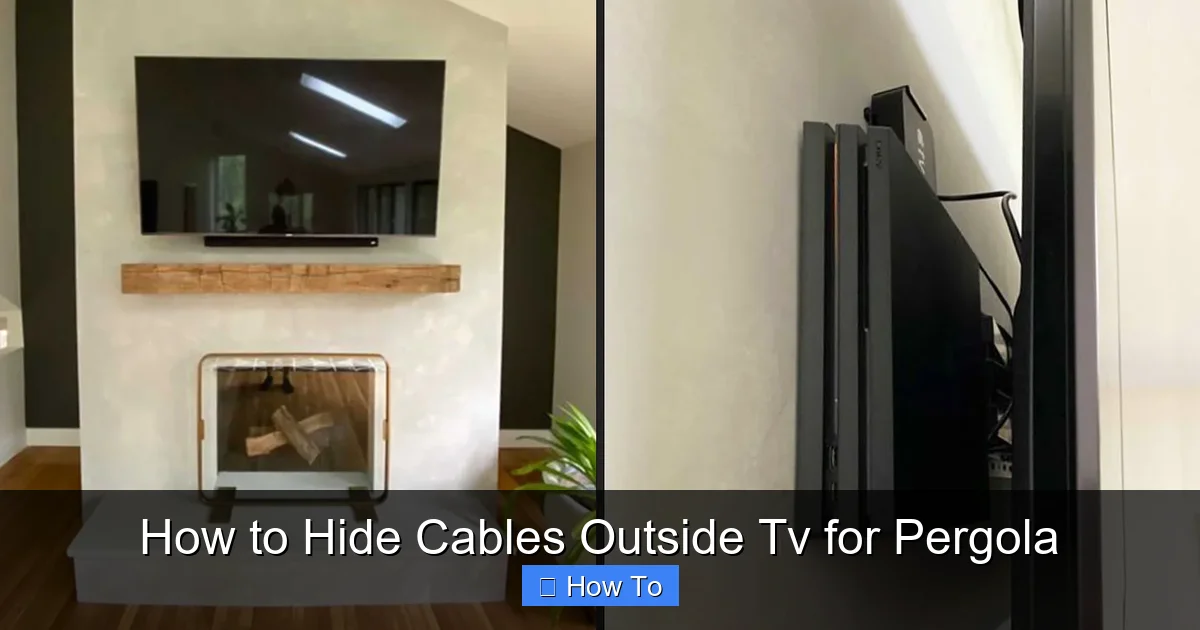
Visual guide about How to Hide Cables Outside Tv for Pergola
Image source: cdn.shopify.com
Before you touch a single cable, take time to plan. A good plan saves time, money, and frustration down the line. Think of this as the blueprint for your cable management system.
Identify Power and Signal Sources
Start by locating where your power comes from. Is there an outdoor outlet near the pergola? If not, you may need to run an extension from an indoor outlet or install a new outdoor-rated GFCI outlet. Always consult a licensed electrician if you’re unsure about electrical work—safety first.
Next, identify where your signal sources are. Is your cable box, streaming device, or soundbar inside the house? You’ll need to run HDMI, coaxial, or Ethernet cables from these devices to the TV. Measure the distance so you know how much cable to buy.
Map the Path Along the Pergola
Walk around your pergola and trace the shortest, most discreet path from the TV to the power and signal sources. Look for natural hiding spots:
– Along the top beam or rafters
– Down the support posts
– Under the decking or flooring
– Behind decorative trim or lattice
Avoid running cables across open areas where they can be tripped over or damaged. If you have to cross a walkway, consider burying the cable in a shallow trench or using a cable ramp.
Account for Weather and Access
Since this is an outdoor setup, think about rain, sun, wind, and temperature changes. Cables should be protected from moisture and UV exposure. Also, leave room for future access—don’t seal everything permanently. You may need to replace a cable or add a new device later.
Pro tip: Use a pencil to mark the planned route on the pergola structure. This visual guide will help during installation.
Step 2: Choose the Right Cables and Materials
Not all cables are created equal—especially when it comes to outdoor use. Using the wrong type can lead to signal loss, corrosion, or even fire hazards.
Use Outdoor-Rated Cables
Standard indoor cables aren’t built to handle moisture, temperature swings, or UV rays. Always choose cables labeled for outdoor or direct burial use. Here’s what to look for:
– **HDMI cables:** Look for “outdoor-rated” or “weatherproof” HDMI cables with UV-resistant jackets. These are thicker and more durable.
– **Power cords:** Use outdoor extension cords or permanent wiring with GFCI protection. Never use indoor extension cords outside.
– **Ethernet cables:** For streaming devices, use Cat6 or Cat6a outdoor Ethernet cables with waterproof shielding.
– **Coaxial cables:** If you’re using cable TV, choose RG6 coaxial cables with UV-resistant jackets.
Select the Right Conduit or Raceways
To protect and hide your cables, you’ll need a housing system. Here are the best options:
– **PVC conduit:** Rigid and durable, great for running cables along posts or under decking. Use Schedule 40 PVC for above-ground runs.
– **Flexible conduit:** Ideal for tight spaces or curves. Look for liquid-tight flexible conduit (LFMC) for moisture resistance.
– **Cable raceways:** These are plastic or metal channels that snap onto walls or beams. They’re easy to install and paintable for a seamless look.
– **Cable clips and ties:** Use stainless steel or UV-resistant plastic clips to secure cables to wood or metal surfaces.
Avoid zip ties in direct sunlight—they become brittle and break over time.
Consider Wireless Alternatives
If running cables seems too complicated, explore wireless options:
– **Wireless HDMI kits:** These transmit video and audio from your source to the TV without cables. Great for short distances (up to 100 feet).
– **Wi-Fi extenders or mesh networks:** Ensure strong internet for streaming devices.
– **Bluetooth audio:** Connect wireless speakers instead of running audio cables.
While wireless reduces clutter, it may not support 4K HDR or low-latency gaming. Test your setup before committing.
Step 3: Install Conduit or Raceways
Now it’s time to install the protective housing for your cables. This step keeps them safe and out of sight.
Mount the Conduit Along the Pergola
Start at the TV and work your way back to the power and signal sources.
1. Measure and cut the conduit to fit your planned route. Use a hacksaw or PVC cutter.
2. Attach the conduit to the pergola using conduit straps or clips. Space them every 12–18 inches for support.
3. For vertical runs down posts, use corner brackets to keep the conduit flush.
4. If running under decking, drill small holes through the joists and feed the conduit through.
Tip: Paint the conduit to match your pergola for a nearly invisible finish.
Use Raceways for a Clean Look
If you prefer a surface-mounted solution, raceways are a great choice.
1. Clean the surface where the raceway will go.
2. Peel off the adhesive backing and press the raceway into place. For longer runs, use screws for extra security.
3. Open the raceway, lay the cables inside, and snap the cover shut.
4. Use corner pieces and end caps for a professional finish.
Raceways come in white, black, and wood tones. Choose one that blends with your pergola.
Seal Entry and Exit Points
Where cables enter or exit the conduit, use silicone sealant or rubber grommets to prevent water intrusion. This is especially important where cables pass through walls or under decking.
Never leave gaps open—rain and pests can get in.
Step 4: Run and Secure the Cables
With the conduit or raceway in place, it’s time to thread the cables.
Feed Cables Through the Conduit
Use a fish tape or flexible rod to pull cables through long or curved conduit runs. Apply a small amount of cable lubricant to reduce friction.
Work slowly to avoid kinking or damaging the cables. If you hit a snag, gently wiggle the fish tape to dislodge it.
Connect and Test Before Finalizing
Once all cables are in place, connect them to the TV, power source, and signal devices. Turn everything on and test:
– Does the TV display properly?
– Is the audio working?
– Are streaming apps loading quickly?
If something isn’t working, double-check connections and cable integrity. It’s much easier to fix issues now than after everything is sealed.
Secure Loose Cables
Use cable clips or adhesive mounts to secure any loose wires along the pergola. Avoid over-tightening, which can damage insulation.
For cables running under decking, use cable ties with screw mounts to attach them to the underside of the boards.
Step 5: Hide and Blend Cables into the Structure
The goal is to make cables disappear—not just contain them.
Run Cables Along Beams and Rafters
Use the natural lines of your pergola to your advantage. Run cables along the top beam or between rafters where they’re less noticeable. Paint the cables and conduit to match the wood or metal.
Use Decorative Covers or Lattice
If your pergola has lattice panels or decorative trim, route cables behind them. You can also install a false beam or PVC channel to hide wires along the ceiling.
For a rustic look, wrap cables in jute rope or use wooden cable covers that mimic the pergola’s style.
Bury Cables Under Decking (Optional)
If you’re comfortable with more advanced DIY, you can bury cables under the decking.
1. Remove a few deck boards.
2. Dig a shallow trench (at least 6 inches deep) between the joists.
3. Lay the conduit in the trench and cover with soil or gravel.
4. Replace the deck boards.
This method hides cables completely but requires more effort and planning.
Step 6: Protect Against Weather and Wear
Outdoor cables face harsh conditions. A little extra protection goes a long way.
Use Weatherproof Boxes for Connections
If you have any outdoor outlets or connection points, install weatherproof electrical boxes with flip-up covers. These keep moisture out and are required by code in many areas.
Apply UV-Resistant Sealant
Go over all joints, entry points, and exposed conduit with UV-resistant silicone sealant. This prevents cracking and water damage over time.
Inspect Regularly
Check your cables and conduit every few months. Look for:
– Cracks or fading in conduit
– Loose clips or raceways
– Signs of pests or moisture
Early detection prevents bigger problems.
Troubleshooting Common Issues
Even with the best planning, things can go wrong. Here’s how to fix common problems.
Cables Are Too Short
If your cables don’t reach, don’t stretch them. Use outdoor-rated extension cables or couplers. For HDMI, use an active extension cable to boost the signal.
Signal Loss or Interference
Long cable runs can weaken signals. Use signal boosters for HDMI or Ethernet. Keep power cables away from data cables to reduce interference.
Conduit Won’t Fit Around Corners
Use flexible conduit or 90-degree elbow fittings. Avoid sharp bends that can damage cables.
Water Gets Into the Conduit
Check all seals and gaskets. Add drip loops where cables enter the conduit to prevent water from running in.
Animals Chew Through Cables
Use metal conduit or armored cable in areas with rodents. Install pest deterrents like peppermint oil or ultrasonic repellents.
Final Tips for a Clean, Professional Look
– Label your cables at both ends so you know what’s what.
– Use cable sleeves to bundle multiple wires together.
– Keep a spare cable or two in a weatherproof box for emergencies.
– Consider hiring a professional for electrical work or complex runs.
Conclusion
Hiding cables outside your TV for a pergola doesn’t have to be a headache. With the right planning, materials, and techniques, you can create a clean, safe, and stylish outdoor entertainment space. From choosing outdoor-rated cables to installing conduit or raceways, each step brings you closer to a clutter-free setup.
Remember: how to hide cables outside TV for pergola is all about blending function with form. Protect your wires from the elements, keep them out of sight, and test everything before you call it done. Whether you go the DIY route or bring in a pro, the result will be worth it—enjoy your movies, games, and shows in a space that’s as beautiful as it is functional.
Now go enjoy that backyard oasis—cable-free and stress-free.

