Want a clean, cable-free look for your gazebo TV setup? This guide walks you through practical, step-by-step methods to hide and protect cables on your deck and under your gazebo. Enjoy a sleek, safe outdoor entertainment space without messy wires.
Key Takeaways
- Plan your cable route first: Map out the shortest, safest path from your TV to power and other devices to minimize cable length and exposure.
- Use outdoor-rated cable management products: Choose weatherproof raceways, conduits, and clips designed for exterior use to protect cables from moisture and UV damage.
- Secure cables along structural elements: Run wires along beams, posts, or under deck boards to keep them out of sight and reduce tripping hazards.
- Label and organize cables: Use labels and cable ties to keep everything tidy and make future troubleshooting or upgrades easier.
- Ensure proper grounding and safety: Always use GFCI outlets and follow electrical codes to prevent shocks, especially in damp outdoor areas.
- Test everything before finalizing: Power on your TV and devices to confirm all connections work before securing cables permanently.
- Maintain accessibility: Design your setup so you can easily access cables for repairs or additions without dismantling the whole system.
How to Hide Cables for Deck TV in a Gazebo
Setting up a TV on your deck under a gazebo is a fantastic way to enjoy movies, sports, or binge-watch your favorite shows outdoors. But let’s be honest—nothing ruins the vibe faster than a tangled mess of cables snaking across your deck, dangling from the ceiling, or getting tangled in furniture. Not only does it look messy, but exposed wires can also be a tripping hazard or get damaged by weather, pets, or foot traffic.
The good news? You can achieve a clean, professional-looking setup with the right tools and a bit of planning. In this guide, we’ll walk you through how to hide cables for your deck TV in a gazebo—step by step. Whether you’re mounting your TV on a post, hanging it from the gazebo roof, or placing it on a stand, we’ve got cable management solutions that are safe, durable, and easy to install.
By the end of this guide, you’ll know how to:
- Plan the best cable route for your setup
- Choose the right outdoor cable management products
- Install raceways, conduits, and clips securely
- Protect cables from weather and wear
- Keep everything organized and accessible
Let’s get started and turn your gazebo into a sleek, cable-free entertainment zone!
Step 1: Plan Your Cable Route
Before you touch a single cable, take time to plan. A well-thought-out route saves time, reduces clutter, and prevents future headaches. Think of this as the blueprint for your entire setup.
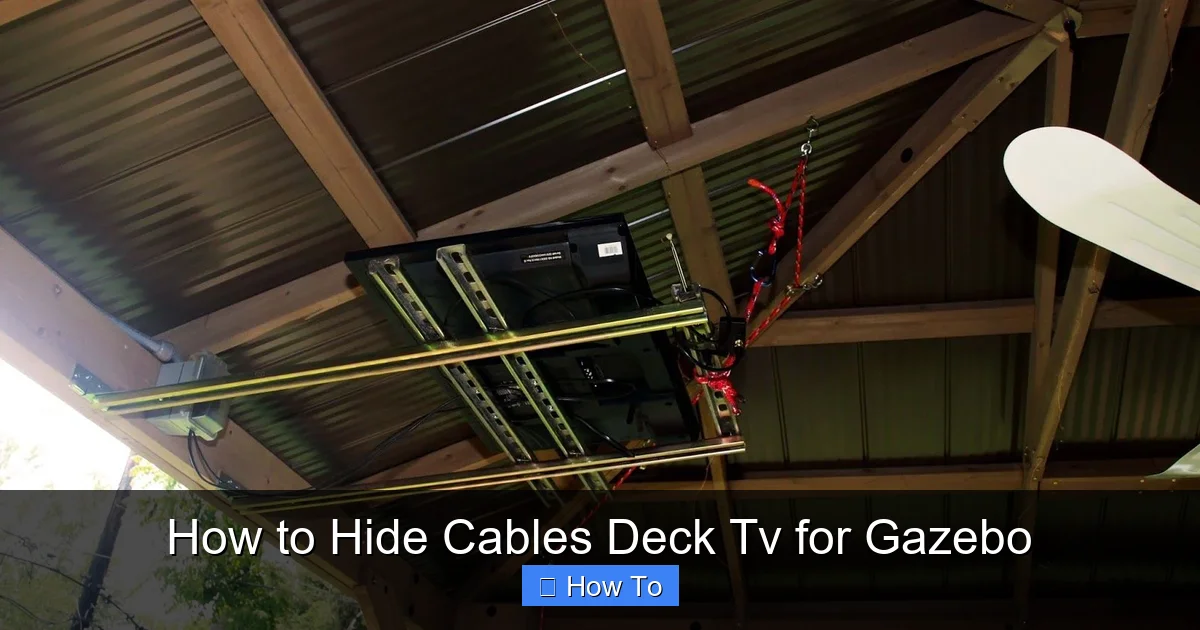
Visual guide about How to Hide Cables Deck Tv for Gazebo
Image source: i.pinimg.com
Assess Your Gazebo and Deck Layout
Walk around your gazebo and deck. Note where your TV will go, where the power source is, and where your streaming device, soundbar, or gaming console will sit. Look for natural pathways—like along beams, under deck boards, or along the edge of the structure—where cables can run discreetly.
Measure the Distance
Use a measuring tape to determine how long your cables need to be. Add a little extra (about 6–12 inches) to allow for slack and easier routing. This prevents tension on connectors, which can damage ports over time.
Identify Power Sources
Find the nearest outdoor GFCI (Ground Fault Circuit Interrupter) outlet. This is crucial for safety, especially in damp areas like decks. If you don’t have one nearby, consider hiring a licensed electrician to install one. Never use indoor extension cords outdoors—they’re not rated for moisture or UV exposure.
Map the Path
Sketch a simple diagram or take photos with notes. Mark where cables will enter the gazebo, run along beams, and connect to devices. Avoid sharp corners or high-traffic areas where cables could get pinched or stepped on.
Pro Tip: If your TV is mounted high, plan for a vertical drop from the mount to the devices below. Use a cable management sleeve or raceway to keep this section tidy.
Step 2: Gather the Right Tools and Materials
Using the right products makes all the difference. Indoor cable organizers won’t hold up outside. You need weatherproof, UV-resistant, and durable solutions.
Essential Cable Management Supplies
- Outdoor cable raceways: These are plastic or metal channels that snap or screw into place. They hide multiple cables and protect them from the elements. Look for ones labeled “weatherproof” or “UV-resistant.”
- Flexible conduit: Great for running cables under deck boards or along uneven surfaces. Choose PVC or liquid-tight conduit for moisture protection.
- Cable clips and ties: Use stainless steel or UV-resistant plastic clips to secure wires to beams or posts. Avoid rubber-coated clips—they degrade in sunlight.
- Cable sleeves: Braided sleeves bundle multiple wires together and add a clean look. Choose ones with high abrasion resistance.
- Weatherproof outlet covers: If you’re adding an outlet, use a cover that closes when not in use to keep rain out.
- Label maker or tags: Label each cable at both ends (e.g., “HDMI 1,” “Power,” “Ethernet”) to make troubleshooting easier.
- Drill and screws: For mounting raceways or conduits. Use corrosion-resistant screws for outdoor use.
- Cable tester: Optional but helpful to verify connections before finalizing.
Optional but Helpful Tools
- Fish tape (for pulling cables through tight spaces)
- Cable management box (to hide power strips and adapters)
- Wireless alternatives (like a wireless HDMI transmitter) to reduce cable count
Where to Buy: Check home improvement stores like Home Depot, Lowe’s, or online retailers like Amazon. Look for products with good reviews and outdoor ratings.
Step 3: Choose the Best Cable Hiding Method
There’s no one-size-fits-all solution. The best method depends on your gazebo style, deck material, and TV placement. Here are the most effective options.
Option 1: Use Outdoor Cable Raceways
Raceways are the most popular choice for hiding TV cables. They’re easy to install and look clean.
How to Install:
- Clean the surface where the raceway will go (beam, post, or wall).
- Measure and cut the raceway to length using a hacksaw or utility knife.
- Snap the cables into the raceway’s channel.
- Secure the raceway with screws or outdoor adhesive (follow manufacturer instructions).
- Snap the cover on to hide the cables.
Best For: Running cables along gazebo beams, posts, or under the deck edge. Ideal for straight, visible paths.
Option 2: Run Cables Through Conduit
Conduit offers maximum protection, especially if cables run under the deck or through soil.
How to Install:
- Plan the conduit path—under deck boards, along joists, or buried slightly in mulch (if allowed by local codes).
- Use a drill and hole saw to create entry and exit points.
- Feed the cables through using a fish tape or by attaching a string to pull them.
- Seal entry points with outdoor caulk to prevent water intrusion.
- Secure the conduit with straps every 18–24 inches.
Best For: Long runs, high-moisture areas, or when you want maximum durability.
Option 3: Hide Cables Under Deck Boards
If your deck has removable boards or gaps, you can route cables underneath.
How to Install:
- Remove a few deck boards near the gazebo.
- Run cables along the joists, securing them with clips.
- Use conduit or split loom tubing for extra protection.
- Replace the boards, ensuring cables aren’t pinched.
Best For: Decks with accessible understructures. Avoid if your deck is sealed or has a solid underlayment.
Option 4: Use Cable Sleeves and Clips
For a minimalist look, bundle cables together and clip them to beams or posts.
How to Install:
- Group cables into a sleeve or use zip ties to bundle them.
- Attach clips every 12–18 inches along the route.
- Choose clips that match your gazebo’s color for a seamless look.
Best For: Short runs or when you want a quick, low-cost solution.
Option 5: Go Wireless (Where Possible)
Reduce cable clutter by eliminating what you can.
Wireless Options:
- Wireless HDMI transmitter: Sends video and audio from your source (like a streaming box) to your TV without cables. Great for short distances (up to 30 feet).
- Bluetooth soundbar: Connects to your TV wirelessly, eliminating the need for audio cables.
- Wi-Fi streaming devices: Use devices like Roku, Apple TV, or Fire Stick that connect via Wi-Fi, reducing the need for Ethernet cables.
Note: Power cables can’t be eliminated, but going wireless for audio and video can cut your cable count in half.
Step 4: Install and Secure the Cables
Now it’s time to put your plan into action. Take your time—rushing can lead to mistakes or unsafe installations.
Start at the TV
Begin by connecting all devices to the TV. Route the cables from the back of the TV toward your planned path. Use a cable sleeve to bundle them neatly.
Secure Along the Route
As you run cables, attach them to beams, posts, or under deck boards using clips or raceways. Don’t pull cables too tight—leave a little slack to prevent strain.
Protect Connection Points
Where cables enter the raceway or conduit, use grommets or sealant to prevent chafing. If cables pass through wood, drill holes slightly larger than the cable diameter to avoid pinching.
Ground and Bond Metal Parts
If using metal raceways or conduits, ensure they’re properly grounded to prevent electrical hazards. Consult an electrician if you’re unsure.
Test Before Finalizing
Plug everything in and turn on the TV. Check that all devices work—video, audio, internet, etc. If something isn’t working, double-check connections before securing cables permanently.
Step 5: Protect Cables from the Elements
Outdoor cables face rain, sun, temperature swings, and pests. Proper protection extends their life and keeps your setup safe.
Use UV-Resistant Materials
Sunlight breaks down plastic over time. Choose raceways, sleeves, and ties labeled “UV-resistant” or “outdoor-rated.”
Seal Entry Points
Where cables enter the gazebo or pass through wood, apply outdoor silicone caulk to seal gaps. This prevents water from seeping in.
Elevate Cables Off the Ground
Never let cables lie on wet decking or soil. Use clips or raceways to keep them elevated. If running under the deck, ensure they’re not in standing water.
Protect Power Cords
Use a weatherproof power strip with a built-in GFCI. Place it in a ventilated, covered box if possible. Never drape power cords over railings or leave them exposed.
Check Seasonally
Inspect your setup every few months. Look for frayed wires, loose clips, or signs of animal damage. Replace worn parts promptly.
Step 6: Keep It Organized and Accessible
A clean setup isn’t just about hiding cables—it’s also about making maintenance easy.
Label Every Cable
Use a label maker or colored tags to identify each cable. Write clearly: “HDMI ARC,” “Power – Soundbar,” “Ethernet – Router.” This saves time when troubleshooting.
Use a Cable Management Box
Place your power strip, streaming device, and adapters in a weatherproof cable management box. Drill small ventilation holes and mount it under the deck or on a post. This hides clutter and protects electronics.
Leave Access Panels
If using raceways or conduits, install removable covers or access points every few feet. This lets you add or replace cables without dismantling the whole system.
Document Your Setup
Take photos of your final installation. Note cable types, lengths, and routes. Store this info with your TV manual for future reference.
Troubleshooting Common Issues
Even with the best planning, problems can happen. Here’s how to fix the most common ones.
Cables Are Too Short
If your cables don’t reach, don’t stretch them. Use high-quality outdoor extension cords or longer cables. Avoid daisy-chaining multiple extensions—this can cause voltage drop or overheating.
Signal Loss or Interference
Long HDMI runs can weaken the signal. Use an HDMI extender or fiber optic HDMI cable for distances over 25 feet. Keep power cables away from audio/video cables to reduce interference.
Water in the Raceways
If you notice moisture inside raceways, check for gaps or poor sealing. Reapply caulk and ensure the raceway slopes slightly to allow drainage.
Animals Chewing Cables
Squirrels and rodents love chewing wires. Use metal conduit or armored cable in high-risk areas. Apply peppermint oil (a natural deterrent) around entry points.
Overheating Devices
If your streaming box or soundbar gets hot, ensure it’s in a ventilated area. Don’t enclose it in a sealed box without airflow.
Final Tips for a Professional Finish
- Match colors: Choose raceways and clips that blend with your gazebo or deck. White, black, or wood tones work well.
- Go vertical when possible: Running cables straight down from the TV mount looks cleaner than horizontal runs.
- Use cable combs: These small plastic guides keep cables parallel and neat behind the TV.
- Consider future upgrades: Leave extra space in raceways or conduits for additional cables later.
- Hire a pro if needed: If you’re unsure about electrical work, consult a licensed electrician. Safety first!
Conclusion
Hiding cables for your deck TV in a gazebo doesn’t have to be complicated or expensive. With a little planning, the right tools, and these step-by-step tips, you can create a clean, safe, and stylish outdoor entertainment space. No more tripping over wires or staring at a tangled mess—just you, your favorite show, and the great outdoors.
Remember: the key to success is preparation. Map your route, choose weatherproof materials, and test everything before finalizing. Whether you use raceways, conduit, or wireless tech, the goal is the same—a seamless setup that lets you enjoy your TV without the clutter.
So grab your tools, follow this guide, and transform your gazebo into the ultimate outdoor hangout. Your future self will thank you every time you press play.