
Transform your backyard into a cable-free sports-watching paradise with our easy guide to hiding TV cables. We’ll show you safe, stylish, and weatherproof methods to keep wires out of sight and out of mind—so you can focus on the game, not the clutter.
Key Takeaways
- Plan your cable route first: Map out the shortest, safest path from your TV to power and signal sources to minimize exposure and tripping hazards.
- Use outdoor-rated cables: Always choose weather-resistant, UV-protected cables designed for outdoor use to prevent damage and ensure longevity.
- Conceal with cable raceways or conduits: Install protective channels along walls, under decking, or along fences to hide and shield wires from the elements.
- Bury cables safely (if possible): For permanent setups, bury cables in conduit at least 18 inches deep, following local electrical codes.
- Secure cables with clips and ties: Prevent sagging or snagging by using UV-resistant zip ties and adhesive clips designed for outdoor conditions.
- Test everything before finalizing: Power up and check signal quality after installation to avoid rework and ensure a seamless viewing experience.
- Maintain regularly: Inspect cables and covers seasonally for wear, moisture, or pest damage to keep your setup safe and functional.
How to Hide Cables Backyard TV for Outdoor Sports Watching
Imagine this: it’s game day, the sun is shining, your friends are gathered around the backyard TV, and the energy is electric. The only thing ruining the vibe? A tangled mess of cables snaking across your patio, threatening to trip someone or get damaged by rain. Don’t let messy wires steal the spotlight from your favorite team. With a little planning and the right tools, you can hide cables for your backyard TV and create a clean, safe, and professional-looking outdoor entertainment space.
In this complete guide, we’ll walk you through every step of concealing cables for your outdoor TV setup—whether you’re watching the Super Bowl, the World Cup, or your kid’s soccer finals. You’ll learn how to route, protect, and hide wires using practical, weatherproof methods that blend seamlessly into your backyard. From temporary fixes to permanent installations, we’ve got you covered. By the end, you’ll have a clutter-free zone where the only thing you’re tripping over is excitement.
Why Hiding Cables Matters for Outdoor TV Setups
Let’s be honest—nobody wants to see a jumble of cords snaking across their beautiful backyard. But beyond aesthetics, hiding cables is essential for safety, durability, and performance. Exposed wires can become tripping hazards, especially when guests are cheering and moving around. They’re also vulnerable to weather damage, pests, and accidental cuts from lawn tools.
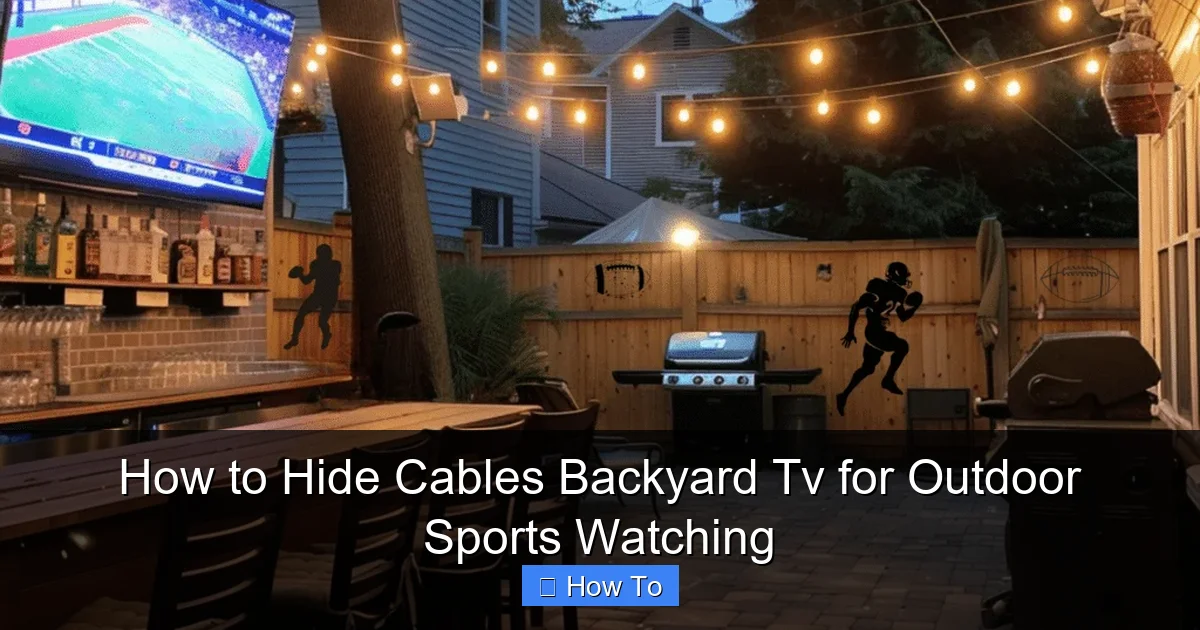
Visual guide about How to Hide Cables Backyard Tv for Outdoor Sports Watching
Image source: basichomediy.com
Outdoor environments are tough on electronics. Rain, snow, UV rays, and temperature swings can degrade standard indoor cables in just a few months. Plus, if your TV is connected to a soundbar, streaming device, or antenna, you might have multiple cables to manage. Hiding them properly not only protects your investment but also ensures a reliable signal and uninterrupted viewing.
Finally, a clean setup enhances the overall experience. When cables are out of sight, your focus stays on the screen—not on the mess behind it. Whether you’re hosting a watch party or enjoying a quiet evening under the stars, a well-organized space makes all the difference.
Step 1: Plan Your Cable Route
Before you buy a single cable or tool, take time to plan your cable route. This step saves time, money, and frustration down the line. Start by identifying all the components that need connecting: your outdoor TV, power source, streaming device (like a Roku or Apple TV), sound system, and any antennas or satellite receivers.
Map the Shortest Path
Trace the most direct route from your TV to each power outlet and signal source. Avoid sharp turns, high-traffic areas, and places where water pools. If your TV is mounted on a wall, consider running cables vertically down the wall and then horizontally along a fence, under decking, or along the edge of your patio.
Check for Obstacles
Look for potential obstacles like garden beds, sprinkler lines, or underground utilities. Use a stud finder or cable locator if you’re drilling into walls. If you’re unsure about underground lines, call 811 (in the U.S.) to have utilities marked for free before digging.
Measure Twice, Cut Once
Measure the distance for each cable and add a little extra—about 10–15%—for slack and future adjustments. This prevents tension on connections, which can cause signal loss or damage over time.
Consider Future Upgrades
Think ahead. If you might add a subwoofer, outdoor speakers, or a second TV later, plan your route to accommodate extra cables. Running a larger conduit now can save you from redoing the entire setup later.
Step 2: Choose the Right Cables and Accessories
Not all cables are created equal—especially when it comes to outdoor use. Using indoor-rated cables outside is a common mistake that leads to premature failure. Here’s what to look for:
Outdoor-Rated Cables
Always choose cables labeled “outdoor,” “direct burial,” or “UV-resistant.” These are built with protective jackets that resist moisture, sunlight, and temperature changes. For example:
- HDMI cables: Look for “outdoor HDMI” or “weatherproof HDMI” with braided shielding.
- Power cords: Use outdoor extension cords or permanent wiring with GFCI protection.
- Coaxial cables: Choose RG6 quad-shielded coaxial cables for antennas or satellite dishes.
Weatherproof Connectors and Enclosures
Even the best cables can fail at connection points. Use weatherproof junction boxes, cable glands, or outdoor-rated outlet covers to protect plugs and splices. Silicone sealant can also help waterproof connections.
Cable Management Tools
Invest in quality tools to keep everything tidy:
- Cable raceways: Plastic or metal channels that snap onto walls or fences.
- Conduit: Flexible or rigid tubing for burying or surface-mounting cables.
- UV-resistant zip ties and clips: Regular plastic ties degrade in sunlight; choose ones rated for outdoor use.
- Adhesive mounts: Heavy-duty outdoor tape or clips that stick to siding, brick, or concrete.
Step 3: Mount Your TV and Devices Securely
A stable TV mount is the foundation of a clean setup. If your TV wobbles or shifts, cables can loosen or get pinched. Use a sturdy, weatherproof outdoor TV mount rated for your TV’s size and weight. Many mounts include built-in cable management channels—take advantage of them.
Position for Optimal Viewing and Cable Access
Mount your TV at eye level when seated, and angle it slightly downward to reduce glare. Leave enough space behind the TV to route cables without bending them too sharply. If possible, mount streaming devices or receivers in a nearby weatherproof enclosure to keep them dry and accessible.
Use a Weatherproof Enclosure
For devices like Roku, Fire Stick, or cable boxes, consider a ventilated, lockable outdoor media box. These protect electronics from rain and dust while allowing remote signals to pass through. Mount the box within 10–15 feet of the TV to keep HDMI cables short and manageable.
Step 4: Run and Hide Cables Along Walls or Fences
For most backyard setups, running cables along existing structures is the easiest and most effective method. Here’s how to do it neatly and safely.
Use Cable Raceways
Cable raceways are plastic or metal channels that snap onto walls, fences, or posts. They’re perfect for hiding multiple cables in plain sight. Choose a color that matches your siding or fence to make them nearly invisible.
To install:
- Clean the surface with rubbing alcohol.
- Mark the route with a pencil.
- Drill pilot holes and secure the raceway with screws or outdoor adhesive.
- Thread cables through, then snap on the cover.
Pro tip: Use corner pieces and T-junctions for clean turns and splits.
Attach Cables with Clips and Ties
If raceways aren’t your style, use outdoor-rated adhesive clips or zip ties to secure cables directly to surfaces. Space clips every 12–18 inches to prevent sagging. For brick or concrete, use masonry anchors and screws instead of adhesive.
Blend with Landscaping
Run cables behind potted plants, along garden borders, or under decorative stones. Just make sure they’re still protected from moisture and foot traffic. Avoid covering cables with mulch or soil unless they’re in conduit.
Step 5: Bury Cables for a Permanent, Hidden Look
If you’re ready for a more permanent solution, burying cables is the ultimate way to hide them completely. This method works best for long-term setups and requires a bit more effort—but the results are worth it.
Choose the Right Conduit
Use PVC or flexible electrical conduit rated for direct burial. PVC is durable and easy to work with; flexible conduit is better for curved paths. The conduit should be at least 1.5 inches in diameter to accommodate multiple cables and allow for future upgrades.
Dig a Trench Safely
Call 811 before you dig to avoid hitting gas, water, or electrical lines. Dig a trench 18–24 inches deep—this protects cables from lawn equipment and freezing temperatures. Slope the trench slightly to allow water drainage.
Install the Conduit and Pull Cables
Place the conduit in the trench, leaving a little slack at both ends. Use a fish tape or pull string to guide cables through. Apply cable lubricant to reduce friction. Once cables are in, seal the ends with waterproof caps or silicone to keep out moisture.
Backfill and Restore
Cover the conduit with soil, then replace grass or mulch. Mark the trench location with a small stake or landscape marker so you remember where it is later.
Step 6: Protect Power Connections
Power is often the trickiest part of outdoor setups. You need reliable electricity without creating a hazard. Here’s how to do it right.
Use GFCI Outlets
Outdoor outlets must be GFCI (Ground Fault Circuit Interrupter) protected to prevent shocks. If your existing outlet isn’t GFCI, have an electrician install one. Test it monthly by pressing the “test” and “reset” buttons.
Install a Weatherproof Outlet Cover
Use an in-use cover that closes over plugs while devices are connected. This keeps rain and debris out. Look for covers labeled “while-in-use” or “bubble covers.”
Avoid Overloading Circuits
Don’t plug too many devices into one outlet. Check the wattage of your TV, sound system, and lights. If needed, run a dedicated circuit from your main panel—this is especially important for permanent setups.
Step 7: Test and Troubleshoot Your Setup
Before you host your first watch party, test everything. Turn on the TV, check the picture and sound, and ensure all devices are working. Walk the cable route to make sure nothing is pinched, loose, or exposed.
Check Signal Quality
Weak HDMI signals can cause flickering or no picture. If you’re running HDMI over 25 feet, use an active HDMI cable or a signal booster. For longer runs, consider HDMI over Ethernet or wireless HDMI kits.
Look for Interference
Power cables can interfere with signal cables if they run parallel. Keep them at least 6 inches apart, or cross them at 90-degree angles to reduce noise.
Inspect for Damage
After storms or heavy use, check cables for cracks, fraying, or moisture. Replace damaged cables immediately to avoid safety risks.
Step 8: Maintain Your Outdoor Cable System
Even the best setups need upkeep. Make cable maintenance part of your seasonal routine.
Clean and Inspect Regularly
Wipe down raceways and enclosures with a damp cloth. Check for loose clips, faded labels, or pest activity. Rodents love chewing on cables—use rodent-resistant conduit if needed.
Re-Seal Connections
Over time, silicone sealant can crack. Reapply it around outdoor outlets and conduit entries each spring.
Update as Needed
Technology evolves. If you upgrade your TV or add new devices, reassess your cable management plan. You might need longer cables, better shielding, or a new routing path.
Troubleshooting Common Cable Issues
Even with careful planning, problems can arise. Here’s how to fix the most common issues:
No Picture or Sound
Check all connections. Ensure HDMI cables are fully seated and not damaged. Try a different cable to rule out failure. If using wireless devices, check battery levels and signal range.
Flickering or Intermittent Signal
This is often caused by long cable runs or interference. Use shorter cables, add a signal booster, or reroute power cables away from signal lines.
Cables Overheating
If cables feel warm, they may be overloaded or poorly ventilated. Reduce the number of devices on one circuit or switch to higher-gauge cables.
Water in Conduit
Condensation or rain can seep into buried conduit. Install a drain valve at the lowest point or use waterproof cable glands. Consider adding a desiccant pack to absorb moisture.
Conclusion
Hiding cables for your backyard TV doesn’t have to be complicated or expensive. With the right planning, tools, and techniques, you can create a clean, safe, and weatherproof setup that lets you enjoy outdoor sports without the clutter. Whether you’re using raceways, burying cables, or blending wires into your landscape, the key is to protect your investment and prioritize safety.
Remember: start with a solid plan, use outdoor-rated materials, and test everything before the big game. A little effort now pays off in peace of mind and uninterrupted viewing for seasons to come. So grab your tools, gather your friends, and get ready to cheer—without tripping over a single cable.

