
Keeping your weatherproof TV clean in humid environments is essential for performance and longevity. This guide walks you through safe cleaning methods, tools, and maintenance tips to prevent moisture buildup, mold, and screen damage—so your outdoor entertainment stays crisp and clear year-round.
Key Takeaways
- Use only approved cleaning solutions: Avoid ammonia, alcohol, or abrasive cleaners that can damage anti-reflective coatings or seals.
- Clean when the TV is off and cool: This prevents electrical risks and ensures safe handling of the screen and housing.
- Wipe gently with microfiber cloths: Harsh scrubbing can scratch the screen or compromise weatherproof seals.
- Inspect seals and vents regularly: Humidity can degrade rubber gaskets over time, leading to internal moisture buildup.
- Schedule routine maintenance: Clean your weatherproof TV every 2–4 weeks in high-humidity areas to prevent grime and mold.
- Protect from direct rain and extreme weather: Even weatherproof TVs benefit from covered installations to extend lifespan.
- Use a soft brush for vents and crevices: Dust and debris in airflow areas can trap moisture and reduce cooling efficiency.
How to Clean Weatherproof TV for Humid Areas
If you’ve invested in a weatherproof TV for your patio, deck, or outdoor living space, you know how amazing it is to enjoy your favorite shows under the open sky. But in humid climates—like coastal regions, tropical zones, or areas with frequent rain—your outdoor TV faces unique challenges. Moisture in the air can lead to condensation, mold growth, and dust buildup, all of which can affect picture quality and even damage internal components over time.
Cleaning your weatherproof TV properly isn’t just about keeping it looking nice—it’s about protecting your investment and ensuring it performs reliably for years. Humidity doesn’t just sit on the surface; it can seep into tiny gaps, cling to vents, and promote mold or mildew if not managed. The good news? With the right tools, techniques, and routine, you can keep your outdoor TV in top shape—no matter how muggy it gets.
In this guide, we’ll walk you through a complete, step-by-step process for cleaning your weatherproof TV in humid areas. You’ll learn what tools to use (and which to avoid), how to clean the screen safely, how to maintain seals and vents, and how to prevent long-term damage from moisture. Whether you’re dealing with salt air, morning dew, or summer humidity, these tips will help you keep your outdoor entertainment center running smoothly.
Why Cleaning Matters in Humid Climates
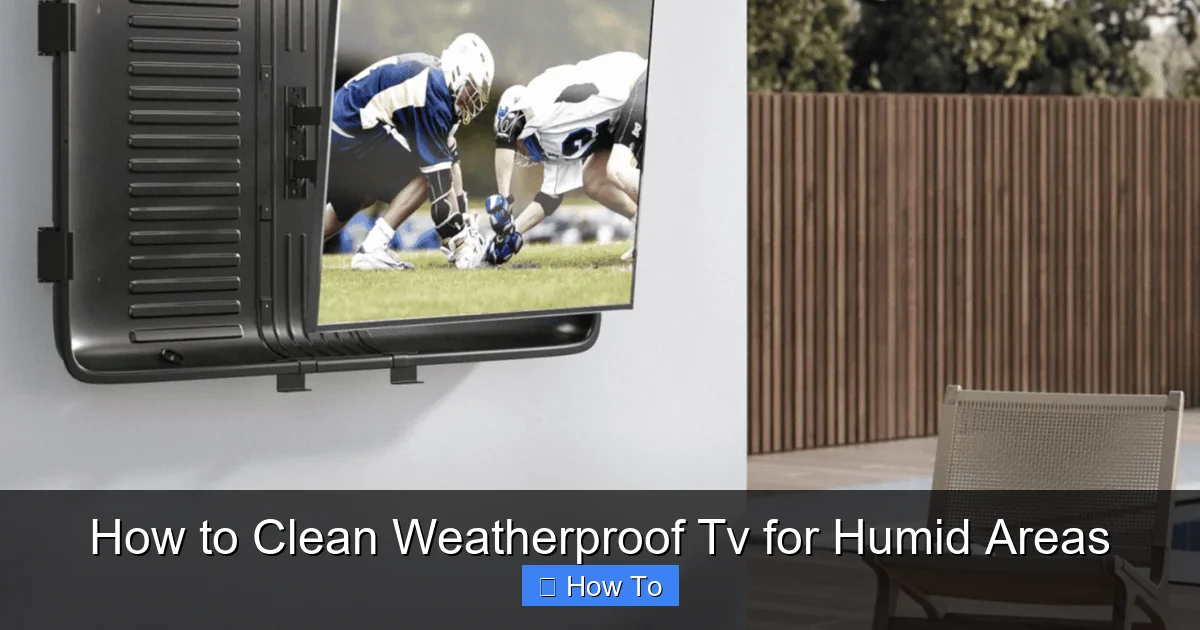
Visual guide about How to Clean Weatherproof Tv for Humid Areas
Image source: q-vision.com.au
Humidity is more than just uncomfortable weather—it’s a silent threat to electronics. When moisture lingers in the air, it can condense on cool surfaces, including your TV screen and housing. Over time, this leads to water spots, foggy screens, and even internal corrosion. In coastal or tropical areas, salt and mineral content in the air can accelerate wear and leave behind sticky residues.
Weatherproof TVs are designed to handle the elements, but “weatherproof” doesn’t mean “maintenance-free.” These TVs come with sealed housings, protective coatings, and enhanced ventilation to resist moisture, but they still need regular care. Dust, pollen, and organic debris can mix with humidity to form grime that’s hard to remove and can trap moisture against the screen.
Moreover, mold and mildew thrive in damp, shaded environments—exactly where an outdoor TV might sit. If left unchecked, mold can grow on the screen bezel, inside ventilation ports, or even near the internal circuitry, leading to odors, discoloration, and potential electrical issues.
Regular cleaning not only improves visibility and performance but also extends the life of your TV. It helps maintain the integrity of the weatherproof seals, prevents overheating by keeping vents clear, and ensures that your outdoor viewing experience stays crisp and enjoyable.
Tools and Supplies You’ll Need
Before you start cleaning, gather the right tools. Using the wrong products can do more harm than good—especially on coated screens and rubber seals. Here’s a list of recommended supplies:
- Microfiber cloths (lint-free): These are essential for wiping screens without scratching. Avoid paper towels or rough fabrics.
- Distilled water: Tap water contains minerals that can leave streaks or spots. Distilled water is pure and safe for electronics.
- Mild dish soap (optional): A drop of gentle, non-abrasive soap can help cut through grime. Avoid detergents with bleach or ammonia.
- Isopropyl alcohol (70% or less): Only for non-screen surfaces like the bezel or housing. Never use on the screen itself.
- Soft-bristle brush (like a clean makeup brush): Great for dusting vents, crevices, and around buttons.
- Compressed air (optional): Useful for blowing dust out of hard-to-reach areas like ventilation slots.
- Spray bottle: For mixing and applying cleaning solutions safely.
- Gloves (optional): To protect your hands and prevent oils from transferring to the TV.
Avoid these common but harmful items:
- Ammonia-based cleaners (like Windex)
- Alcohol-based screen wipes (unless specifically labeled safe for TVs)
- Abrasive sponges or steel wool
- Household glass cleaners
- Excessive water or soaking sprays
Having the right tools on hand makes the process faster, safer, and more effective.
Step 1: Power Down and Cool Off
Before you touch a single cloth, make sure your TV is completely powered off and has had time to cool down. This is a critical safety step—especially in humid areas where moisture can increase the risk of electrical shock.
Turn Off the TV
Use the remote or power button to shut down the TV. Don’t just put it in standby mode—fully power it off. This ensures no current is running through the components.
Unplug if Possible
If your weatherproof TV is accessible and safely reachable, unplug it from the power source. This eliminates any risk of electrical contact during cleaning. If it’s hardwired or in a difficult location, ensure the power is switched off at the circuit breaker.
Wait for Cooling
Let the TV sit for at least 15–20 minutes after use. TVs generate heat during operation, and cleaning a hot screen can cause cleaning solutions to evaporate too quickly, leaving streaks or residue. A cool TV also reduces the chance of thermal shock if you apply a cooler cleaning solution.
Check the Environment
Avoid cleaning during peak humidity times, like early morning or after rain. If possible, clean on a dry, breezy day when the air is less saturated. This helps the TV dry faster and reduces the chance of new moisture settling on the surface.
Step 2: Dust Off the Surface
Before applying any liquid, remove loose dust, pollen, and debris. This prevents scratching the screen when you wipe later.
Use a Dry Microfiber Cloth
Gently wipe the entire surface of the TV—screen, bezel, and housing—using a clean, dry microfiber cloth. Use light, sweeping motions from top to bottom. Don’t press hard; let the cloth do the work.
Focus on Vents and Crevices
Dust loves to settle in ventilation slots, around buttons, and along the edges of the screen. Use a soft-bristle brush or the corner of your microfiber cloth to dislodge particles. For tight spaces, a can of compressed air can help blow out stubborn dust—just hold the can upright and use short bursts.
Check the Mount and Surroundings
While you’re at it, wipe down the mounting bracket and nearby surfaces. Dust on the wall or ceiling can fall onto the TV over time. A quick pass with a dry cloth keeps everything clean.
Step 3: Prepare the Cleaning Solution
Now it’s time to make a safe, effective cleaning solution. The goal is to remove grime without damaging the screen’s protective coating or the TV’s weatherproof seals.
Mix a Mild Solution
Fill a spray bottle with distilled water. Add one drop of mild dish soap (like Dawn or a similar gentle brand). Swirl gently to mix—don’t shake vigorously, as this creates bubbles.
Alternatively, you can use a pre-mixed screen cleaner designed for electronics. Look for products labeled “safe for LED/LCD screens” and free of ammonia and alcohol.
Never Spray Directly on the Screen
This is a common mistake. Spraying liquid directly onto the TV can cause it to seep into seams, vents, or around the bezel, potentially damaging internal components. Instead, lightly mist the solution onto your microfiber cloth.
Test on a Small Area
Before cleaning the entire screen, test your solution on a small, inconspicuous area—like the edge of the bezel. Wait a few minutes to ensure there’s no discoloration, streaking, or damage.
Step 4: Clean the Screen Safely
The screen is the most delicate part of your TV, so handle it with care.
Wipe in Gentle, Circular Motions
Using the damp (not wet) microfiber cloth, gently wipe the screen in small, circular motions. Start from the center and work outward. This helps lift dirt without spreading it around.
Focus on Stubborn Spots
For fingerprints, smudges, or dried-on residue, apply a bit more pressure—but never scrub. Let the solution do the work. If a spot won’t budge, reapply a tiny amount of cleaner to the cloth and try again.
Avoid the Edges
Be careful around the screen’s edges, where the glass meets the bezel. Excess moisture here can seep into the TV. Keep the cloth slightly drier near the borders.
Use a Second Dry Cloth to Buff
After cleaning, use a second, dry microfiber cloth to buff the screen. This removes any remaining moisture and prevents streaks. Wipe in the same circular pattern until the screen is completely dry and clear.
Step 5: Clean the Housing and Bezel
The outer casing of your weatherproof TV also needs attention—especially in humid areas where mold and mildew can grow.
Wipe Down the Bezel
Use a slightly damp microfiber cloth (with your cleaning solution) to wipe the plastic or metal bezel. Pay attention to corners and seams where dirt accumulates.
Use Isopropyl Alcohol for Tough Grime
For sticky residues or mold spots, dampen a cloth with a small amount of 70% isopropyl alcohol. Gently rub the affected area, then wipe clean with a damp cloth and dry immediately. Alcohol evaporates quickly and helps disinfect surfaces.
Clean Around Buttons and Ports
Use a cotton swab lightly dampened with cleaning solution to clean around control buttons, USB ports, or HDMI inputs. Be gentle—don’t force liquid into openings.
Dry Thoroughly
After cleaning, use a dry cloth to wipe down all external surfaces. Make sure no moisture remains, especially in crevices or near seals.
Step 6: Inspect and Maintain Weatherproof Seals
The seals are what make your TV “weatherproof.” Over time, humidity, UV exposure, and temperature changes can cause rubber gaskets to dry out, crack, or lose their grip.
Check the Seal Condition
Inspect the rubber seals around the screen, back panel, and ventilation areas. Look for cracks, brittleness, or gaps. If the seal looks damaged, it may need replacement.
Clean the Seals Gently
Use a dry or slightly damp cloth to wipe away dust and debris from the seals. Avoid soaking them—excess moisture can degrade rubber over time.
Apply Silicone Lubricant (Optional)
If the seals appear dry, you can apply a tiny amount of silicone-based lubricant (not oil-based) to keep them flexible. Use a cotton swab to apply a thin layer, then wipe off excess. This helps maintain a tight seal against moisture.
Test the Seal Integrity
After cleaning, gently press around the edges of the screen. The seal should feel firm and intact. If you notice air leaks or flexibility issues, consider contacting the manufacturer for replacement parts.
Step 7: Clean Vents and Airflow Areas
Proper airflow is essential for cooling your TV, especially in hot, humid climates. Clogged vents can lead to overheating and reduced performance.
Use Compressed Air
Hold the can upright and use short bursts to blow dust out of ventilation slots. Don’t tilt the can—this can release liquid propellant that damages electronics.
Brush Away Debris
Use a soft-bristle brush to loosen dust from vent grilles. Work gently to avoid damaging internal fins or components.
Check for Blockages
Ensure nothing is blocking the vents—like leaves, spider webs, or outdoor furniture. Clear any obstructions to maintain proper airflow.
Monitor for Moisture Buildup
If you notice condensation inside the vents or near the screen, it may indicate a seal failure or poor ventilation. In such cases, reduce exposure to direct moisture and consider using a dehumidifier nearby.
Step 8: Dry and Reassemble
After cleaning, give your TV time to dry completely before turning it back on.
Air Dry in a Safe Location
Leave the TV in a dry, shaded area for at least 30–60 minutes. Avoid direct sunlight, which can cause uneven drying and warping.
Reconnect Power
Once the TV is fully dry, plug it back in or restore power at the circuit breaker.
Turn On and Test
Power on the TV and check for normal operation. Look for any streaks, spots, or performance issues. If everything looks good, you’re all set!
Troubleshooting Common Issues
Even with careful cleaning, you might run into problems. Here’s how to handle them:
Streaks or Haze on the Screen
This is usually caused by using too much cleaner or not buffing thoroughly. Re-clean with a fresh microfiber cloth and distilled water. Avoid soap unless necessary.
Mold or Mildew Growth
If you spot black or green spots, especially in corners or near seals, act quickly. Use a cloth dampened with a 50/50 mix of distilled water and white vinegar. Wipe gently, then dry immediately. Vinegar is a natural mold killer but should be used sparingly on electronics.
Condensation Inside the Screen
This is a serious issue and may indicate a failed seal. Turn off the TV immediately and contact the manufacturer. Do not attempt to open the TV yourself.
Sticky Residues
Often caused by tree sap, insect droppings, or food splatters. Use a cloth with a drop of isopropyl alcohol to gently dissolve the residue. Wipe clean and dry.
Overheating After Cleaning
If the TV feels unusually hot, check that vents are clear and the room isn’t too humid. Ensure the TV has adequate airflow and isn’t placed in direct sunlight.
Preventive Maintenance Tips
Cleaning is just one part of the equation. Preventive care helps you avoid problems before they start.
Clean Every 2–4 Weeks
In high-humidity areas, aim to clean your TV every two to four weeks. In drier climates, monthly cleaning may suffice.
Use a TV Cover
When not in use, especially during rainy or extremely humid weather, cover your TV with a breathable, weatherproof cover. This reduces exposure to moisture and debris.
Install in a Covered Area
Even weatherproof TVs last longer when installed under a roof, awning, or pergola. This protects them from direct rain, sun, and wind-driven moisture.
Monitor Humidity Levels
Use a hygrometer to track indoor or outdoor humidity. Ideally, keep levels below 60% to prevent condensation and mold growth.
Schedule Professional Inspections
Once a year, consider having a technician inspect your TV’s seals, ventilation, and internal components—especially if you live in a coastal or tropical region.
Conclusion
Cleaning your weatherproof TV in humid areas doesn’t have to be complicated—but it does require care, the right tools, and a consistent routine. By following these steps, you’ll protect your investment, maintain picture quality, and extend the life of your outdoor entertainment system.
Remember: always power off and cool the TV first, use only safe cleaning solutions, and never spray liquid directly on the screen. Pay special attention to seals and vents, where moisture and debris love to hide. With regular maintenance, your weatherproof TV will keep delivering crisp, clear images—rain or shine, humidity or not.
Your outdoor space is meant for enjoyment, and your TV is a big part of that. Treat it well, and it will reward you with years of reliable performance. So grab your microfiber cloth, mix up a gentle cleaner, and give your TV the care it deserves. Happy viewing!

