
Keeping a poolside TV clean in rental homes ensures guest satisfaction and extends the TV’s lifespan. This guide walks you through safe cleaning methods, tools, and maintenance tips tailored for high-traffic vacation rentals.
Key Takeaways
- Use only approved cleaning solutions: Avoid ammonia, alcohol, or abrasive cleaners that can damage anti-glare coatings or screens.
- Power off and unplug the TV before cleaning: Safety first—always disconnect power to prevent electrical hazards near water.
- Microfiber cloths are essential: They trap dust and moisture without scratching the screen or bezel.
- Clean regularly, not just between guests: Weekly wipe-downs prevent buildup from sunscreen, chlorine, and humidity.
- Inspect for water damage or loose seals: Poolside environments are harsh—routine checks help catch issues early.
- Use a protective cover when not in use: Shields the TV from splashes, UV rays, and debris during off-seasons.
- Document your cleaning process: Helps maintain consistency across cleanings and supports insurance claims if needed.
Introduction: Why Cleaning Your Poolside TV Matters in Rental Homes
If you manage a vacation rental with a poolside TV, you know how much guests love unwinding with a movie or game after a swim. But that same environment—full of chlorine mist, sunscreen residue, saltwater spray, and high humidity—can quickly turn your sleek outdoor display into a smudged, streaky eyesore. More importantly, improper cleaning can permanently damage the screen or internal components, leading to costly repairs or replacements.
Cleaning your poolside TV isn’t just about aesthetics—it’s about protecting your investment and ensuring a positive guest experience. A dirty or malfunctioning TV can lead to negative reviews, refund requests, or even safety hazards if moisture seeps into electrical components. In this comprehensive guide, we’ll walk you through everything you need to know to clean your poolside TV safely, effectively, and efficiently—specifically tailored for rental home owners and property managers.
You’ll learn the right tools to use (and which ones to avoid), step-by-step cleaning procedures, how to maintain the TV between deep cleans, and troubleshooting tips for common issues like foggy screens or sticky buttons. Whether you’re managing one beachfront condo or a portfolio of luxury villas, these best practices will help keep your outdoor entertainment setup looking sharp and functioning flawlessly all season long.
Understanding Your Poolside TV: What Makes It Different?
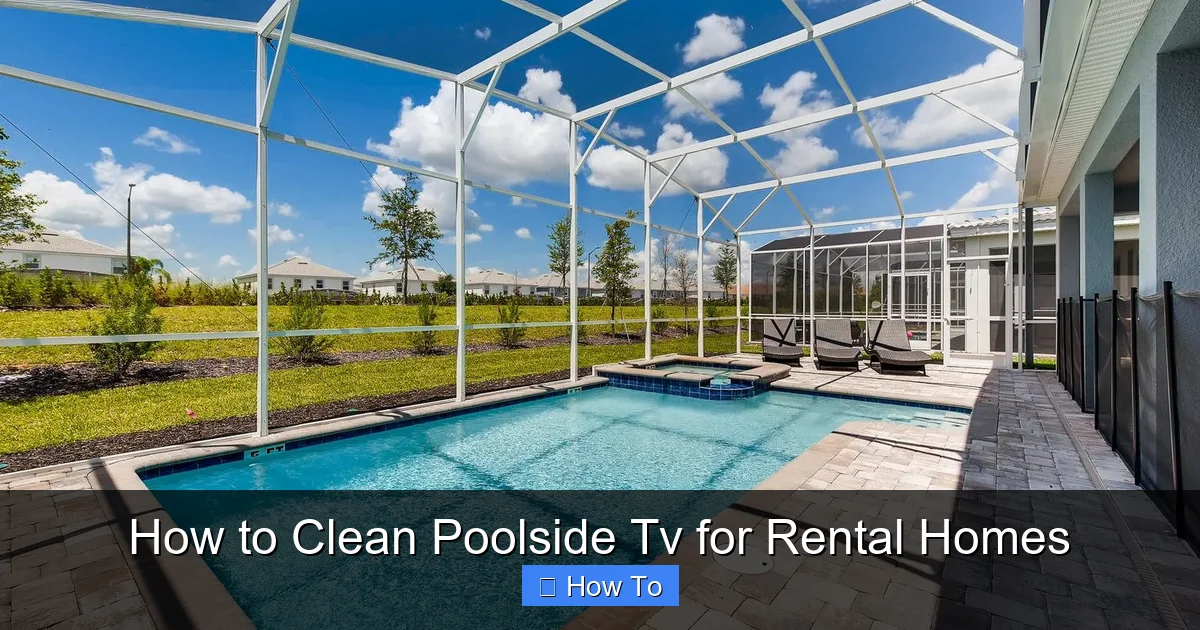
Visual guide about How to Clean Poolside Tv for Rental Homes
Image source: homes-and-villas.marriott.com
Before diving into cleaning, it’s important to understand what sets a poolside TV apart from a standard indoor model. Most outdoor TVs used near pools are either specifically designed for outdoor use or installed in weatherproof enclosures. These units are built to withstand heat, humidity, dust, and occasional splashes—but they’re not invincible.
Outdoor TVs often feature:
– Enhanced cooling systems to prevent overheating
– Anti-reflective or anti-glare screens for better visibility in sunlight
– Sealed ports and reinforced casings to resist moisture
– UV-resistant materials to prevent yellowing or cracking
However, even the most rugged outdoor TV can suffer from buildup caused by pool chemicals. Chlorine and salt can leave white residue on screens and frames. Sunscreen oils create stubborn smudges that attract dust. And constant exposure to moisture increases the risk of corrosion on internal circuits if seals degrade.
That’s why regular, gentle cleaning is crucial. Unlike indoor TVs that might go weeks between dustings, poolside models need attention at least weekly—and ideally after every guest turnover. The good news? With the right approach, cleaning takes just 5–10 minutes and can significantly extend your TV’s lifespan.
Essential Tools and Supplies for Safe Cleaning
Using the wrong tools can do more harm than good. Harsh chemicals or rough cloths can scratch anti-glare coatings, strip protective layers, or leave behind lint that attracts more dirt. Here’s what you’ll need for safe, effective cleaning:
Microfiber Cloths
These are non-negotiable. Microfiber gently lifts dust, oils, and moisture without scratching. Keep at least two on hand—one for dry dusting and one for damp cleaning. Avoid paper towels, tissues, or cotton rags, which can shed fibers or leave lint.
Distilled Water
Tap water contains minerals that can leave spots or streaks, especially in sunny outdoor settings. Distilled water ensures a clean, residue-free finish.
Mild Cleaning Solution (Optional)
If plain water isn’t cutting it, mix a few drops of mild dish soap (like Dawn) with distilled water. Never use window cleaners (Windex), vinegar, ammonia, or alcohol-based sprays—they can degrade screen coatings.
Soft-Bristle Brush or Compressed Air
Use this to gently remove loose debris from vents, ports, or crevices around the bezel. Avoid blowing air directly into openings if the TV isn’t fully sealed.
Isopropyl Alcohol (70% or less, sparingly)
Only for non-screen surfaces like plastic bezels or metal mounts—and only if absolutely necessary. Never spray directly; apply to a cloth first.
Protective Gloves
Optional but helpful if you’re dealing with chemical residue from pool water or cleaning products.
TV Cover or Enclosure
Not a cleaning tool per se, but essential for long-term protection. Use a breathable, UV-resistant cover when the TV isn’t in use.
Pro tip: Store your cleaning kit in a sealed bin near the TV so it’s always ready during turnovers. Label it clearly so housekeepers know what to use—and what to avoid.
Step-by-Step Guide to Cleaning Your Poolside TV
Follow these steps every time you clean to ensure consistency and safety.
Step 1: Power Down and Unplug
Always turn off the TV and unplug it from the power source. Even if it’s on a GFCI outlet (which it should be outdoors), disconnecting eliminates any risk of electrical shock—especially critical near water. Wait 5–10 minutes for the unit to cool down if it’s been running.
Step 2: Remove Loose Debris
Use a dry microfiber cloth or soft brush to wipe away dust, leaves, or insect residue from the screen and frame. For vents or hard-to-reach areas, use compressed air held at least 6 inches away. Never blow air directly into speaker grilles or ports unless the manufacturer confirms it’s safe.
Step 3: Dampen Your Cloth (Not the Screen)
Lightly dampen a clean microfiber cloth with distilled water. Wring it out thoroughly—it should be barely moist, not dripping. If using a soap solution, use only a few drops of mild dish soap per cup of water.
Step 4: Wipe the Screen Gently
Starting from the top, wipe the screen in slow, circular motions or straight vertical lines. Avoid pressing hard—let the cloth do the work. Focus on smudges, fingerprints, or chemical residue. Never spray liquid directly onto the screen.
Step 5: Clean the Bezel and Frame
Use the same damp cloth (or a separate one) to wipe down the plastic or metal frame. Pay extra attention to areas where guests might touch, like around buttons or the remote sensor. For stubborn grime, a slightly stronger soap solution is okay here—but rinse with a water-dampened cloth afterward.
Step 6: Dry Thoroughly
Use a second dry microfiber cloth to buff the screen and frame until completely dry. This prevents water spots and ensures no moisture lingers in seams or ports.
Step 7: Inspect for Damage
While cleaning, check for cracks, peeling seals, fogging behind the screen, or loose mounting hardware. Note any issues for repair or replacement.
Step 8: Reconnect and Test
Once everything is dry, plug the TV back in and power it on. Confirm it’s working properly before covering or leaving it exposed.
Total time: Under 10 minutes when done correctly.
Special Considerations for Different TV Types
Not all outdoor TVs are created equal. Your cleaning approach may vary slightly depending on the model.
Fully Enclosed Outdoor TVs
These are sealed in weatherproof casings (like those from SunBrite or Seura). You can usually clean the outer glass or acrylic front panel with the same method as above. However, never open the enclosure unless instructed by the manufacturer—doing so may void the warranty or compromise weather resistance.
Indoor TVs in Weatherproof Enclosures
Common in budget setups, these require extra caution. Ensure the enclosure’s vents aren’t blocked and that no moisture has entered. Clean only the exterior viewing window—never attempt to open the box yourself.
Projection Screens or Outdoor Projectors
If you’re using a projector instead of a flat-panel TV, clean the lens with a lens-specific microfiber cloth and optional lens cleaner. Never touch the lens with bare fingers. The screen itself (if fabric) should be vacuumed gently with a brush attachment—never wiped with liquid.
Maintaining Your Poolside TV Between Cleanings
Deep cleaning is important, but consistent maintenance prevents major buildup.
Weekly Wipe-Downs
Even if no guests are present, dust and humidity accumulate quickly outdoors. A quick dry microfiber pass once a week keeps the screen clear and reduces deep-clean frequency.
Post-Guest Inspection
After each checkout, do a visual check for spills, sticky residues (from drinks or sunscreen), or signs of tampering. Address issues immediately—dried sunscreen is much harder to remove than fresh smudges.
Use a Protective Cover
When the TV isn’t in use (e.g., off-season or during storms), cover it with a fitted, breathable outdoor TV cover. Avoid plastic tarps—they trap moisture and promote mold. Look for covers with UV protection and secure straps.
Monitor Humidity and Ventilation
High humidity can cause internal condensation. Ensure the TV area has airflow—avoid enclosing it in tight cabinets without ventilation fans. Some high-end models include built-in heaters or dehumidifiers; check your manual for care instructions.
Keep Remotes and Accessories Clean
Guests often handle remotes with wet or greasy hands. Wipe remotes with a disinfectant wipe (alcohol-based is fine here) and store them in a dry, shaded spot. Consider using silicone remote covers for added protection.
Troubleshooting Common Poolside TV Issues
Even with proper care, problems can arise. Here’s how to handle the most frequent ones.
Foggy or Hazy Screen
This usually indicates moisture trapped behind the screen or within the enclosure. Power off immediately and let the TV dry in a warm, dry area for 24–48 hours. If fogging persists, the seal may be compromised—contact the manufacturer or a professional.
Sticky or Unresponsive Buttons
Caused by sunscreen, lotion, or pool chemicals seeping into button gaps. Turn off the TV and gently clean around buttons with a cotton swab dipped in distilled water. Avoid forcing buttons—they may need professional servicing.
White Residue or Streaks
Typical of dried chlorine or salt. Mix equal parts distilled water and white vinegar (only for non-screen areas like bezels), apply with a cloth, then rinse with water and dry thoroughly. Never use vinegar on the screen itself.
Overheating or Shutting Down
Check for blocked vents, direct sunlight on the casing, or lack of airflow. Relocate the TV to a shaded, well-ventilated area if possible. Ensure the enclosure isn’t trapping heat.
Corrosion on Mounts or Screws
Salt air accelerates rust. Use stainless steel hardware and inspect mounts monthly. Apply a thin layer of silicone grease to threads to repel moisture.
Safety Tips You Can’t Ignore
Outdoor electronics near water demand extra caution.
– Always unplug before cleaning—no exceptions.
– Never lean ladders or tools against the TV; secure your workspace.
– Use GFCI (ground-fault circuit interrupter) outlets exclusively for outdoor TVs.
– Keep all cleaning supplies away from pool edges to prevent spills.
– Train housekeeping staff on proper procedures—provide written checklists.
Remember: A little prevention goes a long way. One damaged TV can cost hundreds to replace—and worse, lead to guest injury or liability issues.
Conclusion: Keep Your Rental’s Poolside Experience Spotless
A clean poolside TV isn’t just a nice-to-have—it’s a key part of your rental’s appeal and functionality. By following this guide, you’ll protect your investment, enhance guest satisfaction, and reduce long-term maintenance costs. Regular, gentle cleaning with the right tools keeps your outdoor entertainment area looking premium and performing reliably, season after season.
Make TV cleaning part of your standard turnover checklist. Document your process, train your team, and don’t skip the small details like drying thoroughly or inspecting seals. Your guests will notice the difference—and so will your bottom line.
With these tips, your poolside TV will stay crystal clear, ready for every movie night, sports game, or sunset binge-watch under the stars.

