
Keeping your outdoor TV clean is essential for clear picture quality and long-term performance, especially in high-traffic areas like outdoor bars. This guide walks you through safe, effective cleaning methods using the right tools and techniques to avoid damage while maintaining a crisp, vibrant display.
Key Takeaways
- Turn off and unplug the TV before cleaning to prevent electrical hazards and protect internal components.
- Use only microfiber cloths and approved cleaners—avoid paper towels, ammonia, or abrasive sprays that can scratch or damage the screen.
- Dust regularly with a soft brush or dry cloth to prevent buildup of dirt, pollen, and food particles common in outdoor bar environments.
- Clean the frame and vents gently to avoid moisture buildup and ensure proper airflow for cooling.
- Check the manufacturer’s guidelines before cleaning, as some outdoor TVs have special coatings or weatherproof seals.
- Clean during cooler times of day to prevent cleaning solutions from drying too quickly and leaving streaks.
- Inspect for damage after cleaning—look for cracks, loose seals, or moisture inside the screen that may require professional service.
How to Clean Outdoor TV for Outdoor Bar
If you run an outdoor bar, you know how important it is to create a welcoming, high-energy atmosphere. Music, drinks, and great company are key—but so is entertainment. That’s where your outdoor TV comes in. Whether it’s showing the big game, a live concert, or your bar’s promotional videos, a clean, clear screen keeps guests engaged and enhances the overall experience.
But here’s the catch: outdoor TVs face unique challenges. They’re exposed to dust, humidity, pollen, food splatters, and even the occasional spilled drink. Over time, this buildup can dull the picture, reduce brightness, and even affect performance. That’s why knowing how to clean outdoor TV for outdoor bar properly is essential—not just for aesthetics, but for longevity and safety.
In this guide, we’ll walk you through a complete, step-by-step process to safely and effectively clean your outdoor TV. You’ll learn what tools to use, what to avoid, and how to maintain your screen so it stays crystal clear season after season. Whether you’re cleaning once a week or after a busy Friday night, these tips will help you protect your investment and keep your guests impressed.
Why Cleaning Your Outdoor TV Matters
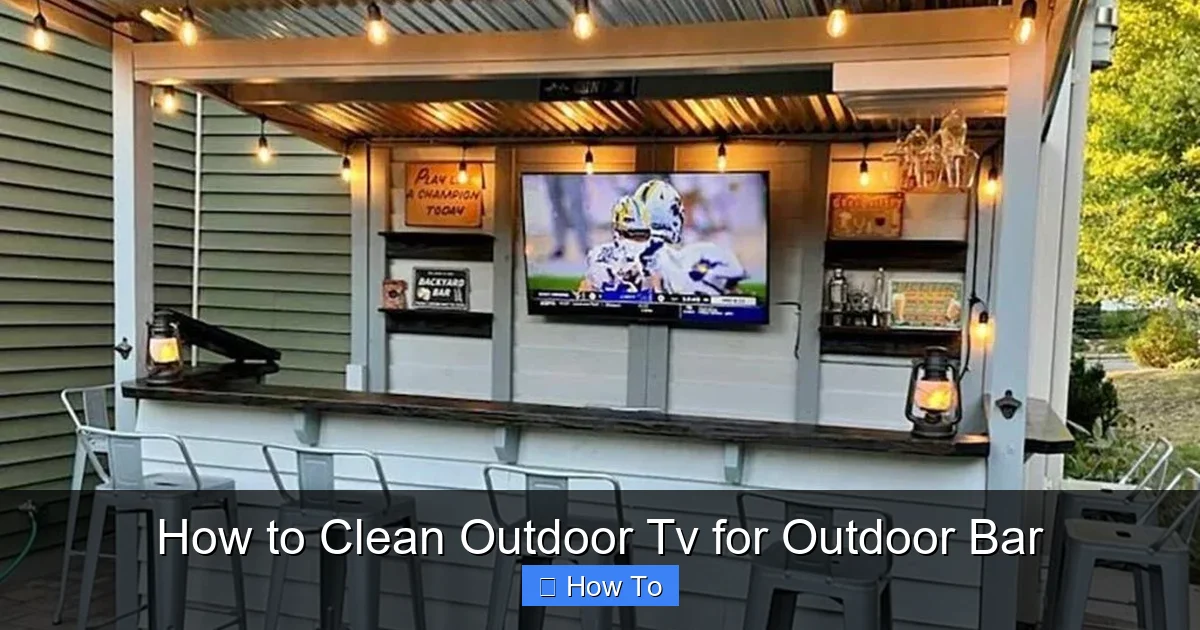
Visual guide about How to Clean Outdoor Tv for Outdoor Bar
Image source: rtaoutdoorliving.com
Outdoor TVs are built to withstand the elements, but that doesn’t mean they’re immune to dirt and grime. In an outdoor bar setting, your TV is constantly exposed to:
– Dust and pollen from the surrounding environment
– Grease and food particles from nearby grills or snack stations
– Moisture and humidity, especially in summer or rainy seasons
– Fingerprints and smudges from guests adjusting the angle or touching the screen
– Spills and splashes from drinks, sauces, or cleaning products
If left unchecked, these contaminants can:
– Reduce screen clarity and brightness
– Cause permanent staining or etching on the screen
– Clog ventilation ports, leading to overheating
– Damage weatherproof seals, allowing moisture to seep in
– Attract insects or mold in humid climates
Regular cleaning not only keeps your TV looking sharp but also helps prevent long-term damage. A well-maintained outdoor TV will last longer, perform better, and save you money on repairs or replacements.
What You’ll Need to Clean Your Outdoor TV
Before you start, gather the right tools. Using the wrong products can do more harm than good. Here’s a list of safe, effective cleaning supplies:
- Microfiber cloths (at least two—one for dusting, one for cleaning)
- Soft-bristle brush (like a clean makeup brush or lens brush)
- Distilled water (tap water can leave mineral deposits)
- Isopropyl alcohol (70%) (optional, for tougher stains—diluted with water)
- Screen-safe cleaning solution (check manufacturer recommendations)
- Compressed air (for vents and hard-to-reach areas)
- Garden hose with spray nozzle (for the exterior frame—only if the TV is rated for water exposure)
- Ladder or step stool (if the TV is mounted high)
- Gloves (optional, to keep hands clean)
Avoid these common household items:
– Paper towels or tissues (they can scratch the screen)
– Glass cleaners like Windex (they contain ammonia and alcohol, which damage coatings)
– Vinegar or bleach (too harsh for sensitive screens)
– Abrasive sponges or scrubbers
– Excessive water or spraying directly on the screen
Step 1: Turn Off and Unplug the TV
Safety first. Always turn off your outdoor TV and unplug it from the power source before cleaning. This prevents electrical shock and protects the internal electronics from moisture damage.
Even if your TV is weatherproof, water and electricity don’t mix. Unplugging ensures that no current is running through the unit while you clean.
If your TV is hardwired or connected to a smart system, turn off the power at the circuit breaker. Wait at least 10–15 minutes for the internal components to cool down, especially if the TV was recently in use. Hot screens are more prone to damage from cleaning solutions.
Tip: Use a Timer
Set a reminder on your phone to plug the TV back in after cleaning. It’s easy to forget, especially during busy bar hours.
Step 2: Dust the Screen and Frame
Start with a dry clean to remove loose dirt and debris. This prevents scratching when you apply liquid cleaners later.
Use a soft-bristle brush or a clean, dry microfiber cloth to gently wipe the screen in circular motions. Focus on areas with visible dust, fingerprints, or smudges.
Don’t press too hard—outdoor TV screens often have anti-glare or anti-reflective coatings that can be damaged by excessive pressure.
For the frame and bezel, use the same cloth or a slightly damp one (just lightly moistened with distilled water). Wipe around the edges, buttons, and ports.
Clean Around the Vents
Outdoor TVs have ventilation slots to prevent overheating. These can get clogged with dust, leaves, or insect nests. Use a can of compressed air to blow out debris from the vents. Hold the can upright and spray in short bursts to avoid moisture buildup.
Check for Insects or Debris
In outdoor bar settings, it’s not uncommon to find small insects or plant matter stuck near the screen or frame. Use tweezers (carefully) or a soft brush to remove them. Never use sharp objects that could scratch the surface.
Step 3: Prepare Your Cleaning Solution
Now it’s time to tackle any sticky residues, grease, or dried spills. But remember: less is more.
The safest option is a mixture of distilled water and a small amount of isopropyl alcohol (70%). Mix one part alcohol with three parts distilled water in a spray bottle. This solution evaporates quickly and won’t leave streaks.
Alternatively, use a commercial screen cleaner designed for outdoor or anti-reflective screens. Look for products labeled “ammonia-free” and “alcohol-free” if your TV has a special coating.
Never Spray Directly on the Screen
Spraying liquid directly onto the TV can cause it to seep into the edges, damaging internal components. Instead, lightly mist the solution onto your microfiber cloth—never the screen itself.
Test First
Before applying any cleaner, test it on a small, inconspicuous area (like the corner of the frame). Wait a few minutes to ensure there’s no discoloration or damage.
Step 4: Clean the Screen Gently
With your damp microfiber cloth (lightly moistened with cleaning solution), gently wipe the screen in small, circular motions. Start from the top and work your way down to avoid drips.
Focus on areas with fingerprints, smudges, or food splatters. For stubborn spots, apply a bit more pressure—but never scrub.
Avoid using too much liquid. A damp cloth is sufficient; a soaking wet one can cause streaks or seepage.
Use a Second Dry Cloth
After wiping with the damp cloth, immediately follow up with a dry microfiber cloth to buff the screen and remove any remaining moisture or streaks.
This two-cloth method ensures a clean, shiny finish without residue.
Don’t Forget the Corners
Dirt and grime often accumulate in the corners of the screen. Use the corner of your cloth or a cotton swab (lightly dampened) to clean these tight spots.
Step 5: Clean the Frame and Mounting Hardware
The screen isn’t the only part that needs attention. The frame, stand, and mounting brackets can collect grease, dust, and moisture—especially in a busy outdoor bar.
Use a slightly damp microfiber cloth to wipe down the entire frame. For metal parts, you can use a mild soap solution (one drop of dish soap in a cup of distilled water), but rinse thoroughly and dry immediately.
Check the Mounting Bracket
If your TV is wall-mounted or on a pole, inspect the bracket for rust, loose bolts, or dirt buildup. Tighten any loose screws and wipe away debris. A stable mount is crucial for safety, especially in windy conditions.
Clean the Remote Control
Guests often use the remote, and it can get sticky from drinks or fingerprints. Wipe it down with a cloth dampened with your cleaning solution. Remove the batteries and clean the compartment if needed.
Step 6: Dry Thoroughly
After cleaning, allow the TV to air dry completely before turning it back on. This usually takes 10–15 minutes, depending on humidity.
Use a dry microfiber cloth to gently pat dry any remaining moisture, especially around the edges and vents.
Never use a hairdryer or heat gun to speed up drying—this can damage the screen or internal components.
Ensure No Moisture Remains
Check behind the screen (if accessible) and around the vents. If you see any water droplets, gently blot them with a dry cloth.
Moisture trapped inside can lead to mold, corrosion, or electrical issues.
Step 7: Reconnect and Test
Once the TV is completely dry, plug it back in and turn it on. Check that the picture is clear, the sound works, and all inputs are functioning.
If the screen appears cloudy or has streaks, repeat the cleaning process with a fresh cloth and less liquid.
Adjust Settings if Needed
After cleaning, you may notice the picture looks brighter or more vibrant. Adjust the brightness, contrast, or color settings to suit the lighting conditions of your outdoor bar.
How Often Should You Clean Your Outdoor TV?
The frequency of cleaning depends on your environment and usage. Here’s a general guideline:
- Weekly: Dust the screen and frame with a dry cloth
- Bi-weekly: Full cleaning with mild solution (especially after busy weekends)
- Monthly: Deep clean including vents, mounts, and remote
- After Events: Clean immediately after parties, storms, or spills
In high-traffic outdoor bars, consider cleaning the screen every 3–4 days during peak season.
Troubleshooting Common Cleaning Issues
Even with the best care, problems can arise. Here’s how to handle common issues:
Streaks or Haze on the Screen
This usually happens when too much cleaner is used or the cloth isn’t rinsed properly. Re-clean with a fresh microfiber cloth and distilled water only. Buff dry immediately.
Moisture Inside the Screen
If you see fogging or water droplets behind the glass, the weatherproof seal may be damaged. Turn off the TV and contact the manufacturer or a professional technician. Do not attempt to open the TV yourself.
Scratches on the Screen
Minor scratches can sometimes be minimized with a screen polish designed for TVs. For deep scratches, consider a screen protector or professional repair.
Overheating After Cleaning
If the TV feels hot or shuts down, the vents may still be clogged. Use compressed air to clear them and ensure the TV has proper airflow.
Remote Not Working
Check the batteries and clean the sensor. If it still doesn’t work, the remote may have moisture inside—remove batteries and let it dry for 24 hours.
Tips for Maintaining Your Outdoor TV Year-Round
Cleaning is just one part of outdoor TV care. Follow these tips to keep your TV in top shape:
- Use a weatherproof cover when the TV is not in use, especially during storms or off-season
- Install in a shaded area to reduce sun exposure and heat buildup
- Keep food and drinks away from the TV to prevent spills
- Schedule professional inspections once a year to check seals, mounts, and internal components
- Monitor for pests—mice and insects can nest in vents or behind the TV
Conclusion
Cleaning your outdoor TV for your outdoor bar doesn’t have to be complicated or risky. With the right tools, techniques, and frequency, you can keep your screen looking sharp and performing at its best. Regular maintenance not only enhances the viewing experience for your guests but also extends the life of your investment.
Remember: always turn off and unplug the TV, use gentle cleaners and microfiber cloths, and avoid excess moisture. Dust regularly, clean thoroughly after busy nights, and inspect for damage.
By following this guide, you’ll ensure your outdoor TV remains a centerpiece of your bar’s entertainment setup—delivering crisp, vibrant visuals season after season.

